Quickbooks Desktop Pro is accounting software from Intuit, Inc. It includes core accounting features, plus analytics and exportable reports. It is offered in on-premise and SaaS forms.
N/A
Zoho Inventory
Score9 out of 10
N/A
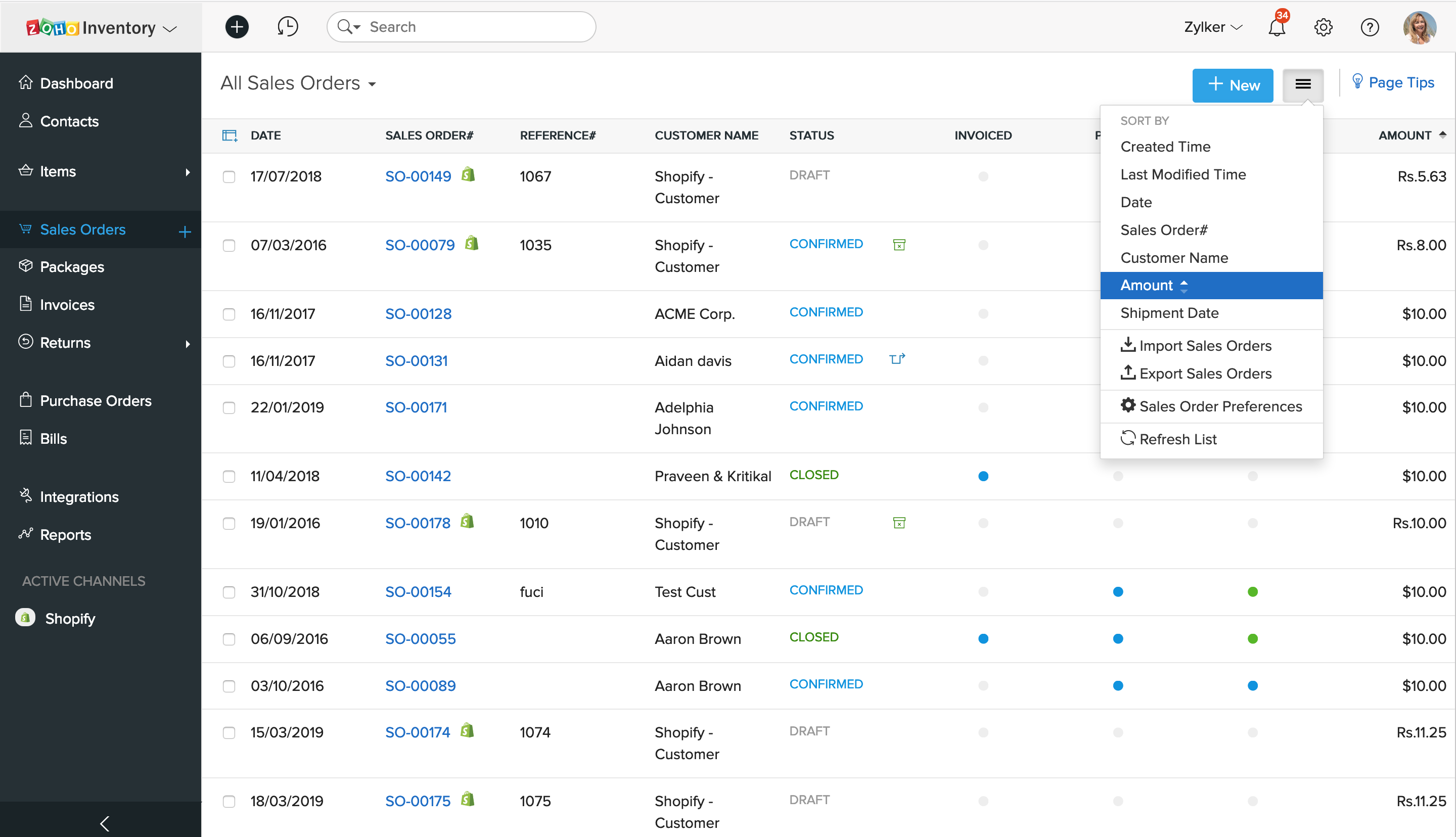
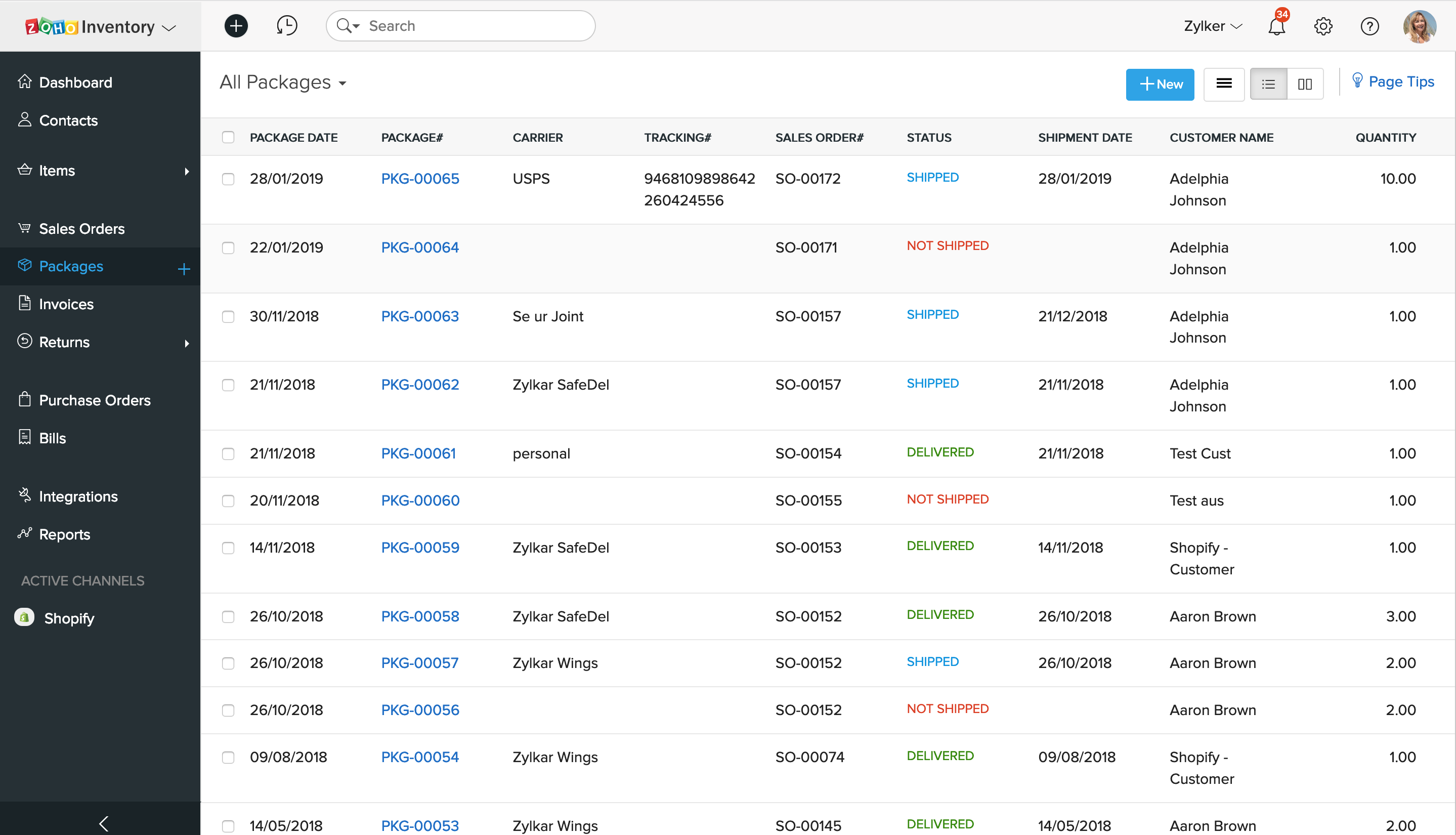
Zoho Inventory is a cloud-based inventory management solution designed for small to midsize businesses. It features inventory management modules including reporting and analysis, and lot traceability. It features mobile compatible apps for Android and iOS devices. Zoho Inventory offers additional capabilities such as built-in shipment estimating, and tracking and delivery confirmation features that allow users to invoice, ship and track products. The solution allows users to create…
$39
per organization / month billed annually ($49.00 billed monthly)
Pricing
QuickBooks Desktop Pro
Zoho Inventory
Editions & Modules
No answers on this topic
BASIC
$39.00
per organization / month billed annually ($49.00 billed monthly)
STANDARD
$79.00
per organization / month billed annually ($99.00 billed monthly)
STANDARD
$199.00
per organization / month billed annually ($249.00 billed monthly)
For a small business, QuickBooks Desktop Pro is great! For a larger, more complex business, another system may be more beneficial. We actually run multiple businesses on QuickBooks Desktop Pro, but all are very small. The help feature is sometimes so beneficial, and sometimes it seems like you just can't get the right answer and need to find a workaround - but this is usually for more complex issues.
It's a basic system which does some things well but the things it does well are the basic things you would expect! Many other features that are a little beyond basic are just not available or you can get 90% of the way there but get stuck on the final 10% so you need to hire a developer who can try to get you through the last bit. An inventory management system with no bin locations pretty much sums it up. The reporting system is terrible. To get any real use you need to integrate it with Zoho Analytics but the problem there is it only syncs every 3 hours. The integrated shipping process is extremely cumbersome
A de minimis incentive was given to thank the reviewer for their time. The incentive was not used to bias or drive a particular response, nor was the incentive contingent on a positive endorsement. More Info
A de minimis incentive was given to thank the reviewer for their time. The incentive was not used to bias or drive a particular response, nor was the incentive contingent on a positive endorsement. More Info
A de minimis incentive was given to thank the reviewer for their time. The incentive was not used to bias or drive a particular response, nor was the incentive contingent on a positive endorsement. More Info
QuickBooks Desktop Pro has been around for a few years and after an update[,] they force you to look at the changes/updates before you can use [them] after updating.
QuickBooks Desktop Pro does not have 2FA.
QuickBooks Desktop Pro should offer a way to store backups to a personal cloud without having to map a local network drive.
A de minimis incentive was given to thank the reviewer for their time. The incentive was not used to bias or drive a particular response, nor was the incentive contingent on a positive endorsement. More Info
Templates within Zoho Inventory are very weak. You can't customize many including package slips, shipment docs, etc...
When an order has multiple packages, it's next to impossible to find the item you are looking for. Scenario, a large order has many packages and a customer has cancelled one of the items. You must click through every package to find the item, edit the package and remove it before you can cancel the item.
The reports within Inventory are extremely basic and many of them are useless
The packing slip module is useless as it does not print out bin locations
It's an inventory management system but it does not have bin locations
The backorder system is useless. If you "backorder" something then the whole order is locked until the backorder arrives in. Scenario.... a client orders 20 items, 1 is on backorder. You "backorder" that one item but want to ship the other 19... not possible. The order gets completely locked.
You can't print out RMA requests. There is just no option to do it, you have to do a screen shot
Integration with Amazon or other 3rd party e-commerce providers is troublesome.
A de minimis incentive was given to thank the reviewer for their time. The incentive was not used to bias or drive a particular response, nor was the incentive contingent on a positive endorsement. More Info
I'd love to keep using it, and do intend to - though we've not been pleased with price increases over the past several years. In fact, we used to subscribe to the payroll service, but QuickBooks priced themselves out of reach for us, so we discontinued that. Currently, pricing would be the primary reason for NOT renewing, if we didn't.
A de minimis incentive was given to thank the reviewer for their time. The incentive was not used to bias or drive a particular response, nor was the incentive contingent on a positive endorsement. More Info
It is relatively easy to customise but the problem is sometimes it is not easy to see where this customisation is available. Also the integrations with external systems can prove problematic both during installation and ongoing development and maintenance. It's great for small companies with a simple inventory or even larger organisations with smaller product lines. And it is reasonably priced if you ar eprepared to put the time in.
A de minimis incentive was given to thank the reviewer for their time. The incentive was not used to bias or drive a particular response, nor was the incentive contingent on a positive endorsement. More Info
The set up was quite easy. I took some online training causes, and figured our the rest pretty quickly. The only issue I had during the implementation process was it was very hard to change some of the GL Account name to reflect the needs of a non-profit organization, such as Net Assets. At the end I had to scratch what I did, and used the existing formats that the third-party bookkeeping firm shared. Everything else is simple and easy to manage and implement.
A de minimis incentive was given to thank the reviewer for their time. The incentive was not used to bias or drive a particular response, nor was the incentive contingent on a positive endorsement. More Info
A de minimis incentive was given to thank the reviewer for their time. The incentive was not used to bias or drive a particular response, nor was the incentive contingent on a positive endorsement. More Info
They are awful. Intuit doesn't spend real money on support. They appear to have typically said, first-level script readers who are sending messages to the senior people for anything even a little bit difficult. Many of them don't speak particularly good English. Considering that they recently doubled (or, if you are paying annually, tripled) their pricing, and touted as one of the benefits that it includes [..] support, it's a real ripoff. However, we have to use the product because it is ubiquitous. I look forward to the day a competitor comes up with something good enough, which has excellent support, that matches all the features QuickBooks Desktop Pro currently has [...] or at least gives us a way to have all the functionality we currently have without excessive sacrifice [...] so that we can switch. I was very satisfied with QuickBooks for many years. This latest [rise] in price, and their sheer gall at touting the benefit of the 100 to 200% increase as being [the] inclusion of support, is what turned me so far against them.
A de minimis incentive was given to thank the reviewer for their time. The incentive was not used to bias or drive a particular response, nor was the incentive contingent on a positive endorsement. More Info
Best thing I ever did was to attend a two day training seminar on QuickBooks, I learned an immense amount in a short time with hands on training by experts. I strongly recommend such training for anyone using any part of the software. It will pay for itself in the first month.
We implemented the software ourselves. The training we received on the software was done by taking a community course teaching us how to use QuickBooks. It allowed me to get started with some basics of how to use the program and have not needed much assistance since completing the course work.
A de minimis incentive was given to thank the reviewer for their time. The incentive was not used to bias or drive a particular response, nor was the incentive contingent on a positive endorsement. More Info
We tried switching from QuickBooks Desktop Pro to QuickBooks Online, but there were a lot of issues and bugs so we ultimately decided to stay with Desktop Pro. Unfortunately, we are losing a lot of Online Banking capabilities on 5/31 as we have an older version of QB, but we plan to stick with Desktop Pro. In terms of invoicing, SaaSOptics beats QuickBooks in almost all aspects as it's all automated and takes seconds to create and send invoices. However, SaaSOptics is not really a full ERP program so it wouldn't serve us as a main bookkeeping software like QB.
A de minimis incentive was given to thank the reviewer for their time. The incentive was not used to bias or drive a particular response, nor was the incentive contingent on a positive endorsement. More Info
The inventory management is better than QuickBooks however you give up an awful lot to get that benefit. The reporting in QuickBooks is far superior. The reporting in Inventory is terrible with every few options to customize the reports. For example, pulling in a salesperson report that factors in returns is not possible. You can't pull a report to see what items need to be picked for all open orders.
A de minimis incentive was given to thank the reviewer for their time. The incentive was not used to bias or drive a particular response, nor was the incentive contingent on a positive endorsement. More Info
A de minimis incentive was given to thank the reviewer for their time. The incentive was not used to bias or drive a particular response, nor was the incentive contingent on a positive endorsement. More Info
A de minimis incentive was given to thank the reviewer for their time. The incentive was not used to bias or drive a particular response, nor was the incentive contingent on a positive endorsement. More Info