TrustRadius: an HG Insights company

Save this comparison

Save this comparison

Add Product

Recommended Comparisons

    Overview
    ProductRatingMost Used ByProduct SummaryStarting Price

    Salesforce Starter

    Score9 out of 10
    Small Businesses (1-50 employees)
    Salesforce Starter (formerly Salesforce Essentials) is a small business CRM that replaces the former SalesforceIQ product. It is priced at $35 per user, on a monthly basis, or at $25 per month for if billed annually ($300) and can be tried free for 14 days on a trial.

    $35

    per month per user

    Setmore

    Score6 out of 10
    N/ASetMore is appointment scheduling software from the company of the same name in Portland, Oregon.

    $0

    per month up to 4 users and 200 appointments

    Pricing
    Salesforce StarterSetmore
    Editions & Modules
    No answers on this topic
    Team
    $9
    per month per user (unlimited users)
    Pro
    $12
    per month per user (1-2 users)
    Offerings
    Pricing Offerings
    Salesforce StarterSetmore
    Free Trial
    YesNo
    Free/Freemium Version
    NoYes
    Premium Consulting/Integration Services
    YesNo
    Entry-level Setup FeeNo setup feeNo setup fee
    Additional Details—Up to a 58% discount available for annual pricing.
    More Pricing Information
    Community Pulse
    Salesforce StarterSetmore
    Considered Both Products
    Salesforce
    No answer on this topic
    AnywhereWorks
    No answer on this topic
    Key User Insights
    Would buy again
    80%
    Would buy again
    4 Answers
    No answers on this topic
    Delivers good value for the price
    No answers on this topic
    No answers on this topic
    Happy with the feature set
    100%
    Happy with the feature set
    5 Answers
    No answers on this topic
    Lived up to sales and marketing promises
    80%
    Lived up to sales and marketing promises
    4 Answers
    No answers on this topic
    Implementation went as expected
    80%
    Implementation went as expected
    4 Answers
    No answers on this topic
    Features
    Salesforce StarterSetmore
    Sales Force Automation
    Comparison of Sales Force Automation features of Salesforce Starter and Setmore
    Feature
    Salesforce Starter
    8.7
    7 Ratings
    10% above category average
    Setmore
    -
    Ratings
    Customer data management / contact management7.27 Ratings00 Ratings
    Territory management7.57 Ratings00 Ratings
    Opportunity management9.07 Ratings00 Ratings
    Integration with email client (e.g., Outlook or Gmail)9.46 Ratings00 Ratings
    Quote & order management9.65 Ratings00 Ratings
    Interaction tracking8.56 Ratings00 Ratings
    Channel / partner relationship management9.75 Ratings00 Ratings
    Marketing Automation
    Comparison of Marketing Automation features of Salesforce Starter and Setmore
    Feature
    Salesforce Starter
    7.2
    6 Ratings
    7% below category average
    Setmore
    -
    Ratings
    Lead management7.26 Ratings00 Ratings
    CRM Project Management
    Comparison of CRM Project Management features of Salesforce Starter and Setmore
    Feature
    Salesforce Starter
    8.2
    5 Ratings
    6% above category average
    Setmore
    -
    Ratings
    Task management9.65 Ratings00 Ratings
    Billing and invoicing management6.35 Ratings00 Ratings
    Reporting8.65 Ratings00 Ratings
    CRM Reporting & Analytics
    Comparison of CRM Reporting & Analytics features of Salesforce Starter and Setmore
    Feature
    Salesforce Starter
    9.0
    5 Ratings
    16% above category average
    Setmore
    -
    Ratings
    Forecasting9.05 Ratings00 Ratings
    Pipeline visualization8.85 Ratings00 Ratings
    Customizable reports9.25 Ratings00 Ratings
    Customization
    Comparison of Customization features of Salesforce Starter and Setmore
    Feature
    Salesforce Starter
    6.7
    6 Ratings
    13% below category average
    Setmore
    -
    Ratings
    Custom fields6.96 Ratings00 Ratings
    Custom objects6.95 Ratings00 Ratings
    Scripting environment5.75 Ratings00 Ratings
    API for custom integration7.25 Ratings00 Ratings
    Security
    Comparison of Security features of Salesforce Starter and Setmore
    Feature
    Salesforce Starter
    8.6
    6 Ratings
    2% above category average
    Setmore
    -
    Ratings
    Single sign-on capability8.66 Ratings00 Ratings
    Role-based user permissions8.66 Ratings00 Ratings
    Social CRM
    Comparison of Social CRM features of Salesforce Starter and Setmore
    Feature
    Salesforce Starter
    8.6
    5 Ratings
    14% above category average
    Setmore
    -
    Ratings
    Social engagement8.65 Ratings00 Ratings
    Integrations with 3rd-party Software
    Comparison of Integrations with 3rd-party Software features of Salesforce Starter and Setmore
    Feature
    Salesforce Starter
    8.2
    5 Ratings
    8% above category average
    Setmore
    -
    Ratings
    Marketing automation8.25 Ratings00 Ratings
    Compensation management8.15 Ratings00 Ratings
    Platform
    Comparison of Platform features of Salesforce Starter and Setmore
    Feature
    Salesforce Starter
    8.3
    6 Ratings
    8% above category average
    Setmore
    -
    Ratings
    Mobile access8.36 Ratings00 Ratings
    Best Alternatives
    Salesforce StarterSetmore
    Small Businesses
    Salesflare
    Score10 out of 10
    Square Appointments
    Score10 out of 10
    Medium-sized Companies
    Kintone
    Score9.7 out of 10
    Chili Piper
    Score8.8 out of 10
    Enterprises
    Oracle Sales
    Score8.9 out of 10
    Doodle
    Score8.5 out of 10
    All AlternativesView all alternativesView all alternatives
    User Ratings
    Salesforce StarterSetmore
    Likelihood to Recommend
    9.0
    (7 ratings)
    8.0
    (7 ratings)
    Likelihood to Renew
    4.0
    (1 ratings)
    -
    (0 ratings)
    Usability
    8.4
    (4 ratings)
    -
    (0 ratings)
    User Testimonials
    Salesforce StarterSetmore
    Likelihood to Recommend
    Salesforce
    If you own a business that has complex selling processes or requires integrations with 3rd party tools/systems, you should look at Professional, Enterprise, or Unlimited editions. Salesforce operates very well across pretty much every industry, but not all sales, marketing, and operational processes are created equal. If your marketing process requires a long list of sendable contacts then I would recommend adding on Pardot or Hubspot. Always start small and scale up, to avoid boxing yourself in down the road.
    Incentivized
    Read full review
    AnywhereWorks
    SetMore is getting aged as it is. we have been moving progressively to other solutions for scheduling with far better integration. however, SetMore is a good tool to implement in start-ups and small business where you need to have plans and activities scheduled with individuals inside and outside of the organization. As mentioned, this tool is used internally with the support team, sales team, RRHH. This last uses with recruitment prospects that can go to the website and schedule its interview with an assigned person considering the availability of it.
    Incentivized
    Read full review
    Pros
    Salesforce
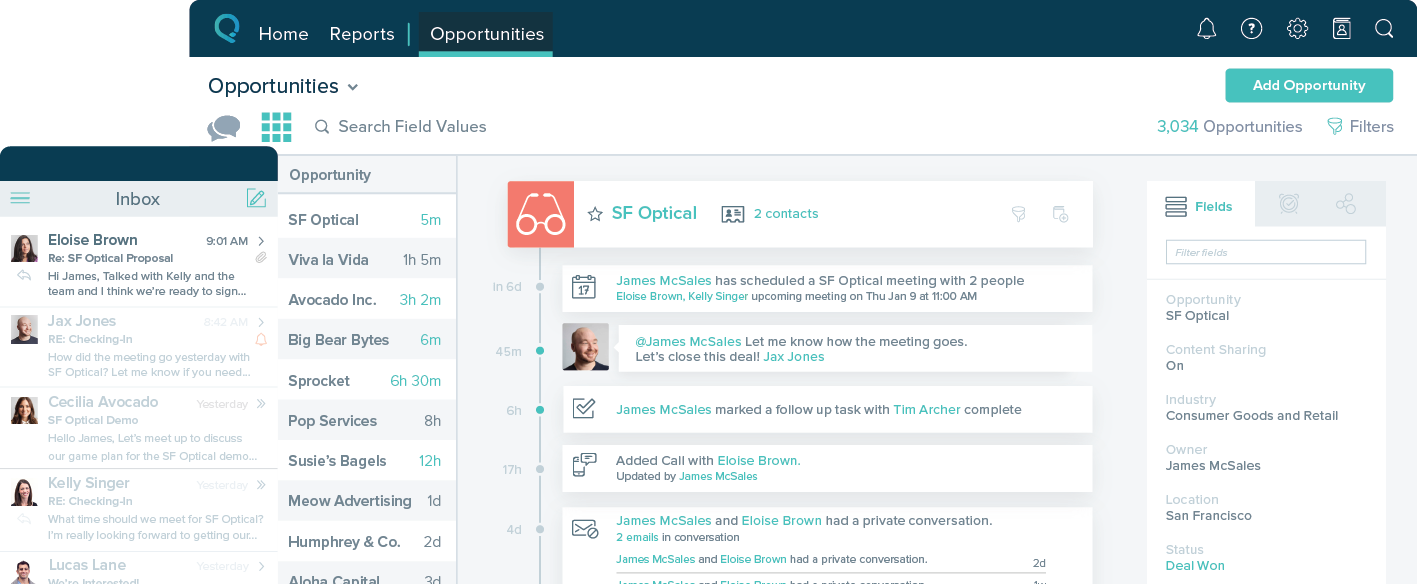
    • Tracking phone calls is extremely easy when using the app on the iphone. After a phone call is complete it prompts the user to enter in call details.
    • SalesforceIQ also automatically logs emails for us. This has saved us time from entering in information manually.
    • SalesforceIQ was easy to set up and allowed us customization for fields that were relevant to our business.
    Incentivized
    Read full review
    AnywhereWorks
    • Good/fair price compared to competitors.
    • Every user on the account gets their own personalized appointment scheduling link.
    • Flexibility with services you can make available.
    Incentivized
    Read full review
    Cons
    Salesforce
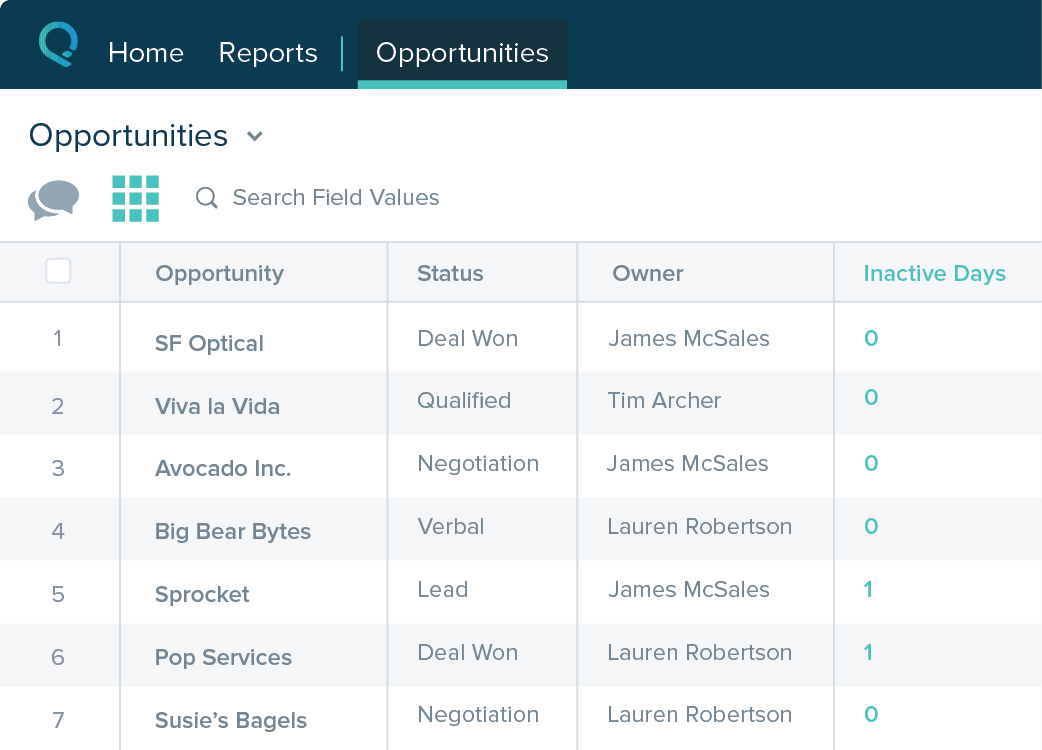
    • Table views can be sorted by column. Filters can be applied, but only to one column. Multi-column filtering like Excel allows would be extremely useful and a big improvement.
    • The ability to quick copy data in a table view would also be helpful, like (ctrl ') in excel.
    Incentivized
    Read full review
    AnywhereWorks
    • Would like if it could sync directly to Google calendar (i.e have a direct plugin) without going through the website.
    • Could have a "how to" tutorial for booking appointments for users.
    Incentivized
    Read full review
    Usability
    Salesforce
    The system is very user-friendly on a desktop but lacks mobile friendliness. The Customer relationship manager disappears after the deal is signed. We struggled to get the system in a usable format, which was not cost-effective. The CRM system on desktop was great but way more complicated than it should be.
    Incentivized
    Read full review
    AnywhereWorks
    No answers on this topic
    Alternatives Considered
    Salesforce
    more expensive but as an industry leader and go, the learning curve pays for itself in ROI in lost time in onboarding
    Incentivized
    Read full review
    AnywhereWorks
    SetMore is so much simpler while providing great features. The ease of use makes this a better product for our clients and staff without sacrificing many of the bells and whistles that others tout. The online booking pages ability to schedule without creating a login has led to more visitors scheduling appointments instead of clicking away when scheduling.
    Incentivized
    Read full review
    Return on Investment
    Salesforce
    • It made the job more efficient for staff so they can spend time doing other tasks rather than configuring and maintaining Salesforce Starter.
    Incentivized
    Read full review
    AnywhereWorks
    • Planning meetings
    • Schedule Demos or Coaching with prospects and customers
    • Recruitment interviews set up without making a call and confirming both sides for availability to arrange the meeting
    • Web interface for internal and external users
    Incentivized
    Read full review
    ScreenShots

    Salesforce Starter Screenshots

    Product screenshotProduct screenshotProduct screenshotProduct screenshot