Shiftboard vs. Workday Workforce Management

Overview
ProductRatingMost Used ByProduct SummaryStarting Price
Shiftboard
Score 6.6 out of 10
Mid-Size Companies (51-1,000 employees)
Shiftboard offers a full-service employee scheduling software solution targeted for industries as diverse as hospitality and security to event planning and business services. This solution enables companies to manage employee schedules across job sites, geographies, and different employee types. The vendor says their user-friendly iPhone and Android apps help employees easily access their schedules anywhere. Additionally, the vendor says the are responsible for…
$45
up to 35 employees
Workday Workforce Management
Score 8.3 out of 10
N/A
Workday Workforce Management is a workforce operations software that integrates HR, time, and scheduling data, to eliminate disjointed processes that halt day-to-day operations. Consistent with a worker-first approach, Workday provides mobile-first access to personalized pay, time, and schedules, giving workers frictionless on-the-go access. This helps overcome difficulties in retaining workers and keeps them engaged in a competitive labor…N/A
Pricing
ShiftboardWorkday Workforce Management
Editions & Modules
Lite
$45 per month
up to 35 employees
Standard
$120 per month
up to 70 employees
Plus
$276 per month
up to 125 employees
No answers on this topic
Offerings
Pricing Offerings
ShiftboardWorkday Workforce Management
Free Trial
NoNo
Free/Freemium Version
NoNo
Premium Consulting/Integration Services
NoNo
Entry-level Setup FeeRequiredNo setup fee
Additional Details
More Pricing Information
Community Pulse
ShiftboardWorkday Workforce Management
Features
ShiftboardWorkday Workforce Management
Payroll Management
Comparison of Payroll Management features of Product A and Product B
Shiftboard
-
Ratings
Workday Workforce Management
9.1
14 Ratings
9% above category average
Pay calculation00 Ratings9.811 Ratings
Support for external payroll vendors00 Ratings7.66 Ratings
Off-cycle/On-Demand payment00 Ratings9.08 Ratings
Benefit plan administration00 Ratings9.710 Ratings
Direct deposit files00 Ratings9.113 Ratings
Salary revision and increment management00 Ratings9.013 Ratings
Reimbursement management00 Ratings9.26 Ratings
User Ratings
ShiftboardWorkday Workforce Management
Likelihood to Recommend
6.3
(4 ratings)
8.5
(14 ratings)
Usability
-
(0 ratings)
7.8
(12 ratings)
Support Rating
2.1
(2 ratings)
-
(0 ratings)
User Testimonials
ShiftboardWorkday Workforce Management
Likelihood to Recommend
Shiftboard
It's a great intro into a workforce management tool, but our use of it is basically as a calendar without it being linked to our actual calendars. It's just another tab that we have to keep open throughout our workday. It's great that we're able to see everyone who is working at what time and what channel of support, but I believe that there are visual aids that can be added to it to make everything much easier to read and more user-friendly.
Read full review
Workday
Workday has solved many organizational needs we have from tracking time and attendance, performance and goals, compliance trainings, benefits and so much more. It is easy to adjust schedules, assign attendance points, run reports and more to keep up with employee performance. Being able to source new employees (in and out of the network) all within the same platform that we track time and benefits helps solve many needs in just one easy to use platform.
Read full review
Pros
Shiftboard
  • Mobile accessibility
  • Cloud-based software
  • Compliant with all necessary information security standards
Read full review
Workday
  • Collaborate with HR on completed tasks
  • Review and Submit Timesheets for staff
  • Submit personal time off for supervisors to review and approve or decline.
Read full review
Cons
Shiftboard
  • The ability to print a month view of the schedule would be a great benefit.
  • The signup list is a great feature, but there are too many steps to make it easy to use.
  • The bulk add and delete process works well, but tends to be confusing for users.
Read full review
Workday
  • The tasks function is somewhat clunky, and its hard to see who the task is sent to next in order to follow up with them.
  • In-process referrals don't always show up in the "My Referrals" tab
  • Filters on tasks don't always work.
Read full review
Usability
Shiftboard
No answers on this topic
Workday
The UI is intimidating for a lot of people. You have to get used to where to click and search for specific information. What we have found that works is to have new hires sit with seasoned employees for tips and tricks on how to maneuver around in the system efficiently. It is important that new hires know from the start specific resources that they will need to access in using WFM daily and hone in on those skills and locations of data needed. Starting off, our experience shows that it's better to focus on the minimum tools and learn those well and build knowledge from there to make it less intimidating
Read full review
Support Rating
Shiftboard
I never sought out Shiftboard support.
Read full review
Workday
No answers on this topic
Alternatives Considered
Shiftboard
We have not used another product like Shiftboard at our company.
Read full review
Workday
The only other tool I have used was paylocity. Paylocity is a great tool as well and is more user friendly, however it is not for as big of organizations as Workday is. I would say if you are under 1k employees go with Paylocity as it will be less expensive and has everything you need with a user friendly experience. Workday is great for larger orgs but doesn’t have as much of a user friendly experience
Read full review
Return on Investment
Shiftboard
  • Effective allocation to proper shows/projects for our network
  • Effectively catches any discrepancies between scheduled hours and actual hours for employees
  • Requires significant manpower to maintain scheduling accuracy
Read full review
Workday
  • Workday Workforce Management has lowered the amount of time team members have to go to HR for questions.
  • The approval process for reimbursement is lightning fast.
  • I am no longer requested to research my team's different benefit options, which saves me a LOT of time during enrollment periods.
Read full review
ScreenShots

Shiftboard Screenshots

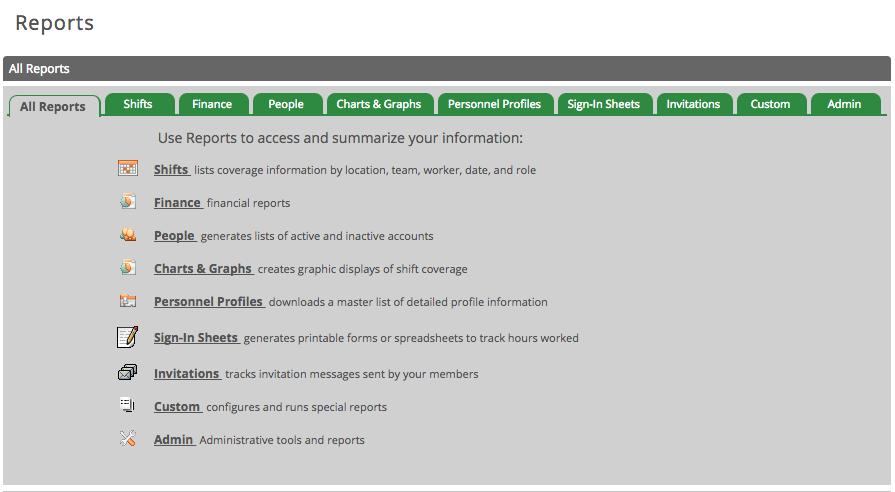
Screenshot of Custom Reports & AnalyticsScreenshot of Detailed Employee ProfilesScreenshot of User-Friendly Time Off RequestsScreenshot of Mobile TradeboardScreenshot of Check Employee Availability on Android & iOS

Workday Workforce Management Screenshots
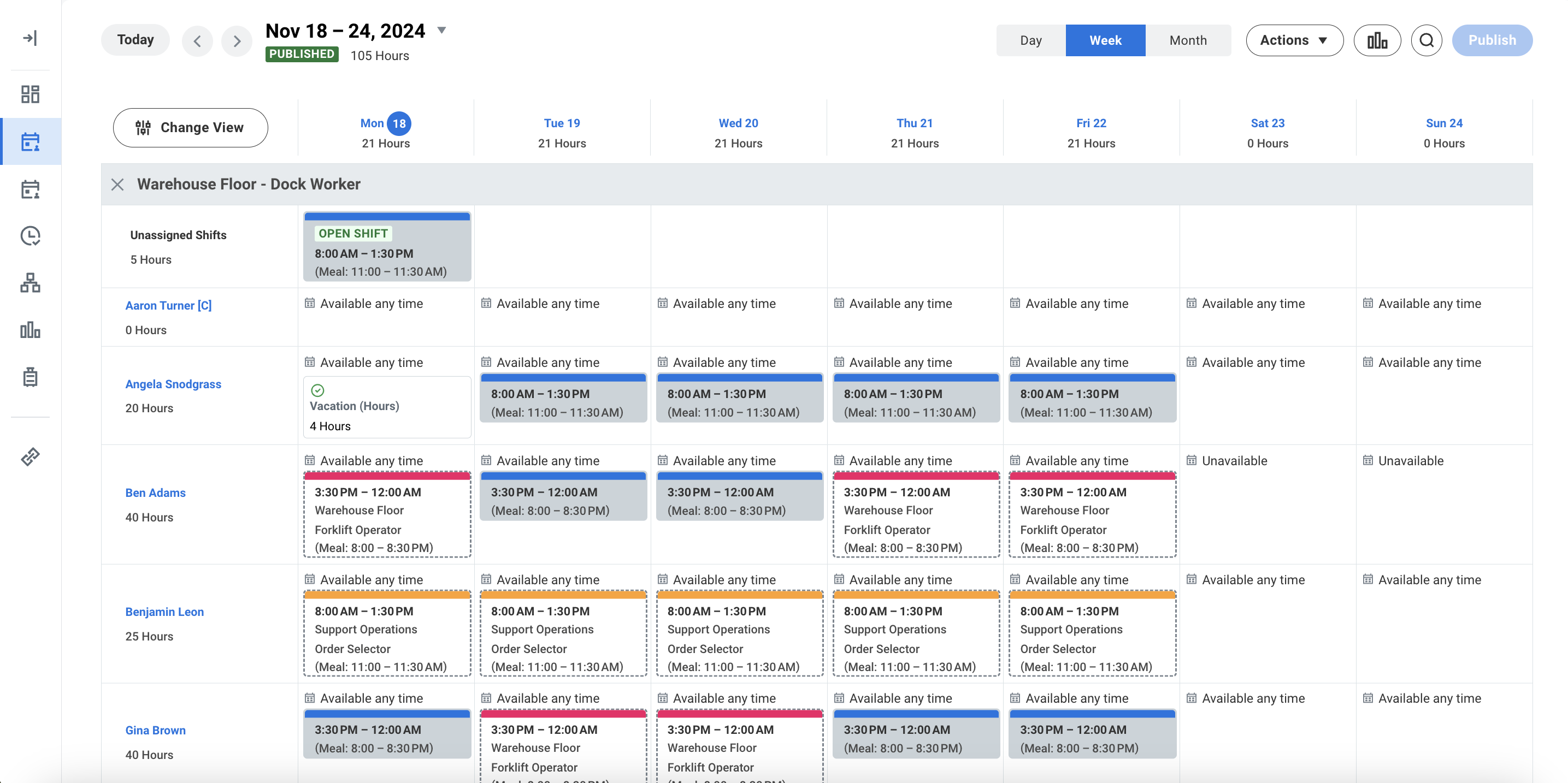
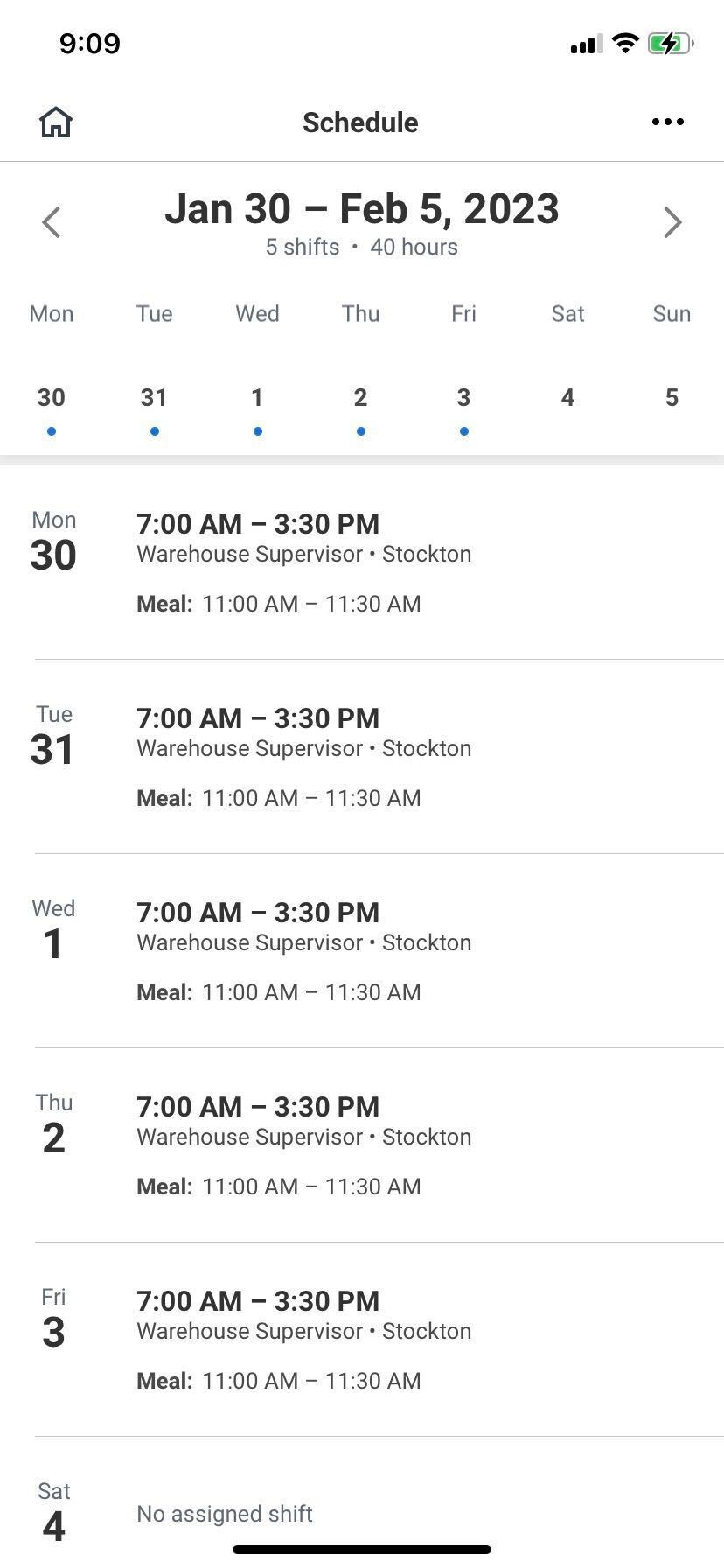
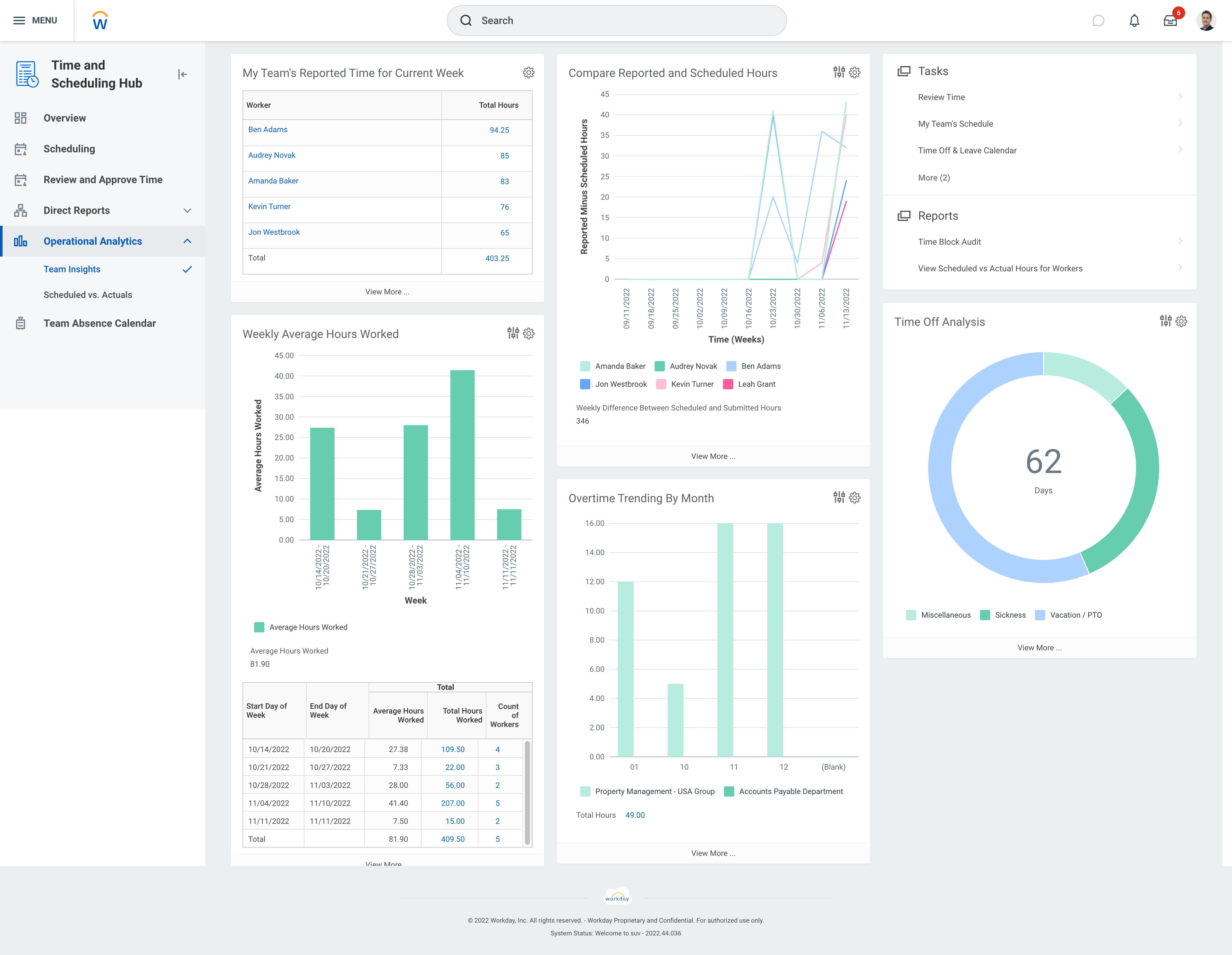
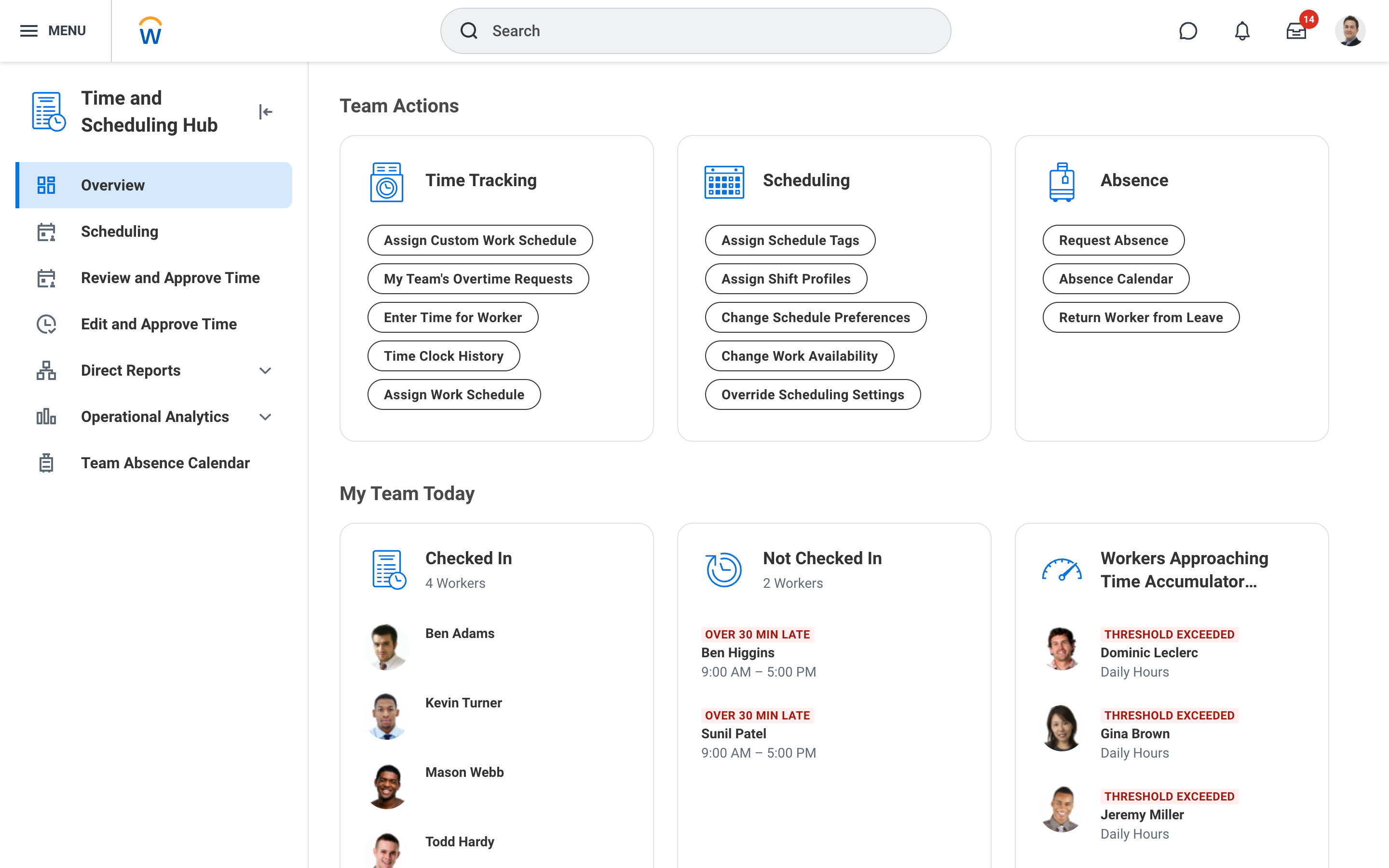
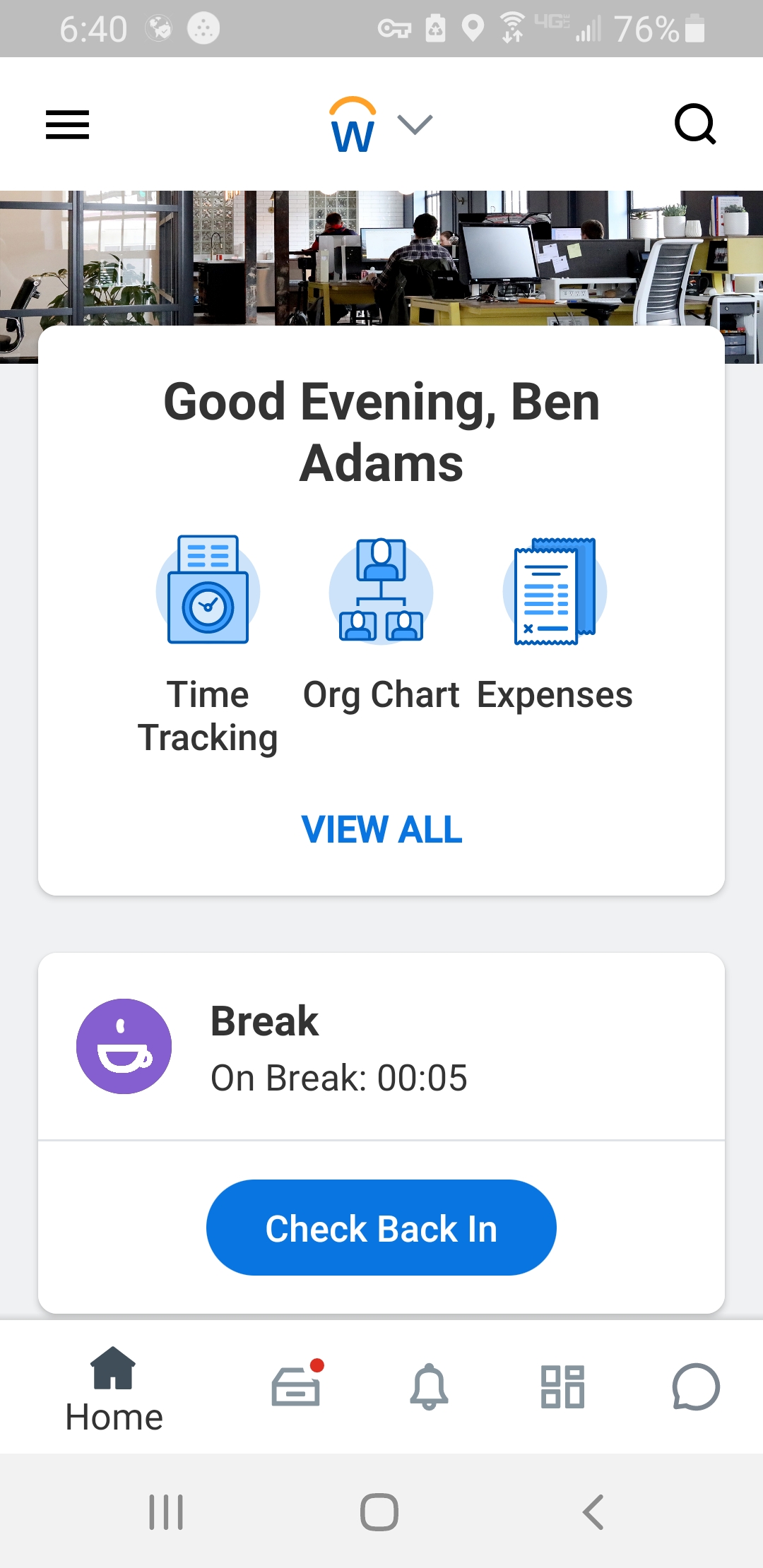
Screenshot of Workday Workforce Management ScheduleScreenshot of Workday Workforce Management Schedule (Mobile)Screenshot of Workday Workforce Management Team InsightsScreenshot of Workday Workforce Management Time and Scheduling HubScreenshot of Workday Workforce Management Time (Mobile)