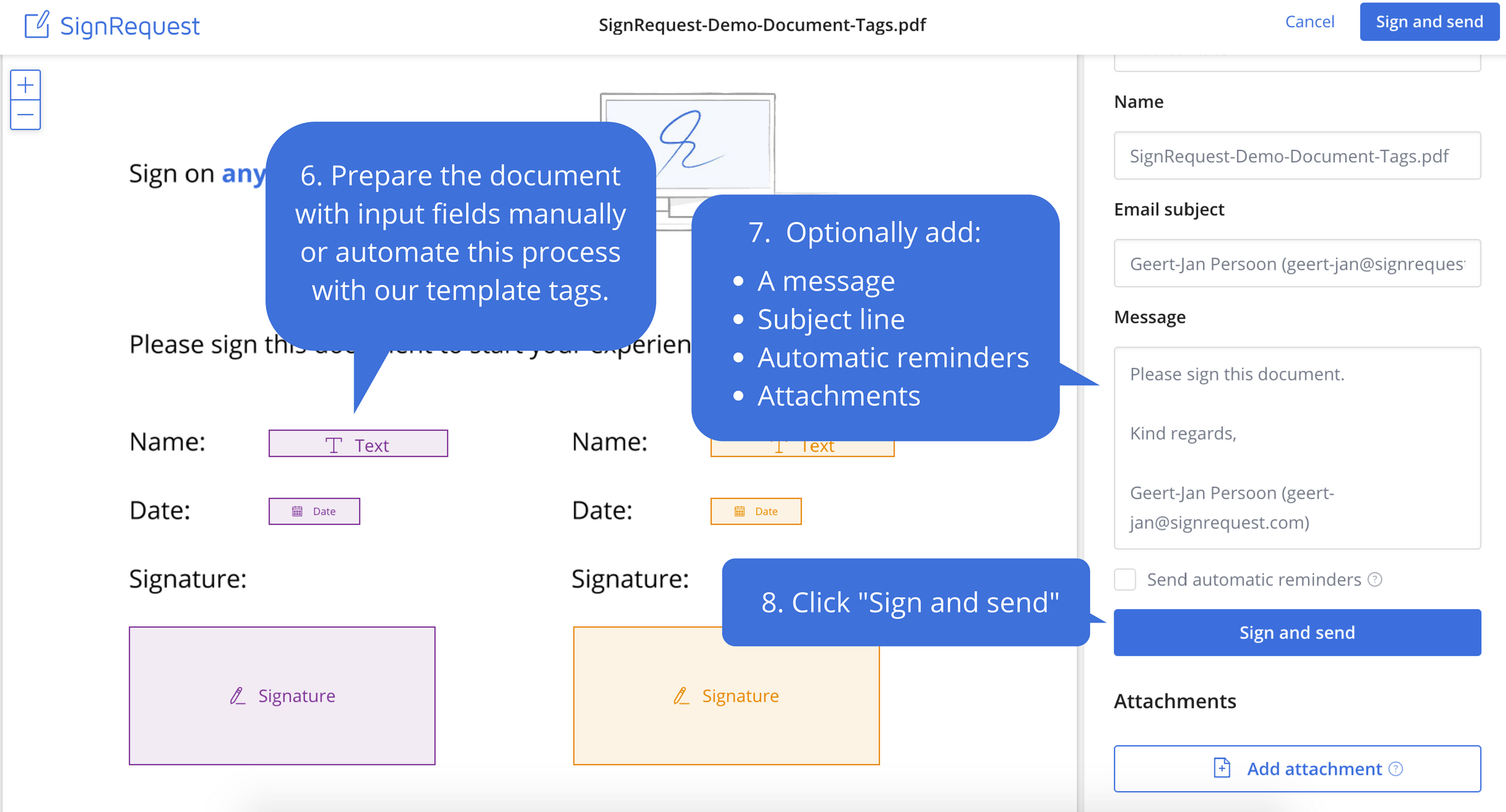
SignRequest was an e-signature platform acquired by Box in 2021. The eSignature tool is the basis for Box Sign, a feature now included in Box's core offering.
$0
per user
VeriDoc Sign
Score7.6 out of 10
N/A
A blockchain-secured eSignature solution utilising VeriDoc Global’s patented verification technology. A unique digital fingerprint of the document is stored on the blockchain and can’t be edited or tampered with. VeriDoc Sign allows companies to leverage blockchain
technology to secure eSignatures. The solution is designed to improve efficiency by eliminating long wait
times to print, sign, scan and send documents. The software requires no coding,
existing software or special hardware.…
N/A
Pricing
SignRequest, now part of Box
VeriDoc Sign
Editions & Modules
Start
$0.00
per user
Professional
$8.00
per user
SME
minimal $16.00
$4.00 per user
Enterprise
Custom
per user
API
Custom
per installation
No answers on this topic
Offerings
Pricing Offerings
SignRequest, now part of Box
VeriDoc Sign
Free Trial
Yes
No
Free/Freemium Version
Yes
No
Premium Consulting/Integration Services
Yes
No
Entry-level Setup Fee
No setup fee
No setup fee
Additional Details
For text message verification and bank payment verification additional fees apply
Manager - Special Projects in Research & Development at Central Finance Co PLC (Financial Services, 1001-5000 employees)
Chose VeriDoc Sign
Cost factor stood out as our initial requirement was very basic while we evaluate 3 products. Also the signature creating process seemed to be easy and smooth compared to other products. However I was not heavily involved in the evaluation process.
A de minimis incentive was given to thank the reviewer for their time. The incentive was not used to bias or drive a particular response, nor was the incentive contingent on a positive endorsement. More Info
It works great for us; we deal with contractors in different parts of the world and it has been perfect for securing e-signatures from them and having a signed contract that both parties have access to. I'm not sure where it would be less appropriate—perhaps when there are significant legal risks or something of that nature, but with the types of transactions we've been dealing with, it's been perfect.
A de minimis incentive was given to thank the reviewer for their time. The incentive was not used to bias or drive a particular response, nor was the incentive contingent on a positive endorsement. More Info
VeriDoc Sign is well suited for any situation where a signer needs to prove identity and sign a document online without the need of a dependent document or any other witness. Online approval/verification processes are some of the use cases which are suited. VeriDoc Sign is less appropriate for situations where there is a need for a signer to provide physical identity proof to any Gov agencies (Legacy systems) and sign a document in person in the presence of a notary, such as to complete an application for a bank loan, Grant Fund request.
A de minimis incentive was given to thank the reviewer for their time. The incentive was not used to bias or drive a particular response, nor was the incentive contingent on a positive endorsement. More Info
e-Signatures- Businesses are all working online today. Paper contracts are becoming more and more obsolete, so you need a solution that provides online contracts.
Price- SignRequest has one of the more attractive price points for businesses.
Usability- Our team was able to figure out how to use SignRequest without too much hassle, although some competitors have more intuitive products.
A de minimis incentive was given to thank the reviewer for their time. The incentive was not used to bias or drive a particular response, nor was the incentive contingent on a positive endorsement. More Info
A de minimis incentive was given to thank the reviewer for their time. The incentive was not used to bias or drive a particular response, nor was the incentive contingent on a positive endorsement. More Info
A de minimis incentive was given to thank the reviewer for their time. The incentive was not used to bias or drive a particular response, nor was the incentive contingent on a positive endorsement. More Info
A de minimis incentive was given to thank the reviewer for their time. The incentive was not used to bias or drive a particular response, nor was the incentive contingent on a positive endorsement. More Info
A de minimis incentive was given to thank the reviewer for their time. The incentive was not used to bias or drive a particular response, nor was the incentive contingent on a positive endorsement. More Info
Easy to understand supporting documents with a great search feature to easily find the information I need for legal purposes, API connections, how to connect Gmail or G Suite, along with the ability to send a message to them. They don't seem to have an online chat feature or a call option, but that's why it's so inexpensive. Since it's already easy to use, it takes less time to find out information.
A de minimis incentive was given to thank the reviewer for their time. The incentive was not used to bias or drive a particular response, nor was the incentive contingent on a positive endorsement. More Info
Adobe Acrobat left me frustrated and annoyed. I was wasting hours each week trying to upload contracts and agreements and customize them for each client. It never sent right and ended up being more frustrating for us and our clients in the end. So I tested some other tools before coming across SignRequest in a Google search. I started with their free plan which offered so much for a small business owner. As our business grew, we upgraded and haven't looked back. From day one I've never had an issue with this tool and recommend it to anyone looking for an online easy to use software to manage signing documents and contracts
A de minimis incentive was given to thank the reviewer for their time. The incentive was not used to bias or drive a particular response, nor was the incentive contingent on a positive endorsement. More Info
VeriDoc Sign help us manage multiple users and reviewers to any single contract document. We do not have to worry about authenticity and traceability of the document. These features are not available in DocuSign or Adobe Acrobat. Unlike other softwares VeriDoc Sign is on blockchain and any activity will leave a trace.
A de minimis incentive was given to thank the reviewer for their time. The incentive was not used to bias or drive a particular response, nor was the incentive contingent on a positive endorsement. More Info
A de minimis incentive was given to thank the reviewer for their time. The incentive was not used to bias or drive a particular response, nor was the incentive contingent on a positive endorsement. More Info
A de minimis incentive was given to thank the reviewer for their time. The incentive was not used to bias or drive a particular response, nor was the incentive contingent on a positive endorsement. More Info