Squarespace vs. Umbraco CMS

Overview
ProductRatingMost Used ByProduct SummaryStarting Price
Squarespace
Score 8.4 out of 10
N/A
Squarespace is a CMS platform that allows users to create a DIY blog, eCommerce store, and/or portfolio (visual art or music). Some Squarespace website and shop templates are industry or use case-specific, such as menu builders for restaurant sites.
$25
per month
Umbraco CMS
Score 8.1 out of 10
N/A
Umbraco is an open-source .NET Core CMS with over 700,000 active installs worldwide and with more than 200,000 active community members. It was first released on February 16th, 2005, and is still to this day an open-source project backed by a commercial company. To ensure Umbraco is always running the latest technology, the company has aligned with Microsoft's .NET release schedule to always have the Umbraco CMS…
$0
Pricing
SquarespaceUmbraco CMS
Editions & Modules
Basic
$25
per month
Core
$36
per month
Plus
$56
per month
Advanced
$139
per month
Umbraco Free
$0
Umbraco Starter
$53
per month
Umbraco Standard
$320
per month
Umbraco Professional
$860
per month
Umbraco Cloud Enterprise
Custom Pricing
per month
Offerings
Pricing Offerings
SquarespaceUmbraco CMS
Free Trial
YesNo
Free/Freemium Version
NoYes
Premium Consulting/Integration Services
NoNo
Entry-level Setup FeeNo setup feeNo setup fee
Additional Details28% to 36% discount available for annual pricing.The Umbraco CMS and all of its core features are the same across all plans.
More Pricing Information
Community Pulse
SquarespaceUmbraco CMS
Considered Both Products
Squarespace
Chose Squarespace
Each website platform has a place. Squarespace is great for simple informative websites, especially small or local businesses that are not ecommerce. Shopify is the leader for ecommerce website. Wordpress is my favorite for website that need more features and flexability. My …
Chose Squarespace
We used Squarespace simply because it had the domains available that other providers said were already taken.
Chose Squarespace
Squarespace is more user-friendly and sleek. I'd recommend it over Freenom for beginners and those who are more interested in running a website (instead of caring about their DNS).
Chose Squarespace
I like Squarespace better if you are starting from scratch. I was able to use Wordpress when it was an existing site and I just had to make updates, but would have a difficult time starting from the beginning and building a Wordpress site.
Chose Squarespace
Blackbaud DonorCentral, Donorbox, Alaya by Benevity, Intuit Mailchimp, monday CRM and monday.com
Chose Squarespace
In my opinion, Squarespace beats Wix all day. We have used both for microsite development. We use Wordpress for our main site as the featureset is open source and is considered the industry best practice. You can do a lot more specific features with WordPress that are sometimes …
Chose Squarespace
Squarespace if much less work than WordPress, plus hosting and security are not an issue. GoDaddy and Wix are okay, but nowhere near the flexibility or advanced feature set that you can get with Squarespace. Compared to the other products that I have used, Squarespace …
Chose Squarespace
We picked Squarespace for a specific use case because it was easy to spin up the promotional content we needed.
Chose Squarespace
Squarespace is easy to use, webflow can feel clunky (though I haven’t tried it recently), and Wix is very similar, but I preferred the Squarespace aesthetic. Also, Squarespace has clear, transparent pricing - you know what you get, and I like the design styles. I’m not in a …
Chose Squarespace
Squarespace was the quickest to get up and running for a basic website, and with the GoDaddy integration it simplified rapid setup. A plugin for basic language translation allowed us to be compliant from day one.
Chose Squarespace
Squarespace was quicker to set up and more accessible to manipulate the theme, pictures, and content. The page layouts are more versatile and fluid. With Wordpress, more time-consuming efforts go into making a template work the way you want it to (because of the lack of the …
Chose Squarespace
Submittable and Squarespace serve different functions but Squarespace is by far the easier and more user friendly platform.
Chose Squarespace
Wordpress is for more advanced users and allows more functionality to be built into the website. However, Squarespace is easy to use and you will be able to get a functioning website up and running on your own. That is their main point and purpose for their mission. However, …
Chose Squarespace
I would choose Squarespace over all the competition unless I wanted a website builder/host that had an online course portal. Squarespace has the easiest website builder. It's relatively cheap. It automatically updates. It is easy to integrate with third-party services such as …
Chose Squarespace
Both of my fields are visual, so design is as important as functionality. Unbounce looks great, but it's not set up for the same full functionality. I've also been quite familiar with Squarespace and felt comfortable with them.
Chose Squarespace
Not even comparable. I was hacked within 2 years with WordPress in a brute force attack. Since going to Squarespace, I have had zero security issues. I feel the two platforms, though similar, are incomparable.
Chose Squarespace
I found it easier for me to use square space myself rather than have a middle person between me and my website. It was a lot easier for me to access and change something and when I wanted to change something on my site. It gave me flexibility and more options to utilize my …
Chose Squarespace
Squarespace's most attractive feature in comparison to WordPress and Wix is its library of themes available to use. WordPress has a neverending supply of options but that's WordPress, the industry-standard however the limited options for Squarespace is nice so you aren't …
Chose Squarespace
Squarespace offers better SEO options and ease of use than Wix/Weebly site builders. Squarespace is easy to manage and easy to track inventory and sales. For companies with lower skill sets in-house, it is also very easy to train staff to manage the platform.
Chose Squarespace
I liked the usability of Squarespace better than Network Solutions for the type of website we were looking for. I found it was easier to create and customize and I liked the overall look of the website in Squarespace better than what the end result of the Network Solutions site …
Chose Squarespace
Myself and my team have used more robust web development platforms for bigger organization presence on the web. However that has always required more time, effort and talent by using web developers to setup and add content to the sites. With squarespace, a site can be setup in …
Chose Squarespace
Squarespace is the best option relative to other web hosting and design platforms we initially reviewed. It was a bit more expensive than some of the free models we looked at but those sites often came with hidden fees if we wanted to customize anything and Squarespace has …
Umbraco CMS
Chose Umbraco CMS
We preferred Umbraco because it is built with .NET, and most of our team members have proficiency in .NET. Umbraco is open-source so it was free, we could deploy it anywhere - on-premise or cloud. Umbraco had all features which we needed - SEO support, multi-lingual support, …
Chose Umbraco CMS
Someone else selected before I came on board but I was open-minded and willing to give it a try.
Chose Umbraco CMS
The performance of Umbraco is as good as Episerver. The back office in Umbraco is cleaner and more intuitive than Episerver. Sitecore is a good CMS for large projects, but the learning curve for developers and editors is steep.
Chose Umbraco CMS
Umbraco's templating is far superior than WordPress, Drupal and Joomla, but it's update process is WAY behind those platforms. The release schedule of Umbraco is way to often and most releases are to fix something missed in the previous release and not an improvement or new …
Chose Umbraco CMS
  • The learning curve to develop a web application is very short. The time to market is then insignificant.
  • Umbraco is free and open source.
Chose Umbraco CMS
We chose Umbraco because of their technology, and it was better than our previous CMS, Orchard, which was too complicated even for programmers. Orchard was very good but to develop something it required a really strong knowledge of this framework. In Umbraco it seems to be …
Chose Umbraco CMS
We previously used Wordpress, however this was not easy to use, it was a complicated system and was limited in what we could achieve, there was a big outlay in buying bolts on and ensuring the system was safe. We found we where spammed loads, we tried to make it work however …
Chose Umbraco CMS
Both are comparable. We selected Umbraco CMS because it used .NET instead of PHP. I would recommend choosing the CMS that your staff and technical people will be the most comfortable with.
Chose Umbraco CMS
Umbraco provides the best bang-for-the-buck CMS option on a .NET platform for those that cannot afford Sitecore. It is much friendlier to use than Ektron, is free to use, has commercial grade plugins that are not overly expensive, and provides the functionality that most …
Chose Umbraco CMS
Umbraco vs WordPress
Umbraco has more flexibility and customization options, but less features, reliability/stability, and community support.
WordPress offers less customization for data and content, but it is immensely more stable, has better features /plugins, and includes an …
Chose Umbraco CMS
There is not really an alternative when it comes to CMS based on ASP.Net (MVC4 with Razor). There are a few frameworks, like Booststrap; however framework is not content management system.
I will compare it to Drupal, because the second one is well known. Against Drupal, …
Features
SquarespaceUmbraco CMS
Security
Comparison of Security features of Product A and Product B
Squarespace
8.3
Ratings
1% above category average
Umbraco CMS
9.0
Ratings
9% above category average
Role-based user permissions8.30 Ratings9.00 Ratings
Platform & Infrastructure
Comparison of Platform & Infrastructure features of Product A and Product B
Squarespace
6.6
Ratings
16% below category average
Umbraco CMS
8.5
Ratings
9% above category average
API7.10 Ratings8.00 Ratings
Internationalization / multi-language6.10 Ratings9.00 Ratings
Web Content Creation
Comparison of Web Content Creation features of Product A and Product B
Squarespace
7.6
Ratings
3% below category average
Umbraco CMS
8.0
Ratings
2% above category average
WYSIWYG editor9.20 Ratings10.00 Ratings
Code quality / cleanliness6.90 Ratings10.00 Ratings
Admin section7.40 Ratings7.00 Ratings
Page templates7.20 Ratings8.00 Ratings
Library of website themes7.30 Ratings6.00 Ratings
Mobile optimization / responsive design8.10 Ratings6.00 Ratings
Publishing workflow8.30 Ratings10.00 Ratings
Form generator6.60 Ratings7.00 Ratings
Web Content Management
Comparison of Web Content Management features of Product A and Product B
Squarespace
6.1
Ratings
21% below category average
Umbraco CMS
7.2
Ratings
4% below category average
Content taxonomy7.30 Ratings6.00 Ratings
SEO support6.40 Ratings10.00 Ratings
Bulk management5.80 Ratings7.00 Ratings
Availability / breadth of extensions5.50 Ratings7.00 Ratings
Community / comment management5.70 Ratings6.00 Ratings
Best Alternatives
SquarespaceUmbraco CMS
Small Businesses
ManageWP
ManageWP
Score 10.0 out of 10
ManageWP
ManageWP
Score 10.0 out of 10
Medium-sized Companies
RWS Tridion Sites
RWS Tridion Sites
Score 9.0 out of 10
RWS Tridion Sites
RWS Tridion Sites
Score 9.0 out of 10
Enterprises
RWS Tridion Sites
RWS Tridion Sites
Score 9.0 out of 10
RWS Tridion Sites
RWS Tridion Sites
Score 9.0 out of 10
All AlternativesView all alternativesView all alternatives
User Ratings
SquarespaceUmbraco CMS
Likelihood to Recommend
8.6
(0 ratings)
6.0
(0 ratings)
Likelihood to Renew
10.0
(0 ratings)
-
(0 ratings)
Usability
8.5
(0 ratings)
8.0
(0 ratings)
Availability
-
(0 ratings)
7.0
(0 ratings)
Performance
-
(0 ratings)
3.0
(0 ratings)
Support Rating
10.0
(0 ratings)
2.0
(0 ratings)
Online Training
-
(0 ratings)
3.0
(0 ratings)
Implementation Rating
-
(0 ratings)
7.0
(0 ratings)
Product Scalability
-
(0 ratings)
4.0
(0 ratings)
User Testimonials
SquarespaceUmbraco CMS
Likelihood to Recommend
We've found Squarespace perfect for quick, well-designed websites that you can literally design and launch in a day. However, if you want to get more complex with your website, including custom backend integrations or code, Squarespace presents a bit more of a challenge when it comes to what they will allow you to modify on their platform (especially using third-party integration apps).
Read full review
Umbraco is well suited for websites that are looking to do a wide range of activities that require complex technoligies. An example of this is a company with several different products or services. Umbraco would be overkill for simple sites that are mostly static. It is also difficult to find developers who have Umbraco experience, as it's market share is not all that high
Read full review
Pros
  • Squarespace is very easy to use, this is a super helpful thing as small business owners we have to wear many hats and being a full blown website developer doesn't need to be one of them.
  • Squarespace has quick and simple plugins.
  • Squarespace allows you to easily expand as you need to.
Read full review
  • Quick to learn. For most if cases, developer needs to know Razor coding.
  • Doesn't require back-end programming.
  • Has build in users management (developers, content managers) and members management consoles (users of the site).
  • Clear admin tool (especially in version 7)
  • Fast.
  • Creating code from scratch, so it is easier to create clean code.
Read full review
Cons
  • Customizing the sites can be highly UN intuitive
  • Navigation for editing the sites can be difficult and frustrating
  • Squarespace has different versions and it's hard to know which version you're on. You can't switch after you start making a site with one version.
Read full review
  • Migration of data between servers. There are tools that you can pay for that help facilitate this, but like any CMS system, there are still some tricks to getting it to work correctly.
  • Running as a Web Project instead of a Web Site. Umbraco does not run compiled code, but instead compiles it on the fly. I find this to cause some performance issues that would otherwise be resolved with a compiled code base.
Read full review
Likelihood to Renew
It's a great CMS tool. Easy to use and maintain. It looks great and the support is excellent.
Read full review
No answers on this topic
Usability
It's dead simple to use. There are no over complicated controls or tons of menus to screw things up. People with bad taste couldn't make an ugly website. While it may be frustrating for the pro designer to get exactly what they want, it prevents the uninitiated from making something ugly
Read full review
Umbraco CMS effectively addresses enterprise content management needs. It's quite mature .NET based CMS, standing out as a leader among its competitors. Websites built with Umbraco are blazing fast. Extensive customization capabilities, and user-friendly content publishing interface makes it an ideal choice for businesses looking for a mature CMS solution.
Read full review
Reliability and Availability
No answers on this topic
Occasionally, errors will appear in the admin that make it impossible to work without developer support.
Read full review
Performance
No answers on this topic
Working in the admin panel (adding / reviewing / editing content) is very slow. The public facing site speed is dependent on what the pages are doing and how well the code was written (whether it is optimized for speed).
Read full review
Support Rating
Help is available directly from the back end and uses full sentence searching to find answers to questions others may have asked before. With a ton of articles and support questions documents, it is very likely that your question has been answered. If not each page has the ability to open a direct email to support. Each case has a number and can be followed. Responses are often quick and have links and directions clearly stated
Read full review
Support for Umbraco-owned paid plugins is nonexistent.
Read full review
Online Training
No answers on this topic
Online training is often based on older versions of the platform. So, you'll have to fill in the gaps on your own.
Read full review
Implementation Rating
No answers on this topic
Spend the time to wireframe the content structure prior to diving in. This helps speed the process of implementation and it serves as documentation for end users.
Read full review
Alternatives Considered
Squarespace if much less work than WordPress, plus hosting and security are not an issue. GoDaddy and Wix are okay, but nowhere near the flexibility or advanced feature set that you can get with Squarespace. Compared to the other products that I have used, Squarespace definitely offers more options, customization, advanced features and design options than others, for a great price.
Read full review
We previously used WordPress, however this was not easy to use, it was a complicated system and was limited in what we could achieve, there was a big outlay in buying bolts on and ensuring the system was safe. We found we where spammed loads, we tried to make it work however after a year we decided to leave WordPress behind. The company did evaluated Adobe but the dev team decided that Umbraco was the best tool to meet our own needs.
Read full review
Scalability
No answers on this topic
Without significant development, the product does not scale well.
Read full review
Return on Investment
  • I can see how squarespace can improve efficiency since it's so quick to build a site on there.
  • For those who don't want to hook up a bunch of different stuff to their website and make it work...they most likely have whatever plug in you need and you can add it. Worst case scenario, they have developers you can hire who can make what you need.
  • As your business grows you can add an online storefront to your site and make more money that way! Easy peasy!
  • They have an easy system for adding special SEO words/phrases so you don't have to learn SEO at all!
Read full review
  • CMS is free
  • Support form Umbraco HQ is not expensive, can include Courier or other functionality
  • For most cases does not need back end developer
  • For trained Umbraco developers (Razor coding, using admin tool), developing medium site, takes a few weeks max
Read full review
ScreenShots

Umbraco CMS Screenshots

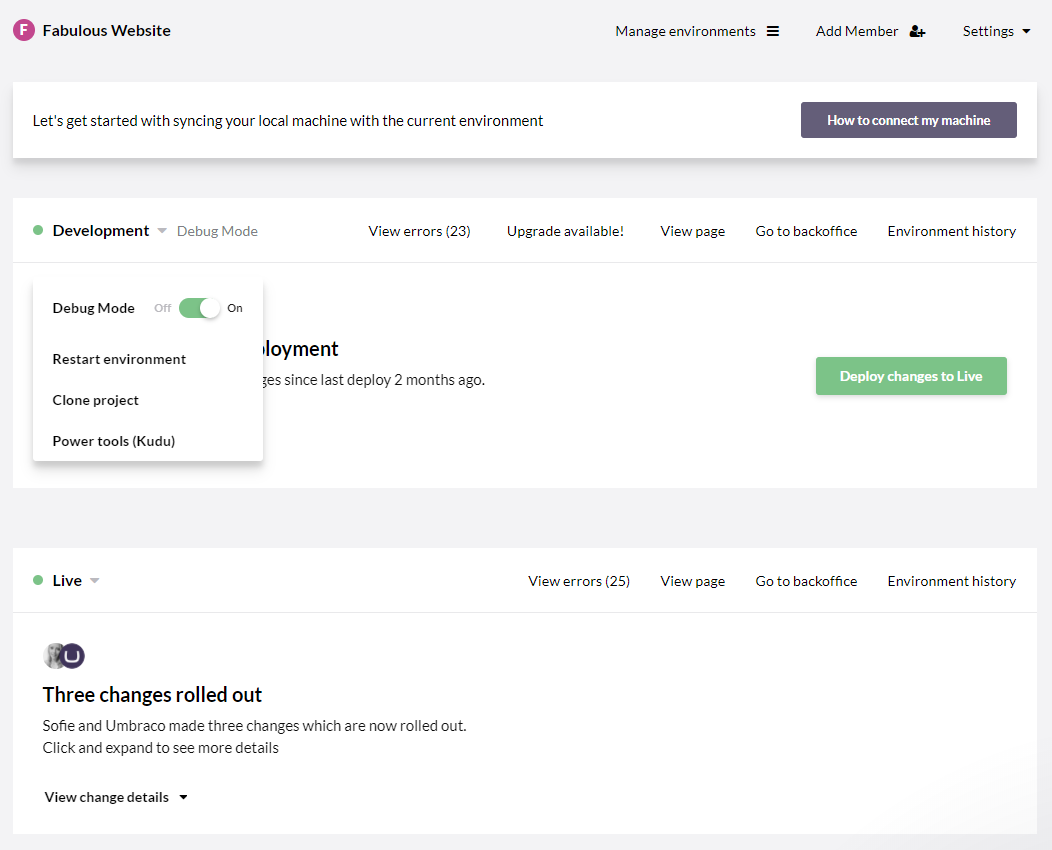
Screenshot of Umbraco 8 backoffice UIScreenshot of Umbraco 8 side by side multilingual editingScreenshot of Umbraco 8 Content AppsScreenshot of Umbraco Cloud project overviewScreenshot of Umbraco Cloud environment overview