Tungsten Capture (formerly Kofax Capture) is a suite of multichannel document capture applications.
$3,500
per year
UiPath Task Capture
Score9.9 out of 10
N/A
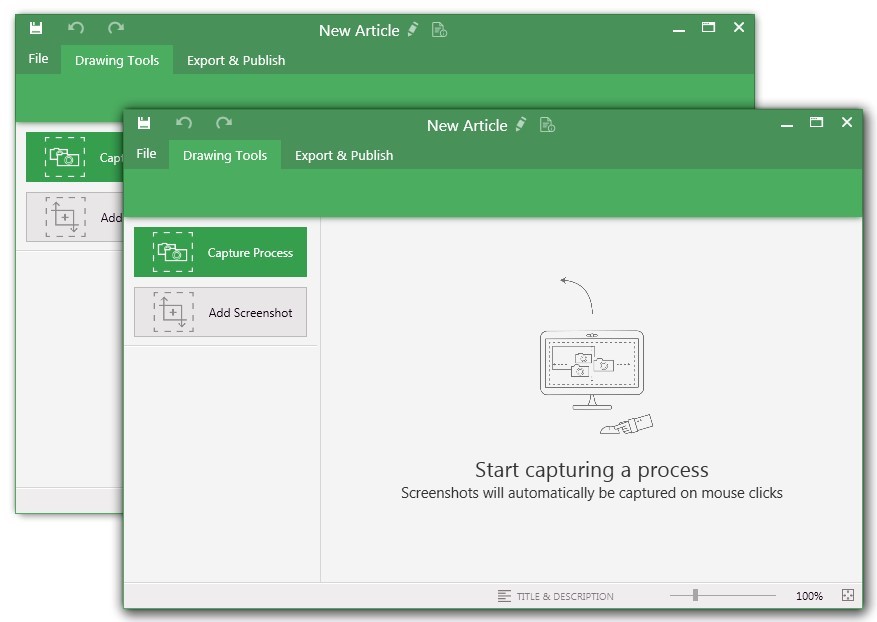
UiPath Task Capture (formerly StepShot, acquired October 2019) is a tool designed for quick and easy step-by-step documentation. During a recording mode, the software creates a separate screenshot on every click, groups them into a manual with automatically added metadata. Users can annotate captured images and structure documents in the way they want them to look.
N/A
Pricing
Tungsten Capture
UiPath Task Capture
Editions & Modules
Kofax Capture
$3,500
per year
No answers on this topic
Offerings
Pricing Offerings
Tungsten Capture
UiPath Task Capture
Free Trial
No
Yes
Free/Freemium Version
No
Yes
Premium Consulting/Integration Services
No
Yes
Entry-level Setup Fee
No setup fee
No setup fee
Additional Details
—
We have some discounts available all the time depending on the amount of ordered licenses.
Kofax [Capture] meets our needs and for the most part is easy to use and setup. Configuration could be a little bit easier. The scripting language is a double edge sword if you will. It gives you nearly unlimited possibilities to script what you need, but the downside is you have to script it. Does a good job at batching and scanning documents. The tool integrates well into our workflow which makes our business partners happy and in turn provides for happy customers.
A de minimis incentive was given to thank the reviewer for their time. The incentive was not used to bias or drive a particular response, nor was the incentive contingent on a positive endorsement. More Info
StepShot is perfect for showing your audience how they are supposed to navigate a new system you have implemented. You can take them from a login screen all the way through any technical process you want them to follow. The product is not ideal, however, for documenting a process that does not have tangible steps. For example, a process we have created includes some reflective thinking about alignment or outcomes in order to work, this can be articulated in the text area of the screen captures but doesn't really capture our message.
A de minimis incentive was given to thank the reviewer for their time. The incentive was not used to bias or drive a particular response, nor was the incentive contingent on a positive endorsement. More Info
The VRS application included with Kofax Capture is the best image pre-processing platform available on the market today. It can handle a wide array of common document problems such as skew, flipping, wrinkles, lines, and dots.
The platform is incredibly scriptable and can be customized to handle all sorts of unusual document contents to allow information to be extracted that many other platforms just struggle on. Table extraction, line item matching, and smart extraction are all strong points with this platform.
Through the use of SBL and .NET the platform can be expanded and scaled quite easily to allow for the software to be integrated into existing business processes and platforms with ease.
A de minimis incentive was given to thank the reviewer for their time. The incentive was not used to bias or drive a particular response, nor was the incentive contingent on a positive endorsement. More Info
A de minimis incentive was given to thank the reviewer for their time. The incentive was not used to bias or drive a particular response, nor was the incentive contingent on a positive endorsement. More Info
We struggled with configuring Kofax with AP Automation. We used to receive vouchers in different formats by different companies, by different departments. The people from different departments used to scan those vouchers through regular scanners to a central location, which ended up as image pdfs. We fed these image pdfs through Kofax Capture for character recognition, which was painful as the accuracy of recognition was 50 to 60%.
Having a connectors with a workflow tool would be helpful where people can validate and approve the output.
More samples and documentation related to use of API in .NET applications would be a good improvement, that would help users to adapt the product easily into their organization.
A de minimis incentive was given to thank the reviewer for their time. The incentive was not used to bias or drive a particular response, nor was the incentive contingent on a positive endorsement. More Info
The "export & publish" button is kind of tiny and tucked away. It should be more prominent. After not using it for a couple weeks, I always forget where it is.
Updates aren't as frequent. Which is fine, since I haven't come across many bugs, it would just be cool to see some added features/functionality a bit more often.
The blur looks fine in the preview mode, but when exported, it's not the best.
A de minimis incentive was given to thank the reviewer for their time. The incentive was not used to bias or drive a particular response, nor was the incentive contingent on a positive endorsement. More Info
A de minimis incentive was given to thank the reviewer for their time. The incentive was not used to bias or drive a particular response, nor was the incentive contingent on a positive endorsement. More Info
A de minimis incentive was given to thank the reviewer for their time. The incentive was not used to bias or drive a particular response, nor was the incentive contingent on a positive endorsement. More Info
A de minimis incentive was given to thank the reviewer for their time. The incentive was not used to bias or drive a particular response, nor was the incentive contingent on a positive endorsement. More Info
I have only run into an issue once, which I believe was due to a newly released feature (cloud storage). I was running into issues with the functionality on my Mac. The team was incredibly helpful in both troubleshooting the issue by jumping on screen sharing sessions, as well as providing multiple releases for me to test to fix the problem!
A de minimis incentive was given to thank the reviewer for their time. The incentive was not used to bias or drive a particular response, nor was the incentive contingent on a positive endorsement. More Info
A de minimis incentive was given to thank the reviewer for their time. The incentive was not used to bias or drive a particular response, nor was the incentive contingent on a positive endorsement. More Info
A de minimis incentive was given to thank the reviewer for their time. The incentive was not used to bias or drive a particular response, nor was the incentive contingent on a positive endorsement. More Info
We were able to decrease personnel expenditures as there was not a need for individuals to index documents prior to incorporating them into the record.
A de minimis incentive was given to thank the reviewer for their time. The incentive was not used to bias or drive a particular response, nor was the incentive contingent on a positive endorsement. More Info
This has saved us MANY HOURS in either walking clients through processes in person or having to create a one-off guide through taking screenshots and creating our own documents with the screenshots hand placed.
Client satisfaction is high when they receive these guides. It is documentation that they can refer to at anytime that is personalized to their use or individual needs.
A de minimis incentive was given to thank the reviewer for their time. The incentive was not used to bias or drive a particular response, nor was the incentive contingent on a positive endorsement. More Info