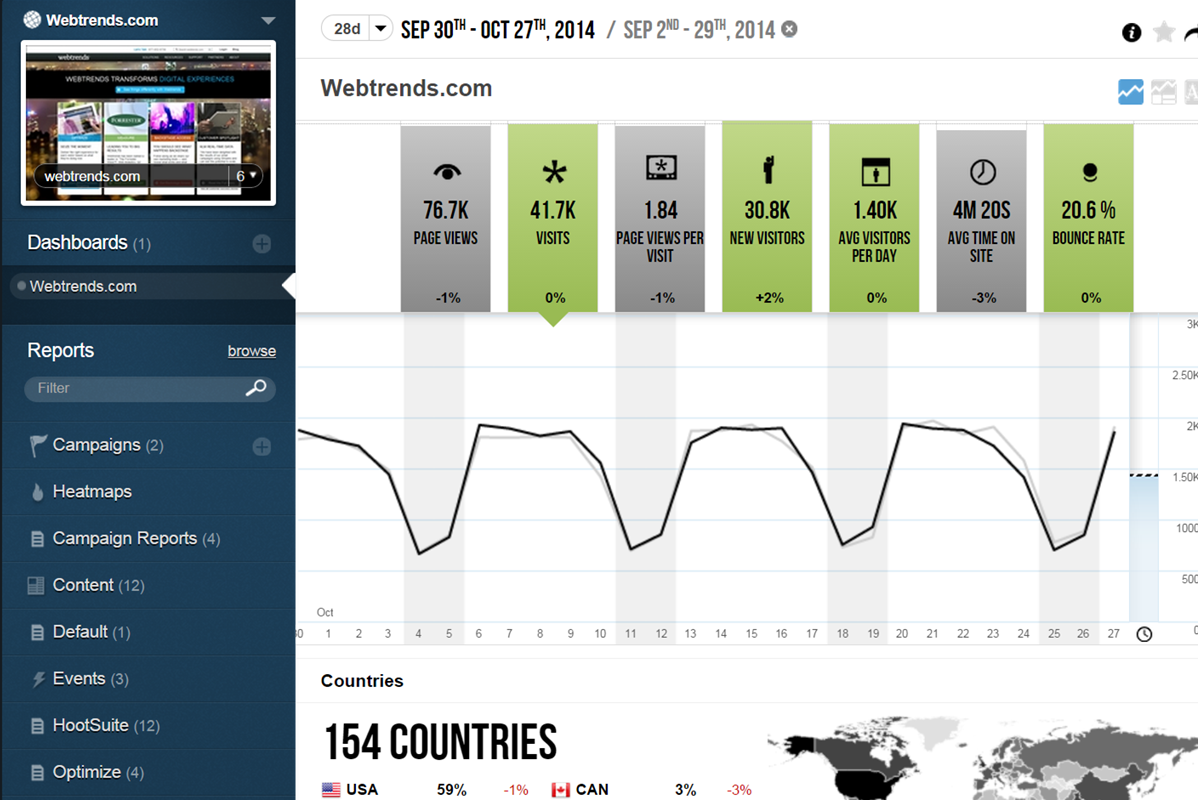
WebTrends provides an enterprise web analytics platform and, according to Forrester, has a strong focus on support for mobile and social channels and a very open platform. Webtrends competes directly with Adobe Site Catalyst, IBM Coremetrics. and comScore DigitalAnalytix.
N/A
Zendesk Chat
Score8.3 out of 10
N/A
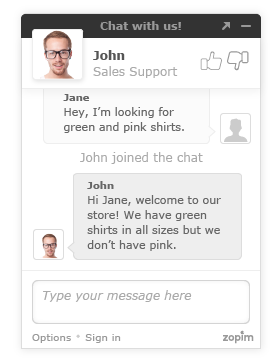
Zendesk Chat (formerly Zopim) is a live chat tool developed by the Singaporean company also called Zopim, acquired by Zendesk in April 2014.
$11.20
per month
Pricing
Webtrends Analytics
Zendesk Chat
Editions & Modules
No answers on this topic
Lite
$0
per user
Basic
$14
per user
Advanced
$25
per user
Premium
$55
per user
Offerings
Pricing Offerings
Webtrends Analytics
Zendesk Chat
Free Trial
No
Yes
Free/Freemium Version
No
Yes
Premium Consulting/Integration Services
No
No
Entry-level Setup Fee
No setup fee
Optional
Additional Details
—
The pricing above is price per user per month. You will get a discount when you opt for annual payment.
Scenarios 1. If you want to use web server log files as input to your web analytics, then Webtrends will provides a good product, with great ease of implementation. Don't even think about being cheap on hardware, and make sure Webtrends runs on real servers, not in a VM environment. 2. If you want to use Data Tagging, similar to Google Analytics or Site Catalyst, Webtrends has a powerful product, just be prepared to pay. 3. If you are new to Web Analytics, but it is the strategic direction, start with Webtrends on Premises. Questions to Ask 1. What are you trying to accomplish? 2. Can you place a dollar value on the benefit that you expect/need from Webtrends? 3.Can you live with Webtrends running SaaS?
Zendesk Chat is suited for all the support teams that provide real-time assistance. Like if someone wants to block the debit/credit card, it is a high-priority case that needs real-time assistance. Whereas issues like close my account, and invoice request doesn't need real-time assistance, where Zendesk tickets support will be perfect.
Control privacy, data sharing and competitive industrial knowledge using Webtrends on premises
Great control over custom reports, custom dimensions and metrics
Flexible tool which allows multiple methods of data capture. To my knowledge it was the first tool with a Tag Builder / Tag Management function built in via a supporting website.
The big downside, the elephant in the room, is that it does not (as of right now) have on-demand segmenting, drilldowns, etc. You have to think of what you want in advance and create those reports then analyze some data. This is huge. You can, of course, re-analyze old data after creating new reports but you still have to wait. (This deficiency may become obsolete with the release of Webtrends Explore later this month (May 2014).)
It has fewer mature integrations with other products and databases than competitors do, although I'm told it works with SharePoint better than anything else does.
Its attribution modeling capability is behind Google Analytics'. In my humble opinion, this could be changed quickly if Webtrends would make some tweaks to its standard visitor history files (i.e. preserve the order in which past visits were sourced beyond the single most recent one, rather than storing all those past sources as a randomized list).
It doesn't incorporate statistical tests, confidence intervals, or statistical associations. However, this same criticism can be applied to its competitors (other than A/B Testing products). It's a tabulation program, as they all are. In this respect, web analytics tools as a group are relatively primitive. Sorry to bring this up as a criticism of Webtrends but it's my pet peeve about the whole industry and I just have to say it. (p.s. take advantage of the heavy-duty Webtrends Scheduled Export functionality to get really granular data that you can feed to a stats program to get significances.)
Although the documentation, help screens, phone support and the knowledge base have improved tremendously in recent years, there is still a pretty steep learning curve because it is different from the tools that entry-level users may have already been exposed to. This can be a shock and many users are alienated at first because they just don't get some of the fundamentals at first. I'd like to see much better help screens that are thoroughly interlinked with the KB and documentation. Having superb online support would make a world of difference with the adoption of this basically powerful tool.
I would be willing to try Webtrends again AFTER some research from other users. I would need to see that users mention better and faster customer support on questions and issues that arise while using the software. The software is capable of vast and incredible things, but if it isnt properly set up and supported during use, it is just a big hassel and waste of everyones time and money.
Due to staffing issues, we have temporarily stopped offering chat as an available channel. We're also interested in the best ways to integrate chat with our FAQs and AI to provide quick responses, either during off-hours or prior to speaking with a live agent. I've also found that reporting is rather limited where some of the interesting and useful data made available and visible during the chat cannot be pulled post-chat; it would be great to pull a high-level report so we can analyze this data.
If I could give it a 0, I would. Not having an intuitive user interface made it impossible to convince non-analytic business users to use the tool on their own. Even as a seasoned analyst, frequent calls were needed to get what should be simple tasks done. Account managers don't understand the tool either, and have to refer you to technical support
As mentioned previously, it's a clunky product that lacks user-friendliness. It feels old and behind the times compared to other products we have used. The inability to have a wrap-up time before a new chat comes in is also a big issue for our team.
A de minimis incentive was given to thank the reviewer for their time. The incentive was not used to bias or drive a particular response, nor was the incentive contingent on a positive endorsement. More Info
The v9 admin interface and v10 reporting interface work as well as expected, but have a tendency to be pokey, especially for bulky reports and whenever you're connected to wifi. I much prefer using the REST API for all reporting for this reason, which simply dumps out the data and doesn't bother with the user interface.
I once went on to Twitter to ask for help from my network of analytics people, and Webtrends themselves responded. They have been an excellent partner in making sure that their product is being used to the best of it's ability and I greatly appreciate that. Both Omniture and Google Analytics, do not have that level of support over social media
Getting assistance and/or troubleshooting anything with Zendesk can be quite frustrating. In my years of experience with Zednesk, I have almost never found the answer to my question without going through multiple articles, ultimately getting frustrated and reaching out to our contact for more assistance. So for a consumer, the support is not as relieving as Zendesk Chat is to our customers in getting the questions answered by us.
A de minimis incentive was given to thank the reviewer for their time. The incentive was not used to bias or drive a particular response, nor was the incentive contingent on a positive endorsement. More Info
The in-person training was comprehensive enough to get you started, but I strongly recommend having a more experienced person when beginning with the tool.
Webtrends provides several free webinars over the course of the year, many of which I would expect to pay for. The people providing the webinars seem to have a good feel for real-world application of the product.
Careful planning and patience. Use a non-public test site to fine tune tags and reporting. Despite best laid plans, there will be surprises when you collect the data, run the analysis and begin generating reports using the tool. Perform a tag audit to ensure tags fire as desired.
Webtrends has its work cut out for itself considering you have the behemoth Google Analytics and Google Analytics Premium having a strong offering and brand recognition for the price of free. After reviewing the paid service I'd suggest you start off with GA as a cheaper alternative that is just as robust, if not much more flexible in regards to the reporting and goal tracking needs for our company.
A de minimis incentive was given to thank the reviewer for their time. The incentive was not used to bias or drive a particular response, nor was the incentive contingent on a positive endorsement. More Info
Zendesk Chat is far more user friendly than some of the other competitors on the market. It has a very all the features that you require to ensure your customers are contacted in 'real time'. Its main tools include a live chat interface for quick communication, customisable chat widgets to fit your brand, mobile responsiveness for all devices, and canned responses for common questions. The platform can also start chats based on visitor actions, like time on a page or exit intent. A real must for any leading company
A de minimis incentive was given to thank the reviewer for their time. The incentive was not used to bias or drive a particular response, nor was the incentive contingent on a positive endorsement. More Info
Webtrends has had a positive impact on site visitation because it allowed us to understand the sources by domain for site traffic and find out ways to increase visits from those domains.
Webtrends has also allowed us to understand areas of optimization on the site, which has had a positive impact on the overall user journey on the site, likely leading to longer site duration and engagement.
Positive impact - Compared to our old system, this newly updated system provides features and functionality that has increased our agent productivity and provided customer insight like we've never had before. This has resulted in fewer hold times and higher customer satisfaction.
Negative impact - Our reporting team still struggles with obtaining the right information from time to time with the chats. This leads to loss of productivity and more resources dedicated to reporting.
Positive impact - Due to Zopim's embed, we are able to more successfully place them on the appropriate self-service portals and pages, reaching a larger audience, and being more readily available to answer our client's questions. This has resulted in an increase in our self-service portal usage, driving down the phone and email support channels, which in turn reduces support costs.
A de minimis incentive was given to thank the reviewer for their time. The incentive was not used to bias or drive a particular response, nor was the incentive contingent on a positive endorsement. More Info