
TrustRadius: an HG Insights company

IBM Targetprocess

Score8.4 out of 10

83 Reviews and Ratings

What is IBM Targetprocess?

IBM Targetprocess is a Strategic Portfolio Management (SPM) SaaS that connects strategy, funding, and execution. It helps enterprises prioritize work, dynamically allocate resources, and continuously adapt plans. With real-time visibility and financial insights, organizations can deliver faster, clearer business outcomes.

Media

Screenshot of Resource Management: Reduces risk by dynamically managing resources, capacity, and demand
Screenshot of Program Management: To deliver value throughout a strategic portfolio
Screenshot of Portfolio Budgeting: Shifting from project to product funding
Screenshot of Strategic Planning: Continuously links work, labor, and investments to business strategy
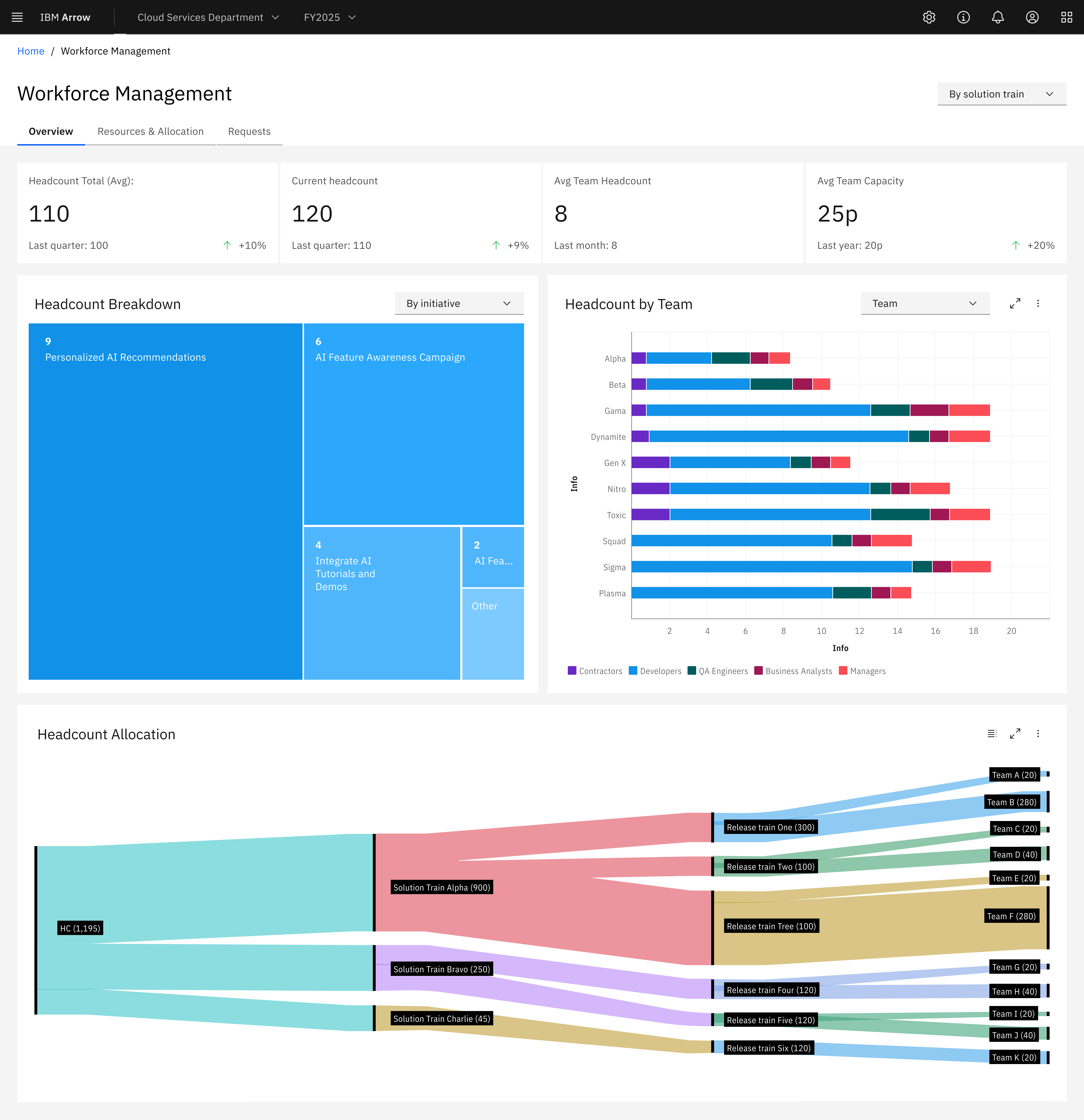
Screenshot of Workforce Management
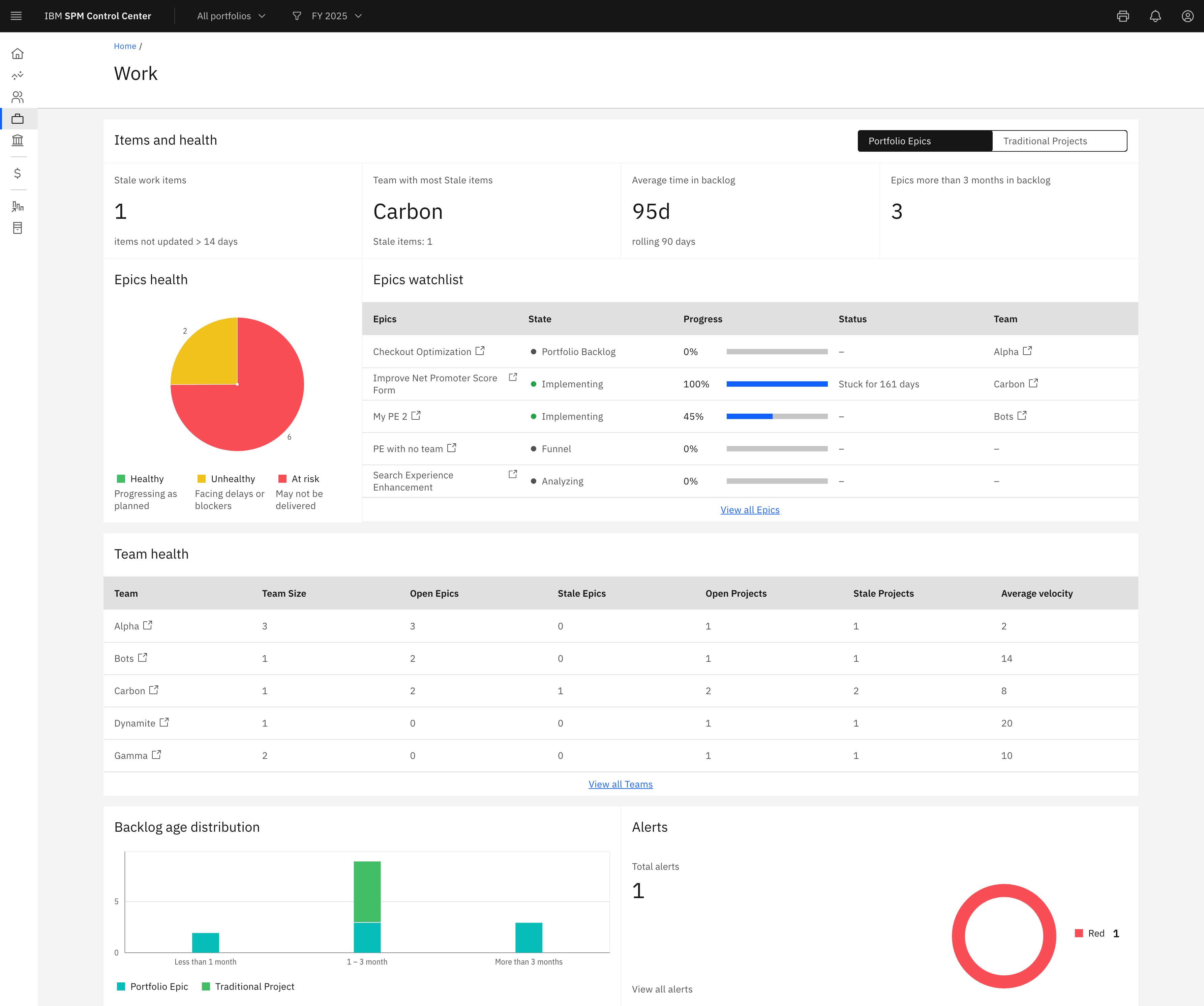
Screenshot of Work
Screenshot of Corporate Goals
Screenshot of SPM Priorities
Screenshot of SPMCC Finance
Screenshot of SPMCC Funding Request
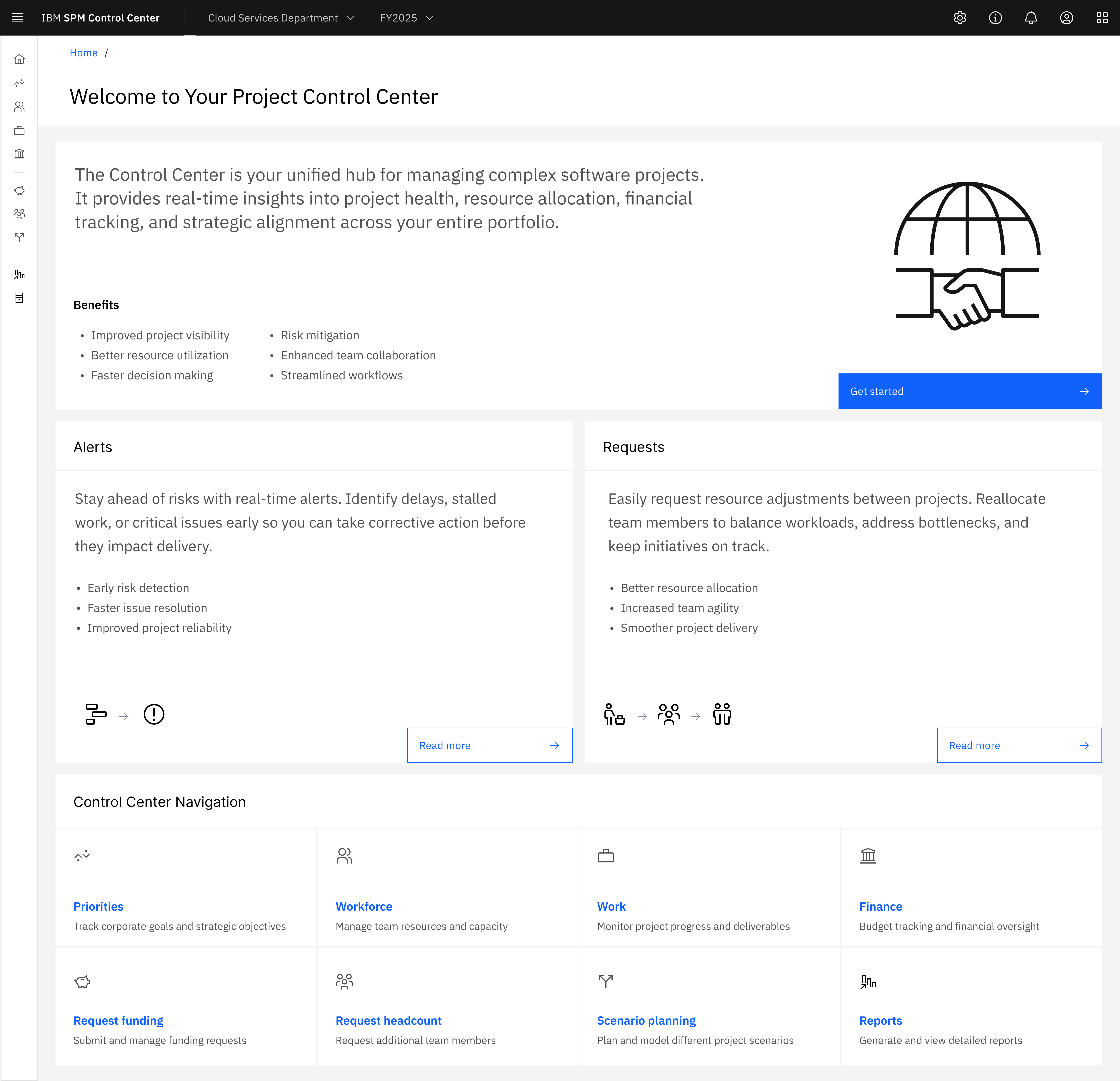
Screenshot of SPM CC Home

1 / 11

Screenshot of Resource Management: Reduces risk by dynamically managing resources, capacity, and demand

Top Performing Features

  • Support for Agile Methodology

    Agile is a time boxed, iterative approach to development that builds software incrementally instead of trying to deliver it all at once near the end.

    Category average: 8.5

  • Resource Management

    Resource management is workload planning to maximize resources.

    Category average: 8.5

  • Timesheet Tracking

    Timesheet tracking is the ability to track all billable and non-billable hours for each project.

    Category average: 7.8

Areas for Improvement

  • Velocity Calculation

    Product uses historical data to calculate team velocity and help understand how much time future work will take.

    Category average: 6.7

  • Support for Waterfall Methodology

    Waterfall methodology is a tradition development method that is linear and sequential.

    Category average: 5.8

  • Search

    Users can search for related materials across files, discussions threads, schedules, etc. using project keywords or tags.

    Category average: 6.1

Pretty decent at what it does

Use Cases and Deployment Scope

Organize our software backlog and track all the work items done by the various teams. We also track our issues, bugs, dependencies, releases, and more for all of the projects and teams that work within our IT and technology development departments. Dashboards are then used to track progress across these and to see how they influence each other.

Pros

  • Customization
  • Multifaceted
  • Single Source of truth

Cons

  • Automation and detailed views can be complicated to maintain
  • Customization is often at the portfolio level leading to more portfolios then we would want
  • Forecasting could be more advanced

Usability

Return on Investment

  • Clearer planning
  • Better cross team collaboration

Other Software Used

GitLab

LTP

Use Cases and Deployment Scope

We use TP for creating work instructions, capturing decomposition of features and planning.
TP helps developers from knowing what work has priority.

Pros

  • TP properly visualizes work items for daily use.
  • TP assists to reduce time in planning meetings due to the usability of the boards.
  • Planning boards help discussion about budgets with management.

Cons

  • TP only features deterministic planning. We desire probabilistic planning.
  • The learning curve for starters is pretty high.

Usability

Other Software Used

GitLab, JFrog Artifactory

IBM Targetprocess Review

Use Cases and Deployment Scope

The problem is to benchmark the figures and forward to the right target model

Pros

  • Benchmark
  • Future ready

Cons

  • User friendly
  • reporting

Usability

Return on Investment

  • Transparency is positive
  • User friendly and portfolio overview could be better

Alternatives Considered

ServiceNow CPQ and SAP LeanIX Enterprise Architecture

Other Software Used

IBM Apptio, SAP S/4HANA for product compliance, Microsoft 365

ATP

Use Cases and Deployment Scope

In our organization, we use IBM Targetprocess for Strategic portfolio management, demand management, investment management

Pros

  • Navigation is simple and user friendly
  • Easily configurable
  • Visual dashboards

Cons

  • Scaling for large portfolios
  • Robust in tool reporting xapabilities
  • Flexible budgeting capabilities

Usability

Return on Investment

  • Connected tooling ecosystem
  • Connecting supply to demand
  • Insights from intake to execution

A review as a relatively new adopter of IBM Targetprocess

Use Cases and Deployment Scope

We've recently adopted IBM Targetprocess as our Enterprise Portfolio Management solution to help us with our view of strategy to execution. As an Organisation we recently moved away from one tooling supplier so hopefully can provide some objectivity to this review. We were keen to give visibility and transparency of our Change portfolio to become more data driven and facilitate the right conversations.

Pros

  • The UI is more intuitive than other suppliers and that is consistent feedback from our user population
  • We've really focused in on and leveraged the power of the integrations with our other SaaS solutions to create that version of the truth and avoidance of unnecessary and wasteful duplication of effort.
  • Dashboards are useful and spinning up new reports is relatively straightforward with basic knowledge of the tooling.
  • Being able to share the view to non users within the Organisation is a useful benefit.
  • I like the ability to be able assess data points within many of the visuals to simply validate and interrogate the data.

Cons

  • Having the ability to only open 3 windows at a time is an unnecessary constraint and hope IBM will get this on the change road map.
  • Excited to see what AI capabilities will be developed over time to create further Portfolio management efficiencies.
  • We're currently navigating support options which appear to differ by Apptio product so maybe room to create some consistency there as it's a little confusing.
  • If you use an implementation partner be sure to focus on knowledge transfer. It was important to us to be in control of the keys however you may have to drive this.

Return on Investment

  • Reduced waste via maximising integrations
  • Allowed us to move away from manual RAIDD management and tracking
  • Enabled greater visibility to portfolio change management
  • Enabled us to become more data driven
  • Transparency of change data so we can regularly inspect and adapt
  • Reduced cost in comparison to previous supplier.