TrustRadius: an HG Insights company

ThunderTix

Score9.1 out of 10

9 Reviews and Ratings

What is ThunderTix?

ThunderTix is ticketing, box office, and venue management software built for performing arts organizations, theaters, live music venues, and live performance teams. The platform supports both reserved seating and general admission events, helping organizations sell tickets online, by phone, or at the box office while managing patrons, donations, subscriptions, merchandise, concessions, gift cards, marketing, and reporting from one system.

Read more details.

Media

Screenshot of ThunderTix's custom reserved seating charts that matches each venue’s real layout, including rows, tables, balconies, ADA seating, ASL-accessible areas, obstructed-view seats, dinner theater setups, auditoriums, and concert venues.
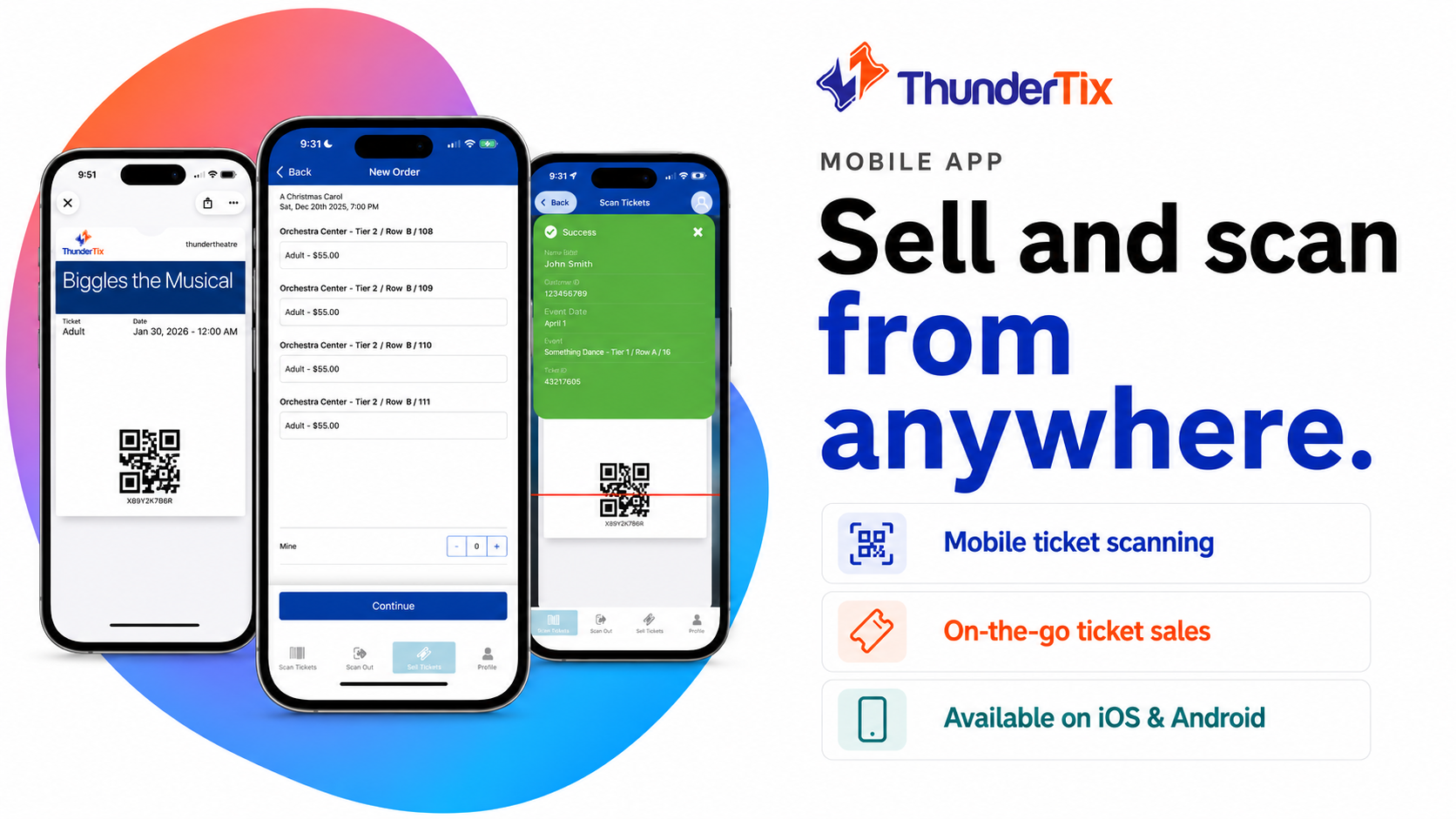
Screenshot of the ThunderTix mobile app, where staff can sell tickets, scan barcodes, and check in guests from anywhere using iOS or Android devices.
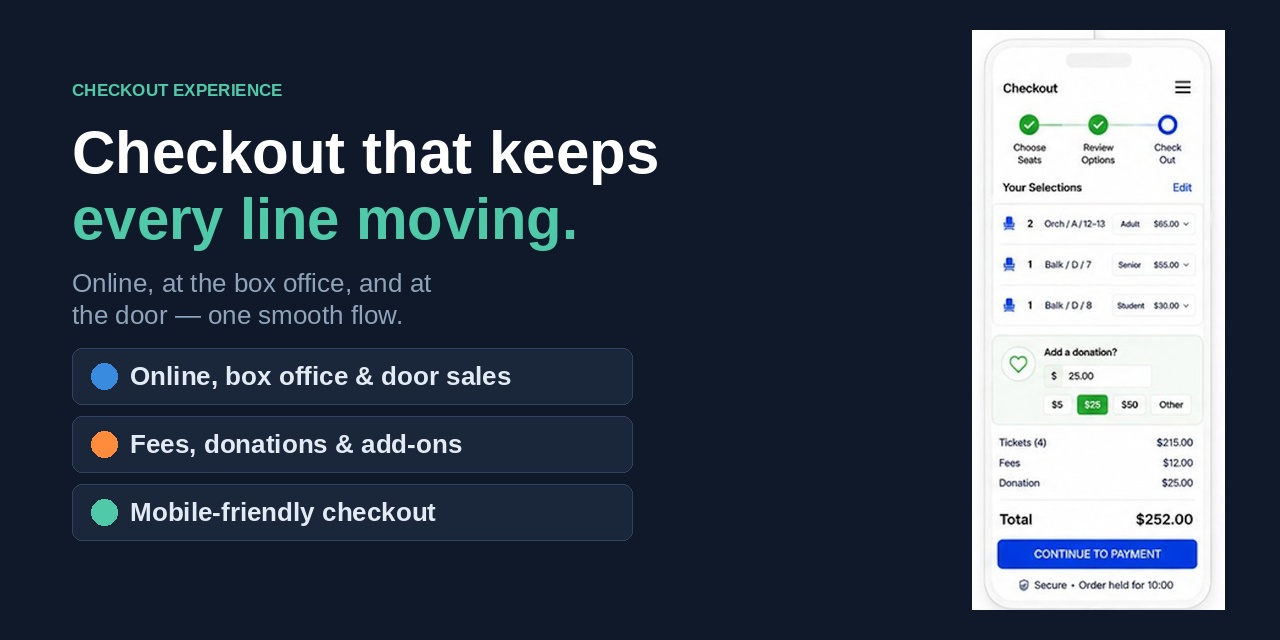
Screenshot of ThunderTix's mobile-friendly checkout with seat review, donation prompts, add-ons, transparent fees, and a smooth path to payment.
Screenshot of ThunderTix's memberships, for tiered benefits, priority access, donor perks, branded membership pages, and automatic renewals alongside ticketing and fundraising tools.
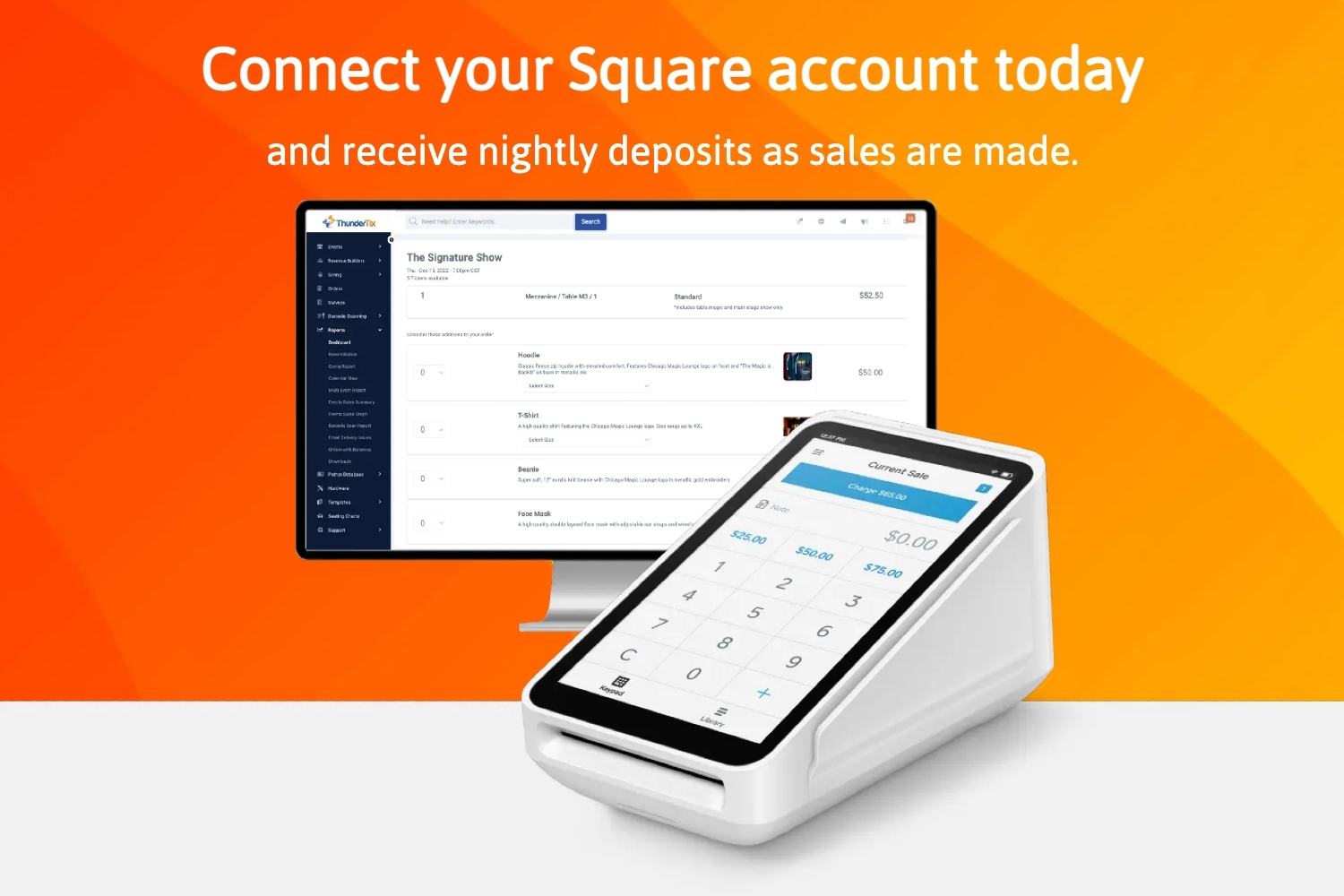
Screenshot of ThunderTix and Square/Stripe, a solution to accept ticket, merchandise, and concession payments through connected terminals while keeping deposits, sales, and reporting in sync.
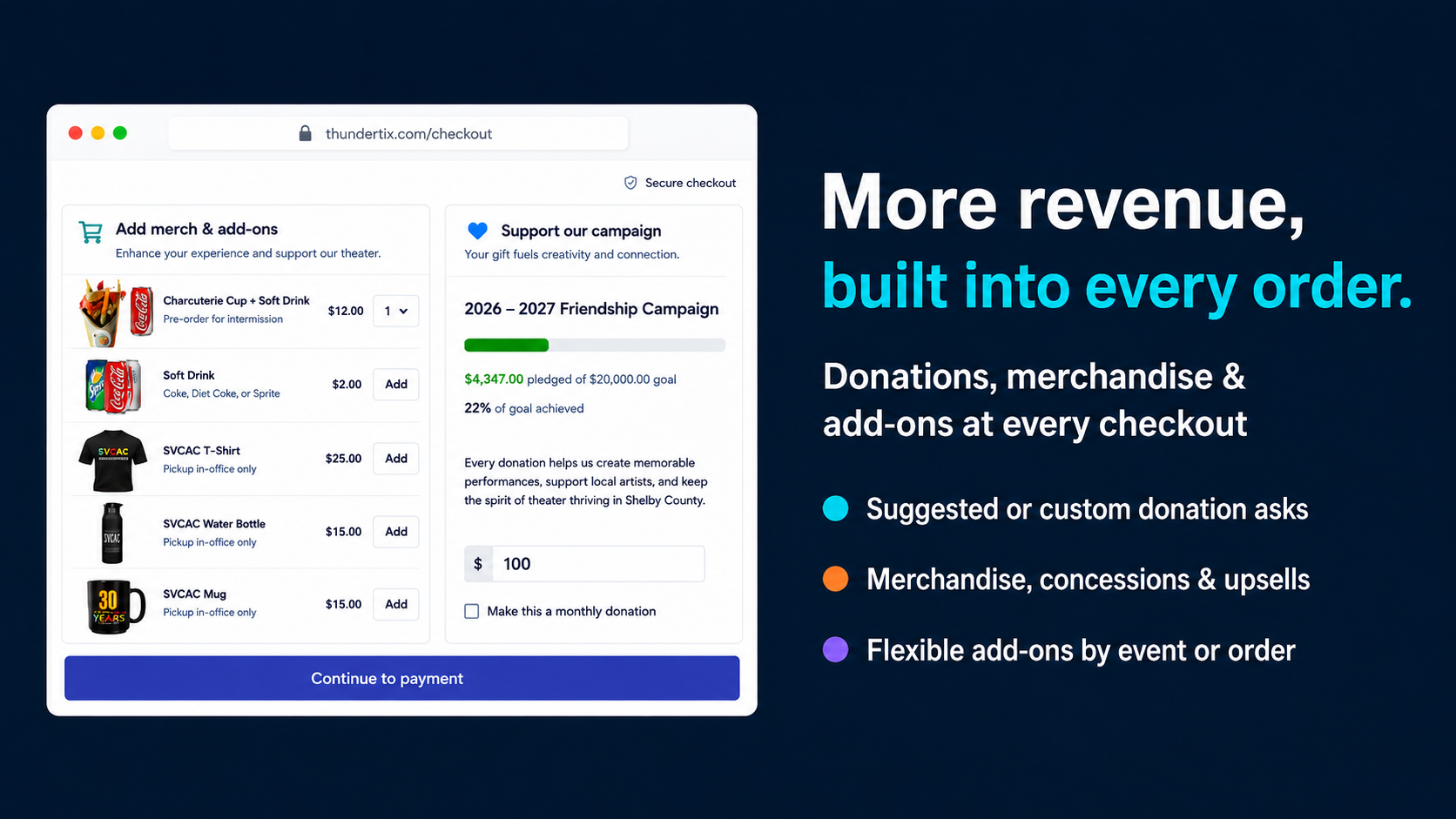
Screenshot of how ThunderTix lets venues collect donations, sell merchandise and concessions, promote campaign goals, and offer flexible add-ons in the same smooth ticket-buying flow.
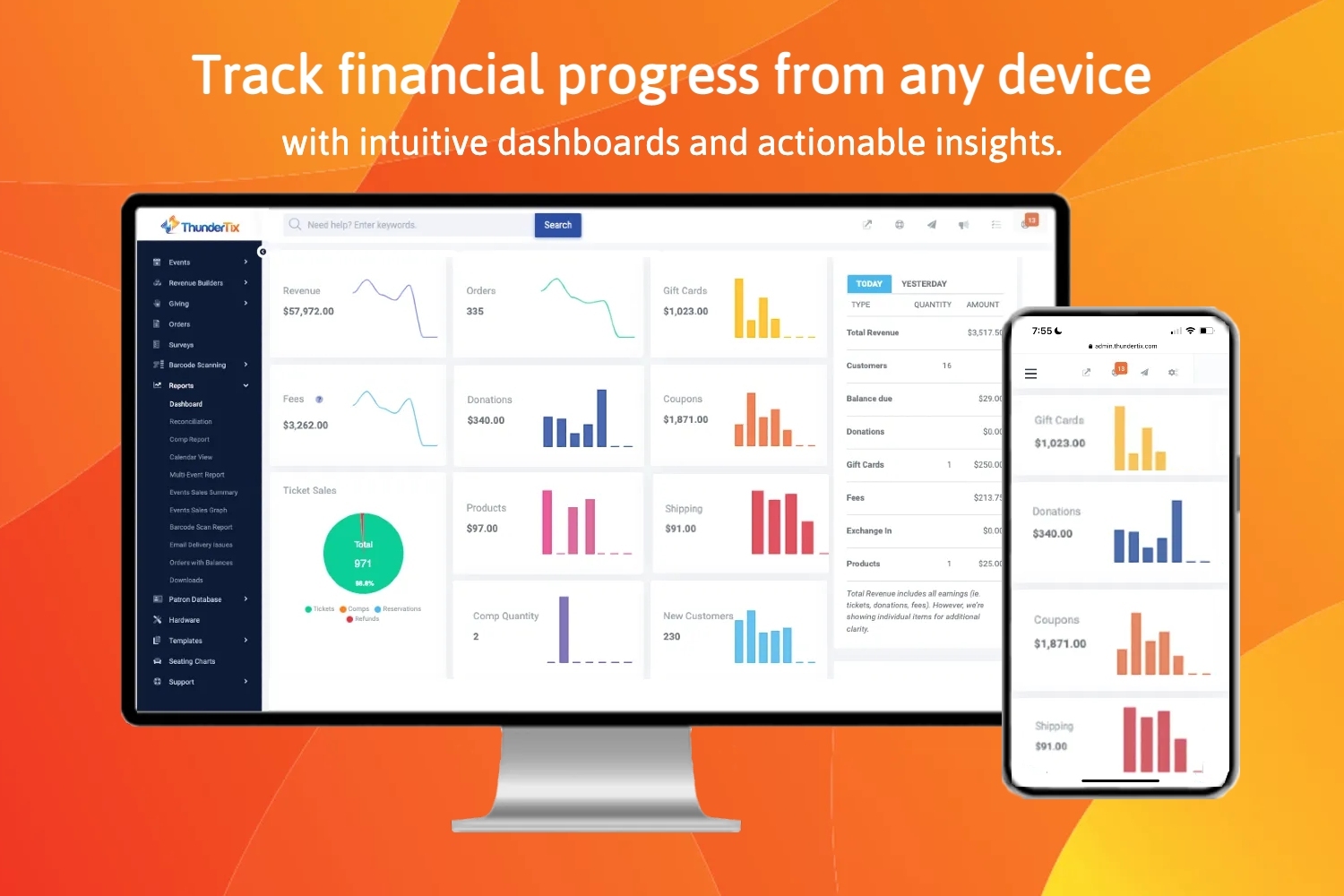
Screenshot of how ThunderTix's  mobile-friendly dashboards plus an MCP connector for natural language reporting where viewers can ask questions, uncover insights, and turn event data into custom visuals for smarter decisions.

1 / 7

Screenshot of ThunderTix's custom reserved seating charts that matches each venue’s real layout, including rows, tables, balconies, ADA seating, ASL-accessible areas, obstructed-view seats, dinner theater setups, auditoriums, and concert venues.

Top Performing Features

  • Registration, RSVP, and ticketing

    Attendees can register, RSVP, and/or purchase tickets for the event in advance

    Category average: 8.5

  • Email marketing

    Personalized email marketing to registered attendees, either within the software or through integrations

    Category average: 7.1

  • Audience engagement

    Interactive features like live chat, polls, Q&A, and gamification

    Category average: 8.6

Areas for Improvement

  • Event analytics

    Analytics and reporting (e.g., total attendee counts at individual presentations and booths, satisfaction with presentations) are available to help determine the success of events

    Category average: 8.4

Great Ticketing Service

Use Cases and Deployment Scope

We use ThunderTix for all our ticketing activities. We signed up with them after BrownPaperTickets had major problems during COVID. They were are very good choice. Their customer service is especially robust.

Pros

  • Easy to use
  • Great customer service

Cons

  • Sometimes users have problems with the site, but it's usually their oversight.

Return on Investment

  • We couldn't do our business without a ticketing service.

Usability

Alternatives Considered

Brown Paper Tickets

Construction Education

Use Cases and Deployment Scope

We use ThunderTix to process payments for our clients who buy courses from us for education. We add events using ThunderTix, and link it to out website, so clients can purchase, as well as staff who assist customers. We use ThunderTix as our primary processor for our courses and we use this program daily.

Pros

  • Easy processing
  • Easy Events organization
  • Support

Cons

  • Merging customers records, the lists are sometimes very long as we have a lot of clients with the same last name, and if the list is too long, sometimes we can't scroll far enough down to merge the client
  • Support being only online
  • not sure why its been changed, but only being able to re-send 5 email confirmations?

Return on Investment

  • keeps events updated for clients
  • keeps track of previous courses which is important, as a client cannot take a course twice for CPD points
  • keeps track of our daily and monthly income

Usability

Other Software Used

Postmark, Moodle, Jotform

ThunderTix: A suspiciously great review that I will proudly defend - with receipts.

Use Cases and Deployment Scope

ThunderTix is our sole ticketing system. They also handle concession sales at the box office, donation, and merchandise sales. They have been 100% reliable, remarkably responsive, and open to feature suggestions. Converting from our old system took only a few days. We started on a Tuesday were up and running in time for that weekend's event. It has been flawless from that point on for years.

I actively promote them as a product to other companies. When considering them, I discussed their code maturity, history and development practices with various people in their company as those are critical to long tern reliability and success. Obviously they passed with flying colors. We needed a solid solution on a rushed emergency timeline and I was prepared for an order of magnitude more effort. It was trivial and has been all along.

I know I sound like the mom of someone that works there, but I'm just a small business that needs ticketing to be taken care of. They are just good. Really good.

Pros

  • Uptime. Never experienced a service outage in over 7 years of use.
  • Customer support. Rarely needed but immediate and effective
  • Feature request and intelligent product expansion
  • Excellent integration with other mailing list services although they began offering some support for mailing lists themselves.

Cons

  • I honestly am not a power user for our organization, but hear no complaints. The times I have to use it, I quickly find and remember how things work. I have no material criticisms.

Return on Investment

  • I only have comparison to a large very expensive former system and a homegrown we developed, but it remains cost effective and less expensive than competitors so I have zero interest in trying something else.

Cost effective and efficient platform

Use Cases and Deployment Scope

We use ThunderTix to host ticket sales for events in our performing arts theatre at our clubhouse. It manages box office and online sales for us, as well as the entry process for each event. Their support team is incredibly helpful and responsive whenever we have an issue that needs immediate attention. This platform reduces our stress for inperson and online sales for our shows by filtering all sales through our payment gateway where we can track sales through either thundertix or our payment gateway.

Pros

  • Customer Support
  • Box Office Sales
  • Online Sales
  • Sales Reports

Cons

  • Some of their fees are unreasonable
  • Public display website is a bit sparse
  • user interface

Return on Investment

  • It has greatly increased online sales
  • We are break even but with only 1 event ran so far
  • It has made teaching box office sellers easy

Alternatives Considered

TicketSpice and AudienceView Professional

Other Software Used

Stripe, WordPress, Square Payroll

Great Product with Great Customer Service!

Use Cases and Deployment Scope

My company holds a raffle every year and we use ThunderTix to sell the raffle tickets online. The main business problem this product addresses is a customized page for us to sell our tickets online. We don't have to deal with the processing of anything it's all done through the ThunderTix system which saved us a lot of development time. It is a great product that fits our needs perfectly.

Pros

  • Good User Interface
  • Customer Service
  • Customization/Features

Cons

  • The only problem I've had with ThunderTix is there are so many features/customizations sometimes you have to do some searching to find the setting you're looking for, but the customer service has been excellent with pointing me in the right direction.

Most Important Features

  • Price
  • Customer Support
  • User Interface

Return on Investment

  • Huge increase in our ticket sales from past years because of the online system.
  • Easier for office staff to manage the tickets so less work for them