TrustRadius: an HG Insights company

TimeCamp

Score7.1 out of 10

75 Reviews and Ratings

What is TimeCamp?

TimeCamp is cloud based, multi-platform (Windows, Mac, Linux, iOS, Android) time tracking and invoicing software.

Read more details.

Media

Screenshot of Daily timesheet view
Screenshot of Weekly timesheet view
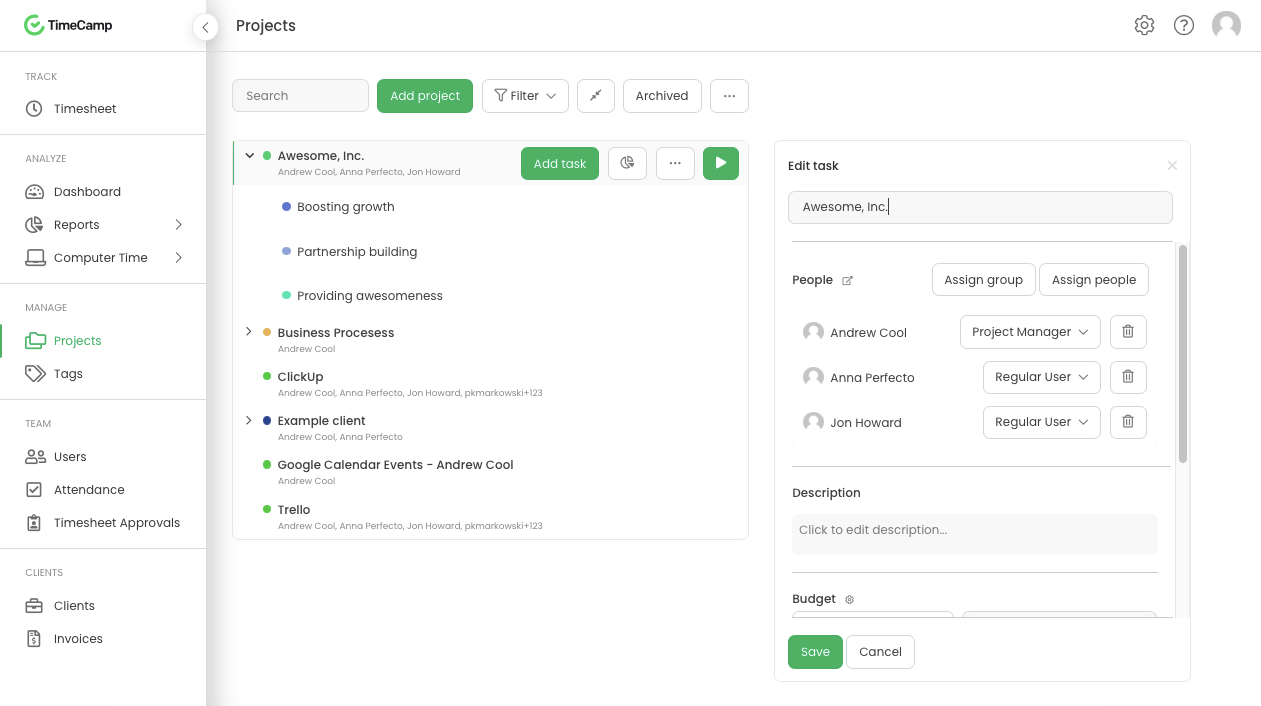
Screenshot of Projects
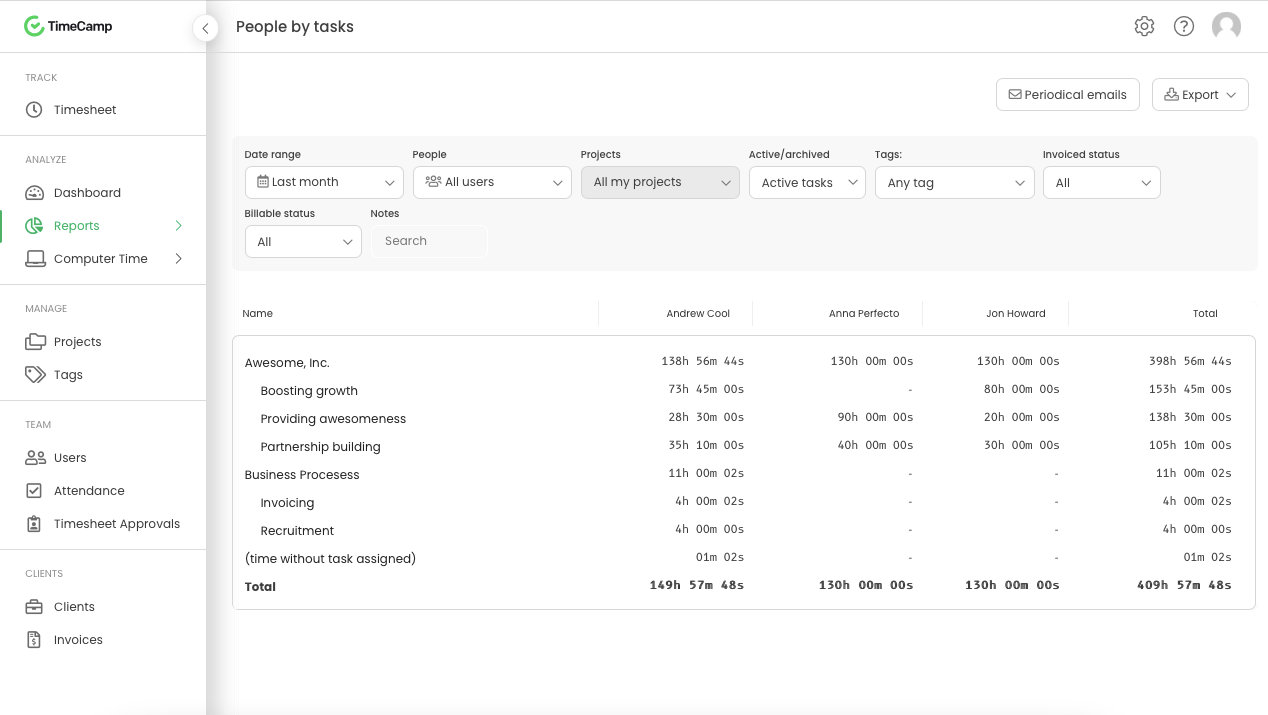
Screenshot of People by task report
Screenshot of Attendance

1 / 5

Screenshot of Daily timesheet view

Pros

  • Straightforward and accessible design for quick user adoption
  • Robust reporting for client hours and project time allocation
  • Accurate activity monitoring without user disruption

Cons

  • Complex and difficult-to-understand report generation
  • Limited customization options for reports and dashboards
  • User interface issues, including readability and confusing navigation

Very easy to track time

Use Cases and Deployment Scope

I really like tracking time and projects in my work with TimeCamp. I use it daily at my job to track the time I spend on clients and projects. It has helped to have an overview of how many hours we spent on clients' projects, but also to keep track of our weekly hours

Pros

  • Easy to add projects
  • easy to track time
  • easy to edit projects

Cons

  • The reports are very difficult to pull out, and glitches are very common.
  • I'd like a better dashboard to see where time goes based on people, but also projects; the layout is too flat.
  • I would include more graphics to make it more visual and easy to understand where the hours logged in go and how

Return on Investment

  • Not really on metrics. We just track time with it.

Usability

Other Software Used

ClickUp

Exceptional value at all price points

Use Cases and Deployment Scope

We use TimeCamp for all of our payroll tracking! It makes it easy to create subcategories, run reports, and keep real-time data on our employee's payroll needs. I've used the paid and free versions over several years, and have seen great benefit for my organizations' growing needs. When I managed multiple LLCs and corporations, I was able to easily track all my time in one place, divide it with a few clicks, and keep comprehensive track of ALL my time wearing various hats.

Pros

  • Detailed customizable reports
  • Accessibility across devices and platforms
  • Highly customizable to the organization
  • Robust free platform features

Cons

  • Assigning new users to categories sometimes lags by a few hours

Return on Investment

  • TimeCamp lets me keep me a solid handle on how much I was ACTUALLY working, and percentages given to my various roles.
  • It has allowed me to be accountable to my business and my family for where my time is spent.

Usability

Other Software Used

Intuit Online Payroll (discontinued), Worksuite

My Story With TimeCamp. Its a Great Platform.

Use Cases and Deployment Scope

Zumit.Tech is a consulting firm for automation services and Agentic AI. We use TimeCamp as the daily driver for controlled allocations and time consumptions. For every project that we implement within our different clients, we control the budget consumption. We also utilize TimeCamp to mitigate the risk and control our resources that work from home.

Pros

  • Supervisor of activities within the employees computer.
  • Structuring complex elements of registry.
  • Reporting. Reporting is great in time and decimals.

Cons

  • The interface sometimes has bugs. It overlaps words and usually is very hard to read everything.
  • The integration with Smartsheet doesn't work well. It was one of our key points of contracting TimeCamp and it usually disconnects and doesn't updates.
  • I think you could bring more valuable content to your customers by adding tutorials on how to maximize the use of the platform.

Return on Investment

  • Before TimeCamp, we didn't have any control over our team. So, it has helped us greatly.
  • TimeCamp has helped us to think our operations as controlled, more structured, channels of work.
  • TimeCamp has has a very good introduction momentum within our organization.

Usability

Alternatives Considered

Clockify

TimeCamp use in tourism seasonal Job

Use Cases and Deployment Scope

To log hours for the employees. Each has an account and can log their hours with the customer. The hours vary and we have employees of up to 20 people with a lot of different customers (tourism and seasonal). The company is in tourism and only seasonal so we can quickly lookup which employee has logged in which hours with which customer.

Pros

  • logging hours
  • detailed overview
  • big overview
  • See each employees hours

Cons

  • dropdown menus for a lot of customers
  • menu on the left is sometimes overwhelming
  • adding people to the project is sometimes frustrating

Return on Investment

  • I don't need extra lists to see which employee worked on which project
  • I already see easily the worked hours of everybody
  • easier to write invoices because I can easily see the hours logged

Usability

Set it and forget it.

Use Cases and Deployment Scope

Management found this solution to get to the bottom of why everyone kept saying, "I don't have time," to complete their tasks. I don't know whether this has helped resolve the challenge.

Pros

  • I like the Timeline view.
  • Link to my calendar.

Cons

  • One our free trial ended the accuracy tanked.
  • It would boot me out and I didn't know it, therefore my time did not get logged.

Return on Investment

  • I do not see that side of the process.

Usability

Other Software Used

Google Tasks, Google Calendar