Active Query Builder vs. Syncfusion Essential Studio vs. Tableau Desktop

Overview
ProductRatingMost Used ByProduct SummaryStarting Price
Active Query Builder
Score 9.8 out of 10
Small Businesses (1-50 employees)
Active Query Builder is a component for business applications which helps users without any SQL experience to work with SQL queries and get data fast. Users can get a clear view of database schema and design SQL queries with natural point-and-click actions rather than tedious typing. Active Query Builder assists novice users learning SQL and allows experienced users to analyze and understand their queries better by parsing them and building the visual diagram. With…
$199
per developer
Syncfusion Essential Studio
Score 6.6 out of 10
N/A
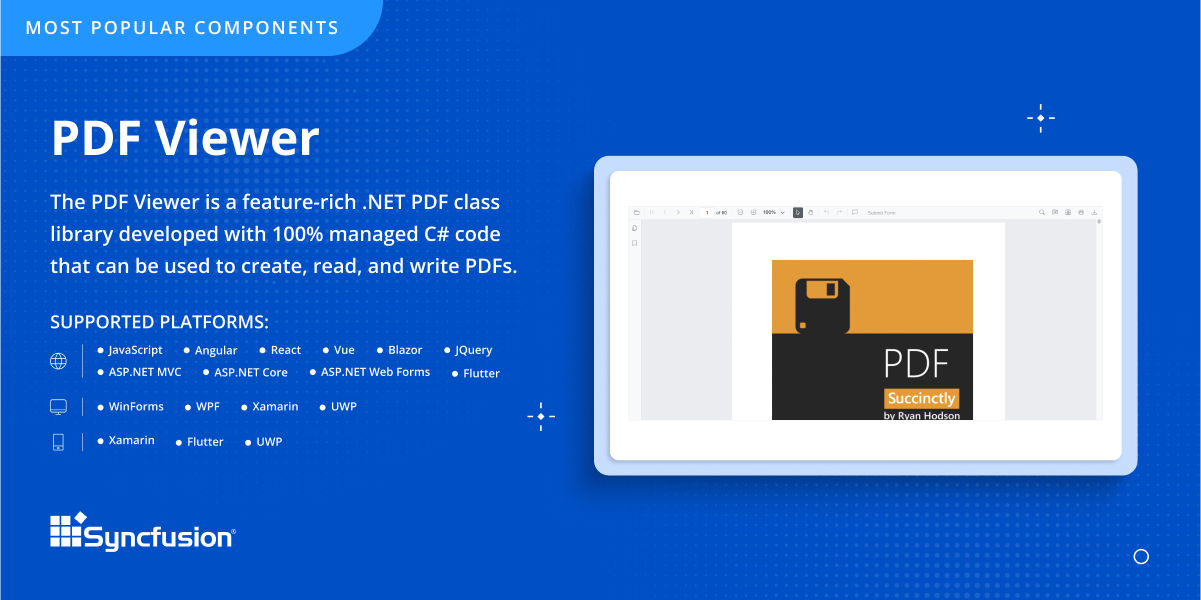
Since 2002, Essential Studio® has supported the development of software applications across industries and economic sectors, in both public and private enterprises.
$0
with the Syncfusion Community License. It includes free access to all 1,600+ controls and is available to companies and individuals with less than $1 million USD in annual gross revenue and 5 or fewer developers.
Tableau Desktop
Score 8.4 out of 10
N/A
Tableau Desktop is a data visualization product from Tableau. It connects to a variety of data sources for combining disparate data sources without coding. It provides tools for discovering patterns and insights, data calculations, forecasts, and statistical summaries and visual storytelling.
$1,380
per year (purchased via a Creator license)
Pricing
Active Query BuilderSyncfusion Essential StudioTableau Desktop
Editions & Modules
VCL Edition (Delphi, C++Builder)
$199.00
per developer
Core .NET Edition (non-visual)
$199.00
per developer
ActiveX Edition
$299.00
per developer
WinForms Edition
$399.00
per developer
WPF Edition
$399.00
per developer
ASP.NET Edition
$399.00
per developer
Java Edition
$450.00
per developer
.NET All-in-One Edition
$899.00
per developer
Essential Studio - Syncfusion Community License
$0
*up to 5 developers
Essential Studio - UI Edition
Custom Quote
per year Packages to suit teams of all sizes
Essential Studio - Document SDK
Custom Quote
per year Packages to suit teams of all sizes
Essential Studio - PDF Viewer
Custom Quote
per year Packages to suit teams of all sizes
Essential Studio - DOCX Editor
Custom Quote
per year Packages to suit teams of all sizes
Essential Studio - Spreadsheet Editor
Custom Quote
per year Packages to suit teams of all sizes
Tableau Creator License
$115
per month (billed annually) per user
Offerings
Pricing Offerings
Active Query BuilderSyncfusion Essential StudioTableau Desktop
Free Trial
YesYesNo
Free/Freemium Version
NoYesYes
Premium Consulting/Integration Services
YesNoYes
Entry-level Setup FeeNo setup feeNo setup feeNo setup fee
Additional Details*The Syncfusion Community License includes free access to all 1,600+ controls and is available to companies and individuals with less than $1 million USD in annual gross revenue and 5 or fewer developers.All pricing plans are billed annually. A Creator license includes Tableau Desktop, Tableau Prep Builder, and Tableau Pulse. Discounts sometimes available for volume.
More Pricing Information
Community Pulse
Active Query BuilderSyncfusion Essential StudioTableau Desktop
Considered Multiple Products
Active Query Builder
Chose Active Query Builder
it seemed more user friendly out of the box
Syncfusion Essential Studio
Chose Syncfusion Essential Studio
The products mentioned are not really in the same category as Syncfusion. As far similar type of products are concerned, we haven't used others. We have evaluated for sometime but did not use. The main reason was the support service.
Tableau Desktop
Chose Tableau Desktop
Tableau is next generation tool where other two are old traditional BI tools
Other tools are very slow and difficult to use, and required lot of technical expertise to use them.
Tableau's look and feel is much nicer than those two.
Chose Tableau Desktop
Tableau was easy to find people that had the skill set and a company server was already available.
Chose Tableau Desktop
Against the usual incumbents within the pharmaceutical industry, Tableau has much better and faster access to database data especially stored in the Oracle database, without needing any interim transformations or data universe needing to be created. Also it has comparatively …
Chose Tableau Desktop
The reason I selected Tableau desktop was because it is so easy to use. You can easily download it, there are a large number of tutorials provided by Tableau that you can use to familiarise yourself with the tool. The learning curve for Tableau is less. I personally had a …
Chose Tableau Desktop
We were interested in expedience at reasonable cost and so didn't do any sort of bakeoff, but tried Tableau first as a potential solution for moving beyond Excel for large scale data analytics. We picked it because it more than met our functional needs at a very reasonable …
Chose Tableau Desktop
Tableau is clearly the most intuitive and best looking product out of the box. Whereas other competitors appear to be playing catch up with Tableau.

It also has the biggest online community which enables new users to become proficient in this application very quickly. It also …
Chose Tableau Desktop
Tableau has a little less learning curve for developers but this is because fewer functions and customization options are available vs. Spotfire. Spotfire is a much more scalable solution, works many times faster with huge databases with over millions of rows. We selected …
Chose Tableau Desktop
Tableau is not as user-friendly as SAP Lumira. SAP Lumira is more efficient and productive time-wise, especially for first-time users. Tableau is better for more complex and detailed dashboards; especially interactive dashboards. Tableau enables users to create interactive …
Chose Tableau Desktop
My current work environment uses both Tableau Online, MicroStrategy & SSRS in parallel. Tableau is much closer to the SSRS in terms of visualization tool where as MicroStrategy is an enterprise data modeling and reporting tool.

Based on the use case we use different tools. Here …
Chose Tableau Desktop
It is easier to start with Tableau. The out of the box ready feel is more with Tableau than any of the other BI products. Product scalability is at a steep cost with Tableau but it gives the possibility to begin small and then grow as it proves its capability as compared to all …
Chose Tableau Desktop
Have not used any other competitor products.
Chose Tableau Desktop
QlikView is more customizable and has more depth, but is much harder to learn and much slower to develop. Tableau Desktop is much quicker to put together and if you have questions the community of support is much better. It doesn't handle as much data as QlikView does.
Chose Tableau Desktop
In comparison to Tableau, the other dashboarding/BI tools I've used feel clunky, are very slow to develop in, and seem to lack features of a more modernized tool like Tableau. In Pentaho Analyzer, for instance, trying to include multiple worksheets or reports in a single …
Chose Tableau Desktop
As far as I know, we do not currently use Domo, however I've seen some demos of their product. Domo is very good with cloud-based software and it also incorporates social media data. Domo is also good at using cloud-based excel file building vs. building spreadsheets on my …
Chose Tableau Desktop
Cass evaluated Domo, QlikView and Birst prior to selecting Tableau. It came down to cost (and by a significant margin); the others have relatively high implementation, hosting and other costs. Additionally, based on a recent Gartner "Magic Quadrant", Tableau exceeds all others …
Chose Tableau Desktop
I had the trial version of Tableau Desktop downloaded, installed, configured and was creating meaningful dashboards in almost 15 minutes. While other software we used had great features, none of them were able to compare with this trial experience. Tableau's user forums were …
Chose Tableau Desktop
I have used several reporting tools and Tableau is the best by far.
Chose Tableau Desktop
Python is programming tools, while Tableau is an easy to use drag and drop data visualization tool. This may not be an apple to apple comparison. Compared to Excel, Tableua is way over the top when it comes to data visualization.
Chose Tableau Desktop
Tableau is by far the superior product when it comes to analysis, ease of use, and end user experience. People are usually more familiar with Excel so it can be difficult to break them out of their comfort zone. Lastly, when it comes to subscriptions, SSRS is the tool I prefer. …
Chose Tableau Desktop
Oracle OBIEE.

The primary factors for choosing Tableau were the licensing costs; ability to view data from multiple data sources; the ease of infrastructure to setup; and ability for users to create and maintain their own worksheets without the need for IT assistance.
Chose Tableau Desktop
While I haven't done a lot of work in Microsoft BI, I do think they are on the right road to being a great product but they definitely lag behind Tableau in the number of features available. Obviously, it does integrate well with Microsoft products, but it remains to be seen …
Chose Tableau Desktop
Exploring on these aspects
Features
Active Query BuilderSyncfusion Essential StudioTableau Desktop
BI Standard Reporting
Comparison of BI Standard Reporting features of Product A and Product B
Active Query Builder
-
Ratings
Syncfusion Essential Studio
-
Ratings
Tableau Desktop
8.4
175 Ratings
3% above category average
Pixel Perfect reports00 Ratings00 Ratings8.0145 Ratings
Customizable dashboards00 Ratings00 Ratings9.1174 Ratings
Report Formatting Templates00 Ratings00 Ratings8.1151 Ratings
Ad-hoc Reporting
Comparison of Ad-hoc Reporting features of Product A and Product B
Active Query Builder
-
Ratings
Syncfusion Essential Studio
-
Ratings
Tableau Desktop
8.3
172 Ratings
3% above category average
Drill-down analysis00 Ratings00 Ratings8.5167 Ratings
Formatting capabilities00 Ratings00 Ratings8.4170 Ratings
Integration with R or other statistical packages00 Ratings00 Ratings8.0126 Ratings
Report sharing and collaboration00 Ratings00 Ratings8.5165 Ratings
Report Output and Scheduling
Comparison of Report Output and Scheduling features of Product A and Product B
Active Query Builder
-
Ratings
Syncfusion Essential Studio
-
Ratings
Tableau Desktop
8.3
166 Ratings
1% above category average
Publish to Web00 Ratings00 Ratings8.0155 Ratings
Publish to PDF00 Ratings00 Ratings8.0154 Ratings
Report Versioning00 Ratings00 Ratings8.3120 Ratings
Report Delivery Scheduling00 Ratings00 Ratings8.5128 Ratings
Delivery to Remote Servers00 Ratings00 Ratings8.878 Ratings
Data Discovery and Visualization
Comparison of Data Discovery and Visualization features of Product A and Product B
Active Query Builder
-
Ratings
Syncfusion Essential Studio
-
Ratings
Tableau Desktop
8.3
164 Ratings
4% above category average
Pre-built visualization formats (heatmaps, scatter plots etc.)00 Ratings00 Ratings8.5162 Ratings
Location Analytics / Geographic Visualization00 Ratings00 Ratings8.5156 Ratings
Predictive Analytics00 Ratings00 Ratings8.6131 Ratings
Pattern Recognition and Data Mining00 Ratings00 Ratings7.57 Ratings
Access Control and Security
Comparison of Access Control and Security features of Product A and Product B
Active Query Builder
-
Ratings
Syncfusion Essential Studio
-
Ratings
Tableau Desktop
9.0
149 Ratings
6% above category average
Multi-User Support (named login)00 Ratings00 Ratings9.0145 Ratings
Role-Based Security Model00 Ratings00 Ratings9.0125 Ratings
Multiple Access Permission Levels (Create, Read, Delete)00 Ratings00 Ratings8.7136 Ratings
Report-Level Access Control00 Ratings00 Ratings9.010 Ratings
Single Sign-On (SSO)00 Ratings00 Ratings9.283 Ratings
Mobile Capabilities
Comparison of Mobile Capabilities features of Product A and Product B
Active Query Builder
-
Ratings
Syncfusion Essential Studio
-
Ratings
Tableau Desktop
7.9
141 Ratings
2% above category average
Responsive Design for Web Access00 Ratings00 Ratings8.7130 Ratings
Mobile Application00 Ratings00 Ratings7.3101 Ratings
Dashboard / Report / Visualization Interactivity on Mobile00 Ratings00 Ratings7.4122 Ratings
Application Program Interfaces (APIs) / Embedding
Comparison of Application Program Interfaces (APIs) / Embedding features of Product A and Product B
Active Query Builder
-
Ratings
Syncfusion Essential Studio
-
Ratings
Tableau Desktop
7.7
67 Ratings
1% below category average
REST API00 Ratings00 Ratings8.259 Ratings
Javascript API00 Ratings00 Ratings7.653 Ratings
iFrames00 Ratings00 Ratings6.851 Ratings
Java API00 Ratings00 Ratings8.248 Ratings
Themeable User Interface (UI)00 Ratings00 Ratings7.354 Ratings
Customizable Platform (Open Source)00 Ratings00 Ratings8.148 Ratings
Best Alternatives
Active Query BuilderSyncfusion Essential StudioTableau Desktop
Small Businesses
React (React.js)
React (React.js)
Score 8.8 out of 10
React (React.js)
React (React.js)
Score 8.8 out of 10
Yellowfin
Yellowfin
Score 8.7 out of 10
Medium-sized Companies
React (React.js)
React (React.js)
Score 8.8 out of 10
React (React.js)
React (React.js)
Score 8.8 out of 10
Reveal
Reveal
Score 10.0 out of 10
Enterprises
React (React.js)
React (React.js)
Score 8.8 out of 10
React (React.js)
React (React.js)
Score 8.8 out of 10
Kyvos Semantic Layer
Score 9.5 out of 10
All AlternativesView all alternativesView all alternativesView all alternatives
User Ratings
Active Query BuilderSyncfusion Essential StudioTableau Desktop
Likelihood to Recommend
8.6
(5 ratings)
8.6
(31 ratings)
8.8
(203 ratings)
Likelihood to Renew
-
(0 ratings)
8.2
(2 ratings)
7.5
(41 ratings)
Usability
-
(0 ratings)
8.4
(5 ratings)
8.3
(73 ratings)
Availability
-
(0 ratings)
-
(0 ratings)
10.0
(11 ratings)
Performance
-
(0 ratings)
-
(0 ratings)
8.0
(10 ratings)
Support Rating
-
(0 ratings)
8.4
(4 ratings)
1.0
(57 ratings)
In-Person Training
-
(0 ratings)
-
(0 ratings)
9.4
(4 ratings)
Online Training
-
(0 ratings)
-
(0 ratings)
8.0
(5 ratings)
Implementation Rating
-
(0 ratings)
8.2
(1 ratings)
8.0
(34 ratings)
Configurability
-
(0 ratings)
-
(0 ratings)
7.0
(3 ratings)
Ease of integration
-
(0 ratings)
-
(0 ratings)
10.0
(1 ratings)
Product Scalability
-
(0 ratings)
-
(0 ratings)
9.0
(4 ratings)
Vendor post-sale
-
(0 ratings)
-
(0 ratings)
10.0
(1 ratings)
Vendor pre-sale
-
(0 ratings)
-
(0 ratings)
10.0
(1 ratings)
User Testimonials
Active Query BuilderSyncfusion Essential StudioTableau Desktop
Likelihood to Recommend
Active Database Software
This is a good framework to use if your project requires frequent database queries. The product is made for both complete amateurs and seasoned experts. Prompt, courteous, and expert assistance; any problems are addressed and fixed without delay. Relatively inexpensive Inadequate, if there are new people involved, delays due to a lack of documentation are likely, and issues with code completion may arise.
Read full review
Syncfusion
The datagrid is probably their most popular control I would think. It is so flexible and configurable. Most of mine are plain views in ASP.NET Core, but I have a whole bunch that are dynamically created at runtime in my controller. That is so powerful.
Read full review
Tableau
The best scenario is definitely to collect data from several sources and create dedicated dashboards for specific recipients. However, I miss the possibility of explaining these reports in more detail. Sometimes, we order a report, and after half a year, we don't remember the meaning of some data (I know it's our fault as an organization, but the tool could force better practices).
Read full review
Pros
Active Database Software
  • Pull data from SQL even if you do not know SQL.
  • Provides clear database information.
  • Works with multiple databases at once.
  • Data access and security.
Read full review
Syncfusion
  • Integrates well into Microsoft tech stack. i.e. ASP.NET, Blazor etc. So it acts as a plug-n-play, which is great!
  • Shrinks the development cycle without adding too much of its own ecosystem overhead.
  • Provides different UI skins so the controls don't appear as "stitched".
Read full review
Tableau
  • An excellent tool for data visualization, it presents information in an appealing visual format—an exceptional platform for storing and analyzing data in any size organization.
  • Through interactive parameters, it enables real-time interaction with the user and is easy to learn and get support from the community.
Read full review
Cons
Active Database Software
  • Features are good but lacks documentation
  • It would be great it were adaptive to Embarcadero/Dev Express Skins that would be very cool
  • Modifying SQL code is difficult
Read full review
Syncfusion
  • Sometimes links point to dead addresses in the documentation.
  • Some components have a difficult learning curve but that is usually due to the complexity of the control.
  • Minor version changes introduce breaking changes, for example updating from 20.1.x to 20.2.x gives us licensing errors, which in my opinion is a kind of breaking change as it requires all users to update their licenses.
  • Theming with CSS variables is not possible. Access to Theme Studio code is not possible. So a fully custom solution is needed to make Syncfusion Essential Studio Enterprise Edition components themeable with CSS variables.
Read full review
Tableau
  • Pricing should be more user-friendly and usage-driven
  • Making edits to the production reports is fairly tough and has a vast scope of additional capabilities
  • Tableau Desktop should be able to differentiate itself from the Tableau server else there is no major meaning of two different products being offered
Read full review
Likelihood to Renew
Active Database Software
No answers on this topic
Syncfusion
It takes effort to include a new component library into existing software, especially in our case where we have 5 large applications that are written and maintained by about 100 developers. So changing such a core thing comes with a lot of effort. The other reason we will very likely renew our use of Syncfusion Essential Studio Enterprise Edition is that it works really well and has helped us to speed up the development process.
Read full review
Tableau
Our use of Tableau Desktop is still fairly low, and will continue over time. The only real concern is around cost of the licenses, and I have mentioned this to Tableau and fully expect the development of more sensible models for our industry. This will remove any impediment to expansion of our use.
Read full review
Usability
Active Database Software
No answers on this topic
Syncfusion
I would rate Syncfusion® Essential Studio® a 10 out of 10 for overall usability. The components are intuitive to implement, with clear APIs and consistent design patterns across the suite. This makes it easy for developers to get started quickly and reduces the learning curve even when working with new controls.
In addition, the documentation and sample projects provide practical guidance that helps accelerate development. The built-in customization options also allow us to adapt the components to fit our branding and business requirements without excessive effort. Overall, the usability is one of the key reasons why Syncfusion has become an essential part of our development toolset.
Read full review
Tableau
Tableau Desktop has proven to be a lifesaver in many situations. Once we've completed the initial setup, it's simple to use. It has all of the features we need to quickly and efficiently synthesize our data. Tableau Desktop has advanced capabilities to improve our company's data structure and enable self-service for our employees.
Read full review
Reliability and Availability
Active Database Software
No answers on this topic
Syncfusion
No answers on this topic
Tableau
When used as a stand-alone tool, Tableau Desktop has unlimited uptime, which is always nice. When used in conjunction with Tableau Server, this tool has as much uptime as your server admins are willing to give it. All in all, I've never had an issue with Tableau's availability.
Read full review
Performance
Active Database Software
No answers on this topic
Syncfusion
No answers on this topic
Tableau
Tableau Desktop's performance is solid. You can really dig into a large dataset in the form of a spreadsheet, and it exhibits similarly good performance when accessing a moderately sized Oracle database. I noticed that with Tableau Desktop 9.3, the performance using a spreadsheet started to slow around 75K rows by about 60 columns. This was easily remedied by creating an extract and pushing it to Tableau Server, where performance went to lightning fast
Read full review
Support Rating
Active Database Software
No answers on this topic
Syncfusion
Although I have decades of software development experience, I had never created a website from scratch before, and my html and css skills are not particularly strong. Between documentation and incredible dedication from the support team they helped me overcome all of my challenges. It's amazing that they typically create sample code for most of the issues that I submitted. On rare occasions where I uncovered a defect they kept me informed as to its status, and typically resolved it in a short-term release, and/or gave me a reasonable workaround. They hopped on zoom calls with me on multiple occasions when necessary.
Read full review
Tableau
Tableau support has been extremely responsive and willing to help with all of our requests. They have assisted with creating advanced analysis and many different types of custom icons, data formatting, formulas, and actions embedded into graphs. Tableau offers a weekly presentation of features and assists with internal company projects.
Read full review
In-Person Training
Active Database Software
No answers on this topic
Syncfusion
No answers on this topic
Tableau
It is admittedly hard to train a group of people with disparate levels of ability coming in, but the software is so easy to use that this is not a huge problem; anyone who can follow simple instructions can catch up pretty quickly.
Read full review
Online Training
Active Database Software
No answers on this topic
Syncfusion
No answers on this topic
Tableau
I think the training was good overall, but it was maybe stating the obvious things that a tech savvy young engineer would be able to pick up themselves too. However, the example work books were good and Tableau web community has helped me with many problems
Read full review
Implementation Rating
Active Database Software
No answers on this topic
Syncfusion
Feedback from the team has been very positive.
Read full review
Tableau
Again, training is the key and the company provides a lot of example videos that will help users discover use cases that will greatly assist their creation of original visualizations. As with any new software tool, productivity will decline for a period. In the case of Tableau, the decline period is short and the later gains are well worth it.
Read full review
Alternatives Considered
Active Database Software
I have used Flutter to begin and with flutter you need learn a language called Dart which is not needed with AQB, which is the main reason for us to pick Active Query Builder as a choice over Flutter. AQB supports all the merchant SQL databases with native syntax support, query optimizations and more
Read full review
Syncfusion
Firstly, there is a free version for small businesses and it allows you to jump start without risk. I found one of the other products a bit short in the number of out-of-the-box supported events handlers for each control and, although you can manually add them, I feel more comfortable to just have them ready. After using the free version I just felt in love with Syncfusion Essential Studio Enterprise Edition controls and decided to stay with them; they have all I need and more. The usage of Syncfusion Essential Studio Enterprise Edition controls is straightforward and intuitive. Support is world-class even for the free version; you get answers in 24 hours at most. Also, the support team is ready to remotely connect to your project in case it is needed; we have had one situation like this, and the issue was solved.
Read full review
Tableau
I have used Power BI as well, the pricing is better, and also training costs or certifications are not that high. Since there is python integration in Power BI where I can use data cleaning and visualizing libraries and also some machine learning models. I can import my python scripts and create a visualization on processed data.
Read full review
Scalability
Active Database Software
No answers on this topic
Syncfusion
No answers on this topic
Tableau
Tableau Desktop's scaleability is really limited to the scale of your back-end data systems. If you want to pull down an extract and work quickly in-memory, in my application it scaled to a few tens of millions of rows using the in-memory engine. But it's really only limited by your back-end data store if you have or are willing to invest in an optimized SQL store or purpose-built query engine like Veritca or Netezza or something similar.
Read full review
Return on Investment
Active Database Software
  • better business decisions allow us to maximize revenue for the company
  • awesome ROI
Read full review
Syncfusion
  • First of all, I think the best positive impact is the reduce of time development. I do not know exactly how much time, but certainly, using the framework we save a lot of effort and time.
  • About negative impact, sometimes using the controls of the framewrok have a signifcant impact in the execution time and page load.
  • And of course, the use of Syncfusion Essential Studio Enterprise Edition has a significant impact of the learning of javascript and JQUERY.
Read full review
Tableau
  • Tableau was acquired years ago, and has provided good value with the content created.
  • Ongoing maintenance costs for the platform, both to maintain desktop and server licensing has made the continuing value questionable when compared to other offerings in the marketplace.
  • Users have largely been satisfied with the content, but not with the overall performance. This is due to a combination of factors including the performance of the Tableau engines as well as development deficiencies.
Read full review
ScreenShots

Syncfusion Essential Studio Screenshots
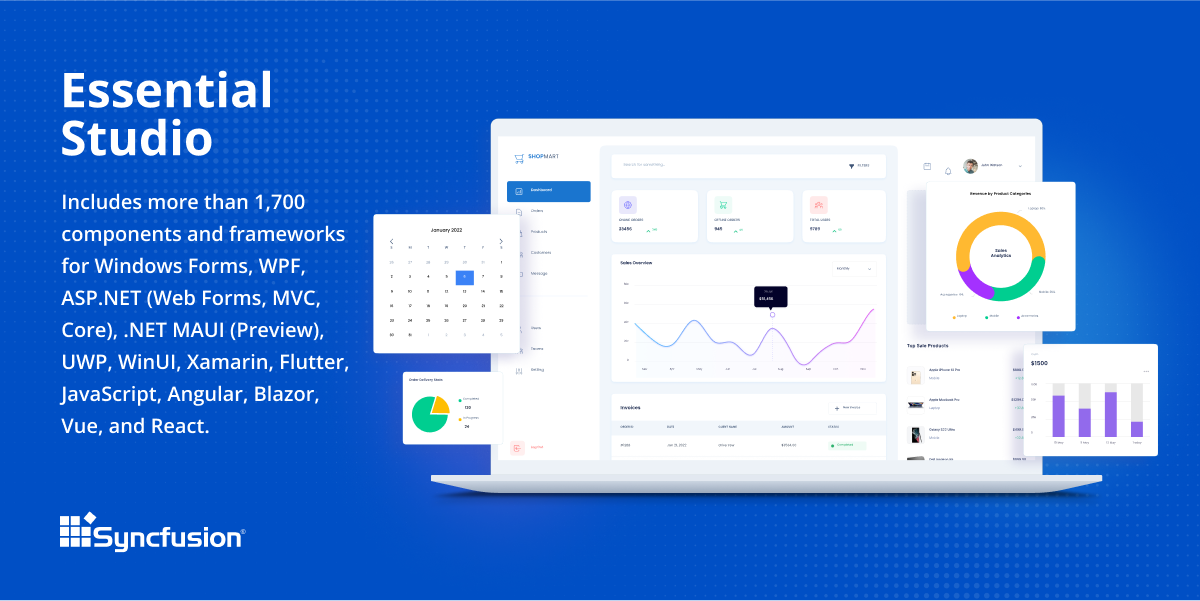
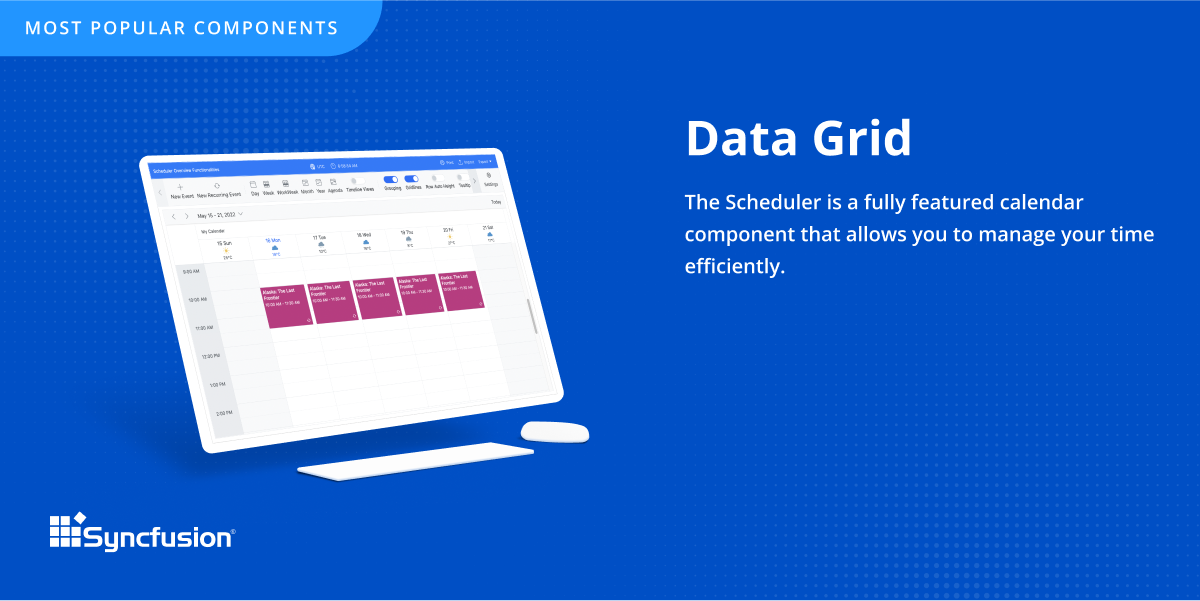
Screenshot of an overview of Syncfusion® Essential Studio®, which is a software package that includes more than 1,600 components and frameworks for WinForms, WPF, ASP.NET (Web Forms, MVC, Core), UWP, WinUI, Flutter, Blazor, JavaScript, Angular, Vue, and React.Screenshot of the DataGrid control, which is a grid component that helps display and manipulate large amounts of data in a tabular format. Its feature set includes functionalities like data binding, sorting, grouping, editing, filtering, swiping, dragging, resizing, loading more items, pull-to-refresh, and exporting to Excel and PDF file formats.Screenshot of the PDF Viewer, which is .NET PDF class library developed with 100% managed C# code that can be used to create, read, and write PDFs.