ActiveDocs is a document management software offering from ActiveDocs.
N/A
Nuclino
Score 7.1 out of 10
N/A
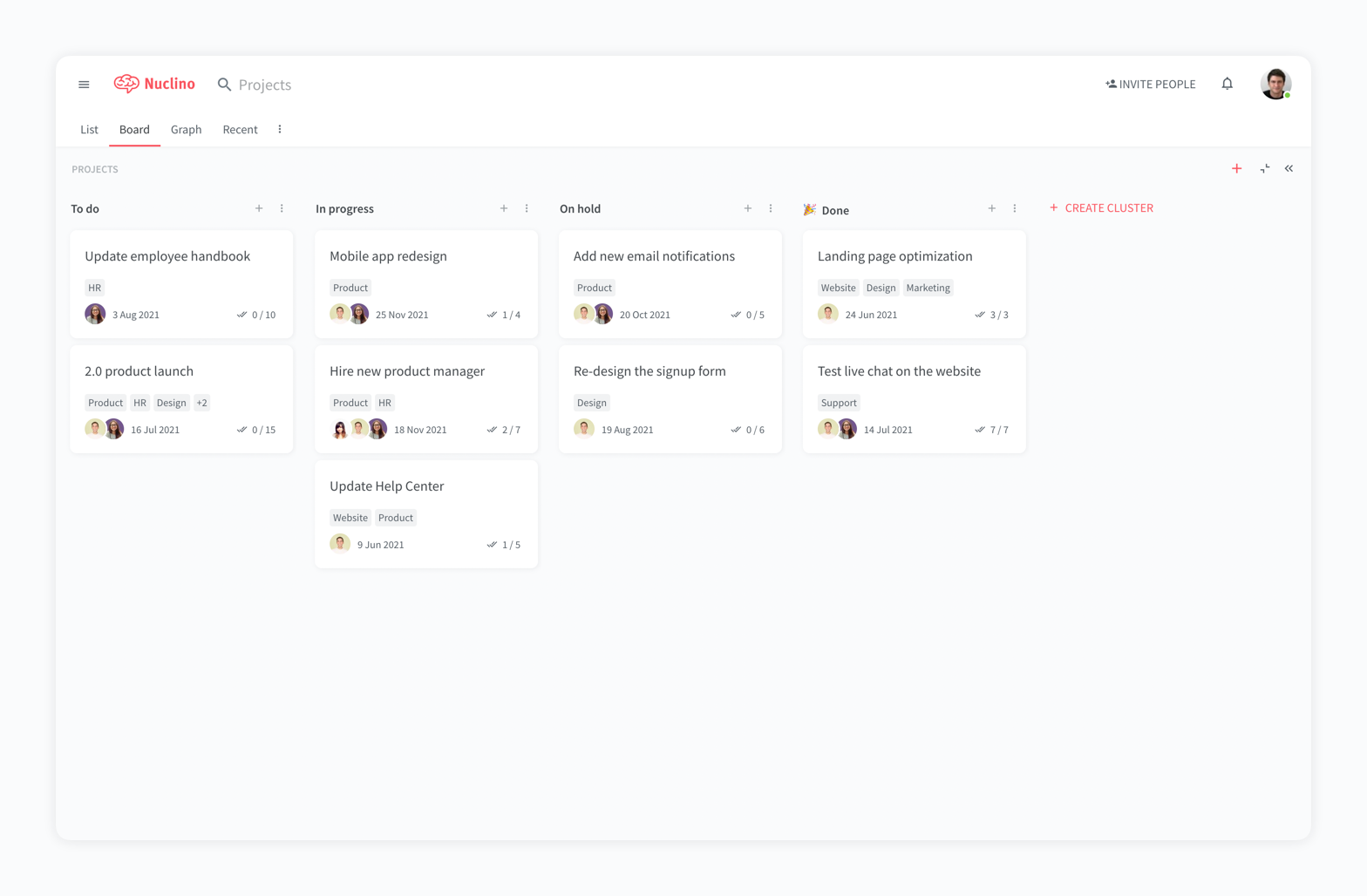
Nuclino is a unified workspace where teams can organize knowledge, manage projects, and share ideas. Progress can be tracked in a Kanban board, work structured in a hierarchical list, or data organized in a visual graph — Nuclino adapts to a team's workflow. Presented as simple and lightweight by design, Nuclino focuses on the essentials, doing away with clunky menus and rarely-used settings, to minimize the learning curve for new users. Teams from across the globe can use Nuclino…
$0
Pricing
ActiveDocs
Nuclino
Editions & Modules
No answers on this topic
Free
$0
per month per user
Starter
$8
per month per user
Business
$12
per month per user
Offerings
Pricing Offerings
ActiveDocs
Nuclino
Free Trial
No
Yes
Free/Freemium Version
No
Yes
Premium Consulting/Integration Services
No
No
Entry-level Setup Fee
No setup fee
No setup fee
Additional Details
—
Nuclino offers a free plan for up to 50 items and 2GB total storage. Commercial plans support unlimited items, advanced features, and 10GB storage per user. 25% discount for annual pricing.
More Pricing Information
Community Pulse
ActiveDocs
Nuclino
Features
ActiveDocs
Nuclino
Project Management
Comparison of Project Management features of Product A and Product B
ActiveDocs
-
Ratings
Nuclino
8.3
13 Ratings
6% above category average
Task Management
00 Ratings
7.49 Ratings
Gantt Charts
00 Ratings
8.01 Ratings
Scheduling
00 Ratings
9.01 Ratings
Workflow Automation
00 Ratings
10.01 Ratings
Mobile Access
00 Ratings
8.010 Ratings
Search
00 Ratings
8.012 Ratings
Visual planning tools
00 Ratings
7.411 Ratings
Communication
Comparison of Communication features of Product A and Product B
ActiveDocs
-
Ratings
Nuclino
8.3
12 Ratings
4% above category average
Chat
00 Ratings
8.01 Ratings
Notifications
00 Ratings
7.49 Ratings
Discussions
00 Ratings
7.98 Ratings
Surveys
00 Ratings
9.01 Ratings
Internal knowledgebase
00 Ratings
8.512 Ratings
Integrates with GoToMeeting
00 Ratings
9.01 Ratings
Integrates with Gmail and Google Hangouts
00 Ratings
9.01 Ratings
Integrates with Outlook
00 Ratings
8.01 Ratings
File Sharing & Management
Comparison of File Sharing & Management features of Product A and Product B
There are not a lot of competitors to compare this product with, but ActiveDocs holds its own as a very useful software for the need. I recommend doing a demo to see how the process works, but it's rather streamlined and easy to create a template and produce a document from it.
For game design - Perfect for personal notes, recipes, snippets - Perfect for storing some organized data (for example, links to resources) - Perfect for a content playground powered by AI - Very good for diagrams - Very good. Don't know any bad examples. Tool really great. Rich functionality. Especially love different views (table, graph).
The system is extremely fast. The application loads and displays data in milliseconds. This makes the system easy to work with.
It's also easy to edit documentation and information, as information can be editing directly without the use of an "edit" button.
Pricing: Loading speed, ease of use and quick editing are its main advantage that makes it stand out from competitors. Having said that, the pricing is very good as well.
Very good usability overall. Any user can pick this up and run with it. HotDocs, the closest competitor, has similar end-user usability, but from a designer of templates perspective, ActiveDocs definitely has the edge in this regard. I would recommend this for any company that mass produces documents from templates as deliverables.
It has a very clean UI for me, the multiple views are so so useful, we can collaborate freely, and fast. This app helped us to grow because now we are giving our time more on generating ideas and of course getting more projects and clients giving real ROI instead of focusing on organizing files. But just like all apps out there, it has some room for improvement
The software overall is very excellent. It responds quickly and produces documents well. The integration with systems makes data input easy. Questions can be designed to allow further expansion of template creation/customization. The rules section is very useful for complicated If/Than/Else style templates. Although experience and training help, the software is very user-friendly out of the box.
ActiveDocs can be a considerably complex product because your use cases can be potentially endless. In our experience, when we have come across a problem or issue with the product ActiveDoc's support has always responded to our queries within 24 hours. Support is only provided via email in 95% of cases. Each year your support and maintenance includes support hours. These are used when you contact support and your issue is not found to be a bug or problem with the product (completely fair and understandable). When we've identified or discovered bugs (mainly with the latest version of Word) it is patched by the next release. They typically release about 4-5 updates per year.
My team has an individual dedicated to content management and Nuclino is one of her job descriptions. It's nice knowing she is able to handle any issues that arise before we even realize they exist. We haven't had any technical issues since implementation so that's been a very pleasant experience.
In relation to other software that have a functionality similar to ActiveDocs, they don't even compare in relation to the interface, I didn't use all the software available on the market, but the ones I used and I can compare, ActiveDocs is without a doubt the best among them. We really likes the interface.
Nuclino is the clear winner when it comes to ease of use for both the administrator and user. Less setup time and less "training" time. The streamlined interface is quick and intuitive to learn and is not cluttered as compared to Confluence. Every tool you need to use to create a page or administer the workspace is available immediately on screen or by right-clicking. In contrast, Confluence buries many tools in administrative interfaces and only allows use of some features once you make several clicks to include a "macro" or "plug-in". We use both tools and I get complaints constantly from my team about how complicated Confluence can get just to author a quick page.