Adobe Connect is a web conferencing platform that enables users to create presentations, online training materials, and learning modules. The product is entirely Adobe Flash-based and has several add-ons for customizing its software to suit each users’ unique needs.
$50
per host/per month
D2L Brightspace
Score 7.0 out of 10
N/A
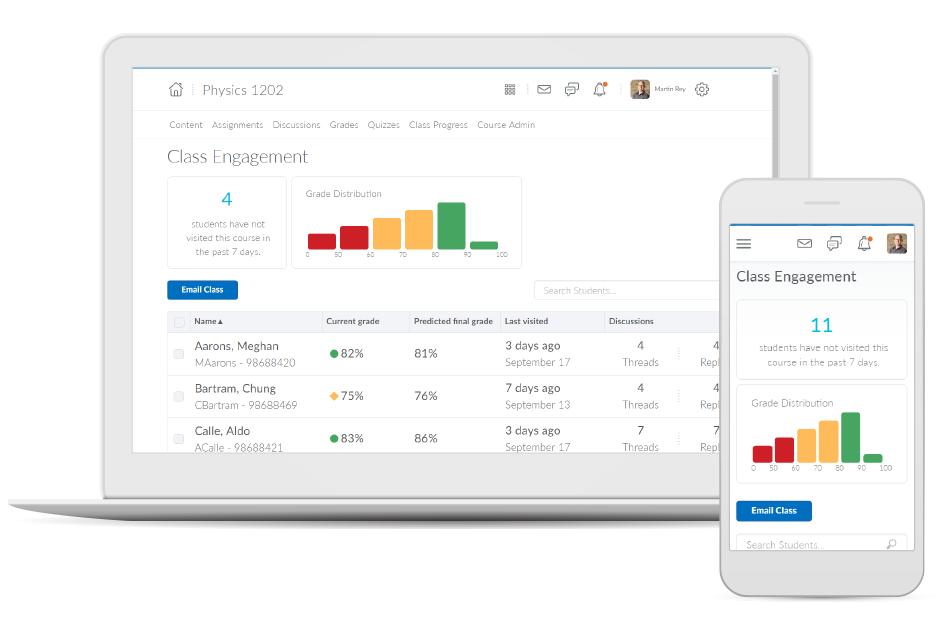
Brightspace is an academic and corporate learning management platform. It provides core e-learning features, as well as mobile accessibility and granular personalization and analytics insights.
N/A
Class for Web
Score 9.8 out of 10
N/A
Class for Web, formerly Blackboard Collaborate, is an online, collaborative learning platform for the education industry and corporate learning needs. It includes features such as screen and application sharing, and web conferencing.
$300
per year
Pricing
Adobe Connect
D2L Brightspace
Class for Web
Editions & Modules
Meetings
$50
per host/per month
Webinars & Learning
$130
per host/per month
Small Meetings
Free
Forever free for up to 3 participants
No answers on this topic
Classroom
$300.00
per year
Department
$9000.00
per year
Offerings
Pricing Offerings
Adobe Connect
D2L Brightspace
Class for Web
Free Trial
Yes
Yes
No
Free/Freemium Version
No
No
No
Premium Consulting/Integration Services
No
Yes
No
Entry-level Setup Fee
No setup fee
No setup fee
No setup fee
Additional Details
—
Must contact vendor for pricing information. 30-day free trial is available.
The best part of Adobe Connect is sharing the information with others who use this software. If you attend school and love taking notes through your iPad or Computer, you can share what notes you are writing with everyone in your classes. Also, it is a great virtual meeting …
Adobe Connect offers best visual appearance and user accessibility other than the fact that is uses Adobe Flash which some web browsers have threatened to ban. I really miss the persistent meeting rooms of Adobe Connect Meeting and as a meeting host this is the very best system …
BB Collaborate used to have a horrific UI, now that has improved but the functions aren't there yet. In demoing the tool and Blackboard World 2015 it seemed very unstable.
Brightspace is by far the most user-friendly LMS I have ever used. Faculty with a lower technical skill set have an easier time navigating Brightspace features. Teaching wise, I have also found Brightspace to be easier for students to navigate than its competitors. I adjunct …
Canvas LMS is a far more superior product, in fact, many schools switched to it from Blackboard while 0 switched from Canvas to BB. The reason is that Canvas is a Cloud-native tool and it is faster at implementing new features, fixing bugs, etc. It has a bigger advantage in the …
Nearpod does not allow for the same type of synchronous environment that Blackboard collaborate does. Further, Nearpod, as the name suggests is best suited for a face-to-face classroom that is, preferably, one-to-one. While it has some of the same functions as Nearpod, …
Adobe Connect is wonderful for repeatable branded learning experiences or webinars. They allow for creating an event with a series of similar layouts. The ability to alter these are easy, and duplicating layouts makes for fast alterations. Changing between layouts also creates visual interest as learners see things shift. Adobe Connect also is great for accessibility, the captions allow for resizing and placing the captions in various sections. The recordings also can have a searchable transcript to get to the information you want fast. Adobe Connect allows for running fun games/events as well, there are lots of apps that make the experience unique, and allows for managing content on screen as you'd like.
If you're an educational institution (K-12, Higher Ed, etc.), this is an amazing tool, and it will provide you all the functionality to support anything you may want and need it to do. If you are looking at Brightspace as a tool for corporate training, I'm not sure exactly how good or bad it will be for you. My guess would be that it likely depends on your organization's size. Along that line, what I can speak to is how we use it for our customized training and in-house professional development/training, and it works fantastically for that. While we primarily use it for normal higher ed coursework, we regularly do training and professional development for all of our employees and I manage those along with our HR department. Because we use it for many other things as well, all of our employees are familiar with the product, which makes our trainings go that much smoother and makes my job that much easier.
I would say it is very useful for group collaborations online, as well as virtual classrooms where you wish your students/guests to collaborate in an adaptable environment; however I would advise against using the shared screen to display audio or video, nor would I encourage the use of the shared board with a group of people with disciplinary issues (as there is no accountability for who wrote/drew what).
It's a quick method to exchange files, file, documents, and videos from a web app. Real-time conversation, and screen-sharing are all supported. It has a highly user-friendly interface. It is really simple to assist the teams.
Even team engagements is beneficial since it allows them to share their expertise with others, and the big benefit is the security of the rooms' access is fairly simple to manage.
The interface, which include features like notes, chat, pods, etc. When we're trying to gather rapid and exact information, simplify our work as much as possible.
Adobe Connect's features since they allow team members to express their ideas during meetings without causing disruptions, thereby bypassing the current international boundary of distance.
Allowing users to embed content links from YouTube or Google Drive enables learners to experience a richer lesson.
Providing a powerful editor that allows developers to also include content from Adobe Stock as well as textbook publishers and cloud storage companies gives more power and creative ability to instructors.
Providing scaling for mobile and traditional computer systems ensures students will not have issues on the go.
The customization of home pages and groups enable courses to be used for small training sessions with breakout groups, large courses with separate sections, and even just more engaging courses that present themed icons and logos.
The Whiteboard feature is perfect for tutoring. We use it to write out formulas, draw diagrams, etc while in video chat to enhance explanations.
The file attachment feature is also very handy. This means we don't have to do a follow-up with a student using their email to send files of handouts, etc.
It's great that we only have to share a classroom access link for a student to enter a session. With other products, they had to set up a username and log-in with an account. Link access means 1 less hassle.
We are currently beginning to use the "record session" feature video sessions to use as training for new employees.
One can feel a bit rushed on the Brightspace platform during the log-out period. Security requirements may require this, but it makes end-users more conscious about getting through content than taking notes.
From my experience, there is not a direct connection between the platform and Outlook.
Some of the newest computer high resolution screens are not as compatible with the interface. The font and windows are much smaller and the user is not able to increase the size of the windows to make it easier to read/navigate.
The audio can sometimes be inconsistent and tune in and out when someone is speaking. This is not every time though and many times the audio is clear.
The login process takes a bit longer to get into the program. You have to go through a few step process and loading time to get into the application.
The longer you use Adobe Connect, the longer you are likely to use it. Because you can build more and more resources over time, creating rooms that you re-use, recorded content you can repurpose, and tools that form the basis of ever increasing productivity, the more you use Connect, the more productive you become. Unlike competing products where, with every meeting you essentially start over -- setting up your resources for each meeting -- in my Connect rooms, I have highly tuned tools to accomplish my knowledge transfer goals. When I want to conduct another session - I send a link out to the appropriate room and instantly we are all focusing on getting a job done together. This ability of Adobe Connect to make you productive at an ever quickening rate is a competitive advantage
I would never give any system a perfect score. In the technology environment today we need to be constantly looking at ways to improve the user experience and LMS companies like Desire2Learn need to know that we have options today with other systems and they need to stay current with features and listen to their customers.
It is a tool that faculty likes to use. It has so much flexibility to allow students to see a class even if they happen to not be available in the classroom.
I gave it a 6 because it does have lots of functionality, has a strong brand and reputation following, etc. but it does have its glitches and experiences with low bandwidth issues. I believe it has more features than my organization fully leverages, so some of those pieces haven't been explored yet. But there are opportunities for improvement in their online resource support, stability at high usages as well.
Overall, the learning environment works as expected. However, there are plenty of bugs. For example, for a few versions, trying to print out a PDF from the Content screen in several browsers would produce a blank page. We inform D2L support about these issues, most of which are known issues. However, they are very slow to respond. D2L seems to spend more time selling than actually coding and testing their product. Most of the issues are not major -- however, there have been a few that are unbelievable. In fact, this past week we had a sudden issue where the "Submit" button in quizzes would not appear if users had a certain browser/operating system combination. This is a major problem, if students cannot submit their exams! D2L is slow to respond to these kinds of situations, which do occur more often than I would like.
Blackboard Collaborate is reliable and feature-rich. It's a great web conferencing tool for teaching & learning, offering polls, chat, video and audio, whiteboard, content sharing, and breakout rooms. Blackboard Collaborate can be used for virtual office hours, lectures, guest speakers, training, professional development, conferences, technical support, academic advising, and so much more. Blackboard Collaborate can be used separately from the learning management system or it can be integrated for a single sign-on experience. It supports recordings, playbacks, private sharing, and MP4 downloads. Overall, it's a solid tool and very reliable.
Both students and instructor enjoy the 24-hoiur access. After, all isn't that the point of online learning. As an instructor located in an Eastern time zone state it is great to connect with students located in a Pacific time zone state. I have gotten comments about the early hours I am in the course room grading assignments . . . 4:00 a.m. PST; 7:00 a.m. EST So, it's sleep time for my students and "first cup of coffee" time for me.
The availability of the software is quite impressive. You can access it at any time that you want and from anywhere that you want, but that depends on how the software is set up by the University. There might be sudden outages due to not having enough space on your database, which we had that very issue happen recently here at our University. During that time, you could not access their blackboard at all until it was brought up online again.
The performance of the software is remarkable. The loading speed of the pages is more than satisfying, it all depends on the users internet package. So far, there wasn't any issue of Blackboard slowing down other software or systems when integrated with them
The customer support of Adobe connect is professional and well-skilled for resolving our minor and major issues. Moreover, it has almost all the features that will provide you a secure connection, with people across the world. Education institutes can also implement this software. On the basis of its quality and technology, I will surely advise you to try it once.
I have had excellent support from Desire2Learn. Any ticket that I submit is acknowledged immediately and the correction is usually almost as quick. We use this for thousands of classes and it is pretty well liked by both faculty and students. We have been using it for almost 4 years now and most of our instructors have become pretty proficient with it.
Sometimes they do planned maintenance. Depending on the time zone you’re in, this may be in the middle of the night. That’s great. Sometimes this maintenance isn’t completed overnight however, and you need to use the platform and it is down. I’ve never been able to successfully contact them to report an outage or get assistance when it is down. I just have to wait until it comes back up to go to class, review sessions, etc.
The ability to have most of the functionality of a full LMS at a fraction of the cost is huge. I can create manage and deploy both synchronous and asynchronous training based on the situation and all of my training is tracked through a series of easily created reports
The training provided online did not, necessarily, fit the version of the system that I was using. Screens were somewhat different and not all options were readily available. This could have been due to customization on the part of my institution however, I rather believe it was due to version changes and training materials not yet being updated.
Prices do not seem to vary much among resellers of the Adobe Connect hosted license; the only price variation you're likely to find are among the audio providers. When implementing, you may also wish to look into expanding the amount of storage you are allowed on the server to avoid any problems later on as your library of files starts to build up
Actually, it was the other way around....we were using Adobe Connect, company-wide, then switched over to Zoom, mostly, I think, as a cost-cutting measure. But some Learning & Development folks campaigned to be allowed to retain some Adobe Connect licenses (for example, one L&D area had literally over 250 room layouts that their course facilitators could just jump into and use to deliver a course on short notice), which also allows some of us to continue to publish Presenter and Captivate modules to the Adobe server. (But, even those of us who still have Adobe Connect licenses use Zoom for most regular business meetings.)
I have used Blackboard Learn 8 and 9. I am currently learning about Canvas. Blackboard is overall much clunkier and lacks the intuitive feel in some parts of D2L. Its grade book is much harder to control and manipulate than D2L's. Its navigation menu can be more radically modified from the default than D2L's, but this doesn't seem that useful to me. Discussions in Blackboard can be more easily reorganized than in D2L, but no grading of discussions is possible. Blackboard Assignments is a good innovation which allows markup directly in the students' submissions, but it displays student work in a confusing manner that doesn't allow for any customization, and its markup options need further tweaking. Furthermore, no rubrics can be used in Blackboard in any way to grade any kind of work (that I am aware of). Overall, I would choose D2L over Blackboard.
Nearpod does not allow for the same type of synchronous environment that Blackboard collaborate does. Further, Nearpod, as the name suggests is best suited for a face-to-face classroom that is, preferably, one-to-one. While it has some of the same functions as Nearpod, Blackboard collaborate is best suited for remote transmission rather than face-to-face
During my first semester working with Desire2Learn the integrated learning management system was more down than up. This meant reconfiguring assignment due dates, frustration for both the instructor, students, and help desk staff. After an upgrade, Desire2Learn has been reliable.
The reason for this rating is that the software is a pretty good tool that can be utilized for use in all of the Universities around the world. It has the capability to fulfill the needs of various different education systems. Although, there are slight improvements that are needed, therefore the rating is at 8.
Save on time - our instructors and people that use the platform can teach more classes and more often than in-person training and time traveling.
We cut down on spending. When we offer training using Connect - we do not have to spend on meals, hard copy materials, and reserving a venue to deliver training.
We increase our training sales significantly but offering Connect as an alternative - any unforeseen cancellations to a public class can result in transferring to a remote online Connected class.
I cannot speak to whether this system is less expensive than the more fully featured Blackboard, but employees are far less efficient, frustrated, and require frequent calls to the help center to set up fairly simple course templates.
I have been asked to consider teaching courses which will be completely online at my current institution. I have done such online courses several times at other universities, but I have decided Desire2Learn is too frustrating and cumbersome to do so. I am now exploring using Google Drive to teach a course online. Otherwise, I will not teach online until required or I find an alternate system.
Because faculty can schedule sessions on-the-fly without IT involvement, they are able to accomplish goals that they plan for weeks in advance as well as impromptu goals that come up at a moments notice.
Integration with the campus Learning Management Systems provides quick and easy scheduling of sessions that can be joined easily by students in those courses.
Scheduling of meetings can also be done through the web interface directly which enables administrative departments not associated with courses in the learning management system to also schedule meetings not affiliated with courses.
On-campus users can schedule meetings without outside participants by sending an open "guest link" URL that allows users to participate despite not having an account within the system iteself.