Adobe Workfront vs. B2W Estimate

Overview
ProductRatingMost Used ByProduct SummaryStarting Price
Adobe Workfront
Score 8.2 out of 10
N/A
Adobe Workfront, acquired by Adobe in late 2020, is a web-based project-management tool. It is designed for both IT and marketing teams, but can be implemented for any kind of project. Workfront offers all the features standard to project management platforms, as well as resource allocation, automation, and agile workflow.N/A
B2W Estimate
Score 8.5 out of 10
N/A
B2W Estimate is a construction and estimation software offering from B2W Software Inc.N/A
Pricing
Adobe WorkfrontB2W Estimate
Editions & Modules
No answers on this topic
Offerings
Pricing Offerings
Adobe WorkfrontB2W Estimate
Free Trial
NoNo
Free/Freemium Version
NoNo
Premium Consulting/Integration Services
YesNo
Entry-level Setup FeeOptionalNo setup fee
Additional Details
More Pricing Information
Community Pulse
Adobe WorkfrontB2W Estimate
Features
Adobe WorkfrontB2W Estimate
Project Management
Comparison of Project Management features of Product A and Product B
Adobe Workfront
7.3
377 Ratings
6% below category average
B2W Estimate
-
Ratings
Task Management8.6376 Ratings00 Ratings
Resource Management7.4339 Ratings00 Ratings
Gantt Charts6.3296 Ratings00 Ratings
Scheduling8.0334 Ratings00 Ratings
Workflow Automation7.6338 Ratings00 Ratings
Team Collaboration8.0361 Ratings00 Ratings
Support for Agile Methodology6.5240 Ratings00 Ratings
Support for Waterfall Methodology7.3251 Ratings00 Ratings
Document Management7.5340 Ratings00 Ratings
Email integration7.4284 Ratings00 Ratings
Mobile Access5.6281 Ratings00 Ratings
Timesheet Tracking7.9265 Ratings00 Ratings
Change request and Case Management7.4265 Ratings00 Ratings
Budget and Expense Management6.8228 Ratings00 Ratings
Professional Services Automation
Comparison of Professional Services Automation features of Product A and Product B
Adobe Workfront
5.8
214 Ratings
29% below category average
B2W Estimate
-
Ratings
Quotes/estimates6.1111 Ratings00 Ratings
Invoicing5.697 Ratings00 Ratings
Project & financial reporting6.3209 Ratings00 Ratings
Integration with accounting software5.388 Ratings00 Ratings
Construction Project & Field Management
Comparison of Construction Project & Field Management features of Product A and Product B
Adobe Workfront
-
Ratings
B2W Estimate
8.1
1 Ratings
9% above category average
Plan distribution & viewing00 Ratings7.01 Ratings
Plan markups & sharing00 Ratings8.01 Ratings
Issue tracking & punchlists00 Ratings6.01 Ratings
Jobsite reports00 Ratings8.01 Ratings
Document sharing00 Ratings8.01 Ratings
Collaboration & approvals00 Ratings10.01 Ratings
Change orders00 Ratings10.01 Ratings
Estimating
Comparison of Estimating features of Product A and Product B
Adobe Workfront
-
Ratings
B2W Estimate
8.5
1 Ratings
12% above category average
Takeoff tools00 Ratings8.01 Ratings
Job costing00 Ratings8.01 Ratings
Cost databases00 Ratings8.01 Ratings
Bid creation00 Ratings10.01 Ratings
Best Alternatives
Adobe WorkfrontB2W Estimate
Small Businesses
Stackby
Stackby
Score 8.9 out of 10
FollowUp CRM
FollowUp CRM
Score 2.0 out of 10
Medium-sized Companies
InEight
InEight
Score 8.4 out of 10
InEight
InEight
Score 8.4 out of 10
Enterprises
InEight
InEight
Score 8.4 out of 10
InEight
InEight
Score 8.4 out of 10
All AlternativesView all alternativesView all alternatives
User Ratings
Adobe WorkfrontB2W Estimate
Likelihood to Recommend
8.3
(380 ratings)
10.0
(1 ratings)
Likelihood to Renew
6.0
(61 ratings)
-
(0 ratings)
Usability
6.4
(19 ratings)
-
(0 ratings)
Availability
9.1
(9 ratings)
-
(0 ratings)
Performance
9.1
(4 ratings)
-
(0 ratings)
Support Rating
10.0
(12 ratings)
-
(0 ratings)
In-Person Training
5.0
(1 ratings)
-
(0 ratings)
Online Training
8.9
(4 ratings)
-
(0 ratings)
Implementation Rating
8.3
(10 ratings)
-
(0 ratings)
Configurability
5.0
(1 ratings)
-
(0 ratings)
Contract Terms and Pricing Model
10.0
(1 ratings)
-
(0 ratings)
Ease of integration
1.0
(1 ratings)
-
(0 ratings)
Product Scalability
8.2
(3 ratings)
-
(0 ratings)
Vendor post-sale
1.0
(1 ratings)
-
(0 ratings)
Vendor pre-sale
1.0
(1 ratings)
-
(0 ratings)
User Testimonials
Adobe WorkfrontB2W Estimate
Likelihood to Recommend
Adobe
It's been really good at project management. It has helped us bring several teams together, and it's given visibility into what's going on with our projects. It's been good for approvals, and for socializing creative before deployment. It's just complicated to set up. We've been at it for a while. We've hired consultants. We still feel like we have a long way to go to make it do what we want, and even longer to go before we have it doing all that it CAN do. We have been trying too set it up as our only solution for managing department workflow and calendars. Our events team and our social team are still using Basecamp for their calendaring. We need to get them moved over, and it's proving difficult to do. We've found that we need to hire an employee to focus on it entirely. It's too much for our team to just jump in and use as a tool without someone to focus on it full time.
Read full review
Trimble
We are long-term users of the B2W system. We believe it is the best choice for paving contractors. It is easy to learn and continues to offer even deeper ability as estimating prowess grows. The system allows us to update quotes that were given in the past and to stay on top of our costs as changes occur, so our data is up to date and accurate. Know your costs and you can make money!
Read full review
Pros
Adobe
  • Fosters communication between team members.
  • Serves as a virtual "to do list" for me personally - I can track where I am with projects and what there is left to do, and when it's completed.
  • Sharing documents between team members that can be updated.
Read full review
Trimble
  • Allows management to update costs for each individual item, equipment, labor, PR taxes, benefits, materials, etc.
  • Allows management to see how aggressive estimators have built an estimate to evaluate risk.
  • Allows monthly changes in fuel prices and liquid asphalt to quickly update the system for all.
  • Allows management to override margins for overhead and profit to match backlog and need for work versus budget.
Read full review
Cons
Adobe
  • Provide additional free training demonstrations
  • Allow more customization for hide unused tools
  • Allow nonusers to add requests, our organization has no need to add all 10,000+ team members to Adobe Workfront, but would like them to be able to send requests to our team
Read full review
Trimble
  • We request changes to the software as issues crop up and the B2W process changes as needed.
  • A time-out function should be added to knock dormant users offline and allow other users access to the limited number of licenses the company owns.
Read full review
Likelihood to Renew
Adobe
Workfront is sometimes a bit clunky to use, but overall it works well for our teams when it comes to project management and collaboration across multiple, involved teams. It also has flexibility that allows us to adapt it to diverse use cases, some of which aren't necessarily always the first things that one would think of using workfront for.
Read full review
Trimble
No answers on this topic
Usability
Adobe
Workfront is overly complex, but it is functional as a tool to keep track of projects. It is a shame that sometimes it takes a lot of clicks to find anything. Workfront is slowly modernizing its interface but at the same time, hides certain information away thus making the experience feels worse.
Read full review
Trimble
No answers on this topic
Reliability and Availability
Adobe
Maintenance is required, but usually after work hours, Some days the proofing tool function is not operational, but this is a new function of the tool that WF is working out. the kinks on. Chrome is the best browser to use the system in and we find Firefox and Explorer lose some view functionality - Gantt Chart, Resource Grid
Read full review
Trimble
No answers on this topic
Performance
Adobe
I think overall, Adobe Workfront performs well. There have been some times when it doesn't load or run as quickly as our team would like. This is frustrating when it is such a crucial tool that our team utilizes on a daily basis. It can show our workflow when it lags.
Read full review
Trimble
No answers on this topic
Support Rating
Adobe
I know that this particular company has it's own Adobe Workfront employee that builds out things they need from the software, and meets with them regularly to troubleshoot. I'm not part of this process, but it's refreshing to see Adobe provide this level of customer service to people, and they're expedient.
Read full review
Trimble
No answers on this topic
In-Person Training
Adobe
It was from my boss, not a rep from AtTask.
Read full review
Trimble
No answers on this topic
Online Training
Adobe
The training is very easy to use and you can simply choose the topics included in the course(s) that are most important to your training needs. After each training course, you are tested on what you have learned. If you need a refresher course, they provide Course Catalogs as well as instructor-led courses & workshops.
Read full review
Trimble
No answers on this topic
Implementation Rating
Adobe
Most people learn as you go, a lot of this stuff requires trial and error throughout so my suggestion is to provide as much information in the upfront and keep it as simple as possible. You can add other tools and features as you go but everyone should have the basics down so no bad habits can start to develop. Be persistent with everyone, and don't be afraid to correct and talk through steps again so everyone is on the same page
Read full review
Trimble
No answers on this topic
Alternatives Considered
Adobe
Adobe Workfront blows the other systems out of the water. It just delivers more - out of the gate, and at every quarterly update. Innovation is top of mind, and meeting customers' needs is key. We have been extremely satisfied with Workfront and look forward to all the new features on the horizon, especially AI.
Read full review
Trimble
No answers on this topic
Contract Terms and Pricing Model
Adobe
As I stated earlier, I didn't have to pay for Workfront myself- I'm a user under a large organization. I know it's not cheap to implement, I don't know how the price scales for a small-business, but I do like the product enough that I'm going to look into it in the future for my own company.
Read full review
Trimble
No answers on this topic
Scalability
Adobe
Our organization has thousands of users that use Workfront and it seems to hold up very well. I have not encountered any issues using it and I think it makes it very easy for multiple people to be involved in a project and keep things organized and clear for everyone involved.
Read full review
Trimble
No answers on this topic
Return on Investment
Adobe
  • Resource Management - Year over year, we were able to validate time and money saved by the implementation of Workfront by more than 2%, saving in non-working dollars and 9% savings in working media dollars.
  • Organization Restructuring and Automation- We also restructured our teams and implemented automation based on our analysis of how and what we spend our time on and the ROI for our respective business units.
Read full review
Trimble
  • We make money year after year by having accurate quotes and costs basis.
  • We have easily accessible records to look in the past at jobs won or lost.
Read full review
ScreenShots

Adobe Workfront Screenshots

Screenshot of Tasks in Adobe WorkfrontScreenshot of Work Requests in Adobe WorkfrontScreenshot of Review Functionality in Adobe WorkfrontScreenshot of Adobe Workfront Planning

B2W Estimate Screenshots

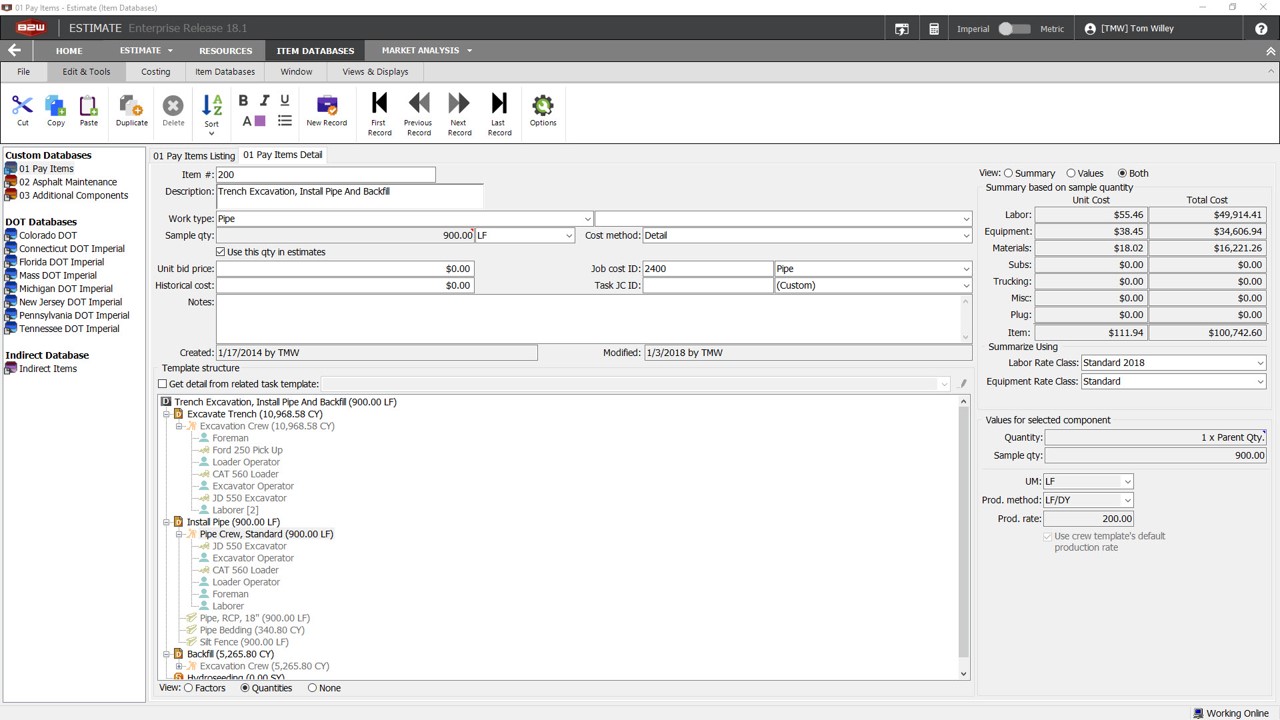
Screenshot of Custom DatabasesScreenshot of Item ListingScreenshot of Check WizardScreenshot of Bid PricingScreenshot of Bid FormsScreenshot of Sample Report