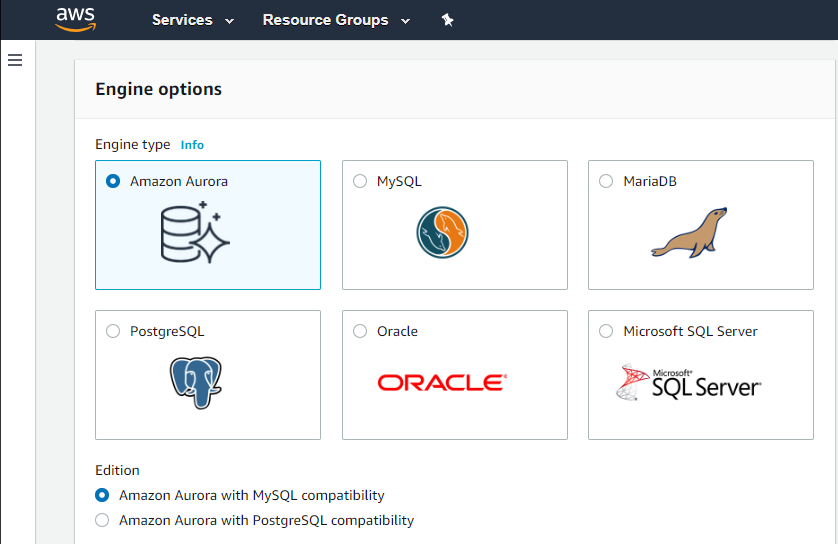
Amazon Relational Database Service (Amazon RDS) is a database-as-a-service (DBaaS) from Amazon Web Services.
N/A
Google Cloud SQL
Score 8.7 out of 10
N/A
Google Cloud SQL is a database-as-a-service (DBaaS) with the capability and functionality of MySQL.
$0
per core hour
PostgreSQL
Score 8.7 out of 10
N/A
PostgreSQL (alternately Postgres) is a free and open source object-relational database system boasting over 30 years of active development, reliability, feature robustness, and performance. It supports SQL and is designed to support various workloads flexibly.
N/A
Pricing
Amazon Relational Database Service (RDS)
Google Cloud SQL
PostgreSQL
Editions & Modules
Amazon RDS for PostgreSQL
$0.24 ($0.48)
per hour, R5 Large (R5 Extra Large)
Amazon RDS for MariaDB
$0.25 ($0.50)
per hour, R5 Large (R5 Extra Large)
Amazon RDS for MySQL
$0.29 ($0.58)
per hour, R5 Large (R5 Extra Large)
Amazon RDS for Oracle
$0.482 ($0.964)
per hour, R5 Large (R5 Extra Large)
Amazon RDS for SQL Server
$1.02 ($1.52)
per hour, R5 Large (R5 Extra Large)
License - Express
$0
per core hour
License - Web
$0.01134
per core hour
Storage - for backups
$.08
per month per GB
HA Storage - for backups
$.08
per month per GB
Storage - HDD storage capacity
$.09
per month per GB
License - Standard
$0.13
per core hour
Storage - SSD storage capacity
$.17
per month per GB
HA Storage - HDD storage capacity
$.18
per month per GB
HA Storage - SSD storage capacity
$.34
per month per GB
License - Enterprise
$0.47
per core hour
Memory
$5.11
per month per GB
HA Memory
$10.22
per month per GB
vCPUs
$30.15
per month per vCPU
HA vCPUs
$60.30
per month per vCPU
No answers on this topic
Offerings
Pricing Offerings
Amazon RDS
Google Cloud SQL
PostgreSQL
Free Trial
No
Yes
No
Free/Freemium Version
No
No
No
Premium Consulting/Integration Services
No
No
No
Entry-level Setup Fee
Optional
No setup fee
No setup fee
Additional Details
—
Pricing varies with editions, engine, and settings, including how much storage, memory, and CPU you provision. Cloud SQL offers per-second billing.
—
More Pricing Information
Community Pulse
Amazon Relational Database Service (RDS)
Google Cloud SQL
PostgreSQL
Considered Multiple Products
Amazon RDS
Verified User
Employee
Chose Amazon Relational Database Service (RDS)
RDS support more relational database engines. RDS gives us option to choose type of machine in which database will be hosted which Google Cloud SQL not. Security-wise RDS enforce by default to set password which Google Cloud SQL doesn't. Also we can attack security group to …
We needed to use PostgreSQL due to it being the database engine that our application vendor uses. Once we were constrained on the database engine choice then Microsoft products (eg. SQL Server), whether on premise or in the cloud, were not appropriate. Therefore the only …
Amazon RDS supports a wider range of database engines, including MySQL,
PostgreSQL, Oracle, Microsoft SQL Server, and Amazon Aurora (MySQL and
PostgreSQL-compatible) than Google Cloud SQL. When compared to Google Cloud SQL, AWS provides a larger global footprint with …
Deploying PostgreSQL by yourself may appear easy at first but running a production PostgreSQL cluster with millions of records is a hard task, especially for compliance, scalability, and security. RDS automates all complex tasks so you can focus on building your database schema …
AWS RDS provides multiple Engines as compared to Google SQL AWS RDS provides more than 5 read replicas which a Google SQL does not AWS RDS is a cheaper option than Redshift for smaller datasets. Redshift is a Dataware house and must be used for super large datasets only …
Amazon Relational Database Service (RDS) stands out among similar products due to its seamless integration with other AWS services, automated backups, and multi-AZ deployments for high availability. Its support for various database engines, such as MySQL, PostgreSQL, and …
With the latest serverless technology Amazon Relational Database Service (RDS) has an edge over all its competitors, it works really fast with high log retention.
There are a lot of factor we took into consideration the most important ones are: Ease of use and setup - Compared to other similar options Amazon RDS is very easy to setup just clicking few options and its ready for POC and for production very easy and flexible Terraform …
1: If your company is already deeply involved in the AWS ecosystem, such as AWS Lambda, Amazon S3, or Amazon Redshift, leveraging Amazon RDS might result in a more seamless integration of services. AWS offers a broad set of cloud services, which makes it easier to design and …
Amazon RDS excels with its widely adopted and mature ecosystem, supporting various database engines. While Azure SQL Database offers a tiered pricing structure and automatic patching, and Cloud SQL provides straightforward pricing and easy scaling, Amazon RDS's extensive …
Earlier we were using the Azure Ecosystem but we faced some issues in DevOps side so we decided to migrate towards some other reliable infra so we migrated all our engines, RDS and other services to Amazon Relational Database Service (RDS) and from that time we are using this. …
Even though Amazon Relational Database Service (RDS) is costlier than postgre SQL, We prefer Amazon Relational Database Service (RDS) just because of high performance and security features
It is more suitable for our data structure and also has a lower management and implementation cost since we don`t have to do everything from scratch. It also offers great integration with other AWS services which makes it really good to work with.
In my opinion, Amazon Relational Database Service (RDS) has provided better services in terms of Scalability and data Security as compared to its competitor. It helped us to manage our data using RDS server more efficiently and effectively. The high Availability helped us to …
At first GCP was considered, but it not very intuitive to use and maintain. We then wanted to run MySQL instances on EC2, which would have been a little cost effective but having limited man power and hassle of patching, scaling and backup led us to select more managed service.
We used to have On-Premises servers with Microsoft SQL Server and MySQL databases. We used that for years, and we had a hard time and a lot of work involved in securing and updating the server. And not no mention that growth involves a lot of calculations and extra costs. …
As a POC, we had worked with Azure and GCP's databases as well. One problem with Azure is that it seems slow in supporting new versions of MySQL. With GCP Cloud SQL, the security configuration for the database was not as intuitive as in AWS. The UI in both Azure and GCP was …
I selected AWS RDS over Azure because of the [number] of products AWS has that work together. The cost for RDS was cheaper than Azure's SQL also. I use Azure for MSSQL workloads and AWS for MySQL workloads. Probably the main reason was we wanted to use S3 and Azure doesn't have …
Actually you can have most of these tools through AWS Relational Database Service as they are basically those technologies provided as a service. It is way better to have those products provided as a service through a huge and reliable infrastructure like AWS.
It's hard to identify how Amazon RDS stacks up against the databases they support, because to install and use a relational database in a production environment you need a Database Administrator to help install, configure and manage. Amazon RDS keeps the details simple enough …
RDS implements the databases we were interested in and allows us to focus on the application and not the management. AWS handles setting up the server and the database as well as upgrading the software when necessary. Security is simple, using security groups to allow or deny …
Our use case was mainly within the Google Cloud ecosystem, so this service was of high value where all of our sub-infra for a project was right there in one place. We no longer had to maintain separate dashboard for monitoring just because our compute and database were on …
Given this is a hosted solution, database a service it helps in removing the effort of maintaining these databases manually. Eases out the pain of upgrading, applying security patches and keeping things running without having to worry about missed changes. The database can be …
Actually Google Cloud SQL is similar to them, the difference is which engine each supports e.g. there's no managed Oracle DB in Google Cloud SQL but as long as you don't need Oracle, Google Cloud SQL should suffice and give you great user experience and performance. You also …
Setting up or migrating Google Cloud SQL is easy as compared to AWS. It has a good monitoring and logging mechanism and a good user interface which makes it easy to navigate.It also has a pay as you go pricing which makes it easier to reduce cost. Google Cloud SQL offers …
- AWS RDS and Aurora is a just a notch above Google Cloud SQL as it provide boost in performance when required - Google Cloud SQL Mysql Engine is Cloud based and better than native Mysql as it provides management of the server out of box - Compared to a MongoDB it has a low …
Easier learning, simple features and settings with a very user-friendly application environment and flexible prices make Google Cloud [SQL] a pioneering option over competitors
Google Cloud SQL is just as good as the other guys. We were already invested in GCP, which made the choice very easy. We did not want to start fresh in AWS or Azure. We used our existing GCP setup and just added Cloud SQL. It's unfortunate that companies continue to send people …
Google Cloud SQL is very similar to other cloud provider options. AWS and DigitalOcean are direct competitors, While Azure is focusing on their own products. At cloud provider level, it's a matter of choosing the provider, and this product will not play a significant role on …
If your application needs a relational data store and uses other AWS services, AWS RDS is a no-brainer. It offers all the traditional database features, makes it a snap to set up, creates cross-region replication, has advanced security, built-in monitoring, and much more at a very good price. You can also set up streaming to a data lake using various other AWS services on your RDS.
Does what it promises well, for instance, as a sidecar for the main enterprise data warehouse. However, I would not recommend using it as the main data warehouse, particularly due to the heavy business logic, as other dedicated tools are more suitable for ensuring scalable operations in terms of change management and multi-developer adjustments.
PostgreSQL is best used for structured data, and best when following relational database design principles. I would not use PostgreSQL for large unstructured data such as video, images, sound files, xml documents, web-pages, especially if these files have their own highly variable, internal structure.
Automated Database Management: We use it for streamlining routine tasks like software patching and database backups.
Scalability on Demand: we use it to handle traffic spikes, scaling both vertically and horizontally.
Database Engine Compatibility: It works amazingly with multiple database engines used by different departments within our organization including MySQL, PostgreSQL, SQL Server, and Oracle.
Monitoring: It covers our extensive monitoring and logging, and also has great compatibility with Amazon CloudWatch
It is a little difficult to configure and connect to an RDS instance. The integration with ECS can be made more seamless.
Exploring features within RDS is not very easy and intuitive. Either a human friendly documentation should be added or the User Interface be made intuitive so that people can explore and find features on their own.
There should be tools to analyze cost and minimize it according to the usage.
We do renew our use of Amazon Relational Database Service. We don't have any problems faced with RDS in place. RDS has taken away lot of overhead of hosting database, managing the database and keeping a team just to manage database. Even the backup, security and recovery another overhead that has been taken away by RDS. So, we will keep on using RDS.
I've been using AWS Relational Database Services in several projects in different environments and from the AWS products, maybe this one together to EC2 are my favourite. They deliver what they promise. Reliable, fast, easy and with a fair price (in comparison to commercial products which have obscure license agreements).
As with other cloud tools, users must learn a new terminology to navigate the various tools and configurations, and understand Google Cloud's configuration structure to perform even the most basic operations. So the learning curve is quite steep, but after a few months, it gets easier to maintain.
Postgresql is the best tool out there for relational data so I have to give it a high rating when it comes to analytics, data availability and consistency, so on and so forth. SQL is also a relatively consistent language so when it comes to building new tables and loading data in from the OLTP database, there are enough tools where we can perform ETL on a scalable basis.
The data queries are relatively quick for a small to medium sized table. With complex joins, and a wide and deep table however, the performance of the query has room for improvement.
I have only had good experiences in working with AWS support. I will admit that my experience comes from the benefit of having a premium tier of support but even working with free-tier accounts I have not had problems getting help with AWS products when needed. And most often, the docs do a pretty good job of explaining how to operate a service so a quick spin through the docs has been useful in solving problems.
GCP support in general requires a support agreement. For small organizations like us, this is not affordable or reasonable. It would help if Google had a support mechanism for smaller organizations. It was a steep learning curve for us because this was our first entry into the cloud database world. Better documentation also would have helped.
There are several companies that you can contract for technical support, like EnterpriseDB or Percona, both first level in expertise and commitment to the software.
But we do not have contracts with them, we have done all the way from googling to forums, and never have a problem that we cannot resolve or pass around. And for dozens of projects and more than 15 years now.
The online training is request based. Had there been recorded videos available online for potential users to benefit from, I could have rated it higher. The online documentation however is very helpful. The online documentation PDF is downloadable and allows users to pace their own learning. With examples and code snippets, the documentation is great starting point.
Amazon Relational Database Service (RDS) stands out among similar products due to its seamless integration with other AWS services, automated backups, and multi-AZ deployments for high availability. Its support for various database engines, such as MySQL, PostgreSQL, and Oracle, provides flexibility. Additionally, RDS offers managed security features, including encryption and IAM integration, enhancing data protection. The pay-as-you-go pricing model makes it cost-effective. Overall, Amazon RDS excels in ease of use, scalability, and a comprehensive feature set, making it a top choice for organizations seeking a reliable and scalable managed relational database service in the cloud.
Unlike other products, Google Cloud SQL has very flexible features that allow it to be selected for a free trial account so that the product can be analyzed and tested before purchasing it. Integration capabilities with most of the web services tools are easier regarding Google Cloud SQL with its nature and support.
Although the competition between the different databases is increasingly aggressive in the sense that they provide many improvements, new functionalities, compatibility with complementary components or environments, in some cases it requires that it be followed within the same family of applications that performs the company that develops it and that is not all bad, but being able to adapt or configure different programs, applications or other environments developed by third parties apart is what gives PostgreSQL a certain advantage and this diversification in the components that can be joined with it, is the reason why it is a great option to choose.
Improved integration with Google Cloud, we have set up some automations with Google Workspace, and we have noticed that the raw data sharing between them is very fast as compared to using some other managed database, not sure why.
Due to some downtime during maintenance, we had to set up a relatively small service which ingested the data while this went down and dumped it when it came back up. So this was a negative impact on our ROI, since now we had to remedy this downtime against the same profit margins
It was cheaper than the legacy aws service since we needed large database instances
Easy to administer so our DevOps team has only ever used minimal time to setup, tune, and maintain.
Easy to interface with so our Engineering team has only ever used minimal time to query or modify the database. Getting the data is straightforward, what we do with it is the bigger concern.