Armis headquartered in Palo Alto offers an agentless, enterprise-class security platform to address the new threat landscape of unmanaged and IoT devices, an out-of-band sensing technology to discover and analyze all managed, unmanaged, and IoT devices—from traditional devices like laptops and smartphones to new unmanaged smart devices like smart TVs, webcams, printers, HVAC systems, industrial robots, medical devices and more. Armis discovers devices on and off the network, continuously…
N/A
Datadog
Score 8.6 out of 10
N/A
Datadog is a monitoring service for IT, Dev and Ops teams who write and run applications at scale, and want to turn the massive amounts of data produced by their apps, tools and services into actionable insight.
$18
per month per host
SolarWinds Engineer's Toolset
Score 7.9 out of 10
N/A
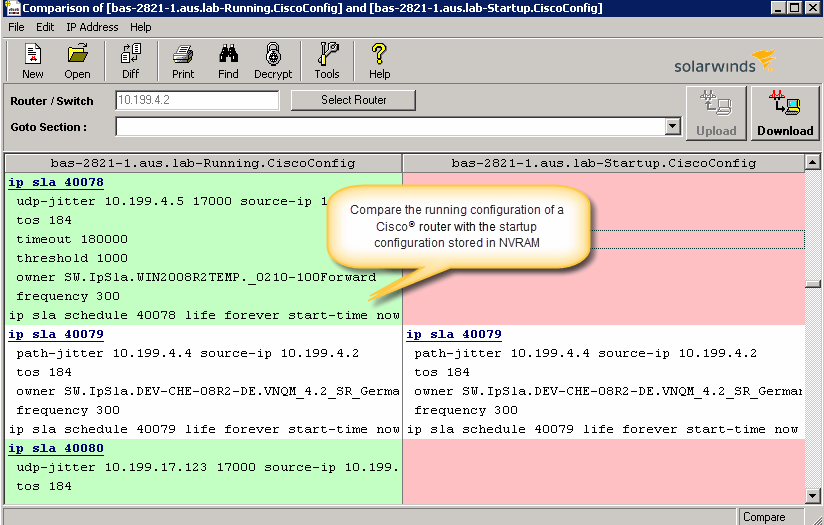
SolarWinds® Engineer’s Toolset (ETS) helps users monitor and troubleshoot a network with over 60 tools for network management. ETS allows users to monitor and receive alerts in real time on network availability and health, and perform network diagnostics for faster troubleshooting and resolution of complex
network issues. With ETS users can deploy an array of network discovery tools including Port Scanner, Switch Port Mapper or advanced Subnet Calculator, manage Cisco®
devices with specialized…
$1,585
Per Instance
Pricing
Armis
Datadog
SolarWinds Engineer's Toolset
Editions & Modules
No answers on this topic
Log Management
$1.27
per month (billed annually) per host
Infrastructure
$15.00
per month (billed annually) per host
Standard
$18
per month per host
Enterprise
$27
per month per host
DevSecOps Pro
$27
per month per host
APM
$31.00
per month (billed annually) per host
DevSecOps Enterprise
$41
per month per host
One Time Price
$1,585
Per Instance
Offerings
Pricing Offerings
Armis
Datadog
SolarWinds Engineer's Toolset
Free Trial
No
Yes
Yes
Free/Freemium Version
No
Yes
No
Premium Consulting/Integration Services
No
No
No
Entry-level Setup Fee
No setup fee
Optional
No setup fee
Additional Details
—
Discount available for annual pricing. Multi-Year/Volume discounts available (500+ hosts/mo).
We started an entirely new network segregation implementation for security policies. Armis was unparalleled at helping us find rogue static IP-assigned devices in our old network and helped us identify what they were so we could tackle the challenge of moving everything to the new network VLANs. Another use case is finding a specific device or a specific user account to track their activity. The layout is phenomenal, and the data is easy to understand and drill down into for further information. The new AVM (Asset Vulnerability Management) section is awesome to help us find the out-of-date devices or other risks on the network to figure out where we are most vulnerable and at risk. If you're looking for a way to have Armis auto patch vulnerabilities - that's only on the radar from what I've heard - but currently, it is an amazing tool for finding and detailing the CVEs and other risks. You can create policies to block specific risky behaviors, but currently, at the time of writing, there isn't any automated patching or remediation to known CVEs found on a device.
Datadog may be better suited for teams that have a more out-of-the-box infrastructure, on the primary platforms Datadog supports. You may also have better results if you have a bigger team dedicated to devops and/or a bigger budget. We found that trying to adapt it to our use case (small team, .NET on AWS Fargate) wasn't feasible. We continually ran into roadblocks that required us to dig through documentation (and at times, having to figure out some documentation was wrong), go back and forth with support, and in my opinion, waste money on excessive and unintended usages due to opaque pricing models and inaccurate usage reports, as well as broken/non-functional rate sampling controls.
I have found the toolset especially useful for scanning subnets to discover devices, and for setting up temporary real-time monitors when we are troubleshooting or setting up new connections. The most useful aspect has been the ability to apply the tools to help troubleshoot and pinpoint intermittent issues. More general tools like Orion often do not have the granularity to detect issues like intermittent packet loss which are especially impactful to applications like Voice. The toolset gives us another level of capability to dig into issues.
The thing which Datadog does really well, one of them are its broad range of services integrations and features which makes it one step observability solution for all. We can monitor all types of our application, infrastructure, hosts, databases etc with Datadog.
Its custom dashboard feature which helps us to visualize the data in a better way . It supports different types of charts through those charts we can create our dashboard more attractive.
Its AI powered alerting capability though that we can easily identify the root cause and also it has a low noise alerting capability which means it correlated the similar type of issues.
I've requested integration with Mosyle Manager for our Apple MDM products - it is on the radar but slow going - Mosyle has an API and a free 30-day trial, so implementation shouldn't be difficult - but honestly, other than that - Armis support has been astonishing, and there are so many integrations already - it's small potatoes.
Considering Armis has all the data collected and parsed - it would be nice to see a back-end system for those of us who are true nerds and want to really dig into the Syslog data and analyze packets directly - however, building some quick queries is probably easier if you know what you are looking for anyway - which is probably why this is a backward way of my own thinking and no fault of Armis at all. They make the interface so easy to use it's not necessary, but it hurts my inner geek.
Alert windows cause lag in notifications (e.g. if the alert window is X errors in 1 hour, we won't get alerted until the end of the 1 hour range)
I would appreciate more supportive examples for how to filter and view metrics in the explorer
I would like a more clear interface for metrics that are missing in a time frame, rather than only showing tags/etc. for metrics that were collected within the currently viewed time frame
The unifying component that is intended to be the initial interface to the tools seems clunky. I prefer to start the tools individually rather than using it.
The port scanner could use some improvements to make it easier to use.
There are so many features that it can be hard to figure out where you need to go for your own use case. For example, RUM monitoring us buried in a "Digital Experience" sidebar setting when this is one of our key use cases that I sometimes struggle to find in the application. It appears that ECS + Fargate monitoring was recently released which is great because we had to build a lambda reporting solution for ephemeral task monitoring. But this new feature was never on my radar until I starting clicking around the application.
The support team usually gets it right. We did have a rather complicate issue setting up monitoring on a domain controller. However, they are usually responsive and helpful over chat. The downside would be I don’t think they have any phone support. If that is important to you this might not be a good fit.
Armis is kind of a total conglomeration of a ton of different tools/systems, and depending on how you want to set it up can do almost anything a lot of these other tools can do - and in some cases, even better. It doesn't do software deployment or other things like SCCM I have listed, but the reporting side is so much better than SCCM's interface. As far as data breaches, user/device activity tracking, vulnerability outlook, network scanning, device identification, and agentless miracles of magic - Armis is the king.
Our logs are very important, and Datadog manages them exceptionally well. We frequently use Datadog services for our investigations. Use case: Monitor your apps, infrastructure, APIs, and user experience.
Key features:
Logs, metrics, and APM (Application Performance Monitoring)
Real-time alerting and dashboards
Supports Kubernetes, AWS, GCP, and other integrations
RUM (Real User Monitoring) and Synthetics
✅ Best for backend, server, and distributed systems monitoring.
I haven't compared any tools similar to SolarWinds Engineer's Toolset. This might be because I'm pretty biased when it comes to monitoring, and reporting solutions. I've found that SolarWinds provides the biggest bang for the buck in my opinion. I'm sure there are other solutions on the market that compete, but I haven't tried any of them because I've been very satisfied with SolarWinds.