
Articulate 360 vs. Pluralsight Skills
| Product | Rating | Most Used By | Product Summary | Starting Price |
|---|---|---|---|---|
 Articulate 360 | Score9.2 out of 10 | N/A | Articulate 360 is an e-learning platform for creating workplace training. Users can build engaging courses with AI-enhanced authoring, simplify collaboration, and quickly share content. A subscription includes robust onboarding resources and access to a community of 1.5M pros. | $1,449 per year per user |
 Pluralsight Skills | Score9.2 out of 10 | N/A | Pluralsight Skills is a skill development solution that enables employees to build in-demand skills in a way that’s personalized to their current knowledge and preferred way to learn. The course library includes content on software development, DevOps, machine learning, security infrastructure, and cloud, as well as certification practice exams, hands on learning experiences and cloud labs, and skills assessments. | $29 per month |
| Articulate 360 | Pluralsight Skills | |||||||||||||||
|---|---|---|---|---|---|---|---|---|---|---|---|---|---|---|---|---|
| Editions & Modules |
|
| ||||||||||||||
| Offerings |
| |||||||||||||||
| Entry-level Setup Fee | Optional | No setup fee | ||||||||||||||
| Additional Details | If you’re new to Articulate 360, you can try it out free of charge. After the trial period is over, you can subscribe to one of the following packages: Articulate 360 AI Teams plan: $1,749 per user per year Rise: Build beautiful training that automatically adapts to every screen Storyline: Create deeply custom, interactive courses AI generation: Guide AI to draft complete courses and other formats from source material Collaboration: Get stakeholder input, share for review, and finalize faster Integrations: Stay in your flow of work with connections to Google Drive, OneDrive, Claude, ChatGPT, and more Flexible distribution: Share trackable links, export to your LMS, use our native LMS—Reach—or download in more formats AI tutor: Give learners personalized, in-context guidance and coaching Analytics: Track engagement and completion, with insights to improve effectiveness Advanced workflows available with credits (purchased separately) Personal plan: $1,449 per user per year Rise: Build beautiful training that automatically adapts to every screen Storyline: Create deeply custom, interactive courses AI generation: Guide AI to draft complete courses and other formats from source material Review: Get stakeholder input, share for review, and finalize faster Integrations: Stay in your flow of work with connections to Google Drive, OneDrive, Claude, ChatGPT, and more Flexible distribution: Share trackable links, export to your LMS, use our native LMS—Reach—or download in more formats AI tutor: Give learners personalized, in-context guidance and coaching Analytics: Track engagement and completion, with insights to improve effectiveness Advanced workflows available with credits (purchased separately) Frontline: Starting at $500 Complete training kits: Turn source content into a connected set of training assets, with the right mix of formats chosen for what you're trying to teach Formats that fit the job: Create training decks, guides, scenarios, interactive videos, and quick references, each built for a different training need Quick updates and editing: Use AI to quickly update a whole kit, individual format, or specific sections Insights and analytics: Gather data from surveys, track engagement and completion, and see what questions your team has to improve effectiveness Easy distribution: Share trackable links anywhere your team already works: Slack, Microsoft Teams, email, or text Integrations: Stay in your flow of work with connections to Google Drive, OneDrive, Claude, ChatGPT, and more AI avatars: Create presenter-led videos, no filming required Multi-format translation: Translate each output into 80+ languages in a click AI tutor: Give learners personalized, in-context guidance and coaching | — | ||||||||||||||
| More Pricing Information | ||||||||||||||||
| Articulate 360 | Pluralsight Skills | |
|---|---|---|
| Considered Both Products | No answer on this topic | No answer on this topic |
| Key User Insights | ||
| Would buy again | ||
100% Would buy again 632 Answers | No answers on this topic | |
| Delivers good value for the price | ||
98% Delivers good value for the price 544 Answers | No answers on this topic | |
| Happy with the feature set | ||
98% Happy with the feature set 621 Answers | No answers on this topic | |
| Lived up to sales and marketing promises | ||
98% Lived up to sales and marketing promises 393 Answers | No answers on this topic | |
| Implementation went as expected | ||
98% Implementation went as expected 440 Answers | No answers on this topic | |
| Articulate 360 | Pluralsight Skills | |||||||||||||||||||||||||
|---|---|---|---|---|---|---|---|---|---|---|---|---|---|---|---|---|---|---|---|---|---|---|---|---|---|---|
| Learning Management |
| |||||||||||||||||||||||||
| eLearning Content |
| |||||||||||||||||||||||||
| Articulate 360 | Pluralsight Skills | |
|---|---|---|
| Small Businesses |  iSpring Suite Score7.7 out of 10 |  Coursera Score7.6 out of 10 |
| Medium-sized Companies | iSpring Suite Score7.7 out of 10 |  Renaissance myON Score10 out of 10 |
| Enterprises |  Studio 360 (discontinued) Score6 out of 10 |  A Cloud Guru (discontinued) Score8 out of 10 |
| All Alternatives | View all alternatives | View all alternatives |
| Articulate 360 | Pluralsight Skills | |
|---|---|---|
| Likelihood to Recommend | 9.3 | 9.0 |
| Likelihood to Renew | 9.7 | 10.0 |
| Usability | 8.9 | 9.0 |
| Availability | 9.2 | - |
| Performance | 9.3 | - |
| Support Rating | 5.7 | 6.0 |
| In-Person Training | 6.0 | - |
| Online Training | 8.7 | - |
| Implementation Rating | 8.7 | - |
| Configurability | 9.0 | - |
| Contract Terms and Pricing Model | 9.7 | - |
| Ease of integration | 9.3 | - |
| Product Scalability | 8.3 | - |
| Professional Services | 8.6 | - |
| Vendor post-sale | 7.9 | - |
| Vendor pre-sale | 9.3 | - |
| Articulate 360 | Pluralsight Skills | |
|---|---|---|
| Likelihood to Recommend |
|
|
| Pros |
|
|
| Cons |
|
|
| Likelihood to Renew |
|
|
| Usability |
|
|
| Reliability and Availability |
| No answers on this topic |
| Performance |
| No answers on this topic |
| Support Rating |
|
|
| In-Person Training |
| No answers on this topic |
| Online Training |
| No answers on this topic |
| Implementation Rating |
| No answers on this topic |
| Alternatives Considered |
|
|
| Scalability |
| No answers on this topic |
| Return on Investment |
|
|
| ScreenShots | Articulate 360 Screenshots 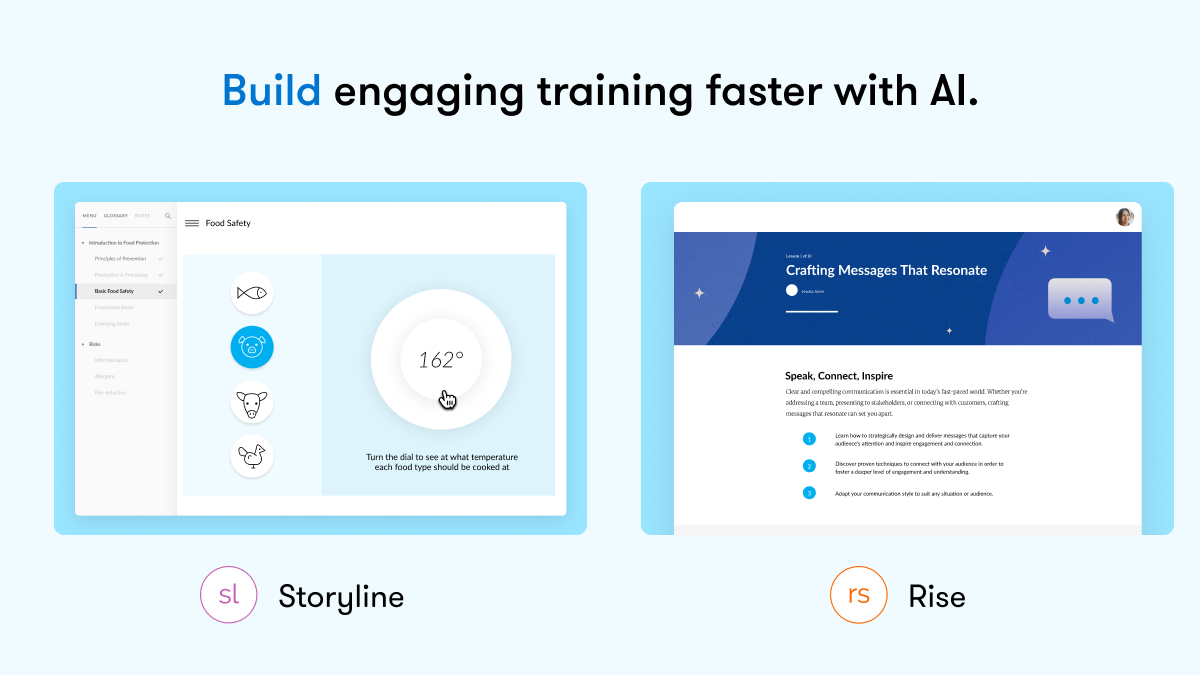     |



