
Asana vs. JungleDocs
| Product | Rating | Most Used By | Product Summary | Starting Price |
|---|---|---|---|---|
 Asana | Score8.5 out of 10 | N/A | Asana is a web and mobile project management app. With tasks, projects, conversations, and dashboards, Asana lets an entire team know who's doing what by when, enabling workload balancing. Users can also add integrations for GANTT charts, time tracking and more. | $13.49 per month per user |
 JungleDocs | Score7.6 out of 10 | N/A | JungleDocs takes properties and parts of an existing document and puts them into a new one. The vendor’s value proposition is that this prevents possible mistakes and saves up to 90% of the user’s time that would be used on inputting and copy-pasting operations. Key features include: Word and PowerPoint document generation and automation Document mail merge from SharePoint lists Template processing engine uses Open XML technology for very fast and… | N/A |
| Asana | JungleDocs | |||||||||||||||
|---|---|---|---|---|---|---|---|---|---|---|---|---|---|---|---|---|
| Editions & Modules |
| No answers on this topic | ||||||||||||||
| Offerings |
| |||||||||||||||
| Entry-level Setup Fee | Optional | No setup fee | ||||||||||||||
| Additional Details | A discount is offered for annual billing. | Licensed per Web Front End (WFE) Server | ||||||||||||||
| More Pricing Information | ||||||||||||||||
| Asana | JungleDocs | |
|---|---|---|
| Considered Both Products | No answer on this topic | No answer on this topic |
| Key User Insights | ||
| Would buy again | ||
88% Would buy again 98 Answers | No answers on this topic | |
| Delivers good value for the price | ||
93% Delivers good value for the price 86 Answers | No answers on this topic | |
| Happy with the feature set | ||
96% Happy with the feature set 107 Answers | No answers on this topic | |
| Lived up to sales and marketing promises | ||
92% Lived up to sales and marketing promises 72 Answers | No answers on this topic | |
| Implementation went as expected | ||
94% Implementation went as expected 78 Answers | No answers on this topic | |
| Asana | JungleDocs | ||||||||||||||||||||||||||||||||||||||||||||||
|---|---|---|---|---|---|---|---|---|---|---|---|---|---|---|---|---|---|---|---|---|---|---|---|---|---|---|---|---|---|---|---|---|---|---|---|---|---|---|---|---|---|---|---|---|---|---|---|
| Project Management |
| ||||||||||||||||||||||||||||||||||||||||||||||
| Professional Services Automation |
| ||||||||||||||||||||||||||||||||||||||||||||||
| Asana | JungleDocs | |
|---|---|---|
| Small Businesses |  Any.do Score8 out of 10 |  M‑Files Score8.9 out of 10 |
| Medium-sized Companies |  KanbanFlow Score7.3 out of 10 |  Esker Score7.4 out of 10 |
| Enterprises |  Microsoft To Do Score7.9 out of 10 |  Tungsten Capture Score9.4 out of 10 |
| All Alternatives | View all alternatives | View all alternatives |
| Asana | JungleDocs | |
|---|---|---|
| Likelihood to Recommend | 9.1 | 7.6 |
| Likelihood to Renew | 9.6 | - |
| Usability | 8.8 | - |
| Availability | 8.4 | - |
| Support Rating | 5.0 | - |
| Product Scalability | 8.2 | - |
| Asana | JungleDocs | |
|---|---|---|
| Likelihood to Recommend |
|
|
| Pros |
|
|
| Cons |
|
|
| Likelihood to Renew |
| No answers on this topic |
| Usability |
| No answers on this topic |
| Reliability and Availability |
| No answers on this topic |
| Support Rating |
| No answers on this topic |
| Alternatives Considered |
|
|
| Scalability |
| No answers on this topic |
| Return on Investment |
|
|
| ScreenShots | Asana Screenshots      | JungleDocs Screenshots  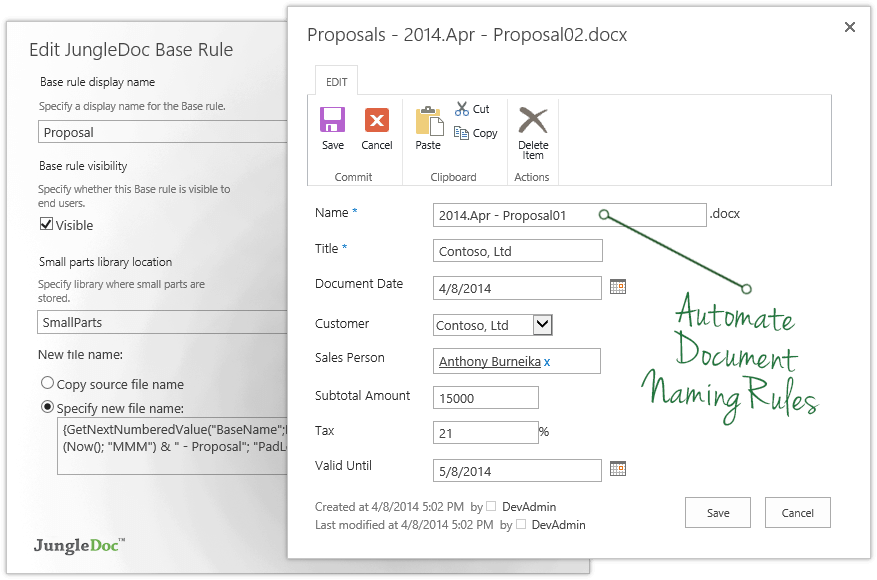    |


