Aspect Workforce is a suite of software which combines call center workforce management with advanced analytics features like call recording, speech analytics, eLearning for training, data sharing for schedule optimization across call center or branch locations, and desktop analytics for monitoring and analyzing discrete actions like employee keystrokes and application usage.
The Basic, Advanced, and Enterprise tiers include increasingly advanced sets of analytics and workforce management…
N/A
UKG Ready
Score8.2 out of 10
N/A
The UKG Ready® software suite is a centralized HCM solution designed for small to mid-sized businesses. It automates and streamlines HR, payroll, benefits, time, talent, and scheduling processes. UKG Ready's suite of tools offer actionable insights while helping to ensure compliance. Using AI, it draws on work, people, and culture data to boost efficiency and productivity. For example, UKG Ready streamlines core HR functions by centralizing…
Easy workforce management tool and the dashboard is well designed with multiple accessible functionalities. This platform allows easy data collection across other project management systems and the analytics which the tool provides are excellent and very reliable project planning and easy scheduling with effective and excellent management functionalities and initial implementing is also an easy process.
UKG Ready is perfect for large or complex businesses who need completely customisable people management systems that are adapted to them (rather than the other way around). If you can think of a workflow, UKG Ready can probably do it, but everything takes time to build and there isnt a lot of support for that. If you have the resources, get someone to build and implement it for you. What you will struggle with is that there is not enough support tools or videos about how to use all the customisation features and you get stuck in all sorts of rabbit holes trying to figure out what controls what
A de minimis incentive was given to thank the reviewer for their time. The incentive was not used to bias or drive a particular response, nor was the incentive contingent on a positive endorsement. TR verified that a representative sample of customers was invited. More Info
A de minimis incentive was given to thank the reviewer for their time. The incentive was not used to bias or drive a particular response, nor was the incentive contingent on a positive endorsement. More Info
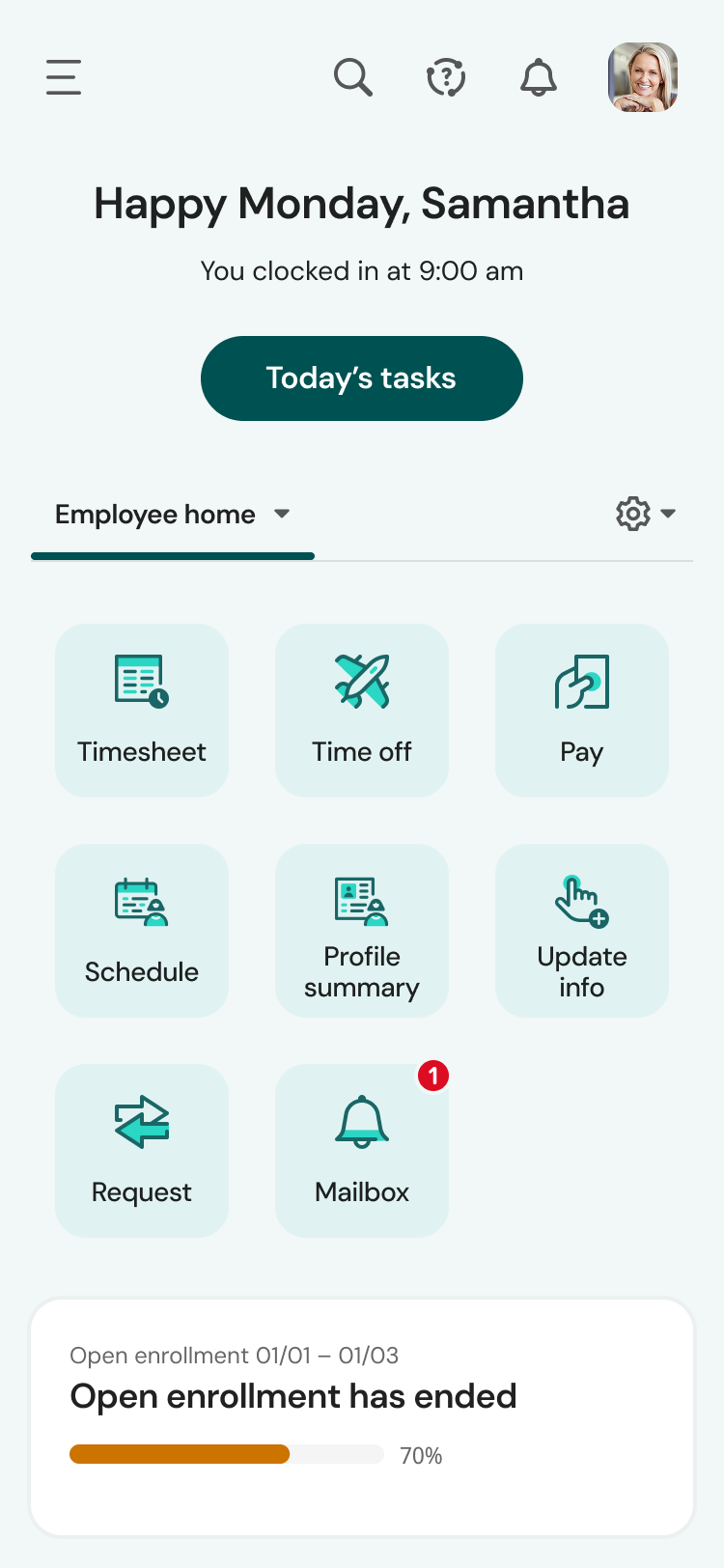
The mobile app experience is terrific. Once the employees figured out the navigation, they now prefer the app over the web version. The app mirrors the web version, although the navigation is somewhat compressed due to the mobile view. Other than that, the tools in the app work exactly as the web.
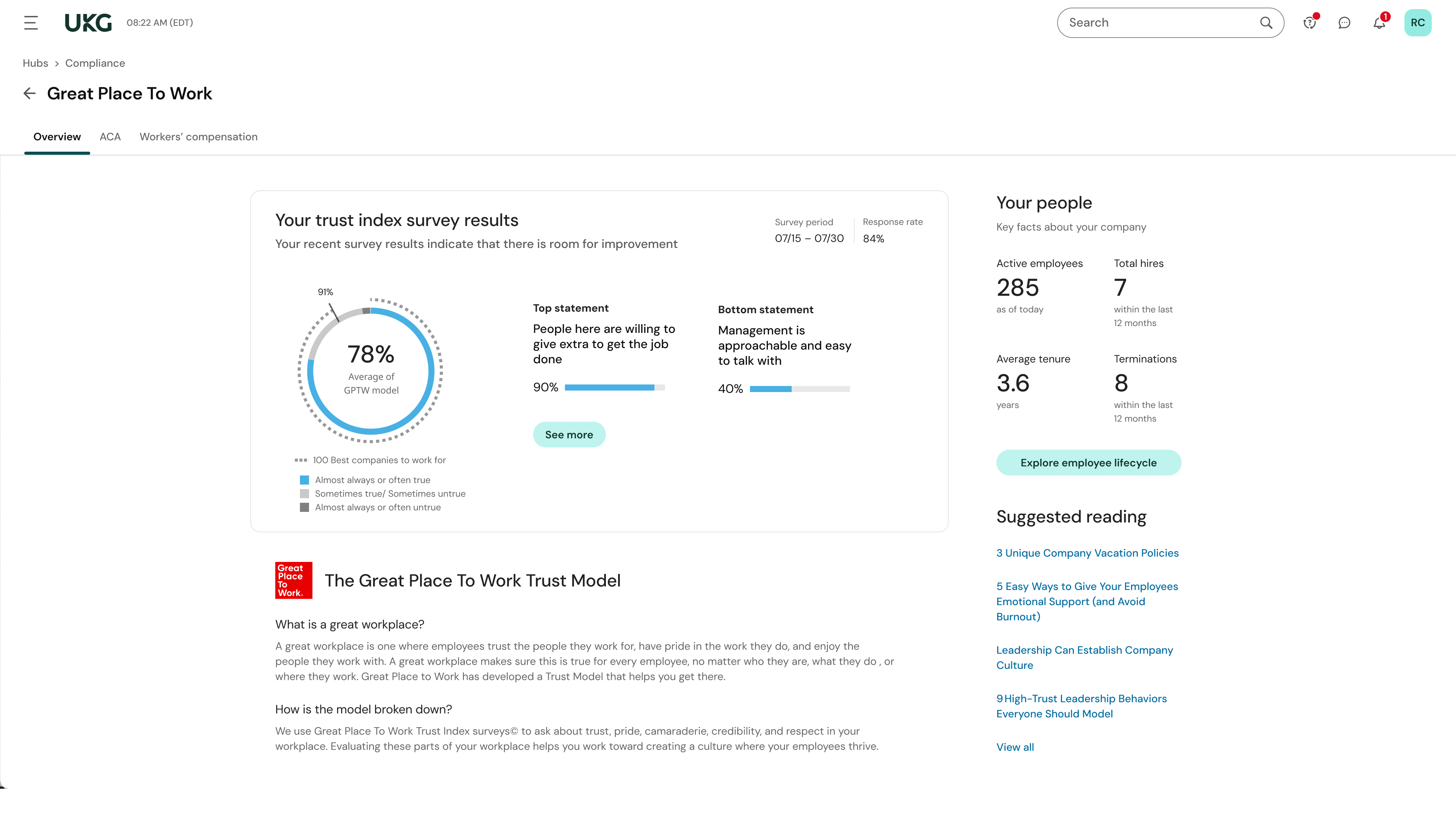
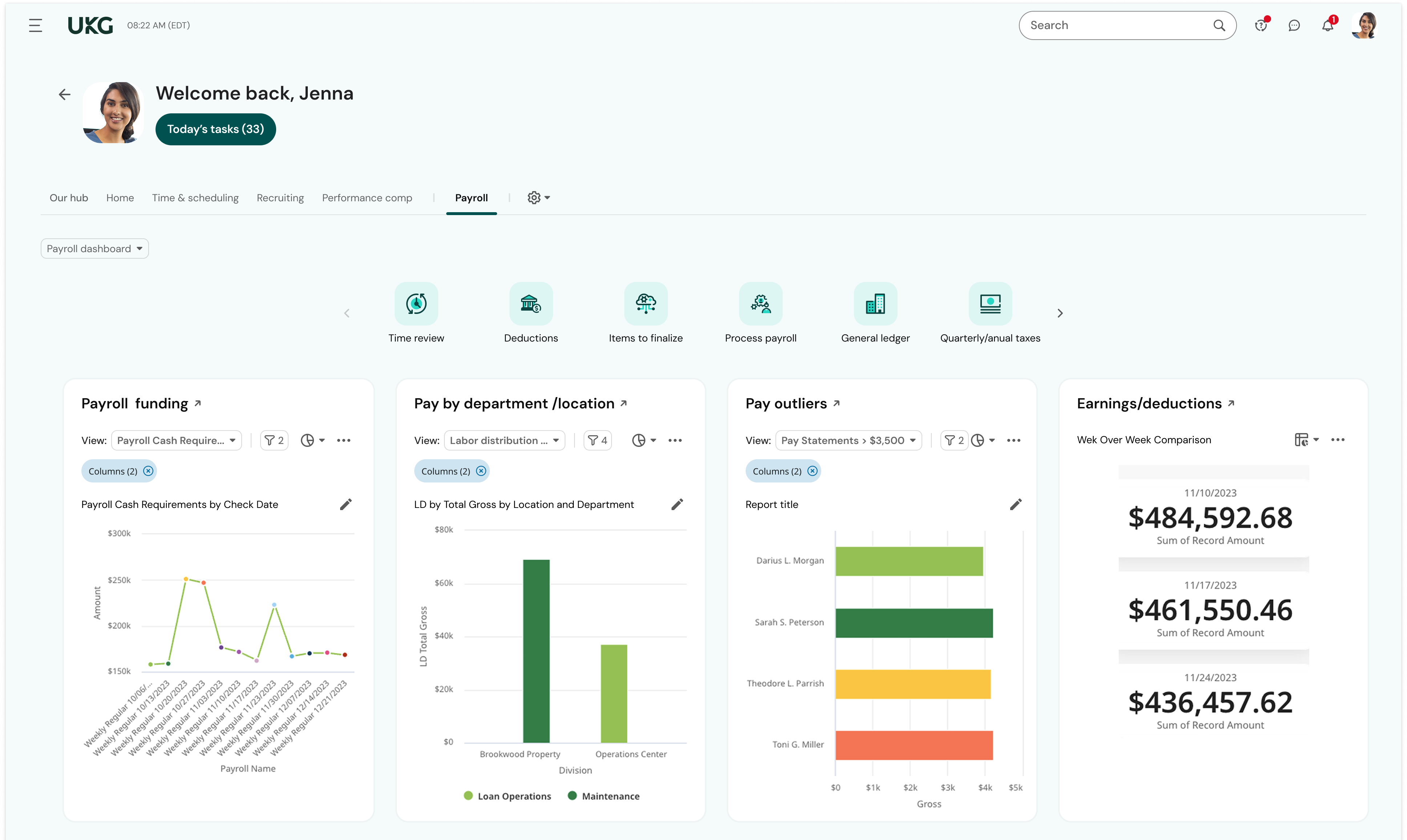
Reporting - there hasn't been a time when I couldn't run a report on the information I needed. And the reports dashboard is very robust - my most important reports were already built in the system. I saved so much time because I didn't have to cobble together the data from multiple reports or contact support to build the report for me.
Community page - I log into UKG's Community page daily. I learn so much from experienced UKG users and the UKG moderators are quick to provide answers and best practices. When I have a question about how to use a feature in UKG Ready, my first stop is the Community - I almost always find what I need without the need to submit a ticket/case or call Support. When I can't find what I need using Community, I can trust that Support will be responsive and helpful. For example, I needed help learning how our onboarding process was configured and submitted a case for assistance. The representative scheduled multiple meetings with me to help me not only navigate the onboarding setup but also to teach me how to revise the associated workflows and test the changes. I was also able to ensure our onboarding was set up correctly as well as modify it as needed.
Employee Self-Service - Once employees were trained to find their HR Actions tool, they quickly adapted to submitting their requests through UKG Ready rather than asking for help from an admin. Now, they readily submit change requests to update their direct deposit, address, and withholding. Sure, they still need a little help from time to time, but employees are initiating these changes without the need for payroll or HR to chase down signatures or paperwork.
A de minimis incentive was given to thank the reviewer for their time. The incentive was not used to bias or drive a particular response, nor was the incentive contingent on a positive endorsement. More Info
The configuration of the system is quite complex and very difficult to administer.
Initial training on the product is simply focused on the product and it typically not done using a customers real data. Since many customers do not have a strong background in WFM to begin with, the training should focus more on the fundamental of WFM before it dives into how to use the tool. You have to learn more about how it is best to use the tool for real world environments and not just how to click here and go there.
RTA has not been updated in years. It does not offer real-time schedule adherence scores and the reporting is terrible. Reporting is specific to each workspace and you lose data each time you close a workspace.
The shrinkage calculator feature that was added a few years ago is a great feature but very difficult to reconcile. If you are not an extreme expert with the very confusing superstate philosophy in eWFM it can be disastrous.
Learning and training is poor and has not provided our team with a way to approach our problems in a cost-effective and meaningful way
Consistent glitches in some areas result in errors that persist through multiple payrolls despite a thorough review of all settings
Reports don't live in the same place, multiple types of reports exist in multiple places with little explanation of the difference. We often build custom reports only to have them disappear or have to spend a long time trying to find them.
A de minimis incentive was given to thank the reviewer for their time. The incentive was not used to bias or drive a particular response, nor was the incentive contingent on a positive endorsement. TR verified that a representative sample of customers was invited. More Info
While I support other customers who utilize the software, the response from our customers is over-whelmingly positive. Many customers who have not had any type of workforce management software in the past use spreadsheets to schedule and forecast agents. This can be extremely complicated and a nightmare to control. The time saved by having a product that can quickly complete these functions for you is worth the investment. Also, we have several customers who had no way to track what their agents are doing and have found many problems in their call-center with the software. After rolling out a program where their adherence was tracked and actually 'mattered', they were able to see increased efficency from their agents.
We plan to renew our support and use of UKG Ready each year unless it becomes unavailable or the district seeks another vendor. As of now, there are no plans to changes vendors. The district staff is now familiar with using UKG. Another vendor will need to meet the same expectations we have come to enjoy with using UKG
A de minimis incentive was given to thank the reviewer for their time. The incentive was not used to bias or drive a particular response, nor was the incentive contingent on a positive endorsement. TR verified that a representative sample of customers was invited. More Info
Once the initial set up of the software is complete and/or you are familiar with the software, it is easy to use and runs like a dream. However, if you are unfamiliar with the software or have used a competitor's product, some features can seem difficult to learn or get used to.
UKG is Easy to use. as an employee i can easily clock in and out. i can find my next pay day on the first page. it allows me to see requested PTO on the calendar and shows my available hrs. UKG allows me to easily see my paycheck information and worked hrs.
A de minimis incentive was given to thank the reviewer for their time. The incentive was not used to bias or drive a particular response, nor was the incentive contingent on a positive endorsement. More Info
The system seems very stable. Being hosted in the cloud, we are vulnerable to internet speeds and busy times. The system has been down a couple times over the 3 months we have been live, but Kronos resolved the issues very quickly. To have access from a desktop, tablet, time clock, or phone app is one of the best features....users have almost NO REASON they can't clock in.
A de minimis incentive was given to thank the reviewer for their time. The incentive was not used to bias or drive a particular response, nor was the incentive contingent on a positive endorsement. TR verified that a representative sample of customers was invited. More Info
We were always told that Kronos was the best, but there are reports that we got out of ADP and other payroll providers that we cannot get out of Kronos. One example is a report of Productive/Non-productive hours by department. We also need the dollar amount associated with the hours. This is information that is required on our cost report and we were told that that report is unavailable. It is very frustrating when I can't get what I need.
A de minimis incentive was given to thank the reviewer for their time. The incentive was not used to bias or drive a particular response, nor was the incentive contingent on a positive endorsement. TR verified that a representative sample of customers was invited. More Info
I was impressed with the support I received. There were never any long delays when I had issues and the representatives that I worked with were always patient and eager to fully understand not only my problem but our business processes surrounding the problem.
If I was only rating support itself that would be a 10. Every support case I have entered has been addressed efficiently and with the desired result. On the implementation and transition to support there were multiple issues that those doing the implementation or transition could not answer or workflows and various settings left undone only to be discovered later. We implemented 3 different modules and the expertise we got for each one varied widely.
A de minimis incentive was given to thank the reviewer for their time. The incentive was not used to bias or drive a particular response, nor was the incentive contingent on a positive endorsement. TR verified that a representative sample of customers was invited. More Info
Our in-person training was a hybrid. Live online training with an instructor. They were very knowledgeable of the product & the area they were training on. I asked several specific questions and if they didn't know the answer immediately they followed up after class.
A de minimis incentive was given to thank the reviewer for their time. The incentive was not used to bias or drive a particular response, nor was the incentive contingent on a positive endorsement. TR verified that a representative sample of customers was invited. More Info
Pretty good online training, you have many how to options and can watch them several times. It can be hard at times to dig through the amount of data online but can usually find what you are looking for. Also you can download documentation for setting up the profiles and policies.
A de minimis incentive was given to thank the reviewer for their time. The incentive was not used to bias or drive a particular response, nor was the incentive contingent on a positive endorsement. TR verified that a representative sample of customers was invited. More Info
Implementation of the software was not difficult but it was tedious for us due to the fact that our processes had not kept up with the times and we had to make a large number of process changes along with setting up the software.
Make sure the people who are doing the build have extensive knowledge on employment law and asking the right questions. I would bet that the people who helped with our builds did not read any of our employment contracts or ordinances; and when I asked questions about how other companies handled certain basic dictates from federal employment laws, they didn't have any idea what FMLA, FLSA, etc were.
A de minimis incentive was given to thank the reviewer for their time. The incentive was not used to bias or drive a particular response, nor was the incentive contingent on a positive endorsement. TR verified that a representative sample of customers was invited. More Info
I have used NICE IEX Workforce Management in addition to Aspect Workforce Management, both tools are great at what they do. Aspect however builds its forecast model continuously, adding more information to the model everyday, where are with IEX, the model has to be built each and every time from used selections each week. IEX does not have a historical base model to reference, where Aspect does.
UKG Ready is much more user friendly. We like the functionality of the platform and look. Visually, it is more appealing to our employees. The pre-built reports have been great, and the ability to create or modify them to our needs is appreciated and easy to navigate, making changes and saving different views for reports.
A de minimis incentive was given to thank the reviewer for their time. The incentive was not used to bias or drive a particular response, nor was the incentive contingent on a positive endorsement. TR verified that a representative sample of customers was invited. More Info
A de minimis incentive was given to thank the reviewer for their time. The incentive was not used to bias or drive a particular response, nor was the incentive contingent on a positive endorsement. TR verified that a representative sample of customers was invited. More Info
The workforce management team was able to decrease the cycle time forecasting, staffing and scheduling staff; resulted in higher employee engagement
The scenario based planning enabled us to develop a more accurate call volume forecast thus staffing the contact centers appropriately; approximately $500k savings realized in labor expenses (reduced FTE headcount, while meeting the same level of service level measures)
Improved customer experience due to staffing the call center properly (answered 80 percent of our calls within 20 seconds)
A de minimis incentive was given to thank the reviewer for their time. The incentive was not used to bias or drive a particular response, nor was the incentive contingent on a positive endorsement. More Info