Astera ReportMiner automates data extraction from unstructured documents with a drag-and-drop UI. It is used to create reusable, pattern-based templates. Combining AI and template-based extraction, ReportMiner allows for auto-generating and fine-tuning templates.
N/A
Square 9 Softworks
Score9.3 out of 10
N/A
For document-intensive companies looking to improve business efficiency, Square 9 Softworks develops solutions for process automation that aim to drive increased productivity across all business applications.
$250
per month 5 users
Pricing
Astera ReportMiner
Square 9 Softworks
Editions & Modules
ReportMiner Enterprise
Contact sales
per user
Square 9 Process Automation Essentials
$50
per month per user (5 User Minimum)
Square 9 Digital Transformation Essentials
$68
per month per user (5 User Minimum)
Square 9 Enterprise Essentials
$75
per month per user (10 User Minimum)
Offerings
Pricing Offerings
Astera ReportMiner
Square 9 Softworks
Free Trial
Yes
No
Free/Freemium Version
No
No
Premium Consulting/Integration Services
Yes
Yes
Entry-level Setup Fee
Optional
Required
Additional Details
Discounts are provided for 10 pack, 20 pack, 50 pack, and enterprise-wide ReportMiner Professional licenses.
Offered via a three-tier pricing model that allows customers to scale their solution up or down based on the changing needs of their organization.
Pricing excludes professional services and implementation fees
Astera ReportMiner is well suited for those who work with EMR Data or business operations data where different platforms may report on similar data but not everything is the same between the different systems and how they export their data. It works especially well when systems can't edit their exports so you need to clean up data a lot before they are combined into a single file. It is less appropriate a solution when you are trying to combine large data, let's say thousands of files and need some sort of platform to deduce analytic patterns out of it. This is more used for data preparedness rather than big data analysis. This may have changed with recent updates, however they do not do a good job of updating customers on new releases so keeping track of their developments is something worth doing if data management is an important part of your/your company's role.
Square 9 Softworks is really good for internal and external filing services. Square 9 Softworks is also an application that can be utilized for databases to store and extract data. If the volume of your filing isn’t heavy or on a day-to-day basis then I wouldn’t recommend Square 9 Softworks.
A de minimis incentive was given to thank the reviewer for their time. The incentive was not used to bias or drive a particular response, nor was the incentive contingent on a positive endorsement. More Info
ReportMiner's OCR accuracy is flawless to my experience. I use the program to pull values from check details, and have yet to find an error.
ReportMiner's interface is easy to learn. I never even got formal training on the program. I watched some YouTube videos and learned as I went.
ReportMiner training personnel is very knowledgeable and quick to respond. Anytime I ran into a problem I could not figure out on my own, they would get back with me within a half a day.
The software is very flexible, and the technicians were great at implementing our customizations for the PO project.
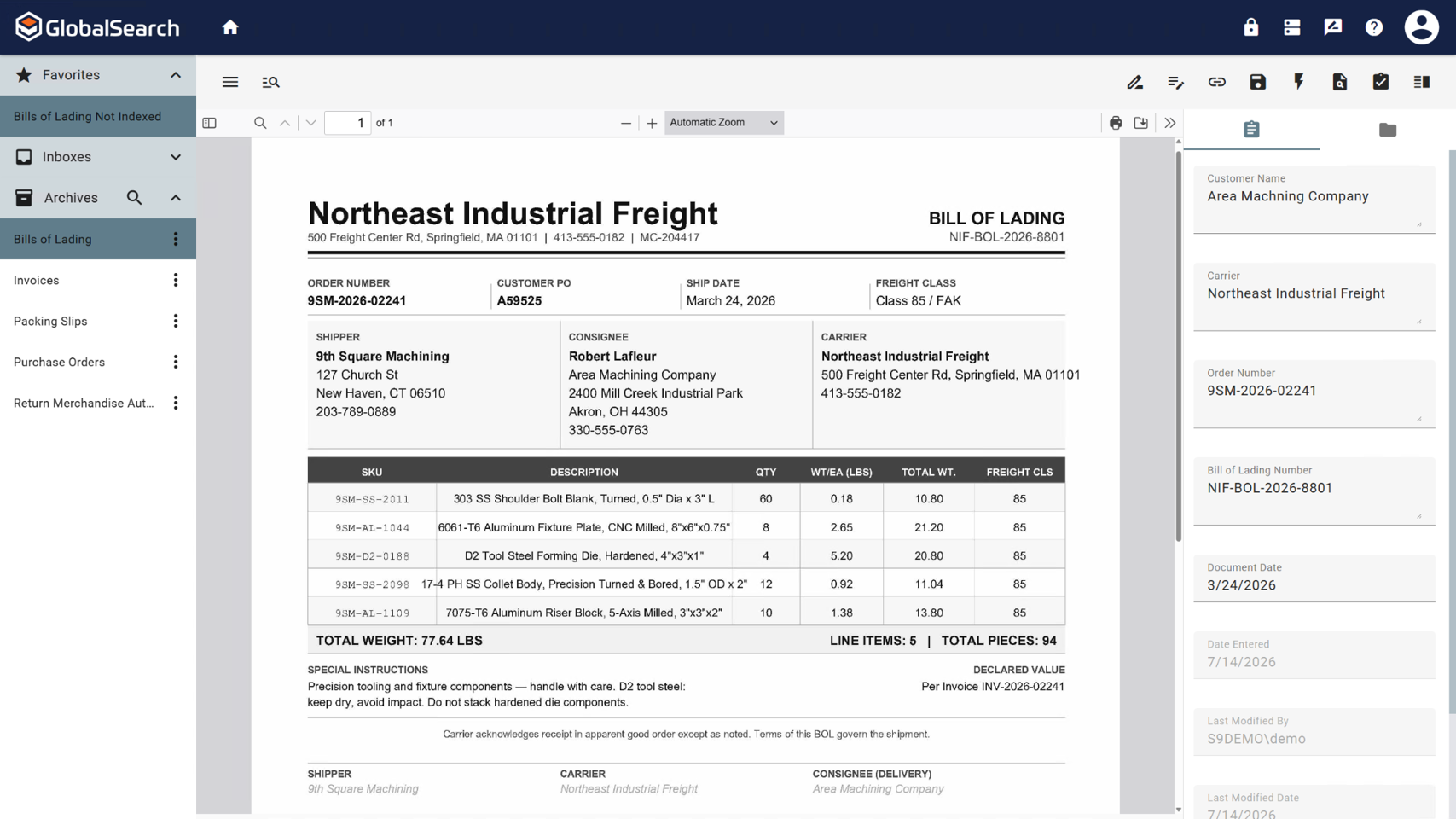
While indexing fields in Global Search, the Key Free tool works great.
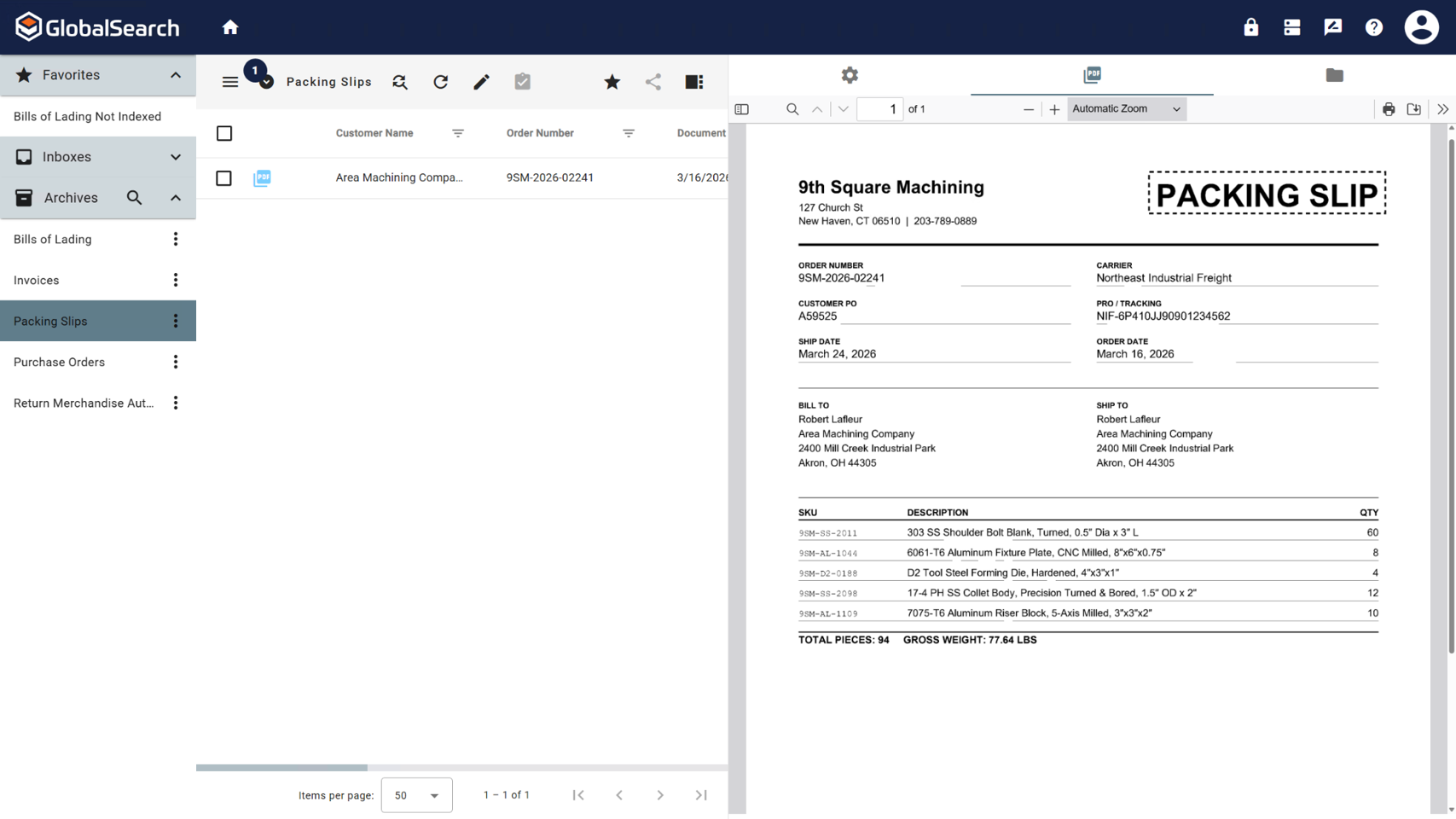
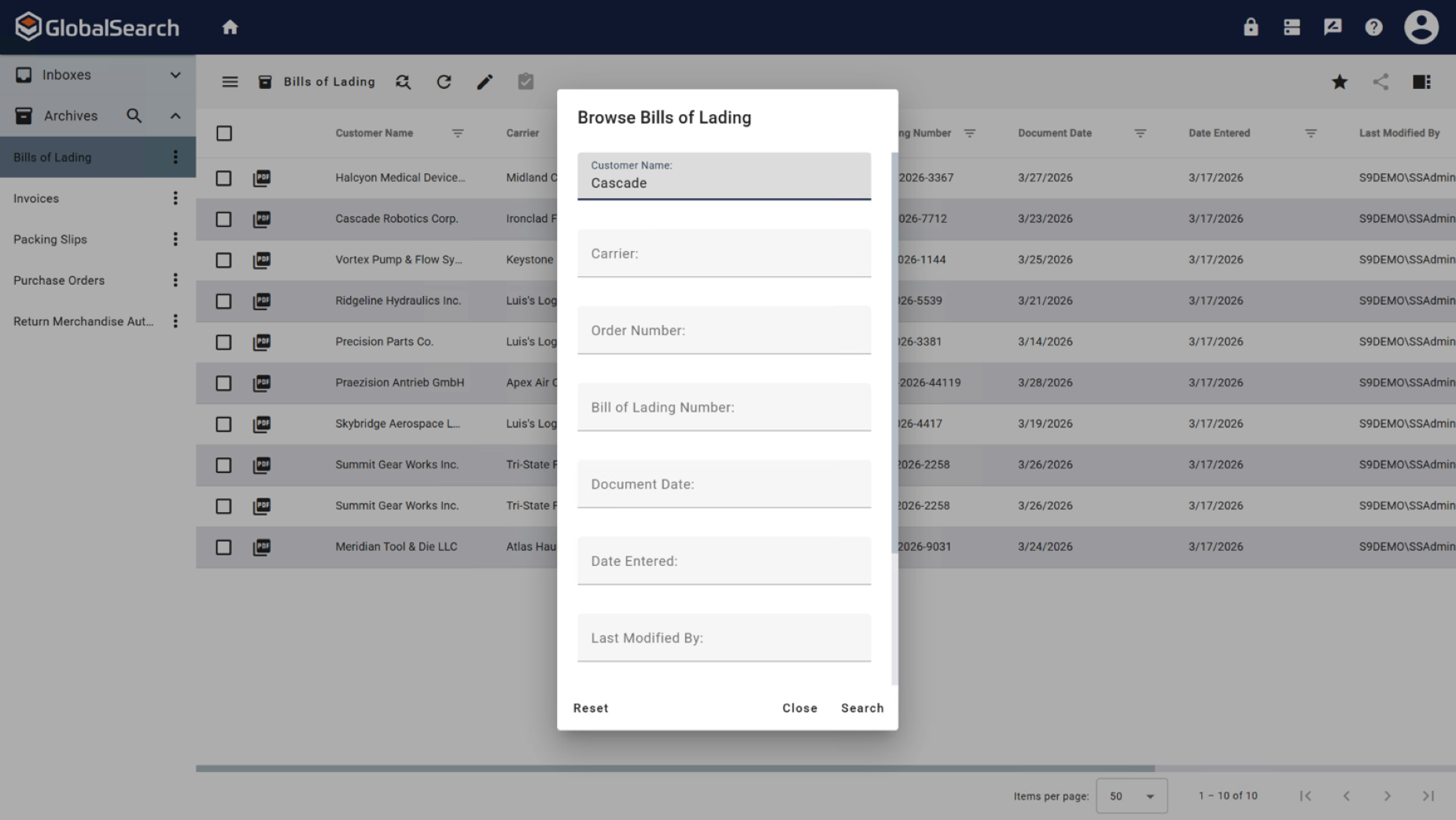
Global Search is well-organized. It's easy to navigate and find your documents.
The process for completing your project was well done. Communicating with individuals at Square 9 who were responsible for different aspects of the project was easy.
A de minimis incentive was given to thank the reviewer for their time. The incentive was not used to bias or drive a particular response, nor was the incentive contingent on a positive endorsement. More Info
Could provide some features to help with advanced analytics for big data. (i.e. larger data sets)
Too much clutter on their Youtube page, they should highlight the tutorials so they are easier to find for new users. Get rid of old tutorial video playlists so the organization is clean and up to date.
Have sales rep follow up with customers to offer product updates, new product releases, and do check ins to see if customers have suggestions for feature improvement.
GlobalSearch could use some enhancements in layout - THIS IS FIXED WITH THE NEWEST VERSION OF GLOBALSEARCH 6.3 and their Sleek GUI GlobalSearch GO! - WELL DONE!
GlobalSearch could use external sharing of documents THIS IS FIXED WITH THE NEWEST VERSION OF GLOBALSEARCH 6.3 and their Sleek GUI GlobalSearch GO! - WELL DONE!
GlobalForms could have better formatting tools to enhance the fields and text formatting
A de minimis incentive was given to thank the reviewer for their time. The incentive was not used to bias or drive a particular response, nor was the incentive contingent on a positive endorsement. TR verified that a representative sample of customers was invited. More Info
We absolutely can't imagine not continuing software maintenance as there are always new additions that improve the system not to mention the excellent tech support when issues are encountered. Response times for troubleshooting are very quick and usually, my issue is resolved in less than an hour after connecting with support.
A de minimis incentive was given to thank the reviewer for their time. The incentive was not used to bias or drive a particular response, nor was the incentive contingent on a positive endorsement. More Info
The items I am searching for are easily found. They are found in at least 95% of the searches. The failure rate generally is related to another employees user error or a template error set up by our Square 9 team in house.
A de minimis incentive was given to thank the reviewer for their time. The incentive was not used to bias or drive a particular response, nor was the incentive contingent on a positive endorsement. More Info
With the PDF projected viewer, the document retrieval-to-display can drag for a second more than some systems, and the capture workflow if you overload a server array can also drag, but those are the only two issues we've ever seen with this product, and they are not serious issues at all.
We had one "production down" incident that took about a day to get help on. I think that's a bit too long. The support people seem confident but not that friendly. I feel like I'm bothering them when I get help, but they get the job done.
A de minimis incentive was given to thank the reviewer for their time. The incentive was not used to bias or drive a particular response, nor was the incentive contingent on a positive endorsement. More Info
It would have been higher, but the training is a bit muted for the lesser qualified office equipment vendors who signed up as partners to sell and support it. The more experienced ECM vendors and customer end-users will find the training very good, but a bit slow.
I think the implementation could have gone a little smoother than it did. Now that I know how to use the software, I could do it myself. I feel that as an organization, we could have been a little better prepared. If the consultant was more aware of what we were looking for, they could have assisted in setting up some workflows for us as per the contract. But because we were not prepared, the initial implementation process was a little painful. That said, adding a document management system to ANY business kinda means everyone has to re-think the way they do their work which can be difficult for some staff.
A de minimis incentive was given to thank the reviewer for their time. The incentive was not used to bias or drive a particular response, nor was the incentive contingent on a positive endorsement. More Info
I have never actually used another program like ReportMiner. Before I was just using PDF viewers such as Adobe that had OCR capabilities. I would have to select a range of numbers and copy and paste to Excel. It was tedious, slow, and sometimes error prone. I chose to learn ReportMiner because it saves me at least 4 times the amount of time I would have to use by copy and pasting.
We tried Etrieve before Square 9 and it never got off the ground. Our requirements were too complex and the platform could not accommodate them. Square 9 offered the flexibility and customization we needed from the start. Support worked with us to build workflows that actually fit our processes instead of forcing us into a rigid structure.
A de minimis incentive was given to thank the reviewer for their time. The incentive was not used to bias or drive a particular response, nor was the incentive contingent on a positive endorsement. TR verified that a representative sample of customers was invited. More Info
The scale-ability is quite good actually, but you need competent sales/support folks providing it to you, so the scale is set right for the demands of your system use. Some resellers are not good at doing this, some are fantastic. If you are scaled correctly at first implementation, you'll be very happy with this system.
Efficient and automated data extraction. Saves time and resources.
User-friendly interface and good documentation. It is therefore easiest to learn and apply in a short time.
Documents, which have various formats of data tables or arrangement, needed a lot of manual fixing. So it required a lot of time for validation and quality control.
Reduction in human error through manual data entry process now being automated
Reduction in cost due to automation allowing the function to not require a full time employee
Reduction in time spent performing the previous manual tasks. Example: on our consolidated shipment days, it could take doc clerk 2-3 hours to prepare master document package. This has been reduced to 30 minutes or less (depending on size of shipment and time needed for OCR to complete)
A de minimis incentive was given to thank the reviewer for their time. The incentive was not used to bias or drive a particular response, nor was the incentive contingent on a positive endorsement. More Info