Autodesk offers 3ds Max, 3D modeling and rendering software for design visualization, games, and animation. The vendor states that users can produce professional-quality 3D animations, renders, and models with an efficient and flexible toolset to help create better 3D content in less time.
$235
per month per user
Designcenter
Score8.1 out of 10
N/A
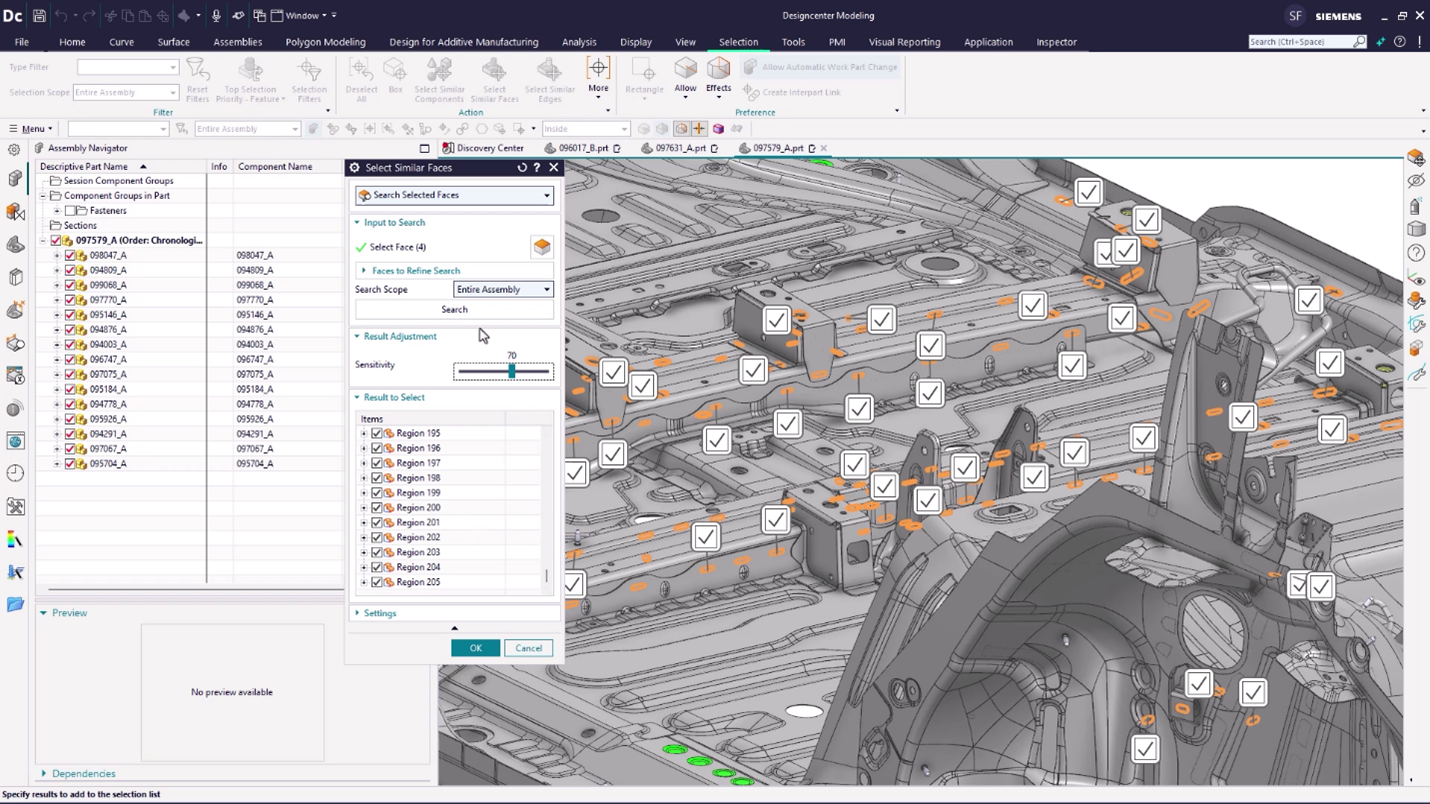
Designcenter™ software (formerly NX™ software) is an integrated product design and engineering solution. The platform supports stages of product development—from concept design and engineering to manufacturing—to optimize design processes and enhance team collaboration.
N/A
Pricing
Autodesk 3ds Max
Designcenter
Editions & Modules
Monthly Subscription
$235
per month per user
Yearly Subscription
$1875
per year per user
3-Year Subscription
$5625
3 years per user
No answers on this topic
Offerings
Pricing Offerings
Autodesk 3ds Max
Designcenter
Free Trial
Yes
Yes
Free/Freemium Version
No
No
Premium Consulting/Integration Services
No
No
Entry-level Setup Fee
No setup fee
No setup fee
Additional Details
Flex pricing available for limited usage. Minimum plan $300 for 100 tokens. 3ds Max costs 6 tokens per day.
For print media for marketing and for 3d animations for web spots and TV ads/movies/programs. It is less suited for quick 3d graphics or images that you get from AI image programs, but it is much more powerful than most AI image programs.
A de minimis incentive was given to thank the reviewer for their time. The incentive was not used to bias or drive a particular response, nor was the incentive contingent on a positive endorsement. More Info
There is perfect integration between NX CAD and NX CAM modules with less data loss. Better graphical interface and simplified commands makes NX CAD a better software then others. The tool has scope to develop an algorithm for generating surfaces from the point data. Include of option to convert .STL to any CAD format will be helpful. The connectivity of splines laying in different planes can be improvised.
A de minimis incentive was given to thank the reviewer for their time. The incentive was not used to bias or drive a particular response, nor was the incentive contingent on a positive endorsement. More Info
A de minimis incentive was given to thank the reviewer for their time. The incentive was not used to bias or drive a particular response, nor was the incentive contingent on a positive endorsement. More Info
The software allows you to create a very high level of control and organization within your engineering staff. This reduces the companies mistakes and maximizes productivity.
The software makes it very easy to track your product through every phase of the production cycle.
A de minimis incentive was given to thank the reviewer for their time. The incentive was not used to bias or drive a particular response, nor was the incentive contingent on a positive endorsement. More Info
A de minimis incentive was given to thank the reviewer for their time. The incentive was not used to bias or drive a particular response, nor was the incentive contingent on a positive endorsement. More Info
Keeping the colors of surfaces if volume bodies are linked
Show and keep symbolic threads
For me, I miss more information why a surface can't be deleted or a radius is not possible. And maybe a solution, how could it look like, if NX CAD adds a new surface.
A de minimis incentive was given to thank the reviewer for their time. The incentive was not used to bias or drive a particular response, nor was the incentive contingent on a positive endorsement. More Info
It satisfies 95% of my 3d visualization need. The left over 5% is handled by a few other programs. If Max just can't perform a specific task I can do that elsewhere and then bring it back to Max to finish up. But, it's rare that this occurs in my work
A de minimis incentive was given to thank the reviewer for their time. The incentive was not used to bias or drive a particular response, nor was the incentive contingent on a positive endorsement. More Info
A de minimis incentive was given to thank the reviewer for their time. The incentive was not used to bias or drive a particular response, nor was the incentive contingent on a positive endorsement. More Info
It is a very difficult program to learn to use and even harder to use well. But once you get to using it it is a great software package to know how to use. Getting to be good at using it takes lots of use.
A de minimis incentive was given to thank the reviewer for their time. The incentive was not used to bias or drive a particular response, nor was the incentive contingent on a positive endorsement. More Info
Siemens NX CAD has been has been simple in design & user interface. It is best among the competitors. It can develop heavy models & designs with very ease. It has Layers options for arranging multiple assemblies in the same file. It does not require heavy system investment & works fine on professional PCs
A de minimis incentive was given to thank the reviewer for their time. The incentive was not used to bias or drive a particular response, nor was the incentive contingent on a positive endorsement. More Info
A de minimis incentive was given to thank the reviewer for their time. The incentive was not used to bias or drive a particular response, nor was the incentive contingent on a positive endorsement. TR verified that a representative sample of customers was invited. More Info
A de minimis incentive was given to thank the reviewer for their time. The incentive was not used to bias or drive a particular response, nor was the incentive contingent on a positive endorsement. More Info
Sketch-up week to be vertically integrated to produce concept all the way to high-end render, an animation (effects, particles, soft-body, etc..) All 3 other softwares are fully capable, it just comes down to what software an operator is most familiar with and if it works in the production pipeline for the client.
A de minimis incentive was given to thank the reviewer for their time. The incentive was not used to bias or drive a particular response, nor was the incentive contingent on a positive endorsement. More Info
NX CAD is very good for interoperability between different three dimensional modelling softwares, it can convert to .jt models, from native format such as .CATPart, .CATProduct, and ones from SOLIDWORKS. Also it is integrated to Siemens Teamcenter, which also enables other downstream workflow, such as Tecnomatix Process Simulate. Other software packages would need more integration effort to make this possible
A de minimis incentive was given to thank the reviewer for their time. The incentive was not used to bias or drive a particular response, nor was the incentive contingent on a positive endorsement. More Info
3ds Max has one of the best control tools that can help someone to sculpt almost anything. With the vertex tool and polyline edit function we can create almost any complex geometry.
Default rendering is equipped with almost everything that is needed for process, V-Ray for 3ds Max is the best 3rd party plugin for getting crisp renders.
The four view port tools for viewing the model helps from each and every angle. The moment and selection tools in the 3ds Max are quit easy to operate.
A de minimis incentive was given to thank the reviewer for their time. The incentive was not used to bias or drive a particular response, nor was the incentive contingent on a positive endorsement. More Info
A de minimis incentive was given to thank the reviewer for their time. The incentive was not used to bias or drive a particular response, nor was the incentive contingent on a positive endorsement. More Info