Autoklose vs. Pure360

Overview
ProductRatingMost Used ByProduct SummaryStarting Price
Autoklose
Score 9.0 out of 10
Small Businesses (1-50 employees)
Autoklose, a VanillaSoft brand, is an SEP solution, presenting a combined package of sales email automation and tracking, contact and email campaign management with sequence templates and optimization.
$59.99
per month per user
Pure360
Score 7.0 out of 10
N/A
N/AN/A
Pricing
AutoklosePure360
Editions & Modules
Auto Kloser
$59.99
per month per user
Advanced Kloser
$69.99
per month per user
Accelerated Kloser
$99.99
per month per user
No answers on this topic
Offerings
Pricing Offerings
AutoklosePure360
Free Trial
YesNo
Free/Freemium Version
NoNo
Premium Consulting/Integration Services
NoNo
Entry-level Setup FeeOptionalNo setup fee
Additional Details
More Pricing Information
Community Pulse
AutoklosePure360
Features
AutoklosePure360
Email & Online Marketing
Comparison of Email & Online Marketing features of Product A and Product B
Autoklose
-
Ratings
Pure360
6.7
3 Ratings
17% below category average
WYSIWYG email editor00 Ratings5.93 Ratings
Dynamic content00 Ratings5.93 Ratings
Ability to test dynamic content00 Ratings6.32 Ratings
Landing pages00 Ratings6.32 Ratings
A/B testing00 Ratings6.03 Ratings
Mobile optimization00 Ratings7.33 Ratings
Email deliverability reporting00 Ratings8.73 Ratings
List management00 Ratings8.03 Ratings
Triggered drip sequences00 Ratings5.92 Ratings
Reporting & Analytics
Comparison of Reporting & Analytics features of Product A and Product B
Autoklose
-
Ratings
Pure360
7.3
3 Ratings
4% below category average
Dashboards00 Ratings7.43 Ratings
Standard reports00 Ratings8.13 Ratings
Custom reports00 Ratings6.43 Ratings
Pre-Send Testing
Comparison of Pre-Send Testing features of Product A and Product B
Autoklose
-
Ratings
Pure360
6.1
2 Ratings
26% below category average
URL Validation00 Ratings6.62 Ratings
Link Tracking00 Ratings7.32 Ratings
Image Validation00 Ratings7.32 Ratings
Inbox Display00 Ratings7.12 Ratings
Email Accessibility Tools00 Ratings7.22 Ratings
Spelling and Grammar Check00 Ratings3.62 Ratings
Spam Testing00 Ratings4.42 Ratings
Email Previews00 Ratings5.22 Ratings
Best Alternatives
AutoklosePure360
Small Businesses
Salesmate
Salesmate
Score 10.0 out of 10
Mad Mimi
Mad Mimi
Score 10.0 out of 10
Medium-sized Companies
HubSpot Sales Hub
HubSpot Sales Hub
Score 8.9 out of 10
VerticalResponse
VerticalResponse
Score 10.0 out of 10
Enterprises
Outreach
Outreach
Score 8.3 out of 10
Emma by Marigold
Emma by Marigold
Score 9.3 out of 10
All AlternativesView all alternativesView all alternatives
User Ratings
AutoklosePure360
Likelihood to Recommend
9.0
(34 ratings)
7.0
(3 ratings)
Likelihood to Renew
9.1
(2 ratings)
-
(0 ratings)
Usability
7.0
(31 ratings)
9.0
(1 ratings)
Availability
9.1
(1 ratings)
-
(0 ratings)
Performance
9.1
(1 ratings)
-
(0 ratings)
Support Rating
8.5
(30 ratings)
-
(0 ratings)
In-Person Training
9.1
(1 ratings)
-
(0 ratings)
Online Training
9.1
(1 ratings)
-
(0 ratings)
Implementation Rating
9.1
(2 ratings)
-
(0 ratings)
Configurability
9.1
(1 ratings)
-
(0 ratings)
Ease of integration
9.1
(1 ratings)
-
(0 ratings)
Product Scalability
9.1
(1 ratings)
-
(0 ratings)
Vendor post-sale
9.1
(1 ratings)
-
(0 ratings)
Vendor pre-sale
9.1
(1 ratings)
-
(0 ratings)
User Testimonials
AutoklosePure360
Likelihood to Recommend
VanillaSoft
If someone only runs a campaign using email and telephone communication, Autoklose is perfect, and I highly recommend it. If someone uses a more diverse set of tools and wants a more complex type of sequence, Autoklose does not allow their users to program communication tools that some other tools and software allow.
Read full review
Pure360
It is great for smaller to medium sized businesses that are wanting to start using a more comprehensive software. It isn’t the most expensive on the market and the interface is very intuitive. Once trained you can then train internally quite easily which again reduces a lot of set up and onboarding costs
Read full review
Pros
VanillaSoft
  • It is helping in editing, managing, and send[ing] out large marketing campaigns.
  • It is easy to handle multiple emails in appropriate sequence.
  • Our company [has been] using this for a very long time. It is one of the perfect email solutions we found for our organization.
  • I have been very much impressed by their support staff.
Read full review
Pure360
  • Easy and intuitive drag and drop design
  • Good design templates
  • Great customer support
Read full review
Cons
VanillaSoft
  • AutoKlose uses your own email, (e.g. Microsoft Outlook), so it runs the risk of exceeding the Microsoft Message Rate Limit, which can be problematic for your Outlook account.
  • Additional throttling limits for the SMTP Authentication protocol are:
  • 30 messages per minute
  • Recipient rate limit of 10,000 recipients per day.
  • Exceeding these limits will cause the following issues:
  • Exceeding the per minute limit causes email delivery delays, any excess in message submission will be throttled and successively carried over to the following minutes.
  • Exceeding the per day limit causes the following error message:
  • 554 5.2.0 STOREDRV.Submission.Exception:SubmissionQuotaExceededException.
Read full review
Pure360
  • Dara enrichment
  • Data cleansing
  • AI Ideation
Read full review
Likelihood to Renew
VanillaSoft
We love it and it works
Read full review
Pure360
No answers on this topic
Usability
VanillaSoft
Whether it's setting up integrations, creating email campaigns, managing conversations with prospects, Autoklose is a well-designed tool that provides clarity along the way for users to find their bearings, and understand what to do. The help documentation is excellent, the support is great, but the tool is built in a way that simply makes sense when you're using it.
Read full review
Pure360
It really is great for all users. We had a rach of abilities and skills in our team and found that everyone found it easy to use. Even teams that weren’t involved with email prior to this such as design teams which meant we could send a lot more emails
Read full review
Reliability and Availability
VanillaSoft
We have really had no issues.
Read full review
Pure360
No answers on this topic
Performance
VanillaSoft
Always loads fast.
Read full review
Pure360
No answers on this topic
Support Rating
VanillaSoft
Our Autoklose rep is amazing! Jelena has always gotten back to us within 24 hours, despite living on a different continent. She is completely proficient with the tool and is usually able to answer our questions with a brief email or short virtual meeting.
Read full review
Pure360
No answers on this topic
In-Person Training
VanillaSoft
Jelena is amazing! Very knowledgable. Great instructor.
Read full review
Pure360
No answers on this topic
Online Training
VanillaSoft
Jelena is fantastic. She always responds to emails immediately.
Read full review
Pure360
No answers on this topic
Implementation Rating
VanillaSoft
It is extremely easy to implement and start using right away
Read full review
Pure360
No answers on this topic
Alternatives Considered
VanillaSoft
I think that I have already said it, Autoklose has much better support and is really quick to set up and use compared with any of the other systems that I have used over the years.
Read full review
Pure360
Read full review
Scalability
VanillaSoft
It's expensive to have a single seat for each salesperson, so the alias feature will be the perfect addition to this product.
Read full review
Pure360
No answers on this topic
Return on Investment
VanillaSoft
  • I feel the increased prospect engagement and business opportunities created supported the cost. In my industry 1 customer can support positive ROI.
  • I saw an overall increase in mass emailing effectiveness and we were able to automate majority of our campaigns which increased productivity for marketing & sales.
Read full review
Pure360
  • Attracted new business through newsletters
  • Helped to drive downloads on content when running campaigns (infographic, report, free trial set up was particularly effective
Read full review
ScreenShots

Autoklose Screenshots

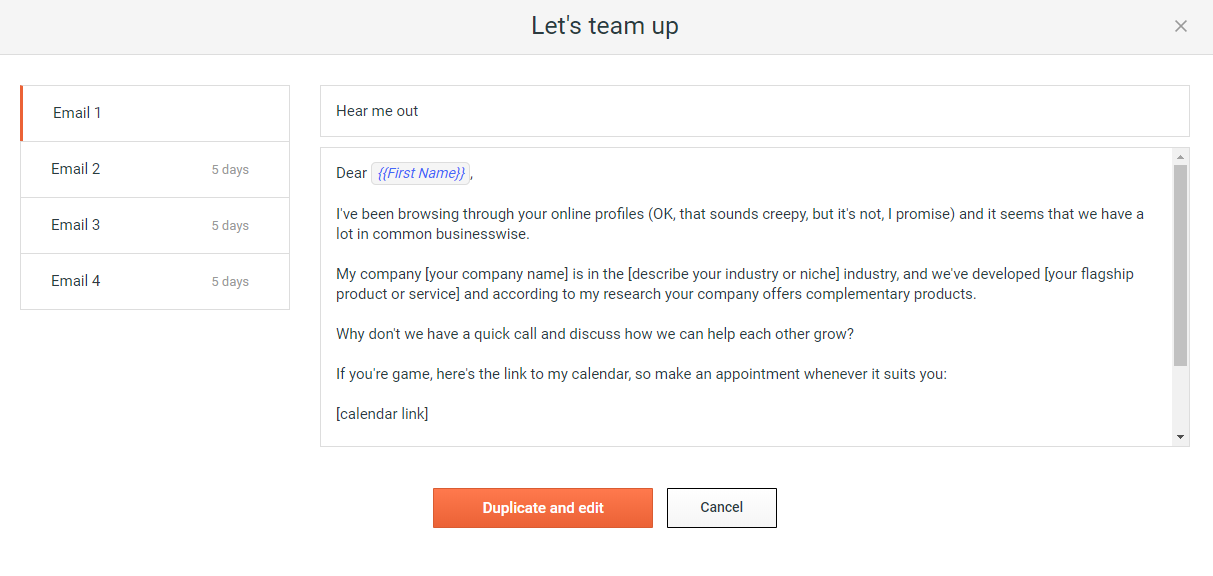
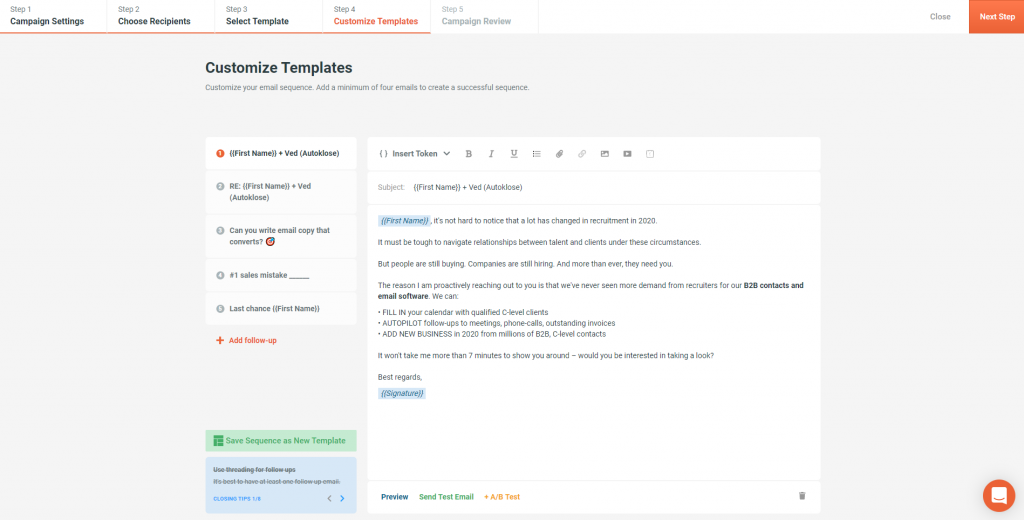
Screenshot of Step 01: Set up your campaignScreenshot of Step 02: Choose your recipientsScreenshot of Step 03: Select the best converting templateScreenshot of Step 04: Customize your e-mail sequence