Bigin by Zoho CRM vs. HubSpot Business Card Scanner

Overview
ProductRatingMost Used ByProduct SummaryStarting Price
Bigin by Zoho CRM
Score 8.7 out of 10
N/A
Bigin by Zoho CRM is a simplified customer relationship management (CRM) software designed specifically for small businesses, startups and teams. Bigin helps small businesses unify customer-facing operations— marketing, sales, onboarding, delivery, and support, and it offers features that help to manage these customer relationships effectively.
$9
per month per user
HubSpot Business Card Scanner
Score 9.0 out of 10
N/A
HubSpot's Business Card Scanner App is a solution to transform business cards into CRM contacts in seconds, so users can spend less time inputting data and more time creating great customer experiences.N/A
Pricing
Bigin by Zoho CRMHubSpot Business Card Scanner
Editions & Modules
Express
$9.00
per month per user
Premier
$15.00
per month
Bigin 360
$21
per month per user
No answers on this topic
Offerings
Pricing Offerings
Bigin by Zoho CRMHubSpot Business Card Scanner
Free Trial
YesNo
Free/Freemium Version
YesYes
Premium Consulting/Integration Services
NoNo
Entry-level Setup FeeNo setup feeNo setup fee
Additional Details20% discount for annual pricing.
More Pricing Information
Community Pulse
Bigin by Zoho CRMHubSpot Business Card Scanner
Features
Bigin by Zoho CRMHubSpot Business Card Scanner
Sales Force Automation
Comparison of Sales Force Automation features of Product A and Product B
Bigin by Zoho CRM
8.2
138 Ratings
5% above category average
HubSpot Business Card Scanner
-
Ratings
Customer data management / contact management8.5125 Ratings00 Ratings
Workflow management8.1131 Ratings00 Ratings
Opportunity management8.4129 Ratings00 Ratings
Integration with email client (e.g., Outlook or Gmail)8.3124 Ratings00 Ratings
Contract management7.681 Ratings00 Ratings
Interaction tracking8.1118 Ratings00 Ratings
Marketing Automation
Comparison of Marketing Automation features of Product A and Product B
Bigin by Zoho CRM
8.1
115 Ratings
4% above category average
HubSpot Business Card Scanner
-
Ratings
Lead management8.3109 Ratings00 Ratings
Email marketing7.8106 Ratings00 Ratings
CRM Project Management
Comparison of CRM Project Management features of Product A and Product B
Bigin by Zoho CRM
8.0
116 Ratings
4% above category average
HubSpot Business Card Scanner
-
Ratings
Task management8.1113 Ratings00 Ratings
Reporting7.990 Ratings00 Ratings
CRM Reporting & Analytics
Comparison of CRM Reporting & Analytics features of Product A and Product B
Bigin by Zoho CRM
8.1
120 Ratings
6% above category average
HubSpot Business Card Scanner
-
Ratings
Pipeline visualization8.4119 Ratings00 Ratings
Customizable reports7.9110 Ratings00 Ratings
Customization
Comparison of Customization features of Product A and Product B
Bigin by Zoho CRM
8.0
125 Ratings
4% above category average
HubSpot Business Card Scanner
-
Ratings
Custom fields8.0125 Ratings00 Ratings
Security
Comparison of Security features of Product A and Product B
Bigin by Zoho CRM
8.8
120 Ratings
5% above category average
HubSpot Business Card Scanner
-
Ratings
Single sign-on capability8.8103 Ratings00 Ratings
Role-based user permissions8.7117 Ratings00 Ratings
Social CRM
Comparison of Social CRM features of Product A and Product B
Bigin by Zoho CRM
7.7
77 Ratings
3% above category average
HubSpot Business Card Scanner
-
Ratings
Social data7.776 Ratings00 Ratings
Social engagement7.773 Ratings00 Ratings
Integrations with 3rd-party Software
Comparison of Integrations with 3rd-party Software features of Product A and Product B
Bigin by Zoho CRM
8.0
95 Ratings
7% above category average
HubSpot Business Card Scanner
-
Ratings
Marketing automation8.095 Ratings00 Ratings
Platform
Comparison of Platform features of Product A and Product B
Bigin by Zoho CRM
8.7
115 Ratings
14% above category average
HubSpot Business Card Scanner
-
Ratings
Mobile access8.7115 Ratings00 Ratings
Best Alternatives
Bigin by Zoho CRMHubSpot Business Card Scanner
Small Businesses
Salesmate
Salesmate
Score 10.0 out of 10

No answers on this topic

Medium-sized Companies
Creatio
Creatio
Score 9.1 out of 10

No answers on this topic

Enterprises
Creatio
Creatio
Score 9.1 out of 10

No answers on this topic

All AlternativesView all alternativesView all alternatives
User Ratings
Bigin by Zoho CRMHubSpot Business Card Scanner
Likelihood to Recommend
9.0
(127 ratings)
8.0
(1 ratings)
Likelihood to Renew
7.7
(6 ratings)
-
(0 ratings)
Usability
8.8
(98 ratings)
-
(0 ratings)
Support Rating
4.2
(9 ratings)
-
(0 ratings)
User Testimonials
Bigin by Zoho CRMHubSpot Business Card Scanner
Likelihood to Recommend
Zoho
- Multiple pipelines let me organize processes like sales, marketing, customer support, and assets clearly. - The forms builder allows me to gather leads, sign-ups, and customer requests from my website directly into the Bigin by Zoho CRM. - Integrations with Zapier and Make connect website orders and data from other sources smoothly. - Email templates make it easy to send professional, branded communications. - Automations handle repetitive tasks like managing customers, orders, and team tasks, saving me time.
Read full review
HubSpot
In case of day to day lead input and lead addition to CRM this is very useful but in case of large-scale data sheet input or import you have to refer to the CRM. But it's a quick and handy tool whenever you are on the go and want to quickly input the details of a lead into your CRM.
Read full review
Pros
Zoho
  • Manage big databases. We have a large database of contacts and partners (more than 5,000 contacts), which are updated day by day, as a result of our participation in conferences, webinars, etc. For this reason, we needed a platform that would allow us to always have our database up to date, and accessible and editable by any member of the company.
  • Pipelines. Pipelines are very necessary in our daily lives, since we present many service proposals to different clients, and until now we control the status very manually. With Bigin by Zoho CRM, we can have all this information centralized in a single place, and know at all times the status of the service proposals we present (sent, pending decision, lost, won...).
  • Product definition. The product definition block has allowed us to further structure our typologies of products and services. At least, it has allowed us to reflect on them and what is the best way to package the service offered.
  • Control panel. The control panel has been very useful for us to be able to quickly see the main indicators (offers presented, next actions to be taken, etc.).
Read full review
HubSpot
  • Card Scanning
  • AI generated Data field capture
  • Lead management
Read full review
Cons
Zoho
  • Limited Customization Options for Reporting and Dashboards:
  • While Bigin offers simple automation tools, setting up more complex workflows can be somewhat challenging. For instance, setting up multi-step workflows or integrating conditional logic can become a bit complicated for users who are not very technical.
Read full review
HubSpot
  • Seperate applications to be there for Android and IOS for only the scanner
  • Data mapping can be improved
  • Email checker can be incorporated
Read full review
Likelihood to Renew
Zoho
Sales Development Representative Account Executivessss sssssssssssssssss ss ssss s ss s ssssss ss s s ss sss sssssss sssss s ssssssss sssss sss sssssssssssssss ss ss sss sssss s ssss sssssss s s s s ssss sss s s ss ss ssss s s sssssss s ssssssssss sssss sss ss eads sd
Read full review
HubSpot
No answers on this topic
Usability
Zoho
The overall usability has been great! From a team that was outright rejecting CRMs to giving Bigin a chance to adopting it - it has been amazing. It is easy to use - easy to train and the support has been great!
Read full review
HubSpot
No answers on this topic
Support Rating
Zoho
The support is all international and it takes a while to get support as you have to go through chats and set up times, not as easy to just call and get the support you need. They are very nice when you do finally connect with someone and they are knowledgeable, just challenging being international sometimes.
Read full review
HubSpot
No answers on this topic
Alternatives Considered
Zoho
Simplicity Without Sacrificing Core Features
Unlike full-scale CRMs that often feel overwhelming, Bigin by Zoho CRM provides a focused set of features that are perfect for managing deals, contacts, and activities. It’s not bloated, and that was exactly what we needed for a lean, fast-moving team.
Read full review
HubSpot
No answers on this topic
Return on Investment
Zoho
  • Zero deals closed yet – earliest expected close is +6 weeks away.
  • No marketing-source conversion data – will need 2-3 months of traffic to quote real CAC or ROMI
  • No paid automation – manual follow-ups still dominate, so time-saving metrics are anecdotal, not measured.
Read full review
HubSpot
  • Improves on the go lead management
  • Reduces time of data entry
  • Improves flexibilty of lead addition
Read full review
ScreenShots

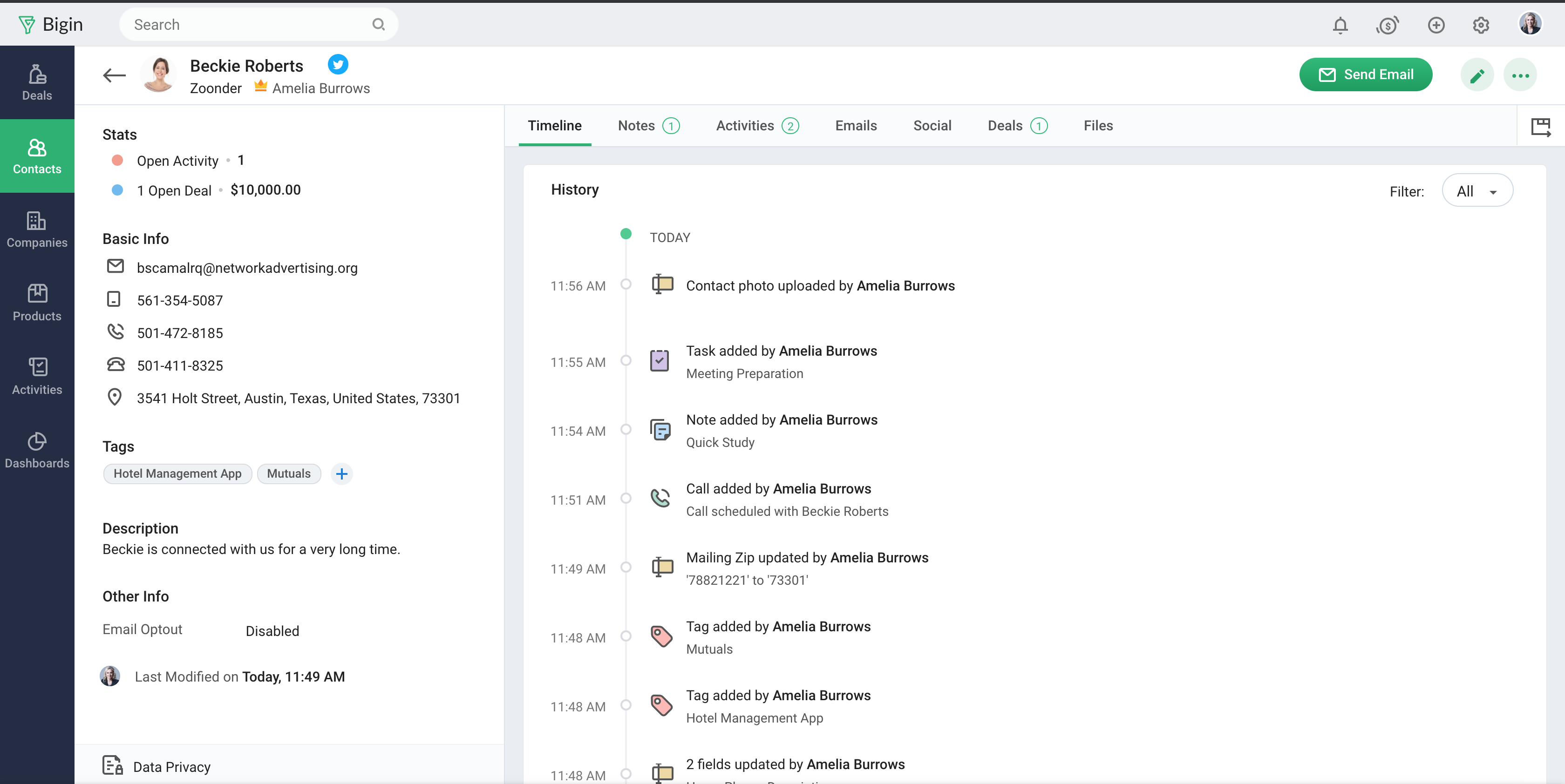
Bigin by Zoho CRM Screenshots

Screenshot of Screenshot of Screenshot of Screenshot of