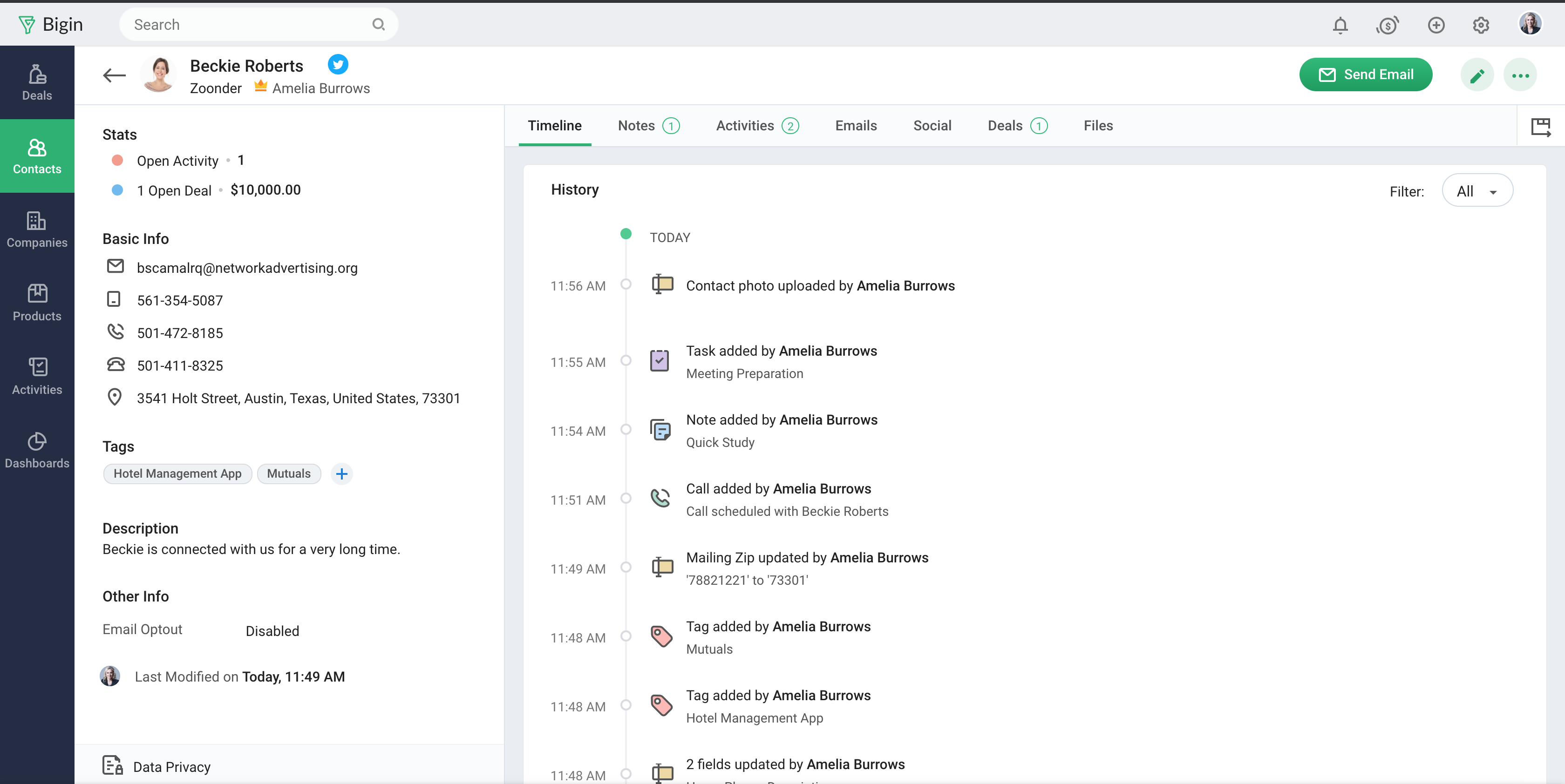
Bigin by Zoho CRM is a simplified customer relationship management (CRM) software designed specifically for small businesses, startups and teams. Bigin helps small businesses unify customer-facing operations— marketing, sales, onboarding, delivery, and support, and it offers features that help to manage these customer relationships effectively.
$9
per month per user
SalesOutlook
Score 7.3 out of 10
N/A
N/A
N/A
Pricing
Bigin by Zoho CRM
SalesOutlook CRM
Editions & Modules
Express
$9.00
per month per user
Premier
$15.00
per month
Bigin 360
$21
per month per user
No answers on this topic
Offerings
Pricing Offerings
Bigin by Zoho CRM
SalesOutlook
Free Trial
Yes
No
Free/Freemium Version
Yes
No
Premium Consulting/Integration Services
No
No
Entry-level Setup Fee
No setup fee
No setup fee
Additional Details
20% discount for annual pricing.
—
More Pricing Information
Community Pulse
Bigin by Zoho CRM
SalesOutlook CRM
Features
Bigin by Zoho CRM
SalesOutlook CRM
Sales Force Automation
Comparison of Sales Force Automation features of Product A and Product B
Bigin by Zoho CRM
8.2
128 Ratings
5% above category average
SalesOutlook CRM
8.6
3 Ratings
10% above category average
Customer data management / contact management
8.7117 Ratings
10.03 Ratings
Workflow management
8.1121 Ratings
9.02 Ratings
Opportunity management
8.3120 Ratings
9.02 Ratings
Integration with email client (e.g., Outlook or Gmail)
8.4114 Ratings
9.23 Ratings
Contract management
7.571 Ratings
7.63 Ratings
Interaction tracking
8.0108 Ratings
7.43 Ratings
Territory management
00 Ratings
8.83 Ratings
Quote & order management
00 Ratings
7.63 Ratings
Channel / partner relationship management
00 Ratings
9.03 Ratings
Marketing Automation
Comparison of Marketing Automation features of Product A and Product B
Bigin by Zoho CRM
8.0
105 Ratings
4% above category average
SalesOutlook CRM
7.0
2 Ratings
10% below category average
Lead management
8.3101 Ratings
7.02 Ratings
Email marketing
7.896 Ratings
7.02 Ratings
CRM Project Management
Comparison of CRM Project Management features of Product A and Product B
Bigin by Zoho CRM
8.0
106 Ratings
4% above category average
SalesOutlook CRM
7.3
3 Ratings
5% below category average
Task management
8.1103 Ratings
7.63 Ratings
Reporting
7.880 Ratings
7.01 Ratings
Billing and invoicing management
00 Ratings
7.42 Ratings
CRM Reporting & Analytics
Comparison of CRM Reporting & Analytics features of Product A and Product B
Bigin by Zoho CRM
8.1
110 Ratings
6% above category average
SalesOutlook CRM
7.3
2 Ratings
4% below category average
Pipeline visualization
8.4110 Ratings
7.01 Ratings
Customizable reports
7.8100 Ratings
7.62 Ratings
Forecasting
00 Ratings
7.22 Ratings
Customization
Comparison of Customization features of Product A and Product B
Bigin by Zoho CRM
8.1
115 Ratings
6% above category average
SalesOutlook CRM
7.0
1 Ratings
9% below category average
Custom fields
8.1115 Ratings
7.01 Ratings
Custom objects
00 Ratings
7.01 Ratings
Scripting environment
00 Ratings
7.01 Ratings
API for custom integration
00 Ratings
7.01 Ratings
Security
Comparison of Security features of Product A and Product B
Bigin by Zoho CRM
8.7
110 Ratings
4% above category average
SalesOutlook CRM
9.0
1 Ratings
7% above category average
Single sign-on capability
8.894 Ratings
10.01 Ratings
Role-based user permissions
8.6107 Ratings
8.01 Ratings
Social CRM
Comparison of Social CRM features of Product A and Product B
Bigin by Zoho CRM
7.6
68 Ratings
3% above category average
SalesOutlook CRM
7.3
2 Ratings
2% below category average
Social data
7.667 Ratings
7.22 Ratings
Social engagement
7.764 Ratings
7.42 Ratings
Integrations with 3rd-party Software
Comparison of Integrations with 3rd-party Software features of Product A and Product B
Bigin by Zoho CRM
8.0
86 Ratings
7% above category average
SalesOutlook CRM
7.5
2 Ratings
1% above category average
Marketing automation
8.086 Ratings
8.02 Ratings
Compensation management
00 Ratings
7.01 Ratings
Platform
Comparison of Platform features of Product A and Product B
Bigin by Zoho CRM
8.6
107 Ratings
13% above category average
SalesOutlook CRM
8.0
1 Ratings
6% above category average
Mobile access
8.6107 Ratings
8.01 Ratings
Customer Service & Support
Comparison of Customer Service & Support features of Product A and Product B
- Multiple pipelines let me organize processes like sales, marketing, customer support, and assets clearly. - The forms builder allows me to gather leads, sign-ups, and customer requests from my website directly into the Bigin by Zoho CRM. - Integrations with Zapier and Make connect website orders and data from other sources smoothly. - Email templates make it easy to send professional, branded communications. - Automations handle repetitive tasks like managing customers, orders, and team tasks, saving me time.
We were using [SalesOutlook CRM] for a seamless experience when it comes to managing clients and their databases in a uniform way. I personally think this tool is a bit hard to learn & is most recommended to someone with prior experience with using Microsoft products.
Manage big databases. We have a large database of contacts and partners (more than 5,000 contacts), which are updated day by day, as a result of our participation in conferences, webinars, etc. For this reason, we needed a platform that would allow us to always have our database up to date, and accessible and editable by any member of the company.
Pipelines. Pipelines are very necessary in our daily lives, since we present many service proposals to different clients, and until now we control the status very manually. With Bigin by Zoho CRM, we can have all this information centralized in a single place, and know at all times the status of the service proposals we present (sent, pending decision, lost, won...).
Product definition. The product definition block has allowed us to further structure our typologies of products and services. At least, it has allowed us to reflect on them and what is the best way to package the service offered.
Control panel. The control panel has been very useful for us to be able to quickly see the main indicators (offers presented, next actions to be taken, etc.).
No multi-select bulk move in pipeline After a webinar we had 42 cold leads that qualified → wanted to drag them all to “Interested” in one go. You can’t; moved them one-by-one like playing Solitaire.
Workflows hidden behind pay-wall We needed an auto-survey when deal = “Won”. Works in trial, the day licence dropped back to free the rule simply stopped – zero warning.
Offline mobile = read-onlyMentor met founder in co-working basement (no Wi-Fi). Took paper notes, re-typed into Bigin back at office → duplicate risk.
Pick-list values can’t be deactivated, only deletedWe miss-typed “Refferal” instead of “Referral”. To fix, must delete; history of 60 old records then shows empty source.
Sales Development Representative Account Executivessss sssssssssssssssss ss ssss s ss s ssssss ss s s ss sss sssssss sssss s ssssssss sssss sss sssssssssssssss ss ss sss sssss s ssss sssssss s s s s ssss sss s s ss ss ssss s s sssssss s ssssssssss sssss sss ss eads sd
Bigin has really helped us with selling our monitoring services to our customers, which is primarily farmers in the UK. We often need to talk to customers before, during and after a sale, and Bigin helps us keep our contacts and leads organised as we track all these interactions. We recommend it very strongly
The tool lives up to its expectation and completely ticks all the required boxes. Starting from its intuitive features to the post-sales support everything is on point and this makes the end-user experience more hassle free.
The support is all international and it takes a while to get support as you have to go through chats and set up times, not as easy to just call and get the support you need. They are very nice when you do finally connect with someone and they are knowledgeable, just challenging being international sometimes.
Simplicity Without Sacrificing Core Features Unlike full-scale CRMs that often feel overwhelming, Bigin by Zoho CRM provides a focused set of features that are perfect for managing deals, contacts, and activities. It’s not bloated, and that was exactly what we needed for a lean, fast-moving team.
I have never used a similar product to this. So far my experience with this product is pretty good. I would recommend it to colleagues and other businesses