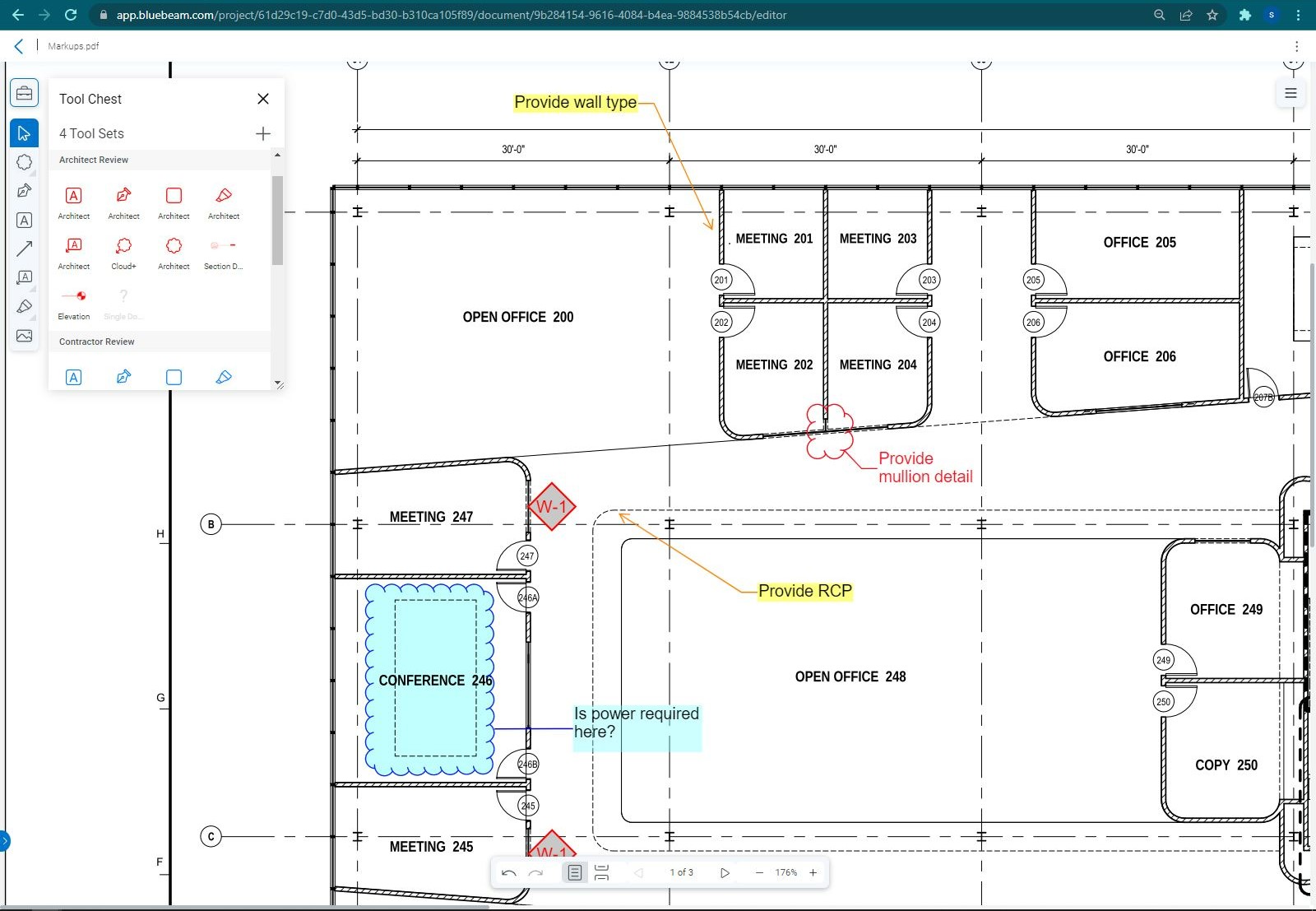
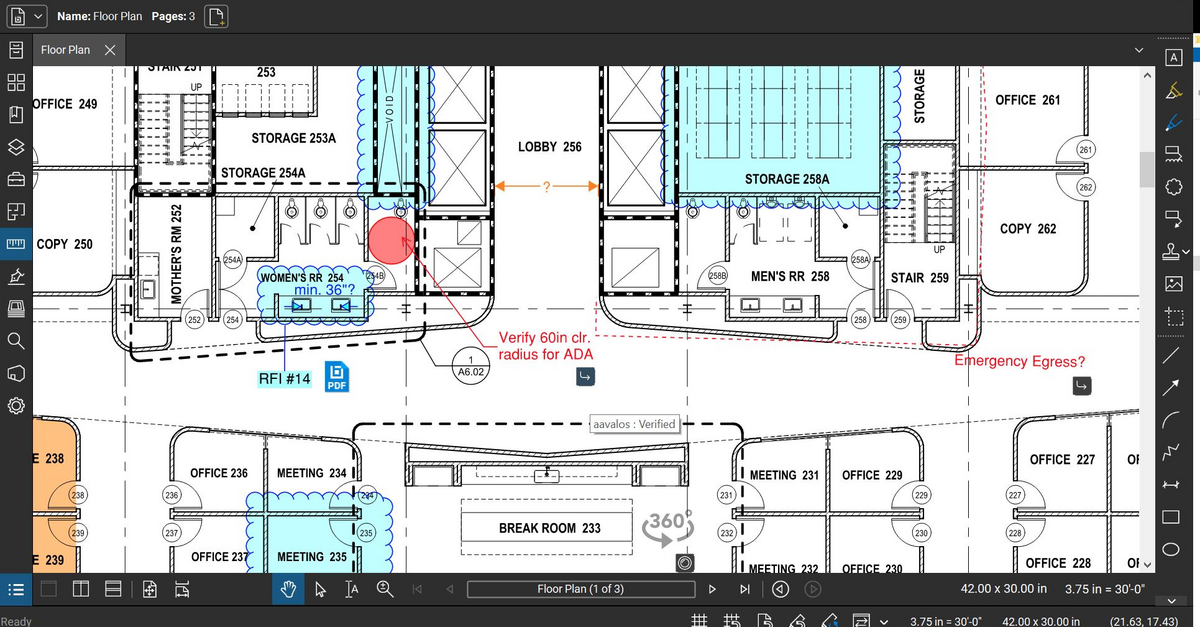
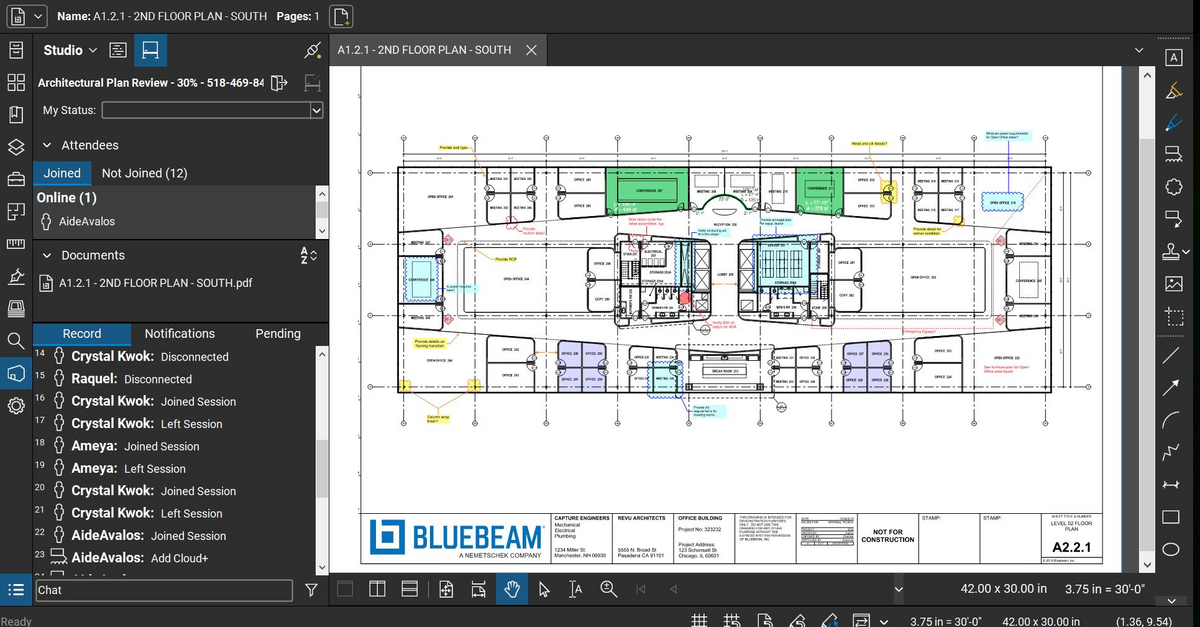
Bluebeam Revu is a PDF management, control, and editing tool. It enables collaboration and markup within shared documents across projects’ life cycles and has takeoff and bid creation capabilities.
$260
per year per user
Contractor Foreman
Score8.4 out of 10
N/A
Contractor Foreman is an online construction management software for contractors and boasts users among contractors in more than 75 countries.
$588
per year
Pricing
Bluebeam
Contractor Foreman
Editions & Modules
Basics
$260
per year per user
Core
$330
per year per user
Complete
$440
per year per user
Max
$590
per year per user
Basic
$588
per year
Standard
$948
per year
Plus
$1,497
per year
Pro
$1,990
per year
Unlimited
$2,988
per year
Offerings
Pricing Offerings
Bluebeam
Contractor Foreman
Free Trial
Yes
Yes
Free/Freemium Version
No
No
Premium Consulting/Integration Services
Yes
No
Entry-level Setup Fee
No setup fee
No setup fee
Additional Details
—
Plans are based on features and licenses needed. Plus, Pro, and Unlimited plans include a 100-day money back guarantee.
A de minimis incentive was given to thank the reviewer for their time. The incentive was not used to bias or drive a particular response, nor was the incentive contingent on a positive endorsement. More Info
A de minimis incentive was given to thank the reviewer for their time. The incentive was not used to bias or drive a particular response, nor was the incentive contingent on a positive endorsement. More Info
CEO (Chief Executive Officer) in Corporate at Miscellaneous Enterprises Etcetera, LLC (Construction, 1-10 employees)
Chose Contractor Foreman
Of all the myriad different systems I have used over the last 20 years, Contractor Foreman seems to not only be better, but more serious and dedicated to continuous improvements to their platform. THAT will make for the best app, not just today but every year it continues this …
A de minimis incentive was given to thank the reviewer for their time. The incentive was not used to bias or drive a particular response, nor was the incentive contingent on a positive endorsement. More Info
The program is great for editing construction drawings, stamping/approving official documents and overlaying revised documents to see design changes. You can use it as an estimating takeoff tool, estimating database, document control, cloud document storage, the list goes on! Bluebeam poses many applications for the user to utilize for the desired needs. There may be some other software that has one specific function that can perform the specific task better, but Bluebeam is a holistic program with many tools for use.
A de minimis incentive was given to thank the reviewer for their time. The incentive was not used to bias or drive a particular response, nor was the incentive contingent on a positive endorsement. More Info
As the name suggests, Contractor Foreman is GREAT for general contractors. However, being a consultant, I feel as though if upper management within the company I serve were more tech-savvy, they could accomplish much of the same tasks on other platforms that could give more advanced metrics. I also feel that the platform may feel outdated on purpose to ensure that those general contractors who aren't as tech savvy can understand the platform more.
A de minimis incentive was given to thank the reviewer for their time. The incentive was not used to bias or drive a particular response, nor was the incentive contingent on a positive endorsement. More Info
Once you set Bluebeam Revu as your default PDF handler, it launches immediately when clicking a PDF to open. The speed with which it opens documents is impressive.
Creating PDF's out of other documents, such as Word, Excel, JPG's, etc. is simple.
Digitally signing documents is a simple, secure process. You can keep your signature password-protected, yet still access it quickly.
The Bluebeam Revu mobile application ( I use the iOS version on an iPad Pro), is awesome. Not only does it handle PDF's like you would expect it to, it allows for effortless digital signing of documents on the fly. Nice to be able to quickly sign a document and email right back out from the tablet no matter where I am.
A de minimis incentive was given to thank the reviewer for their time. The incentive was not used to bias or drive a particular response, nor was the incentive contingent on a positive endorsement. More Info
If you have several tabs open and you try to drag one out for a side by side view then you do not have all the modification options and you have to combine them back together.
There is a lag time when hitting the print option.
There is also a lag time when opening files, sometimes I think the window is frozen.
I wish the basic version also had basic file editing, as in editing a document as Adobe does.
A de minimis incentive was given to thank the reviewer for their time. The incentive was not used to bias or drive a particular response, nor was the incentive contingent on a positive endorsement. More Info
Timecards in rural areas are really difficult to handle. I know CF just released an offline timecard beta, which is a step in the right direction, but it would be nice to have offline data in the app and to have all timecards be offline until clockout, when they try to sync back to the server. The current beta doesn't work for us because it creates multiple timecards when the guys are in and out of signal.
Bluebeam is a powerful PDF viewer and mark-up tool. We are more familiar with it than Adobe Acrobat Pro or other viewers, and it has more features geared towards construction document managers than Acrobat Pro does.
A de minimis incentive was given to thank the reviewer for their time. The incentive was not used to bias or drive a particular response, nor was the incentive contingent on a positive endorsement. More Info
We have compiled so much information on CF it would be counterproductive to move to another software. We have also sold a lot of clients on the client portal feature. It is crucial for our communication between customers. The only reason we wouldn't renew the service is if somewhere offered the exact same service but at a lower cost
A de minimis incentive was given to thank the reviewer for their time. The incentive was not used to bias or drive a particular response, nor was the incentive contingent on a positive endorsement. More Info
I'm constantly finding that Bluebeam Revu does more than I knew it could. And when I find something that it can't do, I've found that Bluebeam truly listens to its user base and will work to incorporate any good suggestion when feasible.
A de minimis incentive was given to thank the reviewer for their time. The incentive was not used to bias or drive a particular response, nor was the incentive contingent on a positive endorsement. More Info
Overall, Contractor Foreman is a great product, and I’m sure we’ve only scratched the surface of everything it has to offer. It can be a little quirky at times, occasionally displaying a 'Bad Gateway' message, but we haven’t experienced any timeout issues in the past few months. As we continue to use it, I’m confident we’ll uncover even more ways to streamline our workflow
A de minimis incentive was given to thank the reviewer for their time. The incentive was not used to bias or drive a particular response, nor was the incentive contingent on a positive endorsement. More Info
A de minimis incentive was given to thank the reviewer for their time. The incentive was not used to bias or drive a particular response, nor was the incentive contingent on a positive endorsement. More Info
Many times we had issues that turned out to be errors and bugs. At first, we would be told forcefully that there were no bugs, then we would document them, and we would get an acknowledgement but no apology for essentially either gaslighting us or being ignorant of their system
A de minimis incentive was given to thank the reviewer for their time. The incentive was not used to bias or drive a particular response, nor was the incentive contingent on a positive endorsement. More Info
Its hard for me to give a rating on this one as we rarely have to use the support feature for Bluebeam. However, when we have used it, they have been ultra supportive in helping us get exactly what we needed. I know another engineer was trying to figure out a feature and the rep gave a detailed tutorial on how to complete the task
A de minimis incentive was given to thank the reviewer for their time. The incentive was not used to bias or drive a particular response, nor was the incentive contingent on a positive endorsement. More Info
Absolutely top notch! They were always there to help and immediately. Very happy with the communication they provided and the knowledge they had of their product. I would venture to say that they are one of the best in terms of support in their space.
A de minimis incentive was given to thank the reviewer for their time. The incentive was not used to bias or drive a particular response, nor was the incentive contingent on a positive endorsement. More Info
A de minimis incentive was given to thank the reviewer for their time. The incentive was not used to bias or drive a particular response, nor was the incentive contingent on a positive endorsement. More Info
We feel there is not another program out there that would compare to Bluebeam at this current time. Some of the other programs out there do not include studio or the overlaying process which is one of our main uses. The ease of hyperlinking makes this product stand out the most.
A de minimis incentive was given to thank the reviewer for their time. The incentive was not used to bias or drive a particular response, nor was the incentive contingent on a positive endorsement. More Info
Contractor Foreman’s pricing is much more cost-effective for small to mid-sized construction businesses, making it a better fit for my company’s budget. It offers an intuitive interface with pre-built construction templates, minimizing setup time and making it easier at least for my team to adopt and start using. The platform’s focus on project tracking, financial management, and nice integrations that makes it highly efficient for tracking project progress, staying on budget, and managing subcontractors/bills. These factors combined made it the ideal choice for meeting my company's specific needs efficiently and cost-effectively.
A de minimis incentive was given to thank the reviewer for their time. The incentive was not used to bias or drive a particular response, nor was the incentive contingent on a positive endorsement. More Info
A de minimis incentive was given to thank the reviewer for their time. The incentive was not used to bias or drive a particular response, nor was the incentive contingent on a positive endorsement. More Info
A major positive aspect is being able to take your computer home without taking the entire set of paper drawings. They have made it so easy to navigate a set of drawings that I can work at home using only the digital drawings.
Collaboration with owners and architects has been a great feature. Setting up a Bluebeam studio and having everyone get in and mark things up, then having the architect be able to go in and see what markups have been added, has made the constructability review process much much better.
Even when not working on drawings, Bluebeam is a very good tool for working with standard PDF documents. The markup tools are very easy to use.
The negative aspect is the takeoff function because some people would like estimators to use the Bluebeam takeoff because it would make their job easier down the road; however, the actual act of doing a full scale takeoff in Bluebeam would require much more time.
A de minimis incentive was given to thank the reviewer for their time. The incentive was not used to bias or drive a particular response, nor was the incentive contingent on a positive endorsement. More Info
Prior to using Contractor Foreman we had to wait until the end to capture all change orders in one summary. Now, with the client portal, we can capture in real time and the client has visibility.
We have been trying to reduce administration time in tracking field expenses and with Contractor Foreman our field crew can uplaod reciepts and track expenses right from their mobile phones.
Punchlist - the punch list and To Do features are so robust we have drastically improved getting punchlists and small tasks completed in single trips without the wasted time and travel of multiple trips due to missed/forgotten items.
A de minimis incentive was given to thank the reviewer for their time. The incentive was not used to bias or drive a particular response, nor was the incentive contingent on a positive endorsement. More Info