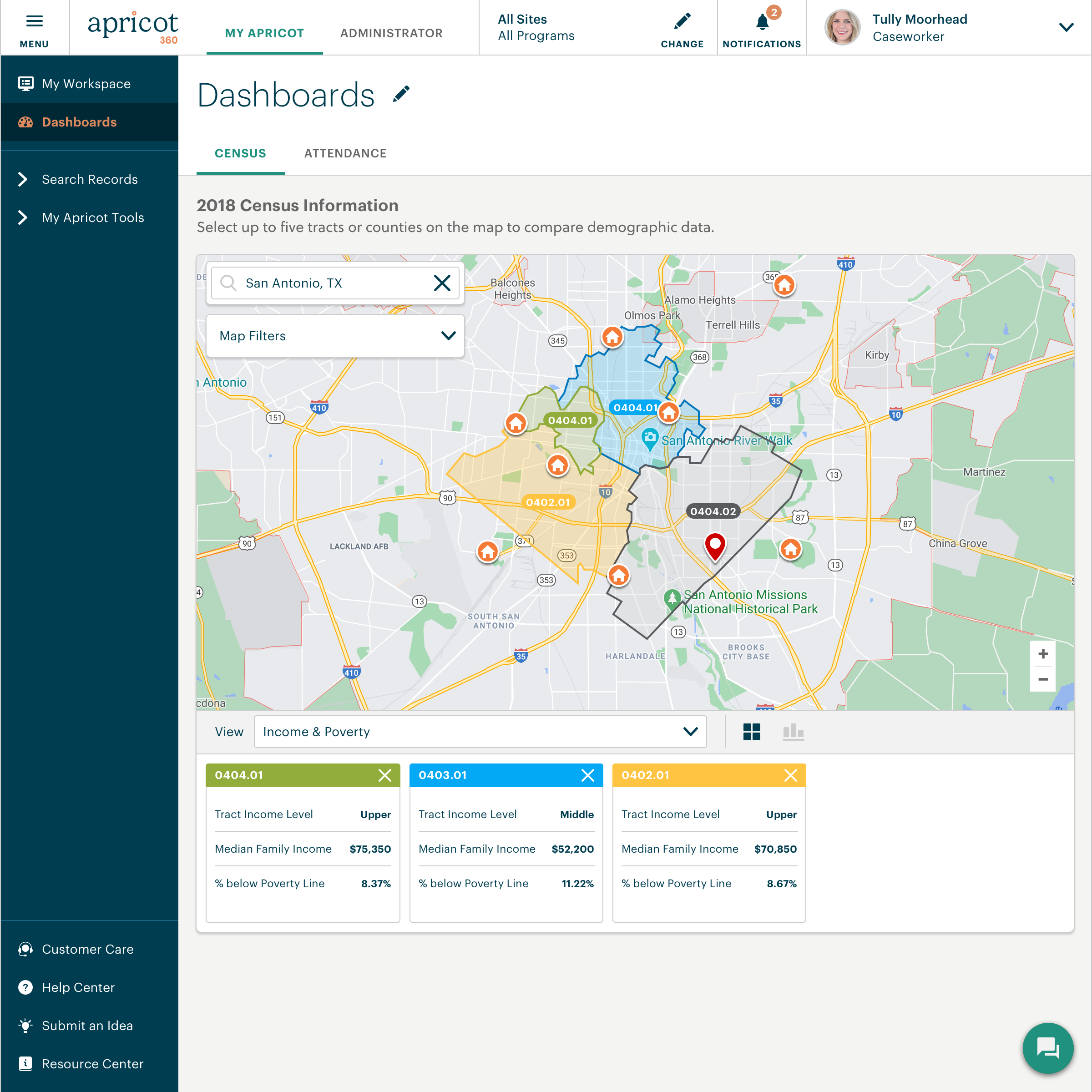
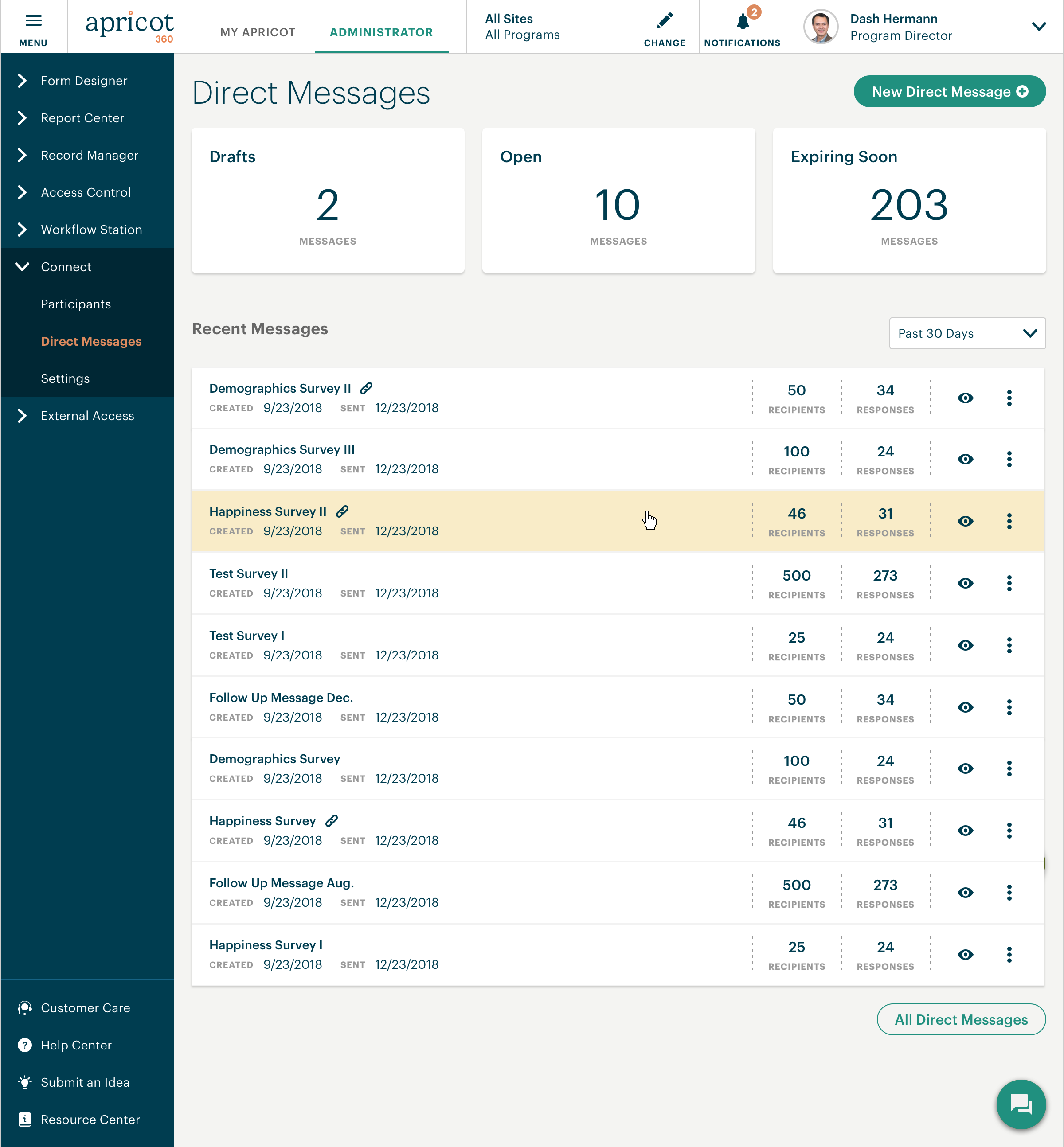
Bonterra Apricot is a cloud-based solution for nonprofits of all sizes. It's designed to bring data to the forefront in order to bolster a nonprofit organization’s impact. Apricot helps organizations to save time and resources because the tool makes managing data more efficient, so that users increase the time spent delivering the mission. Apricot offers configurable forms and fields so organizations can customize their experience to their clients and mission. It allows…
N/A
PowerSchool Unified Classroom Special Programs
Score 8.0 out of 10
N/A
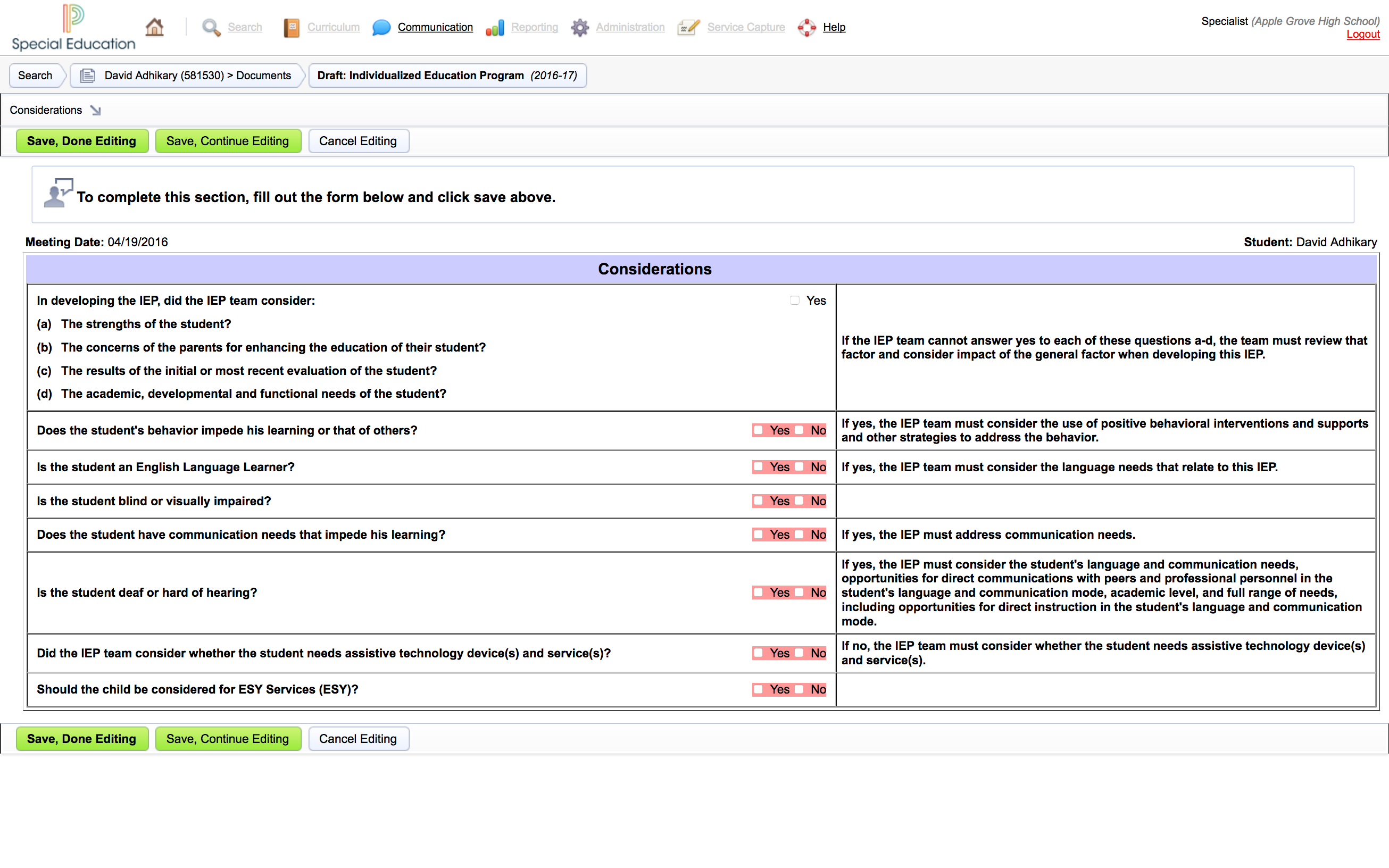
PowerSchool Unified Classroom Special Programs (Special Education) covers all areas of education including 504 processes, services capture for Medicaid billing, special education case management, gifted and talented, English language learners, and Response to Intervention (RTI). It is a comprehensive system that combines case management with tracking clinical services to ensure the delivery of IEPs and alignment of IEPs to state and local goals. The system is designed to support districts in…
N/A
Pricing
Bonterra Apricot
PowerSchool Unified Classroom Special Programs
Editions & Modules
No answers on this topic
No answers on this topic
Offerings
Pricing Offerings
Bonterra Apricot
PowerSchool Unified Classroom Special Programs
Free Trial
Yes
No
Free/Freemium Version
No
No
Premium Consulting/Integration Services
Yes
No
Entry-level Setup Fee
Required
No setup fee
Additional Details
Pricing for Bonterra Case Management is driven by individual usage and needs of the nonprofit.
Organizations aren't one-size fits all, so neither is Bonterra's pricing.
Secure case note documentation: It is well-suited for organizations like the NAMI Living Room that need a secure, reliable system for storing sensitive client information and maintaining confidentiality. Also, it allows for continuity of care as staff can easily access past notes and track progress.
PowerSchool Special Education is well suited in one specific area: special education in elementary, middle and high schools. It works here due to the nature of the platform, which focuses on meeting the needs of students with all disabilities. The software offers information on specific cases, students, as well as Academics. This supports the mission of supporting all students and making it easier for educators, parents, and administration to be more heavily involved in tracking, monitoring and supporting students. When using PowerSchool Special Education, it simplifies the IEP process. Collaboration is one of the best abilities the software provides. There is a need to track program eligibility, including 501 accommodations and Title 1, and in a school with such a large population, the functionality that this software offers to users is important.
It provides all the documents necessary for supporting federal and state laws in regards to the special education program.
Extremely effective in helping to meet reporting standards for students. Teachers that fall behind on deadlines or timelines are given reminders and provided with processes to monitor progress and reporting.
Case management is easy, which leads to 100% compliance. This is important because the best strength is that this platform helps to increase funding by meeting all requirements of the Fed and State.
An additional strength is the collaborative potential it offers. The platform offers student portals to let staff access all resources on demand.
The Connect feature is poor. We were hoping to use it to send resources to families geographically, but the system does not have that function to filter at this time. A way to filter the people you want to message without having to do it manually is needed
Apricot can run very slow in general and I have to hit the refresh button multiple times
In terms of improvement, the interface is extremely ugly and simple in design, color and icon design. The platform needs to have a much more interactive and appealing interface so that use is more comfortable.
For parents, their side of the platform has a lot of options. That needs to be simplified. I think less and more drop downs within the key menus would help.
The disability codes are very lengthy. Perhaps there are easier or faster ways to access subsections to select.
I went to the Summit a few weeks ago to learn about the future expansion and vision of Social Solutions. I already been with Apricot for 5 years and researched other products I still come back to Apricot and where it can grow with us.
Without any formal IT education, I was able to utilize their articles and videos to teach myself how to configure and customize the software to our organization (although I do recommend their Apricot Admin training to polish your skills). The majority of users are able to adapt immediately with minimal training.Staff that have challenges with technology in general do adapt to using the system once you can create buy in and engagement (although it does take time and training)
This is a difficult question to answer because when I hear the word "support" I think of this in multiple levels. The customer service on the front end, with my account manager is pretty good. There was a time for about a year and a half where I didn't even want to get to know this persons name because they wouldn't be there there long enough for me to get to know them. For the past 8-9 months we've had the same account manager, and this is helpful as a way to grow our trust in Apricot social solutions as well as the account manager understanding the needs of our organization. The technical support is also fine. The issues we most have problems with is how the technical support is calculated and the lack of roll-over of technical support time. If our account has 1 hour of technical support per month, but we don't need any technical support for 4 months, it would be great to have the ability to use those 4 hours (as time allows per the IT calendar) when we need them, even if it falls within one month. We've also had instances of working with IT persons who didn't seem to care at all about our issues, and seemed eager to put our call behind them and get onto the next without much thought as to why we were calling them in the first place. We've also had instances where the IT person didn't seem to really be listening to what it is we needed, and was heck bent on what they THOUGHT we needed rather than listening to what we actually did need. While we also have had experiences of working with IT persons who were absolutely great at working through issues. They were patient and understanding and would explain why a solution (c)would or (c)would not work. We even worked through those options in real time if they were unsure whether a data solution would work or not. That was great because we felt heard.
There need to be specialists who know how to best work with an organization developing a new program, not just transferring existing forms to a digital format.
We also use a state database called ETO that tracks case notes for our families, but doesn't give us the ability to analyze things like gross annual income growth for our families during their time in the program, # of housing applications completed, etc. It is solely used to track case notes regarding case management meeting content. Apricot allows us to generate statistics we can use to source funding and prove our efficiency as an organization as we continue to market our coaching model. ETO does not have this benefit.
There is no other software on the market that is specifically focused on improving the support of special education programs. PowerSchool Special Education system has a similar interface and structure that Moodle Rooms offer; however, Moodle Rooms is for content management and student management. PowerSchool Special Education is not related to course curriculum management, it is primarily focused on special education programs. Managing special education programs can be very difficult and stressful. It is impossible to successfully comply and healthily support a special education program without tools such as PowerSchool Special Education. Even more important than what other software does do for schools and educators, this platform makes it more convenient for families. Electronic forms and parent portals make processes easier.
There is also a positive impact on ROI for the school. Utilizing this software provides the school with the ability to increase the potential it receives in Title 1 funding. Title 1 funding is a major source of funding for inner-city schools in particular.
Normally, the IEP and tracking process is lengthy, filled with paper, and often takes more time than necessary. Utilizing this software speeds up the process and provides clear requirements to be met, which reduces the number of questions and confusing meetings or papers left in teacher mailboxes.
I have not experienced a negative return on investment with the software, because, without it, the paper trail would be too lengthy and the process would be much more convoluted, with long meetings, long sheets of paperwork, and missed deadlines due to a lack of clear collaboration.