Chose D2L Brightspace
In my opinion, D2L Brightspace is inferior to CANVAS and Blackboard. I didn't choose it. It was selected by my employer.

| Product | Rating | Most Used By | Product Summary | Starting Price |
|---|---|---|---|---|
 D2L Brightspace | N/A | Brightspace is an academic and corporate learning management platform. It provides core e-learning features, as well as mobile accessibility and granular personalization and analytics insights. | N/A | |
 Canvas | N/A | Instructure is an educational software company based in Sandy, Utah. It is the developer of the Canvas learning management system, which is a comprehensive software package that competes with such systems as Blackboard Learning System, SumTotal and Saba. | N/A | |
 Docebo Learning Platform | Enterprise companies (1,001+ employees) | Docebo is a SAAS/Cloud platform for e-learning, also known as a learning management system. Docebo is available in 30 languages. While the primary users of Docebo are midsized companies, it is also assessable for large companies and SMEs. | N/A |
| D2L Brightspace | Canvas | Docebo Learning Platform | ||||||||||||||||||||||
|---|---|---|---|---|---|---|---|---|---|---|---|---|---|---|---|---|---|---|---|---|---|---|---|---|
| Editions & Modules | No answers on this topic | No answers on this topic | No answers on this topic | |||||||||||||||||||||
| Offerings |
| |||||||||||||||||||||||
| Entry-level Setup Fee | No setup fee | No setup fee | Optional | |||||||||||||||||||||
| Additional Details | Must contact vendor for pricing information. 30-day free trial is available. | Must contact vendor for pricing information. | — | |||||||||||||||||||||
| More Pricing Information | ||||||||||||||||||||||||
| D2L Brightspace | Canvas | Docebo Learning Platform | |
|---|---|---|---|
| Considered Multiple Products |  D2L Brightspace |  Canvas  Ryan Seilhamer Instructional Designer / Mobile Product Manager Chose Canvas Blackboard and Desire2Learn offer good products, but are almost too large and not as intuitive to implement, learn, and support. Canvas offers a simpler product that is just as powerful.  Neil Gomes Vice President for Technology Innovation and Consumer Experience Chose Canvas Canvas does not compare well against Corporate Learning LMSs like HealthStream and Absorb Anywhere LMS, but it does well against Blackboard, WebCT (no longer around), Desire2Learn, etc. It also does well against MOODLE, but MOODLE is very versatile - can be used as a corporate …  Christopher Sweets Manager, Systems Administration Chose Canvas Canvas's ease of use and ease of administration were huge deciding factors in the decision to use Canvas as our preferred LMS. We found that on average Canvas took 1/3 the clicks to accomplish the same tasks as Blackboard, and the structure of data in Canvas is far superior to …  Jason Hill Manager of Academic Enterprise Systems Chose Canvas Canvas was the very first cloud-based Learning Management System. This was one of the key factors in our selection of Canvas. Canvas’s open platform and out-of-the-box ability to integrate with 3rd party vendors was also critical to its success on our campus.  Raphael Molina Co Chairman - Digital Education Committee Chose Canvas We discontinued using Blackboard. Canvas is easier to use and has better pricing.  Royce Kimmons Assistant Professor Chose Canvas Canvas provides a nice blend of intuitive, simple interfaces with strong functionality. Other products will often try to do too much and become bloated (e.g., BB) or are not mature enough to provide reliable functionality in key areas without extensive support (e.g., Moodle). …  Kris Bickell Director of Online Learning Chose Canvas We felt that Canvas had the most modern interface, was the simplest to use, offered the best support, and offered the most features. The others products are all very good, but for our needs Canvas offered the most value for an institution our size and with our set of needs.  Virginia Jones, Ph.D. Executive Director of Adult Education, Online Learning, and Learning Architecture Chose Canvas I have evaluated Blackboard, Desire to Learn, Moodle, and Canvas. I felt that Canvas provides the best overall experience for all users with its ease of use, ease of learning the new system, and customer support.  Michael Smith Professor Chose Canvas I have used many other Learning Management Systems as an online instructor, including Angel, Blackboard, Desire2Learn, and Moodle, but Canvas is by far the most faculty-friendly and student-focused. With an array of technology tools available to incorporate for stronger and … |  Docebo Learning Platform No answer on this topic |
| D2L Brightspace | Canvas | Docebo Learning Platform | |||||||||||||||||||||||||||||||||||||||||||||||||||||||
|---|---|---|---|---|---|---|---|---|---|---|---|---|---|---|---|---|---|---|---|---|---|---|---|---|---|---|---|---|---|---|---|---|---|---|---|---|---|---|---|---|---|---|---|---|---|---|---|---|---|---|---|---|---|---|---|---|---|
| Learning Management |
|
| D2L Brightspace | Canvas | Docebo Learning Platform | |
|---|---|---|---|
| Small Businesses |  iSpring LMS Score 9.5 out of 10 | iSpring LMS Score 9.5 out of 10 | iSpring LMS Score 9.5 out of 10 |
| Medium-sized Companies |  Schoology Learning Score 8.0 out of 10 | Schoology Learning Score 8.0 out of 10 | iSpring LMS Score 9.5 out of 10 |
| Enterprises | Schoology Learning Score 8.0 out of 10 | Schoology Learning Score 8.0 out of 10 |  Axonify Score 10.0 out of 10 |
| All Alternatives | View all alternatives | View all alternatives | View all alternatives |
| D2L Brightspace | Canvas | Docebo Learning Platform | |
|---|---|---|---|
| Likelihood to Recommend | 6.9 (46 ratings) | 9.4 (83 ratings) | 6.5 (14 ratings) |
| Likelihood to Renew | 9.0 (25 ratings) | 9.3 (5 ratings) | - (0 ratings) |
| Usability | 7.0 (12 ratings) | 10.0 (9 ratings) | 7.7 (6 ratings) |
| Availability | 9.0 (1 ratings) | - (0 ratings) | - (0 ratings) |
| Performance | 9.0 (2 ratings) | - (0 ratings) | - (0 ratings) |
| Support Rating | 10.0 (6 ratings) | 9.0 (11 ratings) | 1.9 (2 ratings) |
| In-Person Training | - (0 ratings) | 10.0 (1 ratings) | - (0 ratings) |
| Online Training | 4.0 (2 ratings) | 8.0 (1 ratings) | - (0 ratings) |
| Implementation Rating | 1.6 (3 ratings) | 8.5 (2 ratings) | - (0 ratings) |
| Product Scalability | 9.0 (1 ratings) | 8.0 (1 ratings) | - (0 ratings) |
| D2L Brightspace | Canvas | Docebo Learning Platform | |
|---|---|---|---|
| Likelihood to Recommend | D2L
 John Bayerl Director of Teaching Excellence | Instructure
| Docebo
 Joao Celestino HR L&D Lead |
| Pros | D2L
| Instructure
| Docebo
|
| Cons | D2L
 Joshua Melder Process Optimization Analyst | Instructure
 Patrick Woessner Coordinator of Instructional Technology | Docebo
 Shreshthi Mehta, PMP®, PHR® HR Analyst |
| Likelihood to Renew | D2L
 Ed Lovitt Director, Distance Learning | Instructure
 Kevin Reeve Director - Teaching and Learning Technology | Docebo No answers on this topic |
| Usability | D2L
| Instructure
 Jeanne Rewa Online Instructional Designer | Docebo
|
| Reliability and Availability | D2L
 Randi Tucker Barr, MBA, PhD Online Course Professor | Instructure No answers on this topic | Docebo No answers on this topic |
| Performance | D2L
Randi Tucker Barr, MBA, PhD Online Course Professor | Instructure No answers on this topic | Docebo No answers on this topic |
| Support Rating | D2L
 Steven Mitchell Microcomputer Systems Specialist II | Instructure
 Ashley Milton Alumni Development Manager, College of Education | Docebo
|
| In-Person Training | D2L
Randi Tucker Barr, MBA, PhD Online Course Professor | Instructure
 Bethany Cleveland, PhD Adjunct Professor | Docebo No answers on this topic |
| Online Training | D2L
 Ken Matthias Instructional Development Specialist | Instructure
Bethany Cleveland, PhD Adjunct Professor | Docebo No answers on this topic |
| Implementation Rating | D2L
Ed Lovitt Director, Distance Learning | Instructure
Kevin Reeve Director - Teaching and Learning Technology | Docebo No answers on this topic |
| Alternatives Considered | D2L
 Tom Carlson Instructional Academic Staff | Instructure
| Docebo
|
| Scalability | D2L
Randi Tucker Barr, MBA, PhD Online Course Professor | Instructure No answers on this topic | Docebo No answers on this topic |
| Return on Investment | D2L
| Instructure
| Docebo
|
| ScreenShots | D2L Brightspace Screenshots 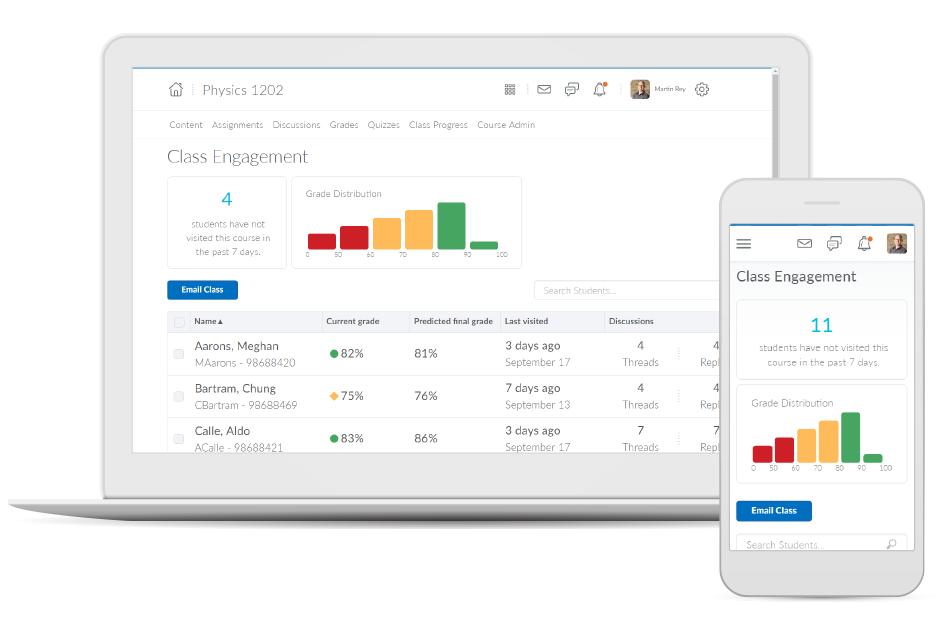     | Docebo Learning Platform Screenshots  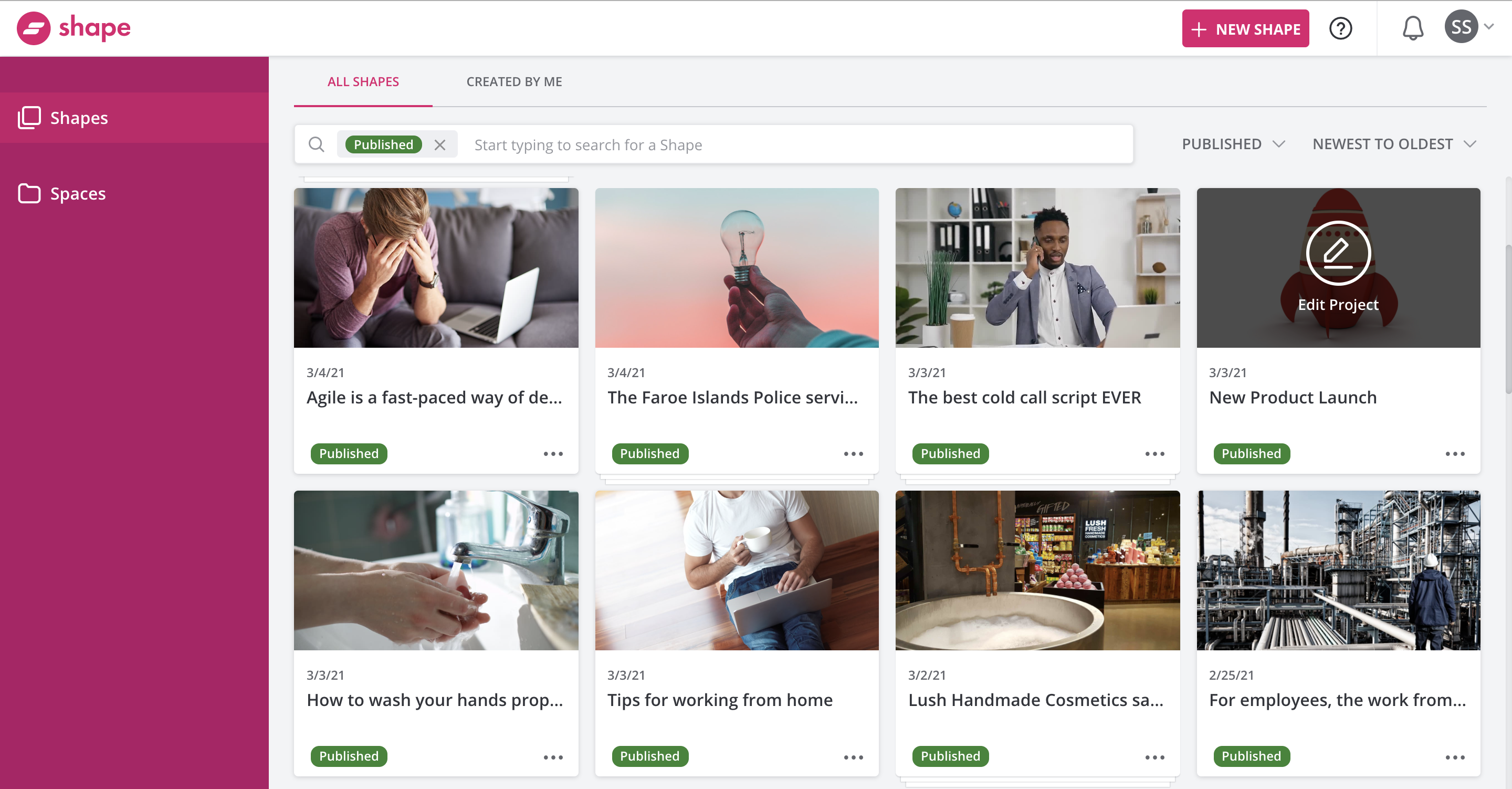   |