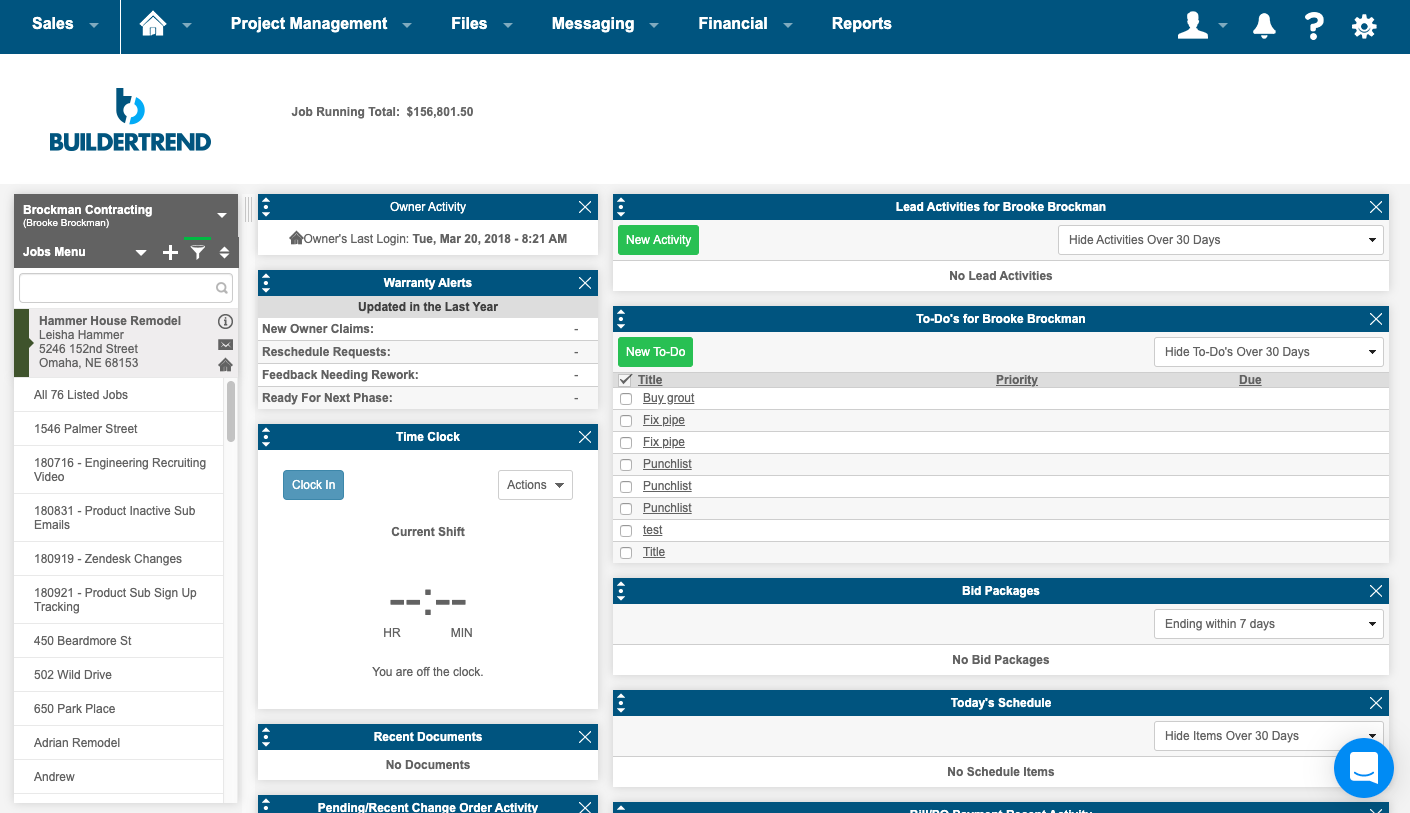
BuilderTrend is a construction management system. It includes functionality for pre-sale, project management, financial management, and customer management processes. It also provides mobile accessibility.
N/A
Microsoft To Do
Score 8.8 out of 10
N/A
Microsoft To Do replaces the former Wunderlist task management tool.
N/A
Pricing
Buildertrend
Microsoft To Do
Editions & Modules
Core Subscription
Contact for quote
per year
Premium
Contact for quote
per month
Premium
Contact for quote
No answers on this topic
Offerings
Pricing Offerings
Buildertrend
Microsoft To Do
Free Trial
No
No
Free/Freemium Version
No
No
Premium Consulting/Integration Services
Yes
No
Entry-level Setup Fee
No setup fee
No setup fee
Additional Details
—
—
More Pricing Information
Community Pulse
Buildertrend
Microsoft To Do
Features
Buildertrend
Microsoft To Do
Construction Project & Field Management
Comparison of Construction Project & Field Management features of Product A and Product B
Buildertrend
4.3
8 Ratings
53% below category average
Microsoft To Do
-
Ratings
Plan distribution & viewing
1.06 Ratings
00 Ratings
Plan markups & sharing
2.07 Ratings
00 Ratings
Issue tracking & punchlists
2.28 Ratings
00 Ratings
Photo documentation
6.18 Ratings
00 Ratings
Jobsite reports
9.07 Ratings
00 Ratings
Document sharing
2.38 Ratings
00 Ratings
RFI tools
8.25 Ratings
00 Ratings
Collaboration & approvals
4.07 Ratings
00 Ratings
As-built drawings
8.74 Ratings
00 Ratings
Mobile app
1.38 Ratings
00 Ratings
Submittal design and management
3.06 Ratings
00 Ratings
Estimating
Comparison of Estimating features of Product A and Product B
Buildertrend
1.2
7 Ratings
145% below category average
Microsoft To Do
-
Ratings
Takeoff tools
1.05 Ratings
00 Ratings
Job costing
1.06 Ratings
00 Ratings
Cost databases
1.06 Ratings
00 Ratings
Cost calculator
1.17 Ratings
00 Ratings
Bid creation
2.07 Ratings
00 Ratings
Project Management
Comparison of Project Management features of Product A and Product B
Buildertrend
-
Ratings
Microsoft To Do
5.6
76 Ratings
32% below category average
Task Management
00 Ratings
8.076 Ratings
Resource Management
00 Ratings
6.241 Ratings
Gantt Charts
00 Ratings
4.58 Ratings
Scheduling
00 Ratings
8.058 Ratings
Workflow Automation
00 Ratings
3.033 Ratings
Team Collaboration
00 Ratings
5.067 Ratings
Support for Agile Methodology
00 Ratings
6.017 Ratings
Support for Waterfall Methodology
00 Ratings
7.017 Ratings
Document Management
00 Ratings
3.038 Ratings
Email integration
00 Ratings
6.342 Ratings
Mobile Access
00 Ratings
7.771 Ratings
Timesheet Tracking
00 Ratings
3.012 Ratings
Change request and Case Management
00 Ratings
5.39 Ratings
Budget and Expense Management
00 Ratings
4.95 Ratings
Professional Services Automation
Comparison of Professional Services Automation features of Product A and Product B
Buildertrend was made for a specific industry (building) and so I would recommend it to anyone in that industry, with the exception of Sales and Marketing. But for everything else from the financing to the permitting to the construction and all else, Buildertrend is exactly what our team has used and will ALWAYS use. Even with our decision to use other systems for Sales and Marketing, we have never given one thought to taking Buildertrend out of our process. We will always be with Buildertrend.
I think Microsoft To Do is helpful for people who don't need a lot of customization in a task manager. I prefer using 3rd party task managers that allow me to create projects with tasks and subtasks. But for a team that already uses Microsoft products and doesn't want to learn or invest capital in another task manager, Microsoft To Do covers the basics and syncs with your calendar.
Wunderlist is what you need for your to do lists. It's really simple to use.
Allows you to set due date to your lists, share them with your team and/or create a folder to divide and organize all your list set
Also, Wunderlist is compatible with all platform and devices. So you can always be updated on your list or work on them from wherever you are and with all the devices you have.
Onsite consultants. There is a demand for this service that is great enough to allow outside BuilderTrend Super-Users like me to partner with BuilderTrend and make this a reality.
As their company grows, their support needs to grow as well.
Provide incentives for Super Users that are helping BuilderTrend acquire new business. Advocates should be their best friend.
Its simple to use and intuitive. The level of support that we have from online videos, to access to customer support, and the ability to call anyone at anytime on the main line has been invaluable to utilize and not get stuck on something you don't know yet. We've never not had anyone that couldn't respond in time for us.
User friendly, easy to configure, and VERY simplistic. I particularly use heavily the phone app feature. While others in the room are on social media, I am reviewing my tasks and this triggers other tasks I know I need to get done. I like the sense of accomplishment of moving things to the completed pile as well.
I highly recommend. The only suggestion I have would be to offer a free trial. They do offer a 30 day money back guarantee. The price point isn't daunting if you have had a 100 % no strings attached/no effort to cancel or try to remember to get your money back - no strings attached chance to try out the product. Especially for such a big purchase decision, I think Buildertrend would see an incredible increase in sales. They have the value and companies just need a chance to see it first hand.
I have not had an issue where I needed to reach out to Wunderlist, but I know their contact and online chat is easy to access and feel confident that they would be helpful. My only worry is Wunderlist is becoming Microsoft to-do in May 2020, and I believe the app will become worse after that.
The program has outstanding customer service. With project scheduling, project management, financial management, customer management, and service management capabilities in a single suite, there's really not much this program can't do! Owners generally love the use of this software as well, giving them the ability to view daily logs, photos, schedules, etc.
It's a small tool compared to bigger project management software, but we found that they work perfectly together. It helps you declutter the larger PM tools, keep your smaller tasks in-line and make sure they get completed. When you're working in a creative agency, ideas and tasks are flying around, so having a tool like this that keeps you accountable and reminds you of your tasks is a must!
The prior year cost me roughly $4300, which was barely reasonable for my volume. Some clients liked the format, some hated it and didn't participate. In my experience, few subcontractors or suppliers embraced the program, severely limiting the effectiveness.
For the coming year the fees would have exceeded $17,000, far too much for a program with limited client, employee, and subcontractor appeal with as small a volume as I have.
Honestly, for the last year, I feel they've been a burning tire hung around my neck and I regret not cancelling them in early 2019, I'd have $10,000 more in my pocket and no significant negative impact.
I did appreciate the daily log as a way to report on progress, but less than half my clients made use of this option.