Camtasia is a video editor and screen recorder. Camtasia offers a range of plans designed to meet varying video creation needs, and enables users to produce professional-looking videos. Its features include Camtasia Rev, script generation, text-to-speech, translations, and avatar videos, to streamline the video creation process. The editions available are Free, Essentials, Create, or the Pro plan.
$179.88
per year per user
iSpring Suite
Score 8.7 out of 10
N/A
iSpring Suite helps users build courses that are mobile-ready and adaptive. It’s integrated with PowerPoint, so users can create the content in the familiar PPT interface without spending time on specific training. The toolkit supports the creation of professional courses, video lectures, role-play simulations, and a range of assessments that display and work on any device. With the iSpring Suite AI package, users have even more capabilities for creating eLearning content. It comes with…
$970
per year per user
Pricing
Camtasia
iSpring Suite
Editions & Modules
Camtasia Business
$198
per year per seat
No answers on this topic
Offerings
Pricing Offerings
Camtasia
iSpring Suite
Free Trial
Yes
Yes
Free/Freemium Version
Yes
Yes
Premium Consulting/Integration Services
No
No
Entry-level Setup Fee
No setup fee
No setup fee
Additional Details
*Discounts available for purchases supporting a large volume of users.
Academic, non-profit, government and volume discounts are available.
Therer are several other interactive video creation tools out there, such as Camtasia, Adobe Captivate and even PowerPoint on its own, but none of them come close to offering the galaxy of features that is served up by iSpring Suite, and it's the easiest to learn and use with …
Verified User
Professional
Chose iSpring Suite
I looked at Articulate, Adobe Captivate, Camtasia, and Moodle and I found a fine line between a course authoring tool and a full-fledged LMS system. I like that iSpring Suite sells these options separately. It will allow me to build up a set of courses, and as our company …
I use both Camtasia and iSpring Suite. Camtasia has far superior video editing capabilities, and iSpring Suite has far superior eLearning features. I often create a video or screencast in Camtasia, edit it, and then import it into iSpring Suite. They both complement each other …
Verified User
Consultant
Chose iSpring Suite
We've used Techsmith's "Camtasia" product, but only for video creation. It has a more powerful interface and feature-set, but none of the other tools that are in iSpring Suite.
We need Powerpoint compatibility because we can develop the training modules faster. Compared to all the authoring tools we have tried, iSpring is the most Powerpoint-friendly.
Verified User
Manager
Chose iSpring Suite
iSprings offers competitive pricing and more value for your purchase.
Ultimately, I selected iSpring Suite because of the ease of use and small learning curve. I needed to be able to start creating content immediately, and after doing trial periods with iSpring as well as some of the other options, it was clear that I could be up and running the …
iSpring Suite is more suited to create PPT based content. It doesn't handle long text with the ease Articulate does. iSpring Suite has a less steep learning curve than Articulate.
iSpring is a simple to use tool that uses Microsoft Office skills currently learned. Even after 4 weeks of not using iSpring, you can jump right in and get great quality output
Please see earlier responses, which featured this aspect. If TrustRadius provided an overview of all questions to be asked (perhaps in a sidebar to the right) during this evaluation, I could have more effectively organized my responses.
Learning and using iSpring Suite was infinitely easier than Captivate. It is much more intuitive and is an add-on to PowerPoint. From my experience, converting a PowerPoint into an eLearning course was much simpler with iSpring and the resolution of the finished eLearning was …
The main advantage of iSpring over its competitors is the speed with which you can create a SCORM course with it. With the use of Powerpoint as a base program, everything is very easy and fast to design. In our case, customers needed to virtualize a lot of content from their …
We selected iSpring Suite specifically for the 100% HTML5 content. While Captivate and Presenter may offer more interactive features, they still rely somewhat on Flash elements (or used to anyway). When we tried out iSpring Suite for the first time, the cost and time savings …
Camtasia is so easy to use that I recommend it over Adobe Premiere, Captivate, Storyline, and other tools. The only problem is the price. Due to the fact that I purchased this for education purposes, and educational prices have gone up exponentially, it has been difficult even at $179 to upgrade, as an educator and the organization is not always willing to reimburse the purchase, it would have been more economical. It was less than $100 (Black Friday) when I bought our updated version in 2019. Camtasia profile accounts aren't the best setup, however. My profile account does not reflect when I was a user or show past invoices, and I wanted to see how long ago I was a user.
iSpring Suite gives me a platform to easily create training courses for any number of subjects, custom-designed to fit my workplace. I can include quizzes that allow me to track both the completion rate of the course and the success rate of the training. Its user-friendliness stands out and makes my role as Training Director much easier on a day-to-day basis.
USB Microphones can sometimes cause a problem if they become accidentally unplugged during a recording session. This can corrupt some of the files that the Camtasia Recorder application uses to capture directly to .avi mode.
You'll sometimes get a message when you next try to record that .avi mode isn't available and the only way to fix this is by completely uninstalling and reinstalling Camtasia (with a reboot in the middle of these two actions).
This bug only manifested after Camtasia 8 was released, but still seems to cause an issue right up to and including Camtasia 2021.
I'd like to see more standard Annotation options. The existing ones are pretty good, but variety is a little lacking.
More 'Behaviours' would also be really welcome as these are a great feature and make Callouts a bit more interesting and lively. I've not seen any new Behaviours over the past few versions (since Camtasia 2018).
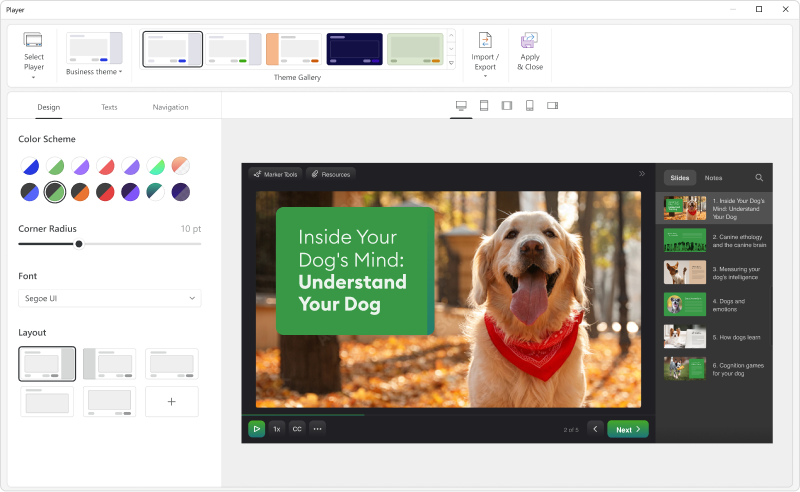
Add details on what the customized play includes when the mouse hovers over the icon. It took a bit of time to realize that this was where we could select different layouts.
Each release of Camtasia has added just enough functionality to justify the upgrade to the new version. I like that Camtasia is not a subscription-based product as we have more flexibility and control over our spend on the product. We can also purchase support packages that include the next version when released.
I haven't used another video recording and editing tools that is as comprehensive and straight-forward as Camtasia. Typically, if you want a user-friendly video editing tools for novice users, you have to compromise on features. Camtasia solves this problem by offering extensive editing features in a simplistic, user-friendly environment. Highly recommend
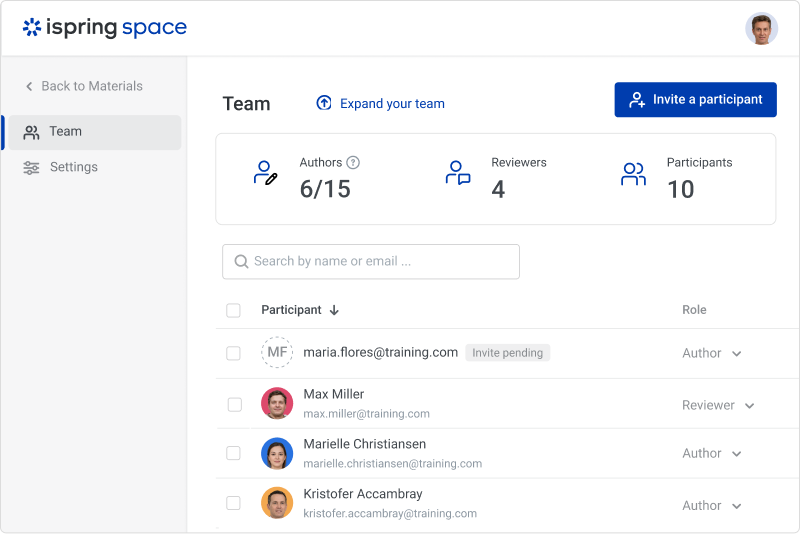
iSpring Suite is a perfect tool overall to create contents in collaboration with colleagues. There are some difficulties though in usability but the usability is OK in total. We are fully satisfied with the customer support. There are simple online tutorials and a team of competent support colleagues. The support content is sometimes not simply accessible, you need to search for them longer.
With the latest version (Camtasia 2020), I actually had problems with an Imac with HighSierra, but from the first moment they answered and guided me to solve the problem, even before making the purchase (with some doubts I had). And they have support in English and Spanish, I really liked that.
Great software is only exceeded by their fantastic support. Prompt responses, complete with clearly outlined steps to follow, are just the beginning. There are tremendous resources and continual webinars to challenge what we think we know about the iSpring Suite. I often use PowerPoint to lay out marketing slides, add music and narration, then publish them as an MP4 video. I can count on iSpring support to assist me when I need help.
I've tried several freeware recorders, too. If all you want to do is literally record your screen, and nothing else, you don't need Camtasia. There are literally dozens of apps that will do that. If you want an app that will record your screen while capturing mouse clicks, follow you, record your voice while you capture, and annotate when you're done, Camtasia has no equal. Plus, it doesn't stop there. You can add professional intros and outros (many already created to choose from), lower thirds, etc., leading to videos with very high production value. This is THE program to buy if you want to produce training videos of very high quality.
Ultimately, I selected iSpring Suite because of the ease of use and small learning curve. I needed to be able to start creating content immediately, and after doing trial periods with iSpring as well as some of the other options, it was clear that I could be up and running the quickest with iSpring. I don't see any features that are missing for what I need, and it was also the cheapest option.
It has enhance my reputation personally within the organization. This has led to other departments requesting me by name to head up eLearning development projects, even delaying their own deadlines to ensure that I am involved.
Other than a few duds (I let some inexperienced vocal talent slip thru in the heat of multiple conflicting deadlines), learner feedback has skyrocketed over that developed before I became involved and standardized the effort on iSpring