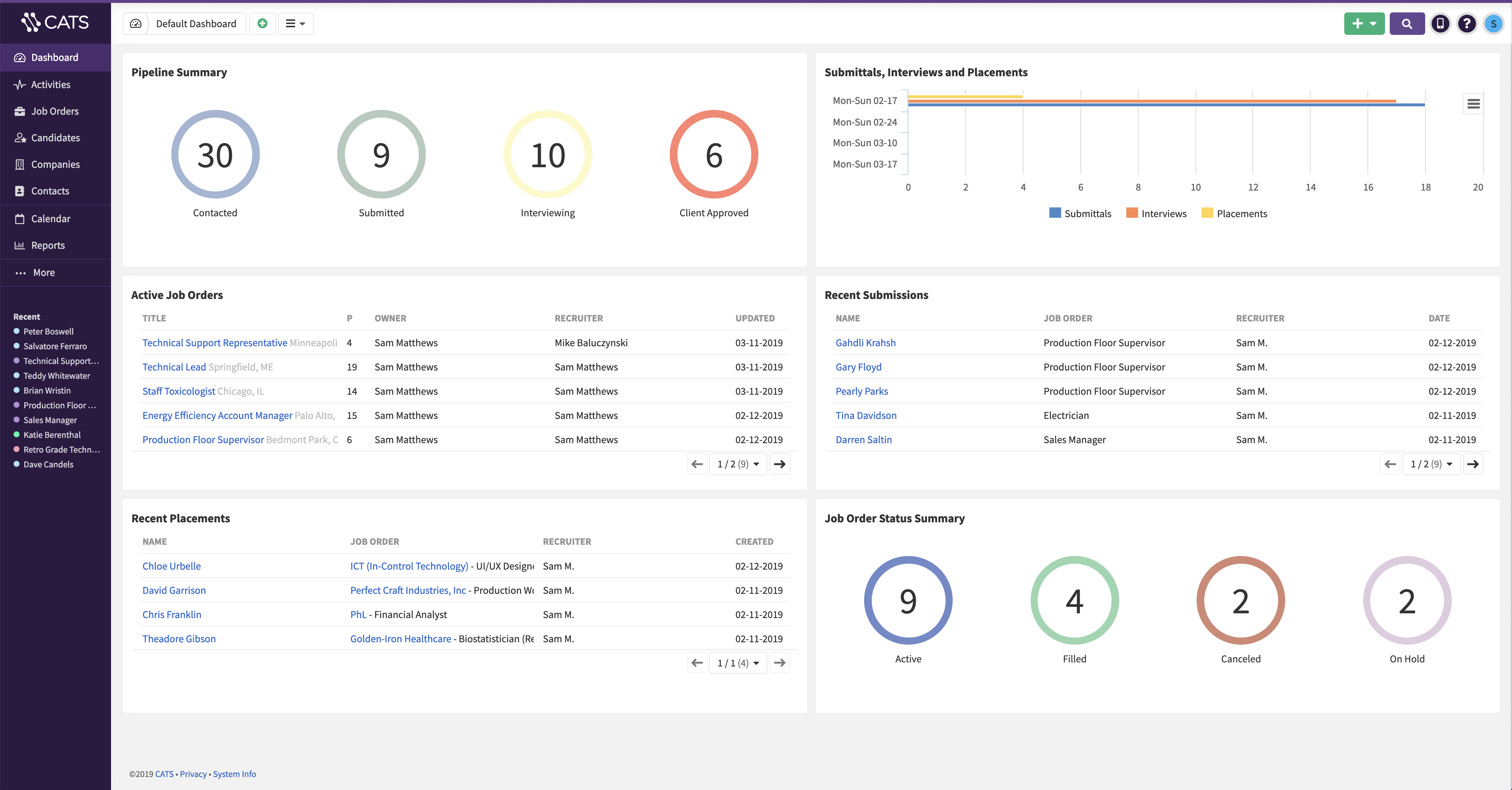
CATS is a web-based recruiting software. Users can manage the entire recruiting process including custom job applications, posting jobs, resume parsing, custom recruitment workflows, and generating customized reports. Pricing is tiered per user, per month.
$69
per month
LMS365
Score8.1 out of 10
N/A
ELEARNINGFORCE in Edgewater brings learning management to Office 365 and SharePoint. LMS365 blends with the Microsoft infrastructure and is designed to eliminate expensive integration, time-consuming development, and unwanted complexity. Learners access learning plans, courses, personal progress reports, and certificates from within the SharePoint business process.
N/A
Pricing
CATS ATS
LMS365
Editions & Modules
Annual Pro Plan
$69
per user, per month
Monthly Pro Plan
$99
per user, per month
No answers on this topic
Offerings
Pricing Offerings
CATS ATS
LMS365
Free Trial
Yes
No
Free/Freemium Version
No
No
Premium Consulting/Integration Services
No
No
Entry-level Setup Fee
No setup fee
No setup fee
Additional Details
Please visit the CATS pricing page to compare plans and features
—
More Pricing Information
Features
CATS ATS
LMS365
Recruiting / ATS
Comparison of Recruiting / ATS features of CATS Applicant Tracking System and LMS365
Feature
CATS Applicant Tracking System
8.2
19 Ratings
4% above category average
LMS365
-
Ratings
Job Requisition Management
9.517 Ratings
00 Ratings
Company Website Posting
9.517 Ratings
00 Ratings
Publish to Social Media
8.617 Ratings
00 Ratings
Job Search Site Posting
10.017 Ratings
00 Ratings
Customized Application Form
9.518 Ratings
00 Ratings
Resume Management
8.119 Ratings
00 Ratings
Duplicate Candidate Prevention
4.618 Ratings
00 Ratings
Candidate Search
6.219 Ratings
00 Ratings
Applicant Tracking
7.619 Ratings
00 Ratings
Collaboration
8.612 Ratings
00 Ratings
Task Creation and Delegation
8.615 Ratings
00 Ratings
Email Templates
9.519 Ratings
00 Ratings
User Permissions
8.517 Ratings
00 Ratings
Notifications and Alerts
9.517 Ratings
00 Ratings
Reporting
4.718 Ratings
00 Ratings
Learning Management
Comparison of Learning Management features of CATS Applicant Tracking System and LMS365
It has a great parsing feature and the extension is very helpful. Many ATS systems do not support parsing within LinkedIn...this one does. I was sad to see this option go when we finally transitioned. I would almost keep CATS just for the LinkedIn parsing if I knew I could easily get the information OUT of the system once it was there. A good API/webhook would be great, but sadly the API connections don't work well. Our firm also works with companies with multiple sites all across the US. There was never a way to "nest" a location with a parent company. Because of this, being able to research or report on a true client relationship was not possible. It was a very manual process.
A de minimis incentive was given to thank the reviewer for their time. The incentive was not used to bias or drive a particular response, nor was the incentive contingent on a positive endorsement. More Info
If a customer does not have SharePoint the entry in that kind of solution is a bit harder as the use of SharePoint can be so broad. It does not mean it is not the right solution as a company can use SharePoint LMS to start with and then expand to other functions and features. I strongly recommend to use SharePoint Standard or Enterprise and forgo the "free" SharePoint version as a) SharePoint's core functions and features are greatly enhanced in these two premium versions and b) more and more SharePoint LMS functions make use of these core Standard and Enterprise features in the future, like taxonomy, user profiles, etc. In general with all project it is as well recommended to have the full buy in by upper management and that the project initiative is fully supported. Adding such a solution (SharePoint LMS or any other LMS solution) will require the team not only to have a good plan on how the requirements can be achieved from a technical point of view, but how a training program can be rolled out to an organization of 5, 500, 5.000 or 50.000. The technical deployment of SharePoint LMS is measurable (I would say between 1-4 weeks based on the complexity, scale of the environment). 1-2 weeks of training (depending on the base knowledge of SharePoint in the company and the need to add knowledge of SharePoint LMS). That's it. Technically you are ready. If needed, any custom work, integration and development work comes on top. Where customer struggle is the availability and dedication of their own teams. Course content needs to be created, how should a course look like, what are the parameters, what are top ten things needed moving a course which was taught in a class room, but now to be delivered online. Buying the licenses is one thing, getting the solution up and running form a technical point of view is another, making it YOURS is the challenge!
A de minimis incentive was given to thank the reviewer for their time. The incentive was not used to bias or drive a particular response, nor was the incentive contingent on a positive endorsement. More Info
I would like to see either an integration with a robust reporting tool that would allow me to design my own custom reports with a data export or more built-in reporting options.
Mobile app is currently mostly just a look-up tool. I would like it to have the ability to do more - add tasks, update pipelines, etc.
When the user clicks into a different portion of the file library and then needs to return to a previous class the software forces you to go all the way back to the beginning of the coursework, this isn’t that painful just annoying.
A de minimis incentive was given to thank the reviewer for their time. The incentive was not used to bias or drive a particular response, nor was the incentive contingent on a positive endorsement. More Info
Our company has been using it and enjoying the benefits for a few years now. Its a perfect system for our end goal of finding the best candidate effectively and being able to track and write reports on our progress.
It is very simple for me: As I said, I am (we are) selling and consulting around SharePoint LMS. SharePoint LMS is a killer application which needs to be in every company which has a vision and mission to deliver and create knowledge. So you can say Thomas (me) is biased, but I only encourage you to check out the solution to hear what we have to say and stack our solution against the other solutions out there.
Ultimately, in my opinion LMS365 is a bit clunky to use. It has most of the features you need, but most need to be configured by your technology department, e.g., SSO, user groups in Entra ID, notifications through Slack, teams, etc. If you're looking for an all-in-one solution, look elsewhere, as lms365 has several catches to its proposition.
A de minimis incentive was given to thank the reviewer for their time. The incentive was not used to bias or drive a particular response, nor was the incentive contingent on a positive endorsement. More Info
I've had mixed results with asking for support. Sometimes they gave a quick answer and sometimes my emails were never responded to. Some responses were a single word.
The few times we actually needed support generally were during major upgrades of the system and getting a quick handle on how the configuration changed were the primary reasons.
A de minimis incentive was given to thank the reviewer for their time. The incentive was not used to bias or drive a particular response, nor was the incentive contingent on a positive endorsement. More Info
This is an incredibly easy system to implement. There is no hardware or software required, it's entirely SaaS based. Compared to other systems I've implemented, it's breathtaking. Customization can all be done directly in the tool, there is no need for any involvement of consultants and most of the information you cannot figure out intuitively is covered in the knowledge base
We used to use Sendouts (prior to it being acquired by Bullhorn) - and it wasn't browser based like CATS so instead of being able to access it from a home computer, laptop, mobile phone, etc. you could only use it on the computer with the software uploaded - which is a hindrance. It also wasn't as customizable as CATS. We picked CATS because it the price was right, it was browser-based, had email-integration, and integrates with social media and job posting services to share your jobs with the public.
I will pick EdApp or Totara if you're after an all-in-one LMS solution that is feature-rich. For a university educational setting, Moodle continues to make sense. Safety Culture now owns EdApp, so over time, these platforms will likely be merged. LMS needs a huge overhaul to catch up.
A de minimis incentive was given to thank the reviewer for their time. The incentive was not used to bias or drive a particular response, nor was the incentive contingent on a positive endorsement. More Info
We went from Excel spreadsheets to using CATS so honestly anything would be an improvement. But CATS has saved tremendous time on an on-going basis in terms of managing the career portal automatically.
Being able to log email conversations with the click of a button from Outlook right into CATS has been a time-saver and also has helped numerous times in providing better follow-through to candidates and providing better tracking of candidate interactions and what they have previously said (or not).