Overview
ProductRatingMost Used ByProduct SummaryStarting Price
Centurion Setup
Score 9.1 out of 10
Small Businesses (1-50 employees)
Centurion Setup is presented as an easy to use professional installation program installer. The installer is self-contained in a single compressed executable file, and runs on all versions of Windows. The vendor describes Centurion Setup as simple to learn, but also feature rich, with support for uninstallation, multiple languages, interface customization, license agreements, readme files, file associations, DOS batch operations, DLL installation, automated installations, device drivers,…
$149
one-time fee 5 activations
LogMeIn Resolve
Score 9.1 out of 10
N/A
LogMeIn Resolve is an IT management and support solution designed to help organizations take control of their IT infrastructure. The platform combines features like remote monitoring, access, and support with tools such as ticketing, AI-assisted task automation, and patch management.
$29
per month
Pricing
Centurion SetupLogMeIn Resolve
Editions & Modules
Standard Edition
$149.00
one-time fee 5 activations
Starter
$29
per month
Growth
$55
per month
Advanced
$78
per month
Premium Endpoint Management
$78
per month
Complete
$94
per month
Offerings
Pricing Offerings
Centurion SetupLogMeIn Resolve
Free Trial
YesYes
Free/Freemium Version
NoNo
Premium Consulting/Integration Services
YesNo
Entry-level Setup Fee$149 one-time fee 5 activationsNo setup fee
Additional DetailsA license entitles the user to 5 activations. Once activated, the software will remain activated indefinitely unless it is moved to a different drive, or if a major upgrade (such as 1.0 to 2.0) is installed. Minor upgrades (such as 1.0 to 1.1) are free. The 5 activations are not restricted to one machine or user.Volume discounts are available. MDM is available as a standalone or as an add-on. Discount available for annual billing.
More Pricing Information
Best Alternatives
Centurion SetupLogMeIn Resolve
Small Businesses
Action1
Action1
Score 9.6 out of 10
Avast CloudCare
Avast CloudCare
Score 10.0 out of 10
Medium-sized Companies
Action1
Action1
Score 9.6 out of 10
Action1
Action1
Score 9.6 out of 10
Enterprises
GitLab
GitLab
Score 8.9 out of 10
ManageEngine Endpoint Central
Score 9.0 out of 10
All AlternativesView all alternativesView all alternatives
User Ratings
Centurion SetupLogMeIn Resolve
Likelihood to Recommend
-
(0 ratings)
9.0
(131 ratings)
Likelihood to Renew
-
(0 ratings)
6.8
(17 ratings)
Usability
-
(0 ratings)
8.3
(111 ratings)
Availability
-
(0 ratings)
9.1
(3 ratings)
Performance
-
(0 ratings)
6.4
(2 ratings)
Support Rating
-
(0 ratings)
9.1
(7 ratings)
In-Person Training
-
(0 ratings)
9.1
(1 ratings)
Online Training
-
(0 ratings)
9.1
(1 ratings)
Implementation Rating
-
(0 ratings)
9.1
(5 ratings)
Configurability
-
(0 ratings)
9.1
(1 ratings)
Contract Terms and Pricing Model
-
(0 ratings)
7.3
(1 ratings)
Product Scalability
-
(0 ratings)
9.1
(1 ratings)
Professional Services
-
(0 ratings)
9.1
(1 ratings)
Vendor post-sale
-
(0 ratings)
9.1
(1 ratings)
Vendor pre-sale
-
(0 ratings)
9.1
(1 ratings)
User Testimonials
Centurion SetupLogMeIn Resolve
Likelihood to Recommend
Gammadyne Corporation
No answers on this topic
GoTo formerly LogMeIn
LogMeIn is well-suited for scenarios where remote support is needed. For example, a user submits a ticket about having an issue with Microsoft Word being unable to open documents on their PC. Since this is just a software issue on the device, LogMeIn is great for being able to fix the issue. Scenarios, I would say LogMeIn Resolve is not as well-suited for inventory management. But that's only because my organization has a proprietary system to manage assets.
Read full review
Pros
Gammadyne Corporation
No answers on this topic
GoTo formerly LogMeIn
  • Allows easy, comprehensive access to Apple products via web-based applet. (It does require customer input and cooperation.)
  • It allows me to resolve issues remotely, most times within minutes instead of hours, without a physical location visit.
  • It allows the customer to view my activity, giving them peace of mind that nothing untoward occurs during my interaction. I also use the record feature so all sessions are recorded, especially on rare occasions when there is an issue or question from the session.
Read full review
Cons
Gammadyne Corporation
No answers on this topic
GoTo formerly LogMeIn
  • The user interface is clunky and difficult to use in terms of CRITICAL functions that lie at the core of any remote access solution.
  • ctrl + key combos are currently terribly implemented and difficult to use - since this is one of the most common keys used in Windows - this presents MASSIVE usability issues that impede my workflow all day every single day.
  • And now - in a recent development - SHIFT + key combos are currently terribly implemented and difficult to use - since this is one of the most common keys used in Windows - this presents MASSIVE usability issues that impede my workflow all day every single day.
  • Things like frequently used key combos and shortcuts should work the same via remote access solutions as they do on a hardware keyboard. Anything else is an annoyance and an impediment to workflow and productivity.
Read full review
Likelihood to Renew
Gammadyne Corporation
No answers on this topic
GoTo formerly LogMeIn
I would say yes, we would definitely renew, everyone likes it in the IT dept, and there are more features we have yet to put to use. I am expanding the Windows update / Endpoint features as I get time, and the remote PowerShell console is unbeatable for me at present when facing remote computers that are not letting create a new remote PSSession.
Read full review
Usability
Gammadyne Corporation
No answers on this topic
GoTo formerly LogMeIn
The interface is clean, intuitive, and easy to navigate. Common actions are easy to locate and exactly where I would expect them to be. Starting a remote session is quick and smooth, which reduces the time users need to wait before receiving support. I also appreciate the single-pane dashboard showing remote access, session details, and device information.
Read full review
Reliability and Availability
Gammadyne Corporation
No answers on this topic
GoTo formerly LogMeIn
Usually available without a problem, although sometimes calls get dropped or users sit in empty meeting rooms while waiting for an admin to arrive, while the call is actually going on.
Read full review
Performance
Gammadyne Corporation
No answers on this topic
GoTo formerly LogMeIn
If you are connected to someone with proper bandwidth, there are no issues at all. With all things, if you connect to someone with dial-up (yes, it still exists), the performance is terrible.
Read full review
Support Rating
Gammadyne Corporation
No answers on this topic
GoTo formerly LogMeIn
Ive used their tech support a handful of times, and each time they have been able to help me sort out any hiccups or kinks that arise. They have a resourceful knowledge base, and have experts available for training and troubleshooting. I often recommend them to my other coworkers and colleagues because of the ease of use and security
Read full review
In-Person Training
Gammadyne Corporation
No answers on this topic
GoTo formerly LogMeIn
we did not have in person training
Read full review
Online Training
Gammadyne Corporation
No answers on this topic
GoTo formerly LogMeIn
n/a - wasnt in attendance
Read full review
Implementation Rating
Gammadyne Corporation
No answers on this topic
GoTo formerly LogMeIn
GoToAssist SeeIt was very easy to implement. As long as your techs have a basic understanding of most remote support tools they will be able to understand this product easily.
Read full review
Alternatives Considered
Gammadyne Corporation
No answers on this topic
GoTo formerly LogMeIn
Although the SolarWinds help desk worked well for our help desk and inventory purposes, it did not provide remote access ability or remote execution of executable files or scripts. We were looking for a product that integrated all of these tasks in order to simplify our day to day IT functions.
Read full review
Contract Terms and Pricing Model
Gammadyne Corporation
No answers on this topic
GoTo formerly LogMeIn
I wasn't involved with this element of the sale/purchase
Read full review
Scalability
Gammadyne Corporation
No answers on this topic
GoTo formerly LogMeIn
The system was implemented quite quickly and easily.
Read full review
Professional Services
Gammadyne Corporation
No answers on this topic
GoTo formerly LogMeIn
I wasn't involved with this element of the sale/purchase
Read full review
Return on Investment
Gammadyne Corporation
No answers on this topic
GoTo formerly LogMeIn
  • LogMeIn Resolve has increased productivity for our support teams with the addition of camera share. Not only are we able to remote into workstations, but with camera share we can utilize end user and customer phones to visually see physical setups to troubleshoot some situations on the fly.
  • Unattended support now requires the agent to enter in a signature key as an extra layer of security before accessing a device, which further improves the safety of all devices registered for unattended.
Read full review
ScreenShots

Centurion Setup Screenshots

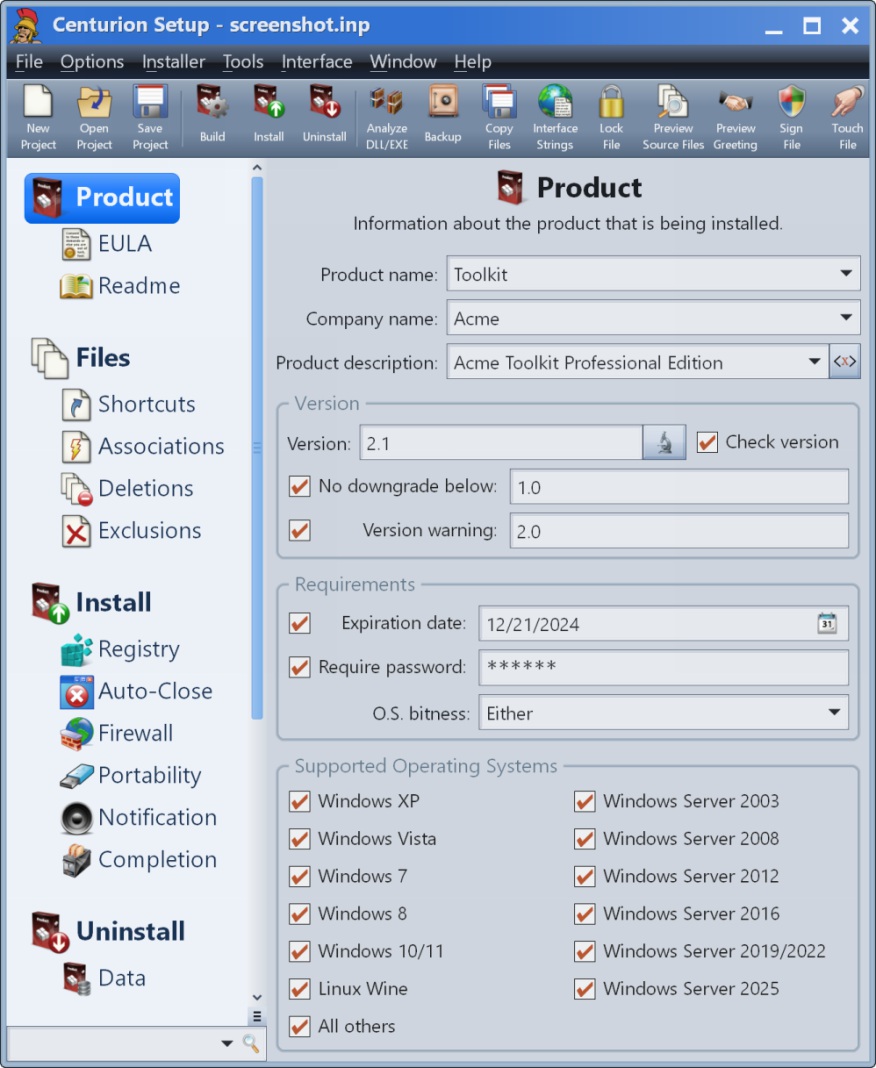
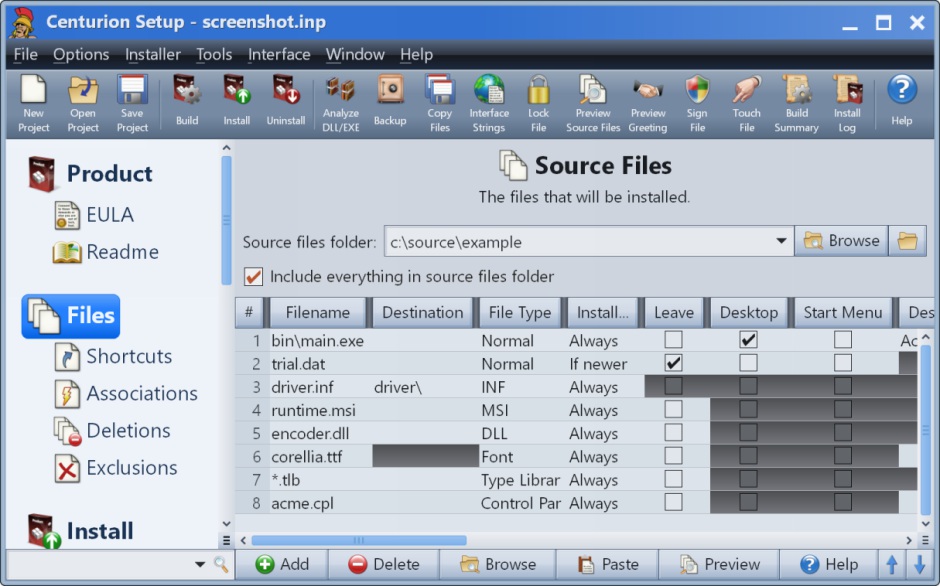
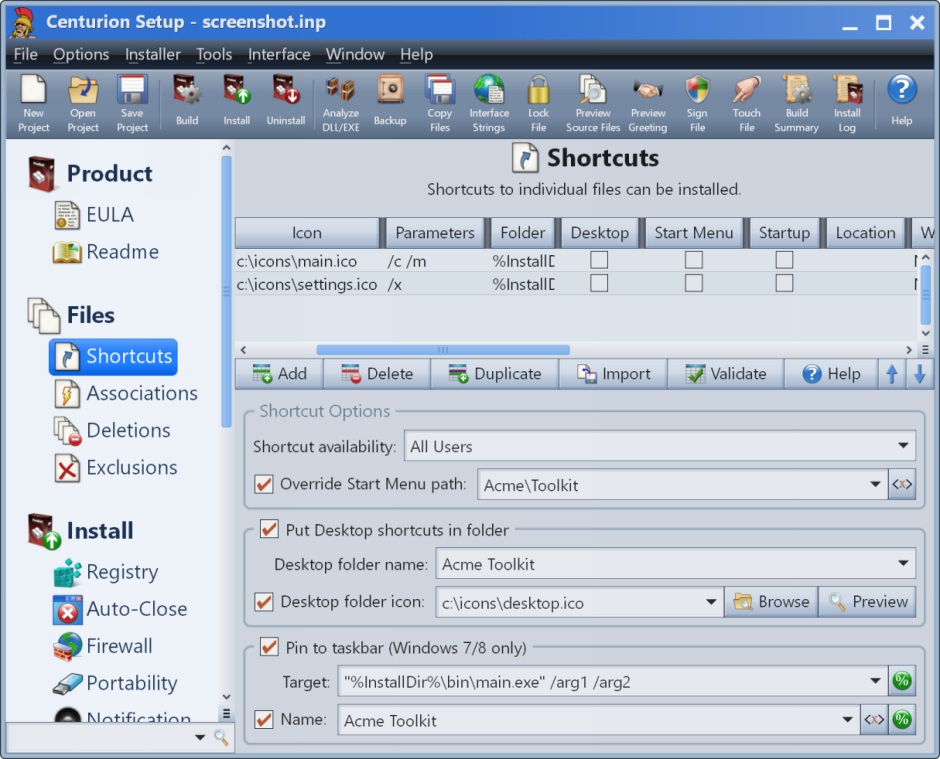
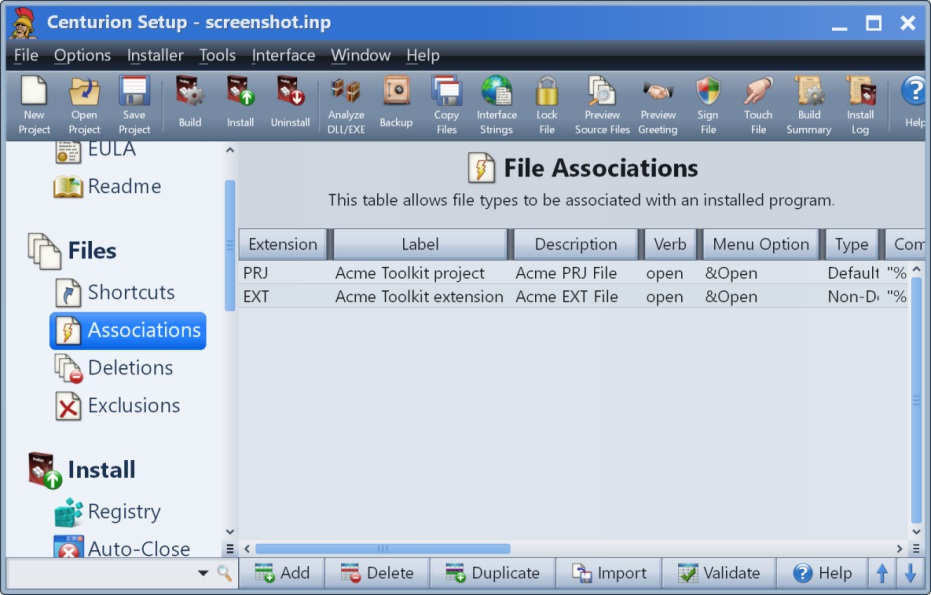
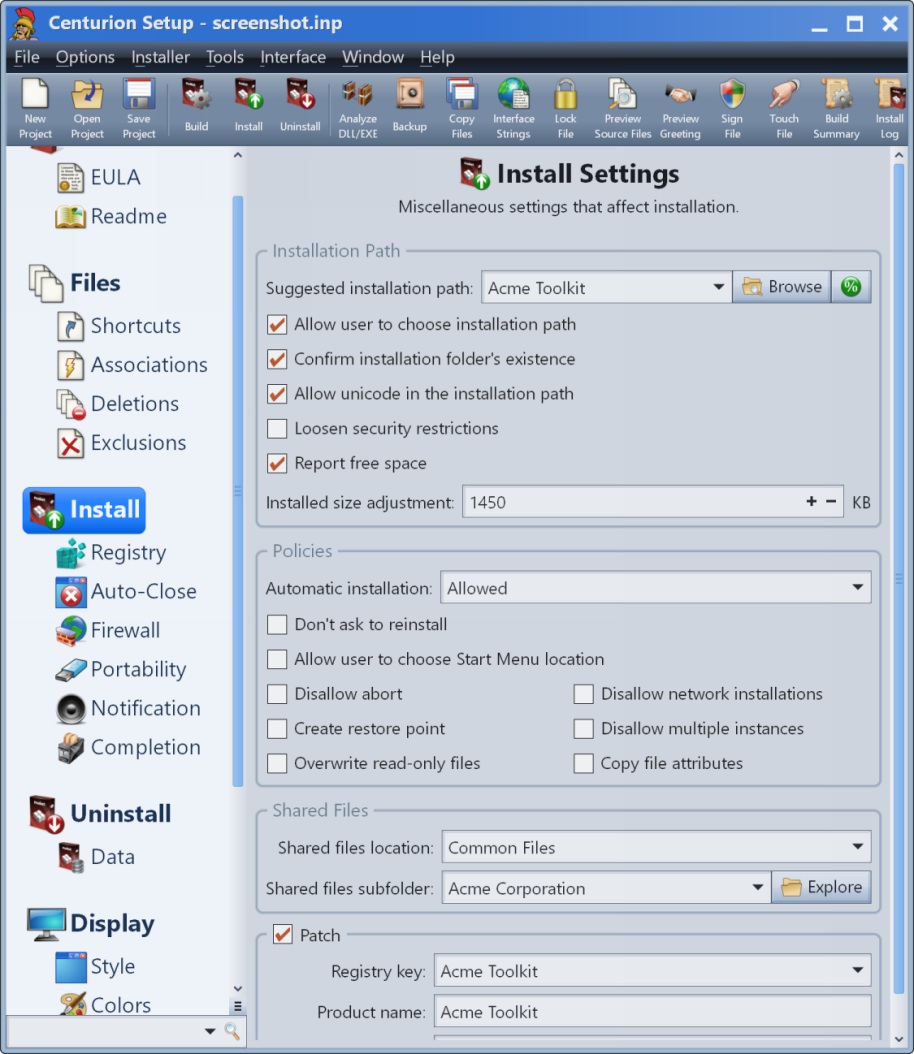
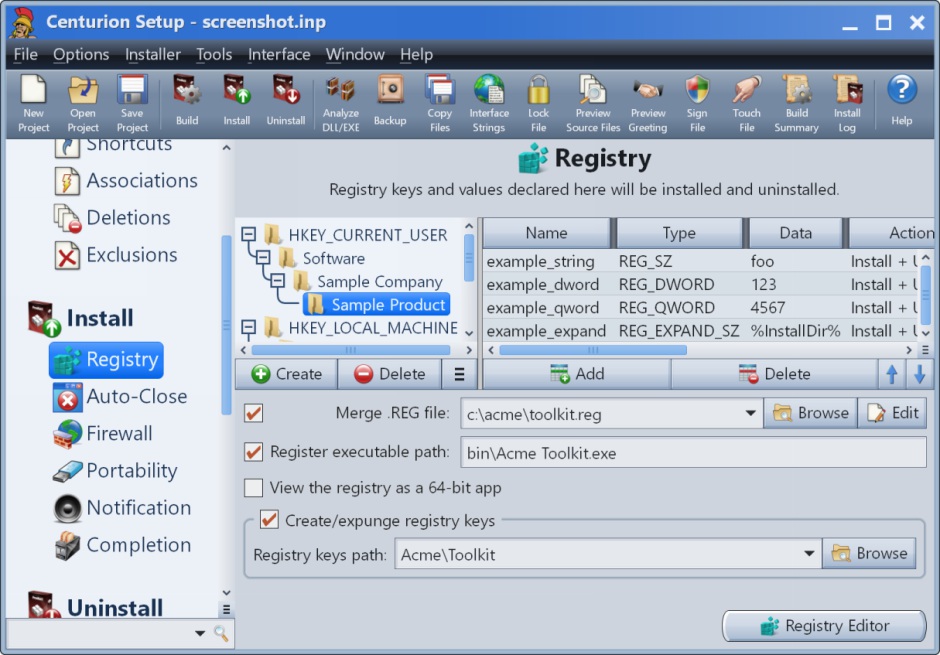
Screenshot of Product InformationScreenshot of Source FilesScreenshot of ShortcutsScreenshot of File AssociationsScreenshot of Install SettingsScreenshot of Registry

LogMeIn Resolve Screenshots

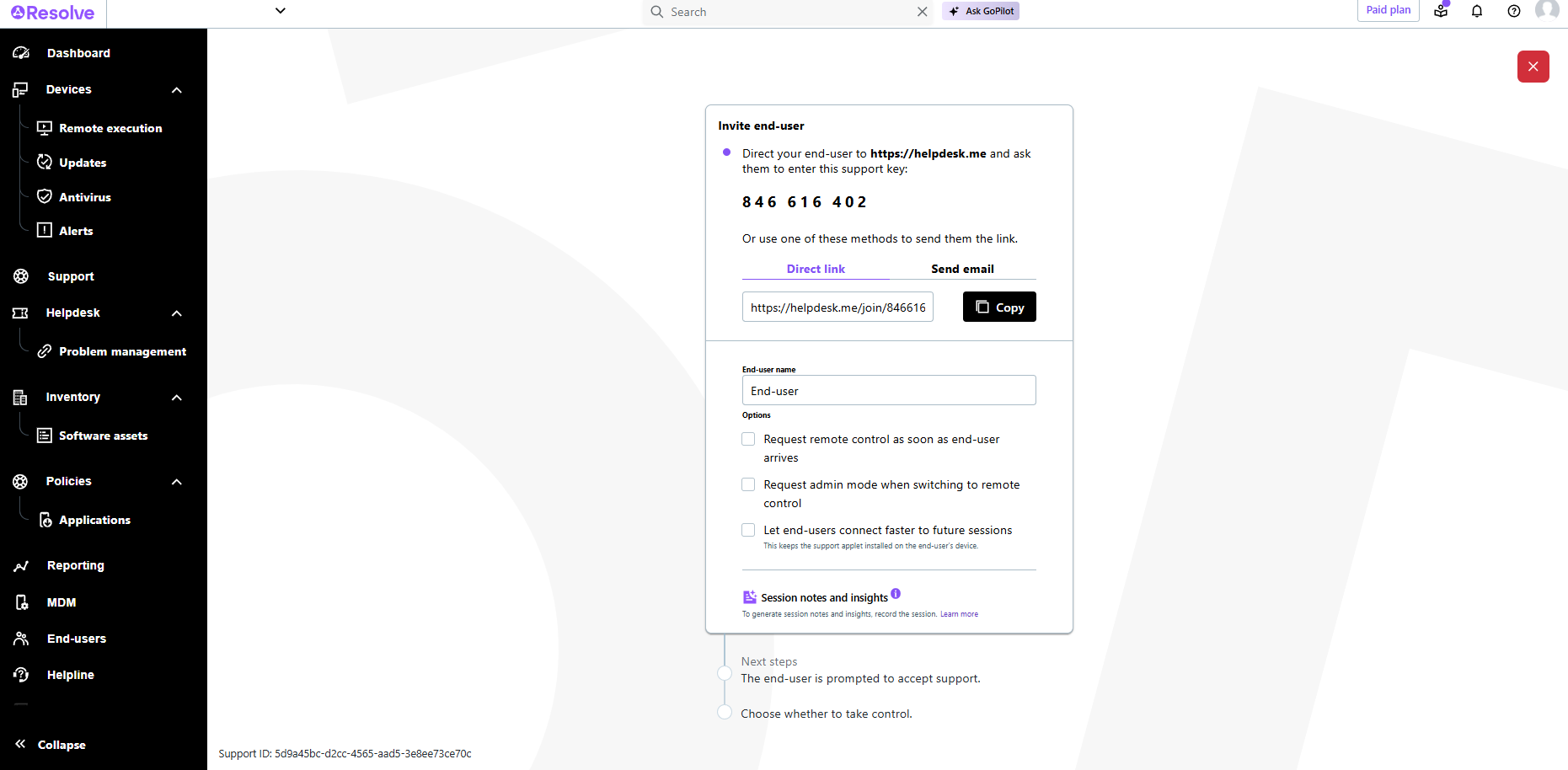
Screenshot of LogMeIn Resolve Device QuickviewScreenshot of LogMeIn Resolve - DevicesScreenshot of LogMeIn Resolve - Guided Agent FlowScreenshot of LogMeIn Resolve MS Teams TicketingScreenshot of LogMeIn Resolve Support SessionScreenshot of LogMeIn Resolve Tickets Board