
Cirrus Insight vs. Neuron
Cirrus Insight vs. Neuron
| Product | Rating | Most Used By | Product Summary | Starting Price |
|---|---|---|---|---|
 Cirrus Insight | Mid-Size Companies (51-1,000 employees) | Cirrus Insight integrates Salesforce with Gmail, Google Calendar, and Google Contacts. Instantly View Contextual Salesforce Information in Your Inbox. Save Emails & Attachments to Salesforce with a Click. Sync Your Google & Salesforce Calendars. Create & Edit Salesforce Records on the Fly. Customize Your Salesforce Workflow in Gmail. Add Google Contacts to Salesforce. Salesforce Tasks Integration. Salesforce Templates Integrated with Gmail. | $15 per month | |
 Neuron | Mid-Size Companies (51-1,000 employees) | Neuron (formerly Prospect) is a sales tool used to find contact data for any prospect and import it directly into Salesforce in one click. | $149 per month per user |
| Cirrus Insight | Neuron | |||||||||||||||
|---|---|---|---|---|---|---|---|---|---|---|---|---|---|---|---|---|
| Editions & Modules |
| No answers on this topic | ||||||||||||||
| Offerings |
| |||||||||||||||
| Entry-level Setup Fee | $500 per installation | No setup fee | ||||||||||||||
| Additional Details | Pricing based on annual billing. | — | ||||||||||||||
| More Pricing Information | ||||||||||||||||
| Cirrus Insight | Neuron |
|---|
| Cirrus Insight | Neuron | |||||||||||||||||||||
|---|---|---|---|---|---|---|---|---|---|---|---|---|---|---|---|---|---|---|---|---|---|---|
| Prospecting |
| |||||||||||||||||||||
| Sales Intelligence Data Standards |
| |||||||||||||||||||||
| Data Augmentation & Lead Qualification |
|
| Cirrus Insight | Neuron | |
|---|---|---|
| Small Businesses |  Mailtrack Score 9.5 out of 10 |  Lead411 Score 8.3 out of 10 |
| Medium-sized Companies | Mailtrack Score 9.5 out of 10 | Lead411 Score 8.3 out of 10 |
| Enterprises |  Groove by Clari Score 7.1 out of 10 |  TechTarget Priority Engine Score 10.0 out of 10 |
| All Alternatives | View all alternatives | View all alternatives |
| Cirrus Insight | Neuron | |
|---|---|---|
| Likelihood to Recommend | 5.0 (22 ratings) | 9.8 (11 ratings) |
| Likelihood to Renew | 9.1 (1 ratings) | - (0 ratings) |
| Usability | 9.1 (1 ratings) | 8.2 (1 ratings) |
| Availability | 9.1 (1 ratings) | - (0 ratings) |
| Performance | 9.1 (1 ratings) | - (0 ratings) |
| Implementation Rating | 9.1 (1 ratings) | - (0 ratings) |
| Cirrus Insight | Neuron | |
|---|---|---|
| Likelihood to Recommend | Cirrus Insight
|  Planleaf, Inc. (Neuron)
 Doran Rangira 🌱 Sales Development Representative |
| Pros | Cirrus Insight
| Planleaf, Inc. (Neuron)
|
| Cons | Cirrus Insight
 Kelsie Hamilton Program Associate | Planleaf, Inc. (Neuron)
|
| Likelihood to Renew | Cirrus Insight
 Craig Grella Co-Founder | Planleaf, Inc. (Neuron) No answers on this topic |
| Usability | Cirrus Insight
Craig Grella Co-Founder | Planleaf, Inc. (Neuron)
|
| Reliability and Availability | Cirrus Insight
Craig Grella Co-Founder | Planleaf, Inc. (Neuron) No answers on this topic |
| Performance | Cirrus Insight
Craig Grella Co-Founder | Planleaf, Inc. (Neuron) No answers on this topic |
| Implementation Rating | Cirrus Insight
Craig Grella Co-Founder | Planleaf, Inc. (Neuron) No answers on this topic |
| Alternatives Considered | Cirrus Insight
 Blake Cohen Sr. Customer Success Manager | Planleaf, Inc. (Neuron)
|
| Return on Investment | Cirrus Insight
 Jason Miller Director of Business Development | Planleaf, Inc. (Neuron)
|
| ScreenShots | Cirrus Insight Screenshots 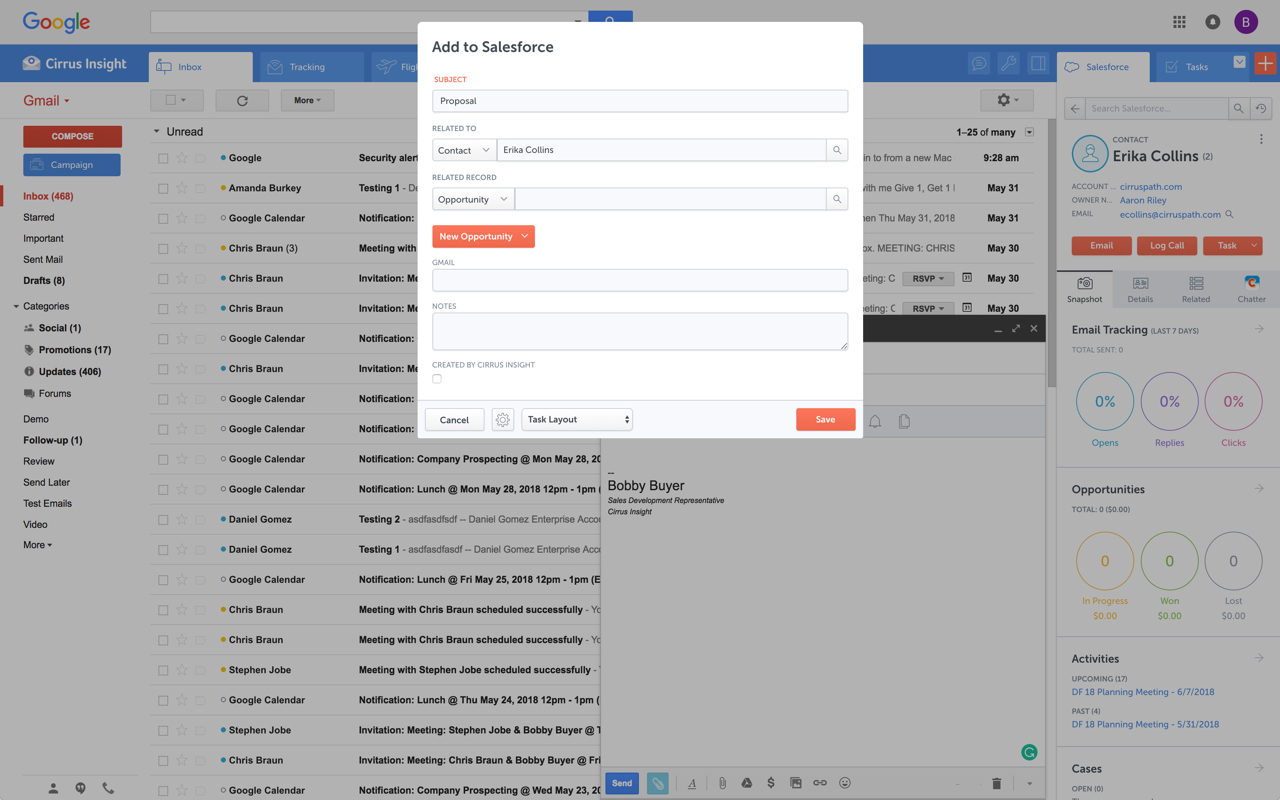   |