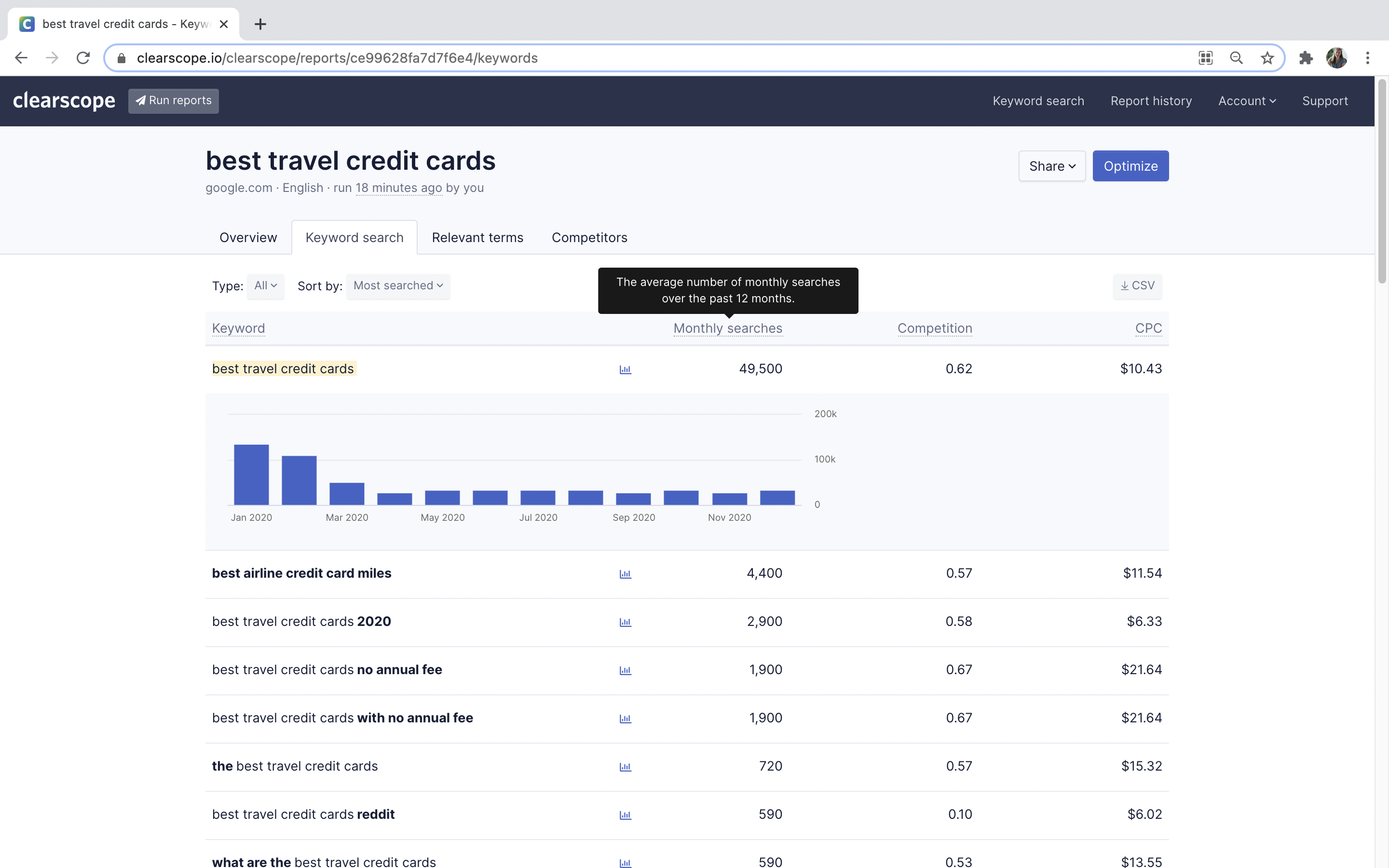
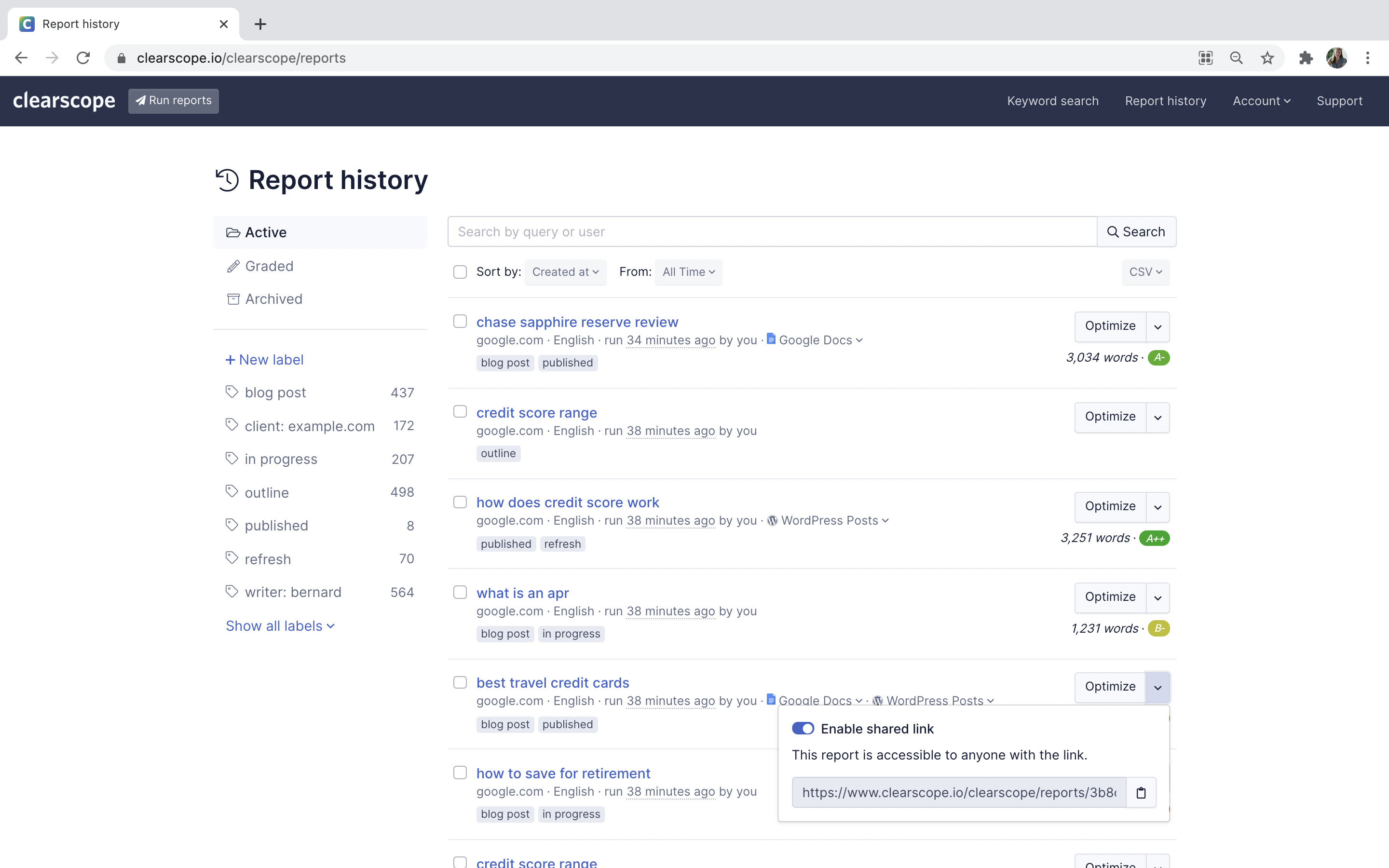
Clearscope, from the company of the same name (also known as Mushi Labs) is an AI-powered SEO platform designed to make it easy to get more out of content.
$129
per month
Google Search Console
Score9 out of 10
N/A
Google Search Console is a search engine optimization software solution offered by Google.
Clearscope shines if you're using freelance writers or even just need a way to easily keyword optimize long-form content. While it can be used for marketing pages, I've found it does best with longer-form blog content in the hands of writers. So, if you have inexperienced writers or those less savvy/comfortable about SEO optimization, I'd recommend only using it for blogs. articles or other long-form content. Have some SEO experience under your belt? Use it for EVERYTHING that needs keyword optimization and is over 300 words. It'll help give you ideas and give you a better idea of how to work in that semantic SEO.
A de minimis incentive was given to thank the reviewer for their time. The incentive was not used to bias or drive a particular response, nor was the incentive contingent on a positive endorsement. More Info
It's suited for all use cases, but for big companies, the data might be crippling, so an add-on tool to analyse the data would be a good companion for GSC to solve this issue. Therefore, I think it's suited for any use case with some add-ons and companions needed for analysis.
A de minimis incentive was given to thank the reviewer for their time. The incentive was not used to bias or drive a particular response, nor was the incentive contingent on a positive endorsement. More Info
A de minimis incentive was given to thank the reviewer for their time. The incentive was not used to bias or drive a particular response, nor was the incentive contingent on a positive endorsement. More Info
Google Search Console insights is a great feature which provides an overview of my top content, how my new content is performing, etc.
It gives detailed information around backlinks - who is linking to us, how many backlinks do we have, how is the internal linking within the website, etc.
I like the graph feature that shows how the website is performing overall in one month, three months etc. Seeing the graph can help us understand whether it is trending upward or downward and we can shift strategies accordingly.
A de minimis incentive was given to thank the reviewer for their time. The incentive was not used to bias or drive a particular response, nor was the incentive contingent on a positive endorsement. More Info
A de minimis incentive was given to thank the reviewer for their time. The incentive was not used to bias or drive a particular response, nor was the incentive contingent on a positive endorsement. More Info
More training resources would be an asset. A beginner is given the power to completely destroy a sites search results at the push of a button. Likewise it is a powerful tool to enhance search results also.
An option to take care of multiple versions of the same site simultaneously would be helpful. An option to use the same validation script across all versions and administer them simultaneously would be a time save (i.e. non-www, www, http://, and https:// versions of the same site).
A de minimis incentive was given to thank the reviewer for their time. The incentive was not used to bias or drive a particular response, nor was the incentive contingent on a positive endorsement. More Info
It's easy to use, but some features are lacking a clear explanation. Somethings don't always match up. For example, the Core Web Vitals often doesn't match what you would see in the Chrome Lighthouse report or the Google Page Speed Insights tool. The tool itself is a little too basic and has to be used alongside other SEO tools and other Google properties such as Analytics
A de minimis incentive was given to thank the reviewer for their time. The incentive was not used to bias or drive a particular response, nor was the incentive contingent on a positive endorsement. More Info
As it is a free tool, you mainly have to rely on their knowledge base and forums. Google has provided in-depth guides and KB for every function of the search console. So, you can refer to it in case of any problem. You can also ask questions on their forums but direct support is not available.
A de minimis incentive was given to thank the reviewer for their time. The incentive was not used to bias or drive a particular response, nor was the incentive contingent on a positive endorsement. More Info
They're all similar but different. We use Frase and MarketMuse during other parts of our content creation process. I have used Surfer when clients supply reports and think it's also a solid tool. But nothing beats Clearscope when it comes to content optimization as you finish drafting.
A de minimis incentive was given to thank the reviewer for their time. The incentive was not used to bias or drive a particular response, nor was the incentive contingent on a positive endorsement. More Info
SEMRush is a supplementary tool we use to provide competitive analysis. While it does, or should, provide the same data that Search Console does, but I only fully trust Search Console when it comes to basic performance in Google for the sites we develop and own. SEMRush, and other products like it, does provide much more in-depth insights that can help drive business decisions, including site performance on other search engines, along putting organic and paid search performance in one spot. However, SEMRush costs money while Search Console is free.
A de minimis incentive was given to thank the reviewer for their time. The incentive was not used to bias or drive a particular response, nor was the incentive contingent on a positive endorsement. More Info
A de minimis incentive was given to thank the reviewer for their time. The incentive was not used to bias or drive a particular response, nor was the incentive contingent on a positive endorsement. More Info
Given that this is a free tool, the return on investment has been particularly high - we've identified and addressed a few site issues that could have meant a reduction in search traffic.
Our organic search traffic has been on the rise in part due to the insights gained from the search traffic analytics provided within the console.
A de minimis incentive was given to thank the reviewer for their time. The incentive was not used to bias or drive a particular response, nor was the incentive contingent on a positive endorsement. More Info