Autotask PSA is designed as a complete IT Business Management Platform for MSPs, now from Datto (resulting from the Autotask merger with Datto in 2017).
N/A
HaloPSA
Score 8.2 out of 10
Enterprise companies (1,001+ employees)
HaloPSA is a solution designed for MSP's and service providers. With HaloPSA out-of-the-box functionality, the solution aims to provide businesses a Cloud platform that enables users to modernise customer experience and automate service. An integrated PSA platform, it includes features such as time-tracking and billing, advanced reporting, asset management, remote access, integrations, and automation tools. Aligned to the user's requirements and boasting an intuitive UI, users…
$35
per month per user
Syncro
Score 7.4 out of 10
N/A
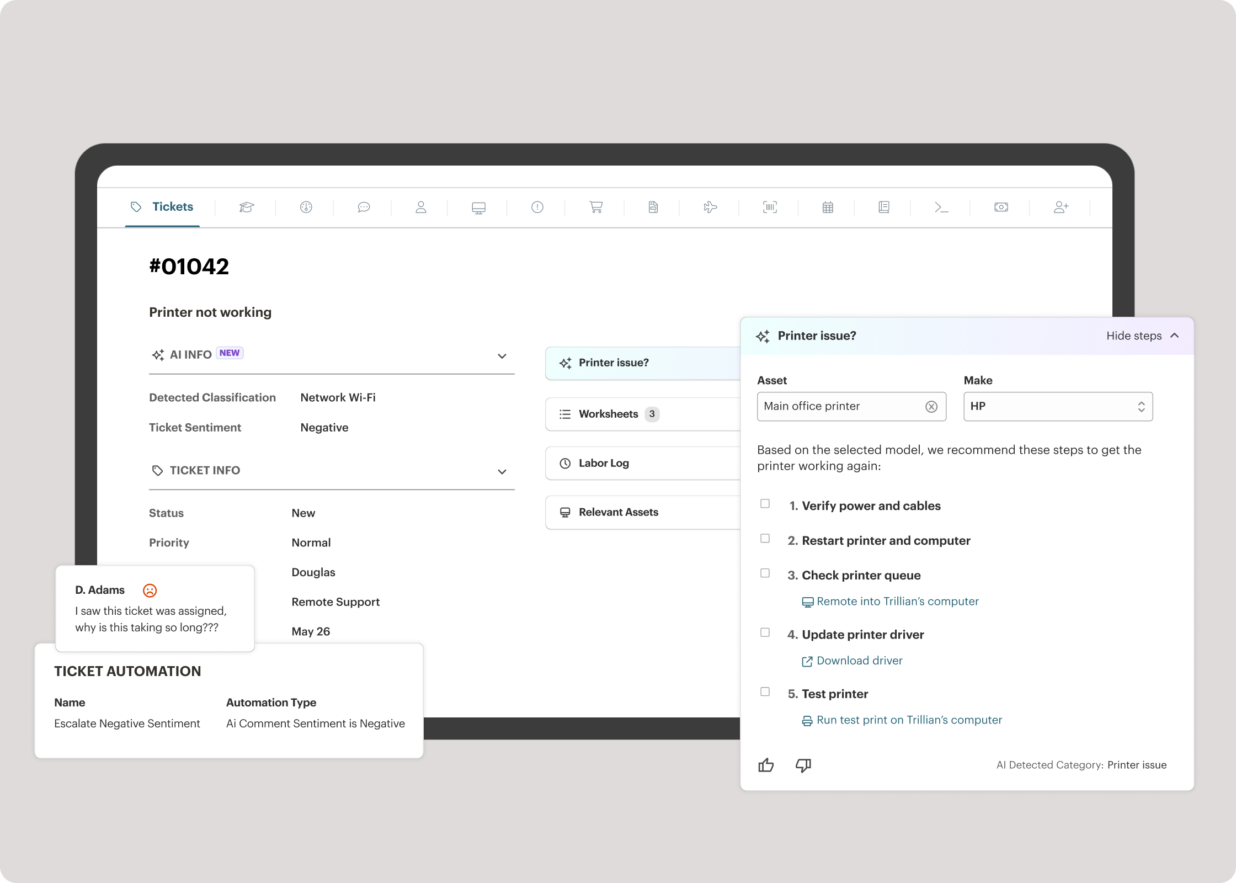
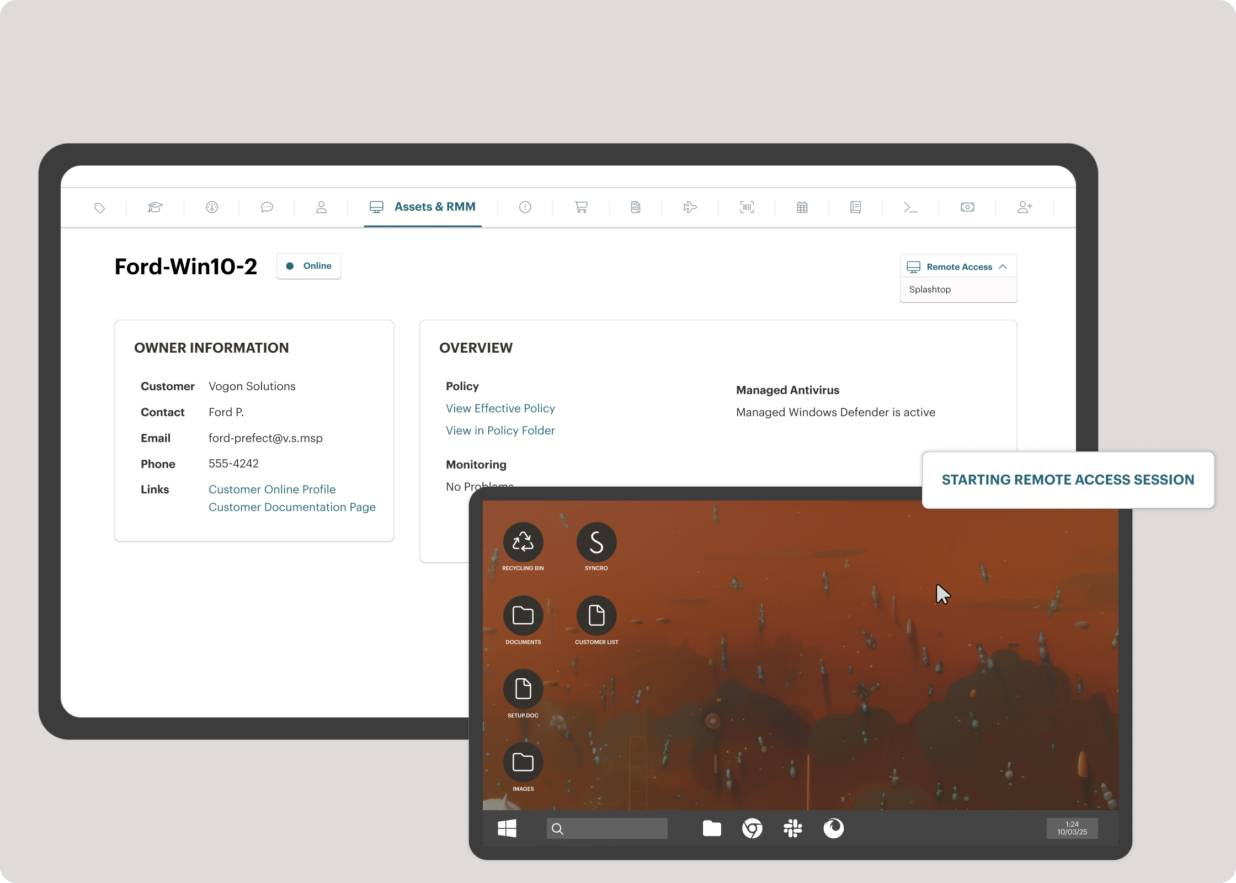
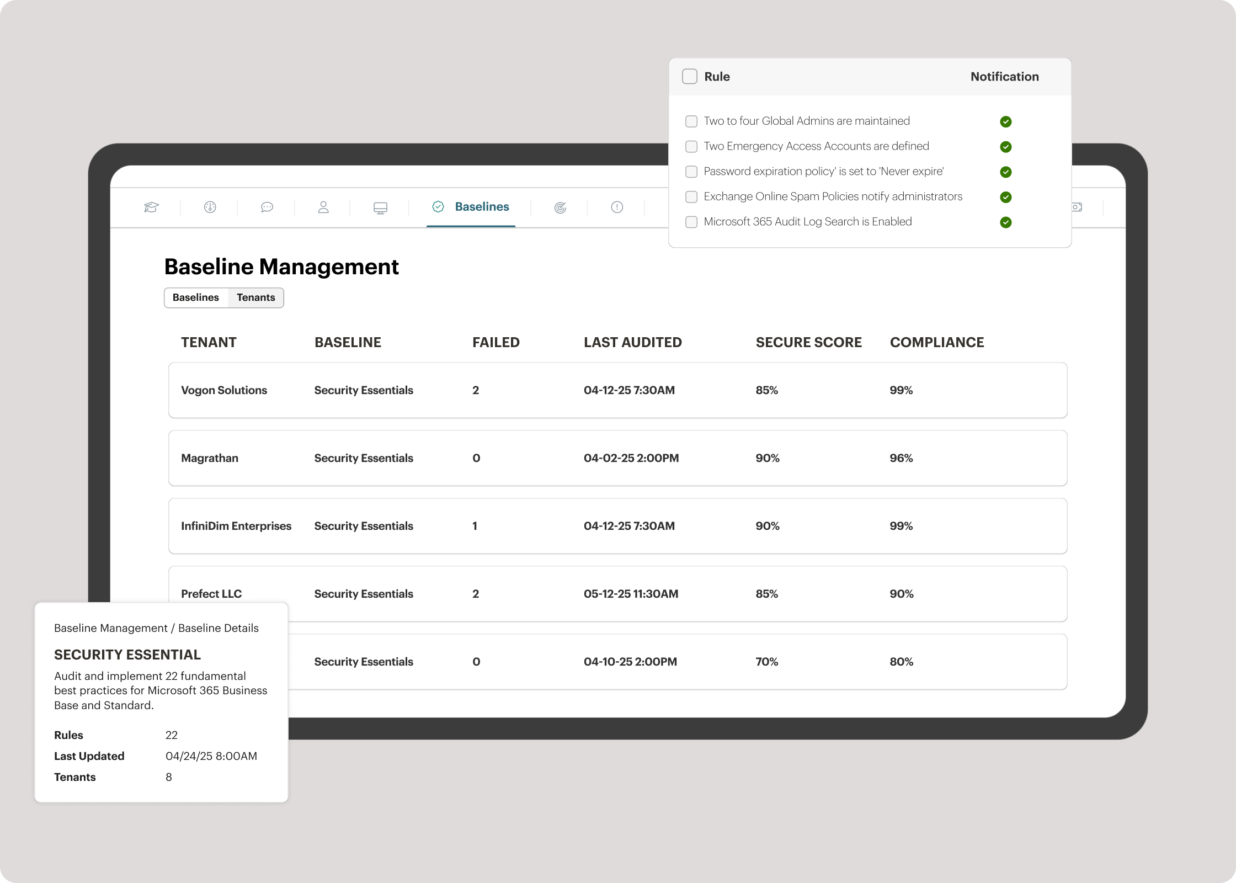
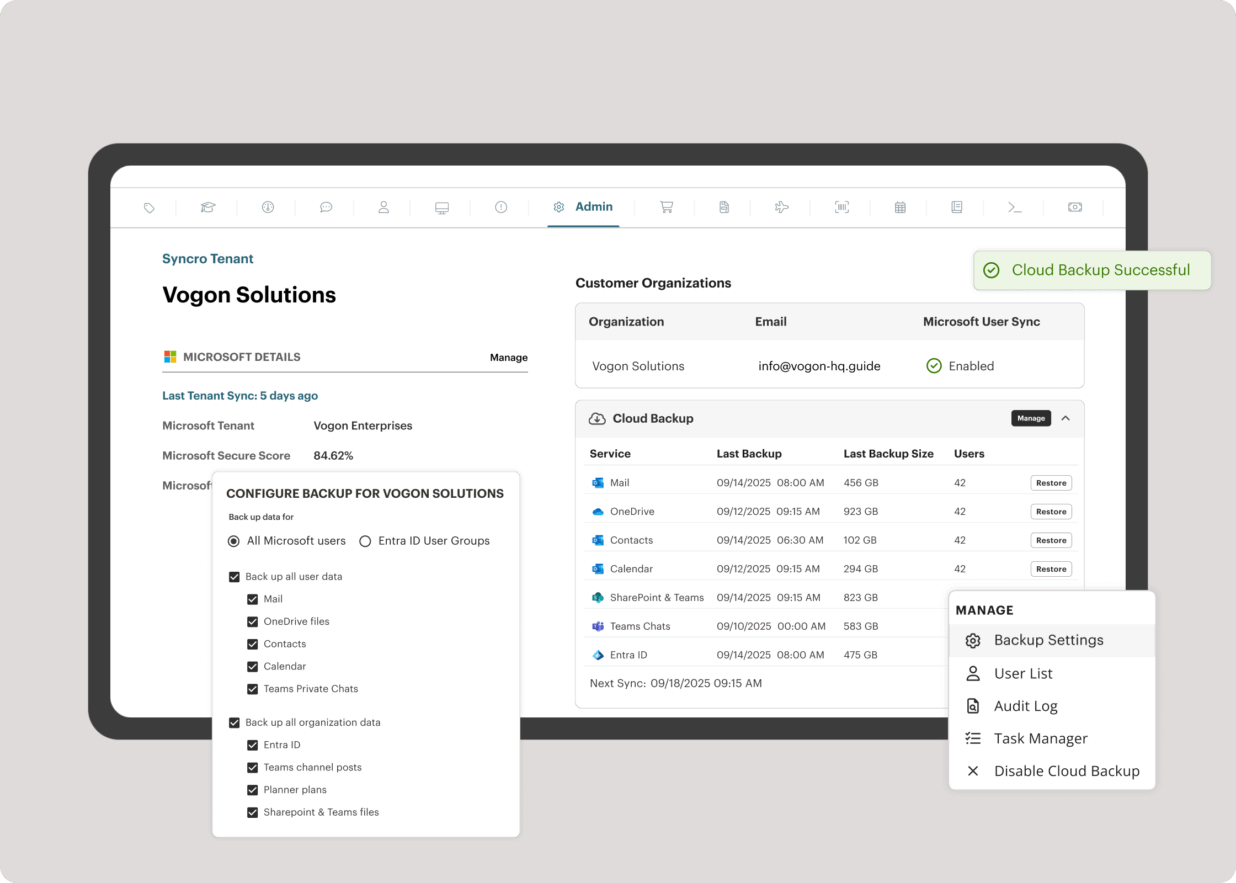
Syncro offers an Extended Monitoring and Management (XMM) platform for midsized MSPs and internal IT teams. The platform integrates RMM (endpoint management), professional services automation (PSA), and Microsoft 365 multi-tenant management to help organizations simplify operations, strengthen security, and scale.
$159
per month per user
Pricing
Datto Autotask PSA
HaloPSA
Syncro
Editions & Modules
No answers on this topic
All-inclusive PSA Software
$35
per month per user
All-inclusive PSA Software
$35
per month per user
Core
$159
per month per user
Team
$209
per month per user
Offerings
Pricing Offerings
Autotask PSA
HaloPSA
Syncro
Free Trial
No
Yes
Yes
Free/Freemium Version
No
No
No
Premium Consulting/Integration Services
No
Yes
No
Entry-level Setup Fee
No setup fee
Optional
No setup fee
Additional Details
—
15% discount for all charities, educational institutions and non-profit organisations.
Discount available for annual payment.
More Pricing Information
Community Pulse
Datto Autotask PSA
HaloPSA
Syncro
Considered Multiple Products
Autotask PSA
Verified User
Executive
Chose Datto Autotask PSA
We tested several solutions ranging from short-term trials to extended 6-month production runs and found the other solutions to lack what we needed. Autotask PSA was a more mature, thought-out, and developed product that had everything we needed in a single solution. Over the …
Against the other platforms used, HaloPSA is faster, simpler, and easier to use. It might not yet have all of the features of the other platforms, but they are coming fast. The support is second to none.
Syncro
No answer on this topic
Features
Datto Autotask PSA
HaloPSA
Syncro
Application Performance Management
Comparison of Application Performance Management features of Product A and Product B
Datto Autotask PSA
-
Ratings
HaloPSA
-
Ratings
Syncro
6.7
3 Ratings
5% below category average
Virtualization monitoring
00 Ratings
00 Ratings
7.43 Ratings
IT Asset Discovery
00 Ratings
00 Ratings
6.12 Ratings
Monitoring Tasks
Comparison of Monitoring Tasks features of Product A and Product B
Datto Autotask PSA
-
Ratings
HaloPSA
-
Ratings
Syncro
7.5
4 Ratings
3% above category average
Remote monitoring
00 Ratings
00 Ratings
8.54 Ratings
Network device monitoring
00 Ratings
00 Ratings
6.63 Ratings
Activity Monitoring
00 Ratings
00 Ratings
7.33 Ratings
Management Tasks
Comparison of Management Tasks features of Product A and Product B
Datto Autotask PSA
-
Ratings
HaloPSA
-
Ratings
Syncro
7.5
3 Ratings
7% above category average
Patch Management
00 Ratings
00 Ratings
7.93 Ratings
Policy-based automation
00 Ratings
00 Ratings
7.23 Ratings
Remote Access
Comparison of Remote Access features of Product A and Product B
In my opinion, Datto Autotask is exceptionally complicated to set up, manage, and use on a daily basis. I would think the target market for this product would be someone managing a team of 20 - 50 people, possibly more. In my experience, for it to run properly you will need to dedicate at least half an FTE to running this product in an organization of that size per month. I would not recommend it for companies with less than 10 people or for companies that value quick communication with their clients. I would not recommend it for companies using Datto's RMM product. The integration exists, but it is clearly a bolt-on. They were not developed together and they are slow to talk to each other. Frequently you cannot add details from RMM sessions into the PSA without manually copying the ticket number, and if the ticket is more than a week old, then you can't even find it with the ticket number.
Having been in IT for 10+ years and used so many different PSA platforms, I must say working with HaloPSA has been simply amazing. Straight out of the box, it's fast. It's feature-rich. It's easy to set up the basics, and the onboarding team was amazing. The onboarding team actually spends time with you, human on human, walking you through the setup and getting it working how you want. No one else does that included. Yeah, sure, you can pay CW and the other huge amounts of money, and they sort of help you, but HaloPSA helps you from the start; it seems they realise if they help set it up correctly in the first place, it reduces support calls. We can run our business from day one - very customer-centric. We have been using HaloPSA for a year now, and there is still plenty to learn and develop on the platform, but every week we are learning new things that we can do. The support team is great; they are humans who understand the issues we face, so they get things working fast. We have suggested some missing features to the dev team, and so far, they have implemented all of them - WOW. Don't get me wrong, as with all platforms, HaloPSA is not perfect. It's young, but it's maturing fast, very fast, and they are getting integrations built with the major players in the IT industry, which is fantastic. Yes, a few times, the link to Xero broke, which was annoying, but unlike the platforms we used in the past, the support team spoke to us and told us what the problem was and got it fixed, so you can't ask for more than that. Their growth has been fantastic to see, but again this has meant a bit of change around with account managers, support personnel, etc., but everyone they bring on is just as good as the last. All in all, migrating to HaloPSA was the best software/platform decision I have made in our business since I began the business. I would recommend HaloPSA to any IT business. Well done, Team HALO. Keep up the awesome work.
SyncroMSP is great for MSPs starting out or wanting to keep their costs low. Some RMM software will charge per install - and price breaks only available as your base grows to a significant number. As Syncro is a "per agent" cost, the costs for an MSP are (a) known and (b) easily to manage as the team grows. The third-party integration element is very useful for MSPs looking to be able to not only onsell additional services, but the management of these services is simple for anybody to use
The graphical calculations on time spent on requests, how long they were open for, who worked on a ticket last.
Grouping by priority so you can determine easier what needs to be addressed sooner rather then later. This also helps if Account Management has conversations a technician is not aware of so they can prioritize efficiently.
The email updates that are sent out to the technicians so they are aware of upcoming or stale tickets.
Datto Autotask PSA is a full featured product that can do almost anything you need. There is a significant learning curve to get started which requires several hours spent in product training. Additionally, several hours / days are needed to get clients imported, contracts configured, and integrations implemented. Once the setup and user training is complete, the product is very functional, but it's imperative to not get overwhelmed when starting out.
The portion of Autotask that we've used other companies for prior to using Autotask is the Endpoint Management. The Autotask Endpoint Management (AEM) portal integrates perfectly with their PSA/CRM tools. It's alerting features are much better than the above software as there aren't a bunch of superfluous and unneeded alerts. Instead, it only alerts for things that you specify that you want. Alerts aside, for the PSA/CRM, I don't have much to compare it to as Autotask was the first PSA we tried. It's hard to imagine a PSA having more features or doing a better job than Autotask.
We have used and tried several other PSA vendors and HaloPSA was our favorite by far. Many others were either much too overly complicated, clunky, slow to respond to issues, incomplete, or they simply failed to deliver on promises made, especially in terms of integrations.
The integrated AV solution with Bitdefender is very cheap - yet very a very high quality NGAV solution. It allows us to ensure our clients have access to an NGAV solution at an affordable price
Syncro has allowed us to expend our business into new areas which were not able to be accessed previously. This means that we can now service our clients in different ways than previously.
The fixed cost pricing allows our teams to understand what their costs are - but also allow us to grow the business and customer base with no increase in costs until we increase our technical team.