Denodo is the eponymous data integration platform from the global company headquartered in Silicon Valley.
N/A
SAP Build
Score 8.2 out of 10
N/A
SAP Build is a business application development and automation solution with a comprehensive suite of low-code, pro-code, and generative AI tools. SAP Build is for developers, IT professionals, and business users/citizen developers who want to create and customize business applications.
$1.82
per month per user
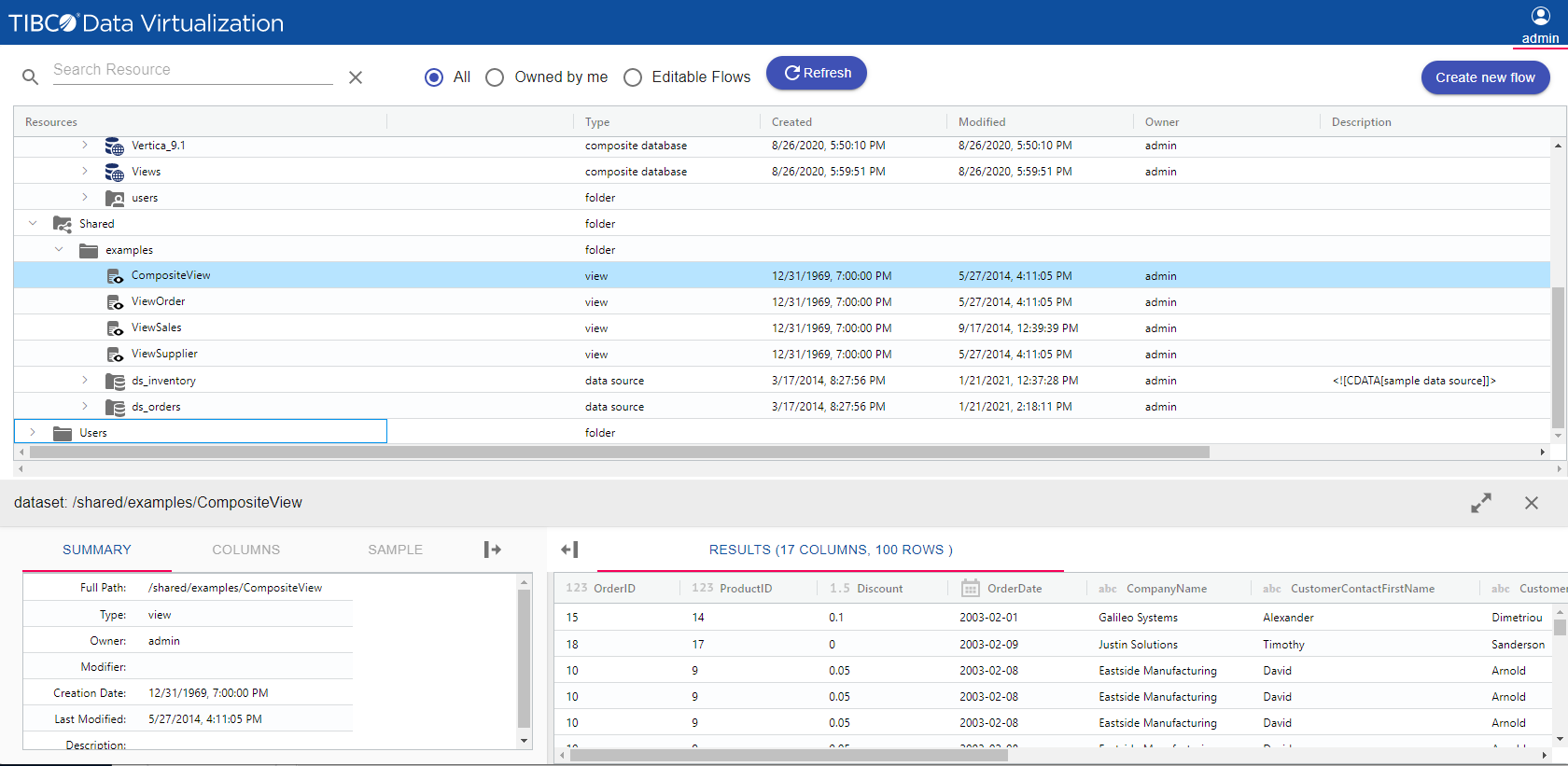
TIBCO Data Virtualization
Score 8.6 out of 10
N/A
TIBCO Data Virtualization is an enterprise data virtualization solution that orchestrates access to multiple and varied data sources and delivers the datasets and IT-curated data services foundation for nearly any solution.
N/A
Pricing
Denodo
SAP Build
TIBCO Data Virtualization
Editions & Modules
No answers on this topic
SAP Build Process Automation - Standard User
$1.82
per month per user
SAP Build Process Automation - Advanced User
$15
per month per user
SAP Build Process Automation - Attended Automation
$534
per month
SAP Build Process Automation - Unattended Automation
In its tool selection process, Cloetta used a Value for Money model on Excel, scoring the functions, performance, vendor qualifications, support, and consultancy required against the total cost of ownership for the first five years of usage. The company went with TIBCO® Data …
Denodo allows us to create and combine new views to create a virtual repository and APIs without a single line of code. It is excellent because it can present connectors with a view format for downstream consumers by flattening a JSON file. Reading or connecting to various sources and displaying a tabular view is an excellent feature. The product's technical data catalog is well-organized.
SAP Build is a strong and reliable partner with a rich FAQ and consulting power. New features make sense and are easy to distribute within the team and to end users. The community is nice, and there are many discussions on product development, shared solutions, and productivity improvements. UI is also one of the strongest points.
TIBCO Data Virtualization is well suited for customers who are challenged to deal with extracting data from dozens of different sources and systems, and do not have the time and liberty to hire data engineers and/or ETL developers to write dozens or hundreds of complex ETLs. However, there are situations where TIBCO Data Virtualization severely underperforms, and those are where we are dealing with large volumes of data, in tera bytes or peta byte scale system. For example, a messaging queue which sends 200 million messages every hour will choke TIBCO Data Virtualization if the technology is chosen to route the data.
SAP Build Workzone is a cloud ready service that it can provide access to users over cloud. It really liked it because for Non-SAP users they don't need to have seperate logins to access SAP systems
SAP Build LCNC helps to create an app either from scratch or take reference from existing apps and develop on top of it
SAP Build Code is pro-developer tool helps for creating enterprise ready web apps
Caching - but I am sure it will be improved by now. There were times when we expected the cache to be refreshed but it was stale.
Schema generation of endpoints from API response was sometimes incomplete as not all API calls returned all the fields. Will be good to have an ability to load the schema itself (XSD/JSON/Soap XML etc).
Denodo exposed web services were in preliminary stage when we used; I'm sure it will be improved by now.
Export/Import deployment, while it was helpful, there were unexpected issues without any errors during deployment. Issues were only identified during testing. Some views were not created properly and did not work. If it was working in the environment from where it was exported from, it should work in the environment where it is imported.
Comparing to other RPA Tools, SAP Build automation lacks enough user guidance.
Licensing is a little bit confusing.
From a technical perspective, older versions of the automation part are not always stable, but the other services (workflow, business rules, apps, etc.) are much more stable.
Performance of TDV repository database is rather poor for larger numbers of objects .(Note: We have approx. 9tsd objects introspected in TDV and approx. 20tsd objects generated in upper DV layers.)
Propagation of privileges to parent/child dependencies does not work when applying recursively on a folder. (It's a huge setback when working with large number of objects organized semantically into subfolders.)
Lack of command line client interface for scripting at the time of version 8.4 (I had to write my own CLI.)
TDV Studio does an absolutely horrible job with its own code editors when indentation is in place. Also, the editor is brutally slow and feature-poor.
Tracking privileges on the level of table/view columns causes occasional problems when regranting.
TDV's stored programs ("SQL scripts" in their own terminology) compiler leaves out many syntactic and semantic checks, making them hugely prone to run-time errors.
TDV Server's REST API is a very poor (in terms of features) and flawed cousin to its SOAP API (at the time of version 8.4).
SAP Build that enables rapid creation of enterprise-grade applications, automations, and business sites. It empowers both business users and developers to collaborate effectively while leveraging SAP-grade security, identity, and integration capabilities. SAP Build integrates seamlessly with SAP systems, supports governance and lifecycle management, and accelerates digital transformation by reducing development time and effort.
The overall re-usability is very good for SAP Build app. Rating 9 shows that it is very effectively uses the No code or low code functionality. Drag and drop of UI components is very effective in this SAP Build app. No prior coding experience is needed but to develop some logic flow you need to be very logical and optimistic thinker
TDV's interface is a bit dated and not entirely intuitive. Would recommend some UX design review as the interface leaves a bit to be better understood to be used by users without inherent knowledge of Tibco. Overall I'd suggest more improvement here to ensure usability by a lesser tech audience.
Denodo is a tool to rapidly mash data sources together and create meaningful datasets. It does have its downfalls though. When you create larger, more complex datasets, you will most likely need to cache your datasets, regardless of how proper your joins are set up. Since DV takes data from multiple environments, you are taxing the corporate network, so you need to be conscious of how much data you are sending through the network and truly understand how and when to join datasets due to this.
This product's performance is very consistent. It is extremely rare for templates to fail. I've been using this software for 5 years and find it to be both simple and powerful. The impact within the company has been very positive as different processes in different areas, such as data analysis, development, and integrations, have been improved, and, best of all, it has not affected the users. Various systems with which it is connected in order to obtain information.
There are, for example, great blog writings about automation cases and examples. The studio version is updated often. There are also useful OpenSAP online courses.
On a few occasions I have asked TIBCO technical support for help because I have adapted perfectly to their tools, but in those few that I have communicated with their technical team I have received personalized, attentive, responsible attention and I am always assisted by an expert staff the topic. A TIBCO technical support technician spent more than an hour helping me to solve a problem in the initial stage of implementation in my department and this is something that I always appreciate.
Online training helped to understand the drag and drop processes, building UI. Creating a workflow and process automation. Developing workflow and deploying WF. Helped to reduce the errors. It helped to understand the training easily. And online training gave good insights for low code no code solutions and create actions, forms.
The training was helpful. I was able to understand how to use TIBCO for the data load process that we implemented and how to perform various troubleshooting steps based on the training I received. The technician was thorough and took the time to answer any questions. Once we were shown how to use TIBCO in the test environment, we were able to configure the production environment ourselves.
Other vendors have clearer, more visual implementation documentation. We also did not have our data architect and and server administrator available full-time for implementation. In the future, we will secure the necessary internal resources.
Seamlessly connected to SAP S4 Hana systems and development and deployment is easy as compared to Microsoft Visual Studio. Low code no code facility is awesome in SAP Build app where as in Visual Studio drag and drop of components is provided but still needs to write bulky code for functionality. Performance is better for SAP Build app.
We did not need to evaluate another technology in the same category for data virtualization, since we are 100% sure of the capabilities and benefits that we would have with TIBCO Data Virtualization, both for market positioning as well as success stories from other companies. great renown worldwide. From the first day of use, it meets our needs to provide the expected solutions.