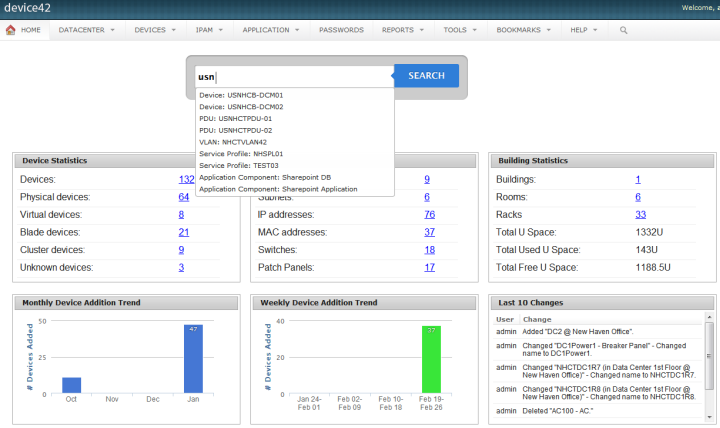
Device42 is a comprehensive, agentless discovery system for Hybrid IT. Device42 can continuously discover, map, and optimize infrastructure and applications across data centers and cloud, in order to provide an accurate views of the IT ecosystem. Device42 intelligently groups discovered workloads by application affinities, so as to reduce the effort required to create move groups, capturing all communications. The vendor boasts customers in more than 60 countries including Global 2000…
$1,449
1-1K IPs
Password Genie
Score 8.0 out of 10
N/A
Password Genie is a password management application providing smart login and advanced customization, form fill and backup, and 2 step verification, among other features, from NRTC Managed Services (formerly SecurityCoverage).
N/A
Spiceworks Cloud Help Desk
Score 8.1 out of 10
N/A
Spiceworks offers a set of free tools for IT network management and help desk support ticketing. The inventory management system essentially provides comprehensive device information for asset management.
$0
Pricing
Device42
Password Genie
Spiceworks Cloud Help Desk
Editions & Modules
Core 1-100 Devices
$1,449
1-1K IPs
Core 101-500 Devices
$2,999
1K-5K IPs
Core 501-1000 Devices
$4,999
5K-10K IPs
Core 1001-2500 Devices
$9,999
10K-25K IPs
Core 2500+ Devices
Request Quote
25K+ IPs
No answers on this topic
Core Plan
$0
Premium
$6
per month per user
Offerings
Pricing Offerings
Device42
Password Genie
Spiceworks Cloud Help Desk
Free Trial
Yes
No
No
Free/Freemium Version
No
No
Yes
Premium Consulting/Integration Services
No
No
No
Entry-level Setup Fee
No setup fee
No setup fee
No setup fee
Additional Details
Pricing for each customer requesting a SaaS installation/deployment is negotiated on a case by case basis, and depends on many factors
—
—
More Pricing Information
Community Pulse
Device42
Password Genie
Spiceworks Cloud Help Desk
Considered Multiple Products
Device42
Verified User
Anonymous
Chose Device42
When we compare both Nlyte & Device42. The below are the advantages of Device42 which helped us to choose it. 1. Support is very much good in Device42. 2. It has lots of advanced features CMDB, DCIM, ITAM, IPAM etc.
What I appreciate and love about Device42 is how everything links together from room layout,to server rack organisation,down to all VMs and Business applications. We are also able to get full value of our money and full visibility of our assets management process.
I like the availability of highly trained support team,Simple and easy-to-use interface with a lot of pre-defined reports available to use and built-in dependency mapping diagram and topology. Its cost effective and more so time saving tool. I also love all the licencing …
Brilliant for making informed decisions on the database. Excellent with SSL certification management. Terrific and fabulous with data warehousing. Impressive to collect and configuration of data from storage devices.
Impressive and incredible with automatic discovery of storage devices. It's easy to deploy and migrate to the cloud. Fantastic with making informed decisions through real-time reporting and data collection.
It is the best tool compatible with both iOs and Android. It is best for people looking for quick access with automated data capture. Its user-friendliness strikes the most as any new person can work easily with it. In addition, it is a highly secure and reliable tool for any …
It’s very easy to operate from multiple devices & highly secure layer protection.I love using Password Genie because It keeps all of my passwords in one place and I can use it on all of my devices.Password Genie is very time savings & secure tools for digital online based …
Password Genie is a more robust product with better security and support for all the OS's we have in our organization. We used to use Lasspass but moved away from them after they were compromised in 2022.
I like RoboForm more. It's much easier to use, I can share passwords and it's got a better user interface and it's a lot more versatile. I switched to Roboform before and haven't looked back since. I'm able to save credit card information secure notes fill out forms online …
Compared to other software, it offers some additional features depending on the licensing we have. It is easy for people who are first time using this. Password Genie integrates well with some of the software that my organization uses, and it does provide updates from time to …
Free open source version was a bit scary to use as this has confidential information stored. This application was cost effective compared to the other products. Capturing of password was great on this product compared to the other products.
One of the main reasons I switched to Password Genie is its advanced encryption algorithms. The software's encryption is more robust and secure than LastPass Business, which gives me greater peace of mind in protecting our sensitive information. I also appreciate the …
When comparing Password Genie to other software options, it stacks up well in terms of security, user-friendliness, and sharing capabilities. Additionally, it has a built-in team management feature, detailed audit and reporting and the app supports multi-factor authentication. …
Password Genie offers a wide range of additional features as compared to those other solutions available in the market like 2 factor authentication etc. It is very easy to use and also it provides updates and firmware more frequently, so performance is not affected and the user …
Spiceworks Help Desk was picked because of its user-friendly design, low pricing, and basic ticketing capabilities that fit our organization's requirements. Its built-in knowledge base and active user community boosted the effectiveness of our IT support operations. While it …
In my opinion, we have a much richer experience with Solarwinds. It basically ramps up all the features of Spiceworks to the next level and enforces a proper ITIL framework into the process. Integration with Dameware is a much better experience than Spiceworks' connection to …
Spiceworks Help Desk is simple and easy to install. It takes very little skill to get it installed and working. There are no expensive components needed to run the software and virtually no maintenance.
Director Of Information Technology and HIPAA Privacy Officer
Chose Spiceworks Cloud Help Desk
[Its] simplicity, [the] easy user interface for both technicians and end-users, and stability, plus the ability to locally control data access (we're highly regulated regarding privacy and records rights), puts it in its own class. While it may not do everything larger systems …
EGroupware UI is clunky and hard to use, Jira is great but the pricing is expensive in comparison with spice works that has a free version and you can test it out properly before buying and make a correct decision based on your business plan and company objectives with the …
Overall, Spiceworks Help Desk is an easy-to-use option at a GREAT cost. We didn't feel that any other products offered anything that Spiceworks couldn't so we haven't felt the need to explore any more companies. The Spiceworks FREE option is great on its own and it's hard to …
Spiceworks Help Desk is free, which is an advantage. It also includes inventory tracking. Mojo help desk does not rely on Windows as a platform. Spiceworks Help Desk also allows for add ons and reporting.
Spiceworks is a great option for a free help desk. In terms of features, it is similar to the free level of Freshdesk. If you want a lot of features and customization though, you should look at Jitbit Help Desk or the paid tiers of Freshdesk. Both offer better reporting, …
Spiceworks is much cheaper and does the job well for one organization. Connectwise Manage works better for an MSP that is handling multiple companies and wants to keep them separated.
We found that for entry-level SMB in-house needs that Spiceworks had an impressive range of features and options at an unbeatable price-free! For our in-house and multi-tenant needs, we use a different product that is more appropriate to our particular needs, but with no cost …
We tried to use Jira for ticketing, but it doesn't support hashtag updating of tickets through email. We find it helpful to be able to convert emails from users into tickets by forwarding them to the help desk email address and including hashtags for ticket assignment, …
[Spiceworks Help Desk] was much easier to roll out since it didn't require any custom development from or development team. It also had an existing mobile app that was easy to deploy.
Cost was the big factor here. While we already used TeamViewer there were some limitations for the helpdesk and some only available with increased cost on the inventory side. Ivanti was used in Europe but very pricey to add to the Americas. While we used Dynamics CRM, we had a …
A lot of the competition starts with some free options, but bare minimum or "paid only modules" etc. And their support is often either non existent or convoluted while Spiceworks Help Desk is both great and responsive as well as having an open community and forums. You can …
Trialing Zendesk and a few others, they are very well done programs which do what is needed and even more at a cost. The free price tag of Spiceworks is well worth it for our business and environment. We chose Spiceworks for the ease of use on both IT and end users' ends and …
SolarWinds is far superior but it is a locally installed application. I think each does things well. For a free or paid no-ad version legacy style it was great. As for cloud-only options, I think there are still some things that need to be improved on. There needs to be …
Teamwork has many features that I wish Spiceworks had, but Spiceworks has the price that can't be beaten. There are some things that would make it better, but those are things that I can train my technicians on and we can live without the operational cost associated with …
We love the JitBit side of things for the help desk component of our system. We have a lot more customization available with JitBit vs. the Spice works application. The features for JitBit are the ones we are looking for, and as such, we have moved our ticketing to JitBit …
We have not looked at anything recently due to how well Spiceworks has been working. Other parts of campus are using other programs that one day may be forced upon us. At the moment we are very happy with what we are using and will not be looking elsewhere if we do not have to.
Spiceworks does so many things in a variety of ways that it is hard to compare it to other products. Keep in mind that freeware has limits, but if the Spiceworks tools fit your need and management doesn't complain then go for it. Paid software has plenty of benefits, but you …
We are in the process of looking at Remote Monitoring & Management tools as we are growing so rapidly. We have been checking out demos & reading reviews of these other applications and they are way more feature-rich than Spiceworks - however, they come at a cost and will …
Device42 is very easy to use, configure and install on multiple devices without experiencing any technical or difficulty errors. Simple and effective User Interface that is very attractive and easy to navigate in search of any asset management data. like it offers variety of licensing models from which we can choose what we want.
Based on my experience, Password Genie is well suited for small to medium-sized businesses that need to manage login information for a moderate number of employees and external partners. The app's user-friendly interface and features like password generation, secure storage, and syncing across multiple devices make it easy for employees to access the information they need and for IT administrators to manage and monitor usage. The app's team management feature is also beneficial for organizations that need to share login information with specific teams or individuals. However, Password Genie may be less appropriate for larger organizations with more complex needs. The app's limited integrations and browser support, as well as its limited sharing and customization options, may not be sufficient for organizations that need to manage login information for a large number of employees and external partners, or for those that use a wide range of tools and platforms. Additionally, the app's reporting feature is also not as advanced as some other password managers, which may not be enough for some IT administrators who need more detailed data and analysis.
Spiceworks Help Desk from the user end is very simple. Once you submit your technology needs, I automatically receive an email stating that my ticket was received and is being processed. It's also helpful to have the VNC feature so that my IT department can automatically VNC into my computer if it's a quick fix. At times Spiceworks Help Desk can be tricky because as someone who's not in a Tech role at my company, it can be hard to describe what I need assistance with writing.
It can generate strong, random passwords, reducing the risk of weak passwords being used and making it easier for us to implement good password hygiene.
It can automatically log users into their accounts, saving time and reducing the risk of typos or mistakes that could result in security incidents.
It can be used on multiple devices, including desktop and mobile devices, allowing users to access their password vault from anywhere.
Limited integrations: Currently, Password Genie only supports integration with a few select apps and services. Some users may find that the app does not integrate with the specific tools they need to use.
Limited browser support: Password Genie currently only works on a select number of browsers, this may limit the users who are using some specific browsers.
Limited sharing options: While the app has a built-in team management feature, it may be limited for some organizations with more complex sharing and collaboration needs.
Limited customization: Some users find that the app's interface and settings are not customizable enough to meet their specific needs.
Limited reporting: The app's reporting feature is not as advanced as some other password managers and may not be able to provide all the information that IT administrators need to monitor usage and track activity.
Lack of advanced features: Some users might find that Password Genie lacks some advanced features or customization options that are available in other password management tools.
User interface: Some users might find the user interface of Password Genie to be less intuitive or less user-friendly compared to other password management tools.
There is no contract to renew, since it's free. Spiceworks has helped me so much that I couldn't imagine trying to replace it with a different product. I'd have a hard time finding a single product that does everything that Spiceworks does, let alone one that does it as well as Spiceworks and for free
1. Its free. 2. Its easy to install. 3. You can have it up and running in under 1-hour. 4. You get dashboards that are easy to read so you know the state of your network. 5. You can create your own reports and not just the ones already installed. 6. Excellent tool for network administrators and security practitioners. 7. Did I mention that its free?
Spiceworks has been working out of the box, and some of the basic customizations have been successful with just our internal staff handling. We don't have any other issues with the tool. It provides us with the inventory information we want in a quick and concise report in a variety of formats for our team.
If you can spin up a VM to run it on, you'll thank yourself later. If you have remote sites, set up a local server (or dedicated computer) at each site and set them up as remote collectors for the main site. You'll save time and bandwidth
When we compare both Nlyte & Device42. The below are the advantages of Device42 which helped us to choose it. 1. Support is very much good in Device42. 2. It has lots of advanced features CMDB, DCIM, ITAM, IPAM etc. 3. It helps in documenting unlike manual & tedious process. 4. It helps us to remove the spreadsheet method for tracking with advanced reporting
Free open source version was a bit scary to use as this has confidential information stored. This application was cost effective compared to the other products. Capturing of password was great on this product compared to the other products. ManageEngine password manager is an excellent product, however the product is very expensive compared to Password Genie. Hence the appropriate and wise solution was Passwrd Genie for us
EGroupware UI is clunky and hard to use, Jira is great but the pricing is expensive in comparison with spice works that has a free version and you can test it out properly before buying and make a correct decision based on your business plan and company objectives with the right software.