Emburse Certify vs. Zoho Invoice

Overview
ProductRatingMost Used ByProduct SummaryStarting Price
Emburse Certify
Score 7.4 out of 10
N/A
Certify is travel and expense management software developed by the company of the same name in Maine, which merged with Chrome River in 2019 to form Emburse.N/A
Zoho Invoice
Score 9.4 out of 10
N/A
Zoho Invoice is a cloud-based invoicing solution designed to help small businesses with invoicing, tracking expenses, and accepting online payments. Key features include project billing, time tracking, reporting, customizable templates, and a client portaI. Teams using Zoho Invoice can track estimates, convert them to invoices, and send reminders to clients to complete their outstanding payments. Additionally, users can create tasks, collect advance payments for projects, and keep…
$0
Per Organisation, Per Month
Pricing
Emburse CertifyZoho Invoice
Editions & Modules
No answers on this topic
Free
$0
Per Organisation, Per Month
Offerings
Pricing Offerings
Emburse CertifyZoho Invoice
Free Trial
YesNo
Free/Freemium Version
NoYes
Premium Consulting/Integration Services
NoNo
Entry-level Setup Fee$8 Expense reportRequired
Additional DetailsCertify AP has volume based pricing based on processed invoicesZoho Invoice is a completely free product. It has no contracts, no ads, and no hidden fees
More Pricing Information
Community Pulse
Emburse CertifyZoho Invoice
Considered Both Products
Emburse Certify
Chose Emburse Certify
All expenses were done on Excel worksheets before we got Certify.
Chose Emburse Certify
They both are user friendly and easy to use. Both send emails to leaders or employees or things that need to be corrected prior to final submission. I would recommend either of these.
Chose Emburse Certify
I was not involved in the selection process. I know we evaluated Emburse Certify against a manual reimbursement process (not using a specific product).
Chose Emburse Certify
We used Concur prior to Certify. It cost 5x as much and was not worth the money. We also looked at Expensify, which had minor issues compared to what we are dealing with in Certify. Certify does not compare to Concur. The platforms are in two different leagues. Expensify is a …
Chose Emburse Certify
The cost to implement [Emburse] Certify was lower than the primary competition (Concur), but the integration with our existing card programs simply did not work the way we expected it to and the way it was sold to us. Any money saved by going with Certify over Concur was lost …
Chose Emburse Certify
Certify is our first electronic expense reporting system. We used Excel spreadsheets prior, so I have nothing to compare it to.
Chose Emburse Certify
I've used Concur in the past, but Certify is much lower-cost and a much better service. It has more flexibility and is easier to use.
Chose Emburse Certify
Certify is similar to Expensify in terms of features and overall potential. Expensify, however, works exactly how I expected it to work when I first opened it. There was very little that I had to learn. Certify’s workflow and interface are a little different than I anticipated, …
Chose Emburse Certify
The price is better and the support is better from what I have been told. I looked into them and never heard back from them when I sent in my info and Certify got in contact in mins to discuss my needs.
Chose Emburse Certify
I think most of the functionality between the two products is similar and very competitive. I do not use the booking or research facilities of either product but I believe they are similar and have the same functionality. Overall I liked the interface a little bit better on …
Chose Emburse Certify
We chose Certify for ease of understanding, resources for training staff, multiple departments, and price.
Chose Emburse Certify
I've only briefly looked at Concur as an expense platform and it came close to what Certify offers. The interfaces are similar, the functionality is basically the same, and a lot of companies use both systems. I think that it comes down often to price between the platforms. …
Chose Emburse Certify
I believe for a large organization Certify is the least costly provider compared to other solutions. It is significantly better than using the likes of SAP's Concur ERP type platform. However, it is not as forward-thinking and cool to use like Expensify or Zoho. Again, you …
Chose Emburse Certify
We narrowed our selection down to Certify and Expensify. I had our director of IT review both. He was extremely happy with the ease of use as well as the support we would receive through Certify. I believe his initial conversation was with "Mr. Happy. "Certify will know who …
Chose Emburse Certify
To be honest we haven't even looked at Expensify ever since we switched full time to Certify. At the time when we compared the 2 platforms, Certify came out on top due to its flexibility of use and customer support. Every once in a while an employee brings up a comparison but I …
Chose Emburse Certify
The price was what sold us on Certify as well as the platform for our users. Mobile app was a must!
Chose Emburse Certify
We evaluated and attempted to get started with Concur but found reporting with Concur to be lacking. Certify seemed a better fit for our organization and company size.
Chose Emburse Certify
I was not part of the selection process.
Chose Emburse Certify
Bill.com allows for multiple approval chains and dollar limits. Generally not needed in a small organization, but very important in a larger organization.
Chose Emburse Certify
I have not used other programs.
Chose Emburse Certify
As stated earlier, we switched from Concur, the ease of Certify was so much better, and the customer support outstanding!
Zoho Invoice
Chose Zoho Invoice
Freshbooks is very robust, with many, many layers of functionality. While they try to help businesses save by customizing certain parts of the process, they just can't edit enough to reach a reasonable justification for some small businesses as far as the cost goes. Zoho …
Chose Zoho Invoice
Zoho Invoice streamlines bill creation and sending by personalizing invoices with logos, identities, and terms. It offers detailed payment reports, an integrated payment system, and payment summaries for tracking success. It automates invoicing and payment tasks, saving time …
Chose Zoho Invoice
Google Drive stored my invoices in one accessible location but required more time and maintenance. I didn't want to invest the time into building out sheet functions to carry over figures across sheets, so I researched invoicing options. I am already a fan of Zoho services, so …
Chose Zoho Invoice
Zoho Invoice is much easier and convenient then Microsoft Office 365 when we create invoices and track or manage payments. Furthermore, Zoho Invoice integrates effortlessly with Stripe Payments, enabling us to quickly create online payment links inside the digital online …
Chose Zoho Invoice
Before Zoho Invoice, I used Cashboard App. Cashboard App did what I needed, but it was limited as far as the reports and the types of payments I could accept. Offering a variety of payment options is important to me as a provider. It also wasn't as aesthetically pleasing as …
Chose Zoho Invoice
Zoho Invoice is easier to use, for pure invoicing and time tracking, then QuickBooks Online and O365. QuickBooks Online is more robust, but with that comes the admin overhead to learn, update and maintain. O365 requires manual creation of invoices, or searching out available …
Chose Zoho Invoice
Zoho Invoice stacks up well against may other products as it brings real value for little of no investment up front...Zoho Invoice is also very easy to learn, configure, and use.
Chose Zoho Invoice
The first one I used was Zoho Books. I liked it, it is very similar but has more options, it looked excellent integrated with Zoho CRM, but I really need something simpler and so, I selected Zoho Invoice. The latest update of Zoho CRM integrates well. When we grow more as a …
Chose Zoho Invoice
Method:CRM was a disaster. We spent several weeks trying to set up Method:CRM and promises about connecting to a merchant account simply did not exist. Zoho was up and running in one day. We reviewed around 15 different options and Zoho was the best/most suitable for us.
Features
Emburse CertifyZoho Invoice
Expense Management
Comparison of Expense Management features of Product A and Product B
Emburse Certify
7.6
Ratings
9% below category average
Zoho Invoice
-
Ratings
Employee Expense Reporting8.20 Ratings00 Ratings
Corporate Card Reconciliation7.00 Ratings00 Ratings
Payment Management
Comparison of Payment Management features of Product A and Product B
Emburse Certify
7.7
Ratings
4% below category average
Zoho Invoice
-
Ratings
Customizable Approval Policies9.00 Ratings00 Ratings
Financial Document Management9.00 Ratings00 Ratings
Payment Status Tracking9.20 Ratings00 Ratings
Payment Audit Trail5.60 Ratings00 Ratings
Duplicate Bill Detection7.30 Ratings00 Ratings
Advanced OCR6.00 Ratings00 Ratings
Best Alternatives
Emburse CertifyZoho Invoice
Small Businesses
Dext
Dext
Score 9.6 out of 10
vcita
vcita
Score 9.0 out of 10
Medium-sized Companies
BILL Spend & Expense
Score 8.9 out of 10
TimeCamp
TimeCamp
Score 7.0 out of 10
Enterprises
Emburse Chrome River
Score 7.8 out of 10
TimeCamp
TimeCamp
Score 7.0 out of 10
All AlternativesView all alternativesView all alternatives
User Ratings
Emburse CertifyZoho Invoice
Likelihood to Recommend
8.3
(0 ratings)
9.6
(0 ratings)
Usability
9.0
(0 ratings)
9.8
(0 ratings)
Support Rating
4.9
(0 ratings)
-
(0 ratings)
User Testimonials
Emburse CertifyZoho Invoice
Likelihood to Recommend
[Emburse] Certify seems to have been designed with large organizations in mind, particularly those with corporate card programs as opposed to "small business" cards. The integration with American Express Business accounts failed after less than a year, and was not reestablished before we pulled the plug on the whole project. Even worse, [Emburse] Certify's support team wasn't able to offer alternatives.
Read full review
Zoho Invoice is well suited for any business, regardless of size, that needs to have a way to create invoices with hourly or flat rates. It's easy to create and archive projects. It also integrates into their other tools, including Zoho Projects. Zoho is great for businesses who want to accept online payments.You can use PayPal, Stripe, and a few others. Clients can also pay via ACH. It lets you know when a payment is processing AND when it clears. I believe that it would not be well suited in instances where a company creates lots of credit notes (because from the invoice screen the credit will appear to grow, but when you check active credit notes, it is the right amount) or estimates (I can't figure out how to use this feature)
Read full review
Pros
  • Customer service/support: They have an incredible team. We are fans of the chat option and 99.9% of the time our issues are solved within a 5-minute window.
  • Listening to customers: they are always looking for ways to improve their product. They have free conferences sprinkled around various cities. They are worth trending. They provide "what's new in Certify" as well as round-table discussions specifically addressing how their customers are using the product and what they have learned along the way.
  • Keeping their product up to date: Certify takes back various suggestions from the conference to enhance their product. I have been at every conference they have had and have actually seen customer suggestions get implemented into the program.
Read full review
  • Time tracking. Zoho invoice makes it super easy to track time and hours against specific clients and specific tasks.
  • Unbilled / billed time reporting. Zoho Invoice gives a dashboard view of hours yet to be billed, which helps keep on top of invoicing so nothing is missed.
  • Reporting. Zoho Invoice offers a robust reporting module for the price point. Canned reports can be customized easily.
  • Invoice sending and tracking. Zoho Invoice makes it easy to create and send invoices. Invoices are easy to clone, which makes creating regular, repeatable invoices a snap.
Read full review
Cons
  • The ability to add a receipt after a report has been submitted would be helpful. This would simplify processing as opposed to disapproving the report and sending it back to the user for correction and re-submission.
  • Though not a fault of Certify, our users drive multiple destinations every day, rather than occasional trips from city A to city B. Therefore, capturing mileage is a time-consuming process for our users.
Read full review
  • Zoho Invoice can be complicated if you want to create a more advanced custom invoice or custom recurring invoice.
  • Zoho Invoice does not provide all of its functionalities on the mobile version of its platform.
  • Zoho Invoice is expensive for some small business owners especially if they don't plan on using it often.
Read full review
Usability
I am very used to Certify's components. But some users that I manage still have a hard time fixing their expense reports no matter how many times I try to teach them. The Editing expense Report and Adding Expense Report option sometimes gets confusing and causes some employees to enter transactions twice. There should be a better layout to make it easier for them to edit and finish their expense reports. I try to teach Certify as much as I can, but the usability should be a bit easier so it is less confusing.
Read full review
Ease of access of using the dashboard the buttons I mean like if it is taught in 10th I would have worked it. Simple and minimal hi give good entry to be more transparent and sharable to clients in seconds. The client also get shocked by saying it's fast.
Read full review
Support Rating
The measure of support is how well they respond when you really need them, like when the system is not performing correctly. We have been on the platform less than a year, and there have been at least 2 instances, where the platform was down. The 2nd time was the day before out fiscal year end. And they need a development website. When they are making changes to your LIVE instance, and things go wrong, the client is the first to know about it! I've come to understand that Certify has tiers of support. Those in tier 1, barely know more about the software than the users. I sent a request for a report that shows expense reports currently pending approval and after 5 days of back and forth I was told to build it myself.
Read full review
No answers on this topic
Alternatives Considered
We used Concur prior to Certify. It cost 5x as much and was not worth the money. We also looked at Expensify, which had minor issues compared to what we are dealing with in Certify. Certify does not compare to Concur. The platforms are in two different leagues. Expensify is a good comparison and it is compatible with major ERPs like Sage Intacct. Nexonia, is actually also an Emburse product and likely would have been a better fit given it's integration capabilities with Sage Intacct.
Read full review
Zoho Invoice streamlines bill creation and sending by personalizing invoices with logos, identities, and terms. It offers detailed payment reports, an integrated payment system, and payment summaries for tracking success. It automates invoicing and payment tasks, saving time and money for companies. Zoho Invoice integrates with Stripe Payments, enhancing settlement processes and promoting digital payment adoption.
Read full review
Return on Investment
  • We have reduced the amount of time our operations department has to spend booking flights to 0.
  • Hotel bookings have been greatly streamlined and we are looking to eliminate human interaction with this process once CC authorisations are handled.
  • We have eliminated the wait time between operational travel research and client approval time -- it can all be handled in one single step now.
Read full review
  • The biggest ROI for my business is that Zoho Invoice reduced the cost of invoicing so much, that I was able to invest that savings back into the business development allowing us to grow.
  • Zoho Invoice provides the option of giving your clients a client portal through which they have access to their own accounts and can see and print their own reports as needed. That helps to create a transparency that our clients love.
  • Zoho Invoice has been dependable. I have not had one issue with using the platform or its functions since I switched to it a few years ago.
Read full review
ScreenShots

Emburse Certify Screenshots

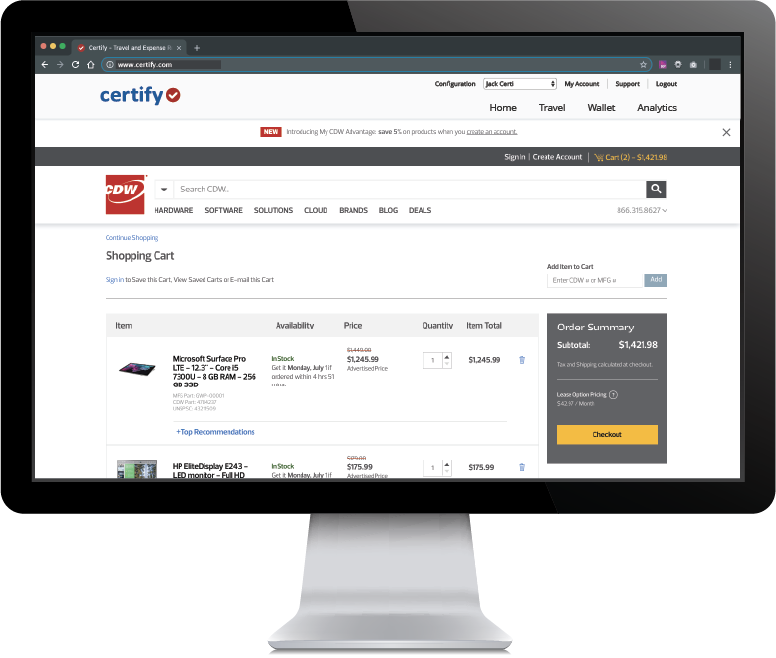
Screenshot of Certify Homepage - User interface for all users that includes a quick view of their expenses, pending expense reports and approval requests.Screenshot of Certify Mobile - Snap photos of receipts on the go and upload them instantly to your virtual Certify Wallet.Screenshot of Certify Travel - Now, corporate travel is even easier. Introducing Certify Travel, your end-to-end corporate travel solution to simplify bookings for employees while helping your company manage travel practices and costs. All for one low monthly fee and no booking fees! Certify Travel is easy to use, yet it is also a powerful enhancement to your company’s expense management system.Screenshot of Certify Reporting & AnalyticsScreenshot of Certify AP- manage cashflow with accounts payable automationScreenshot of Certify AP- streamlining employee purchasing

Zoho Invoice Screenshots

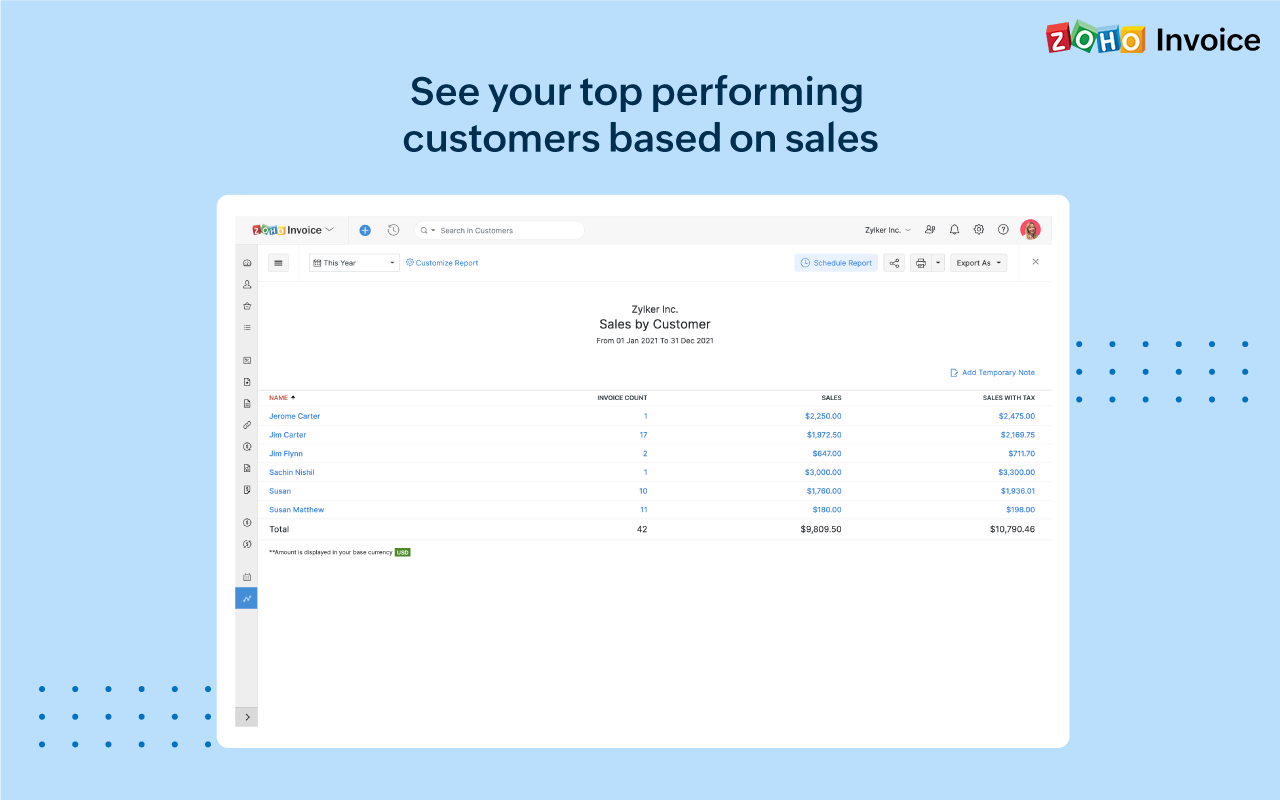
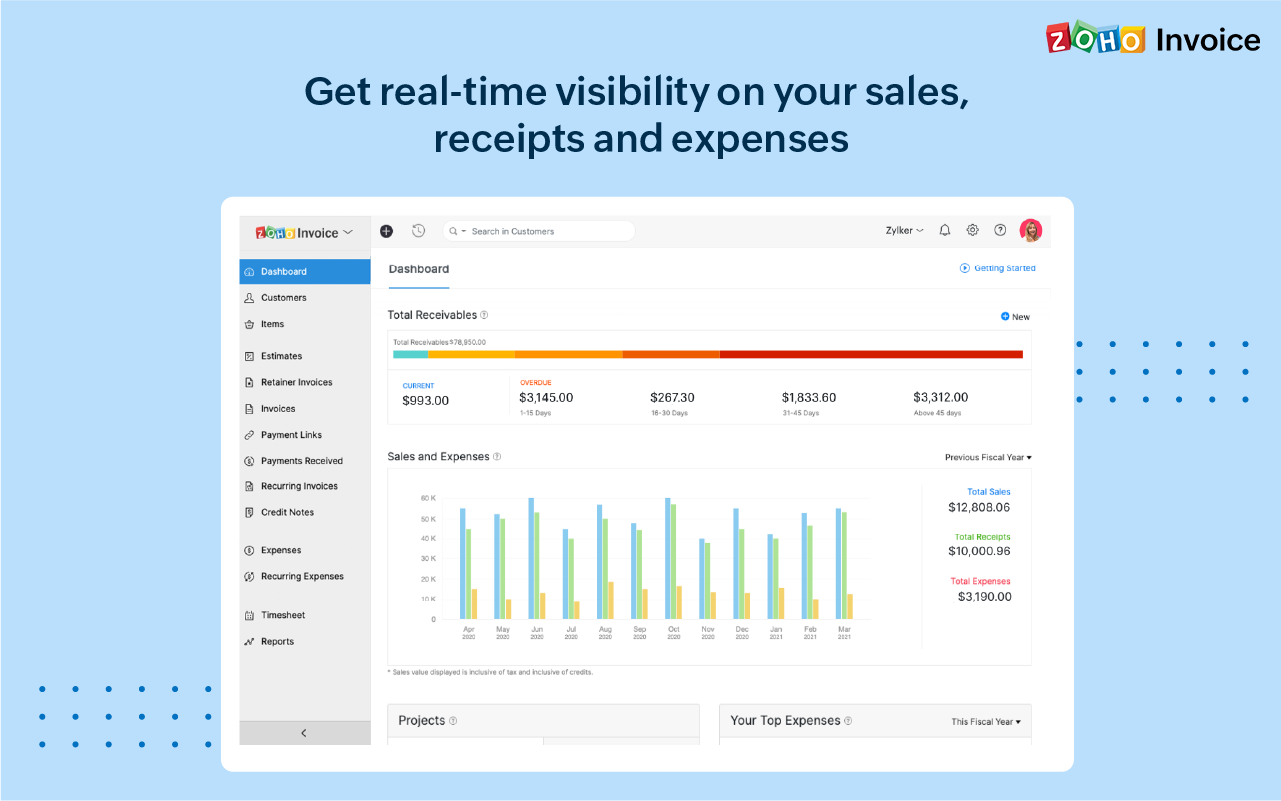
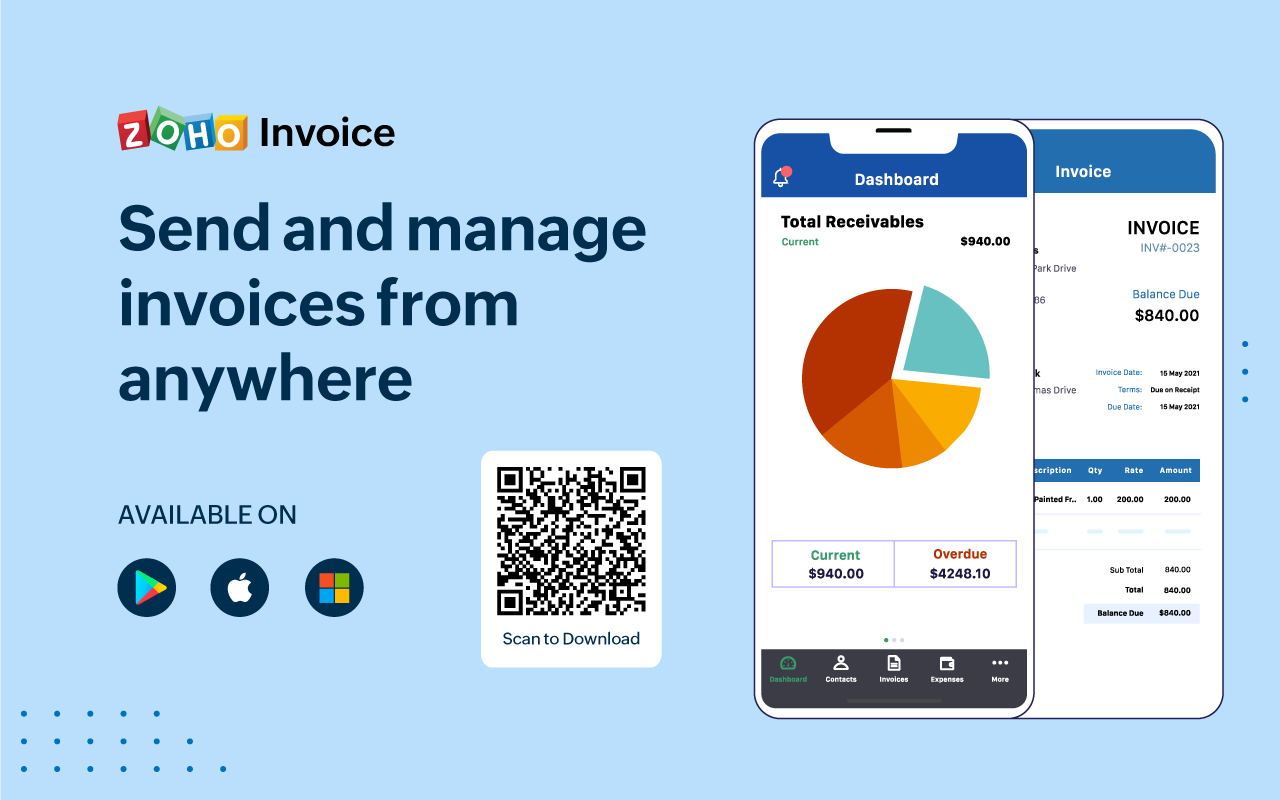
Screenshot of 100% free invoicing software designed for small business owners & freelancers.Screenshot of Customize the look and feel of your invoices to provide a consistent and professional outlook.Screenshot of Add tasks, invite users, track the time worked for each project, and bill your clients just the way you want.Screenshot of Get real-time insights into sales, receivables, expenses, and projects with a host of built-in reports.Screenshot of Get a quick snapshot of your business health and know your monthly sales, current and overdue invoices, payments collected, your top expenses, and more.Screenshot of Create and share invoices, record payments, look up customers' details or past invoice history even if you're away from your desk.