Endeca was a business intelligence platform for analyzing unstructured data, acquired by Oracle and since discontinued.
N/A
Zoho Analytics
Score 8.4 out of 10
Small Businesses (1-50 employees)
Zoho Analytics is a self-service BI and analytics platform that uncovers patterns, spots emerging trends, tracks business metrics, and detects anomalies. Designed for ease of use, it enables business users to create reports and dashboards independently, without relying on IT.
$60
per month 5 users
Pricing
Endeca (discontinued)
Zoho Analytics
Editions & Modules
No answers on this topic
Standard
$60
per month Starts at 5 Users
Premium
$145
per month Starts at 15 Users
Enterprise
$575
per month Starts at 50 Users
Offerings
Pricing Offerings
Endeca (discontinued)
Zoho Analytics
Free Trial
No
Yes
Free/Freemium Version
No
Yes
Premium Consulting/Integration Services
No
Yes
Entry-level Setup Fee
No setup fee
No setup fee
Additional Details
—
There is a 20% discount for all plans if subscribed yearly. Customers can buy add-on rows and users, in addition to the plans listed above.
More Pricing Information
Community Pulse
Endeca (discontinued)
Zoho Analytics
Features
Endeca (discontinued)
Zoho Analytics
BI Standard Reporting
Comparison of BI Standard Reporting features of Product A and Product B
Endeca (discontinued)
5.5
2 Ratings
39% below category average
Zoho Analytics
8.7
135 Ratings
6% above category average
Customizable dashboards
5.02 Ratings
8.5135 Ratings
Report Formatting Templates
6.01 Ratings
00 Ratings
Pixel Perfect reports
00 Ratings
8.8106 Ratings
Ad-hoc Reporting
Comparison of Ad-hoc Reporting features of Product A and Product B
Endeca (discontinued)
5.7
3 Ratings
34% below category average
Zoho Analytics
8.1
137 Ratings
1% above category average
Drill-down analysis
8.02 Ratings
8.0131 Ratings
Formatting capabilities
7.01 Ratings
7.6136 Ratings
Integration with R or other statistical packages
2.01 Ratings
00 Ratings
Report sharing and collaboration
6.02 Ratings
8.6137 Ratings
Report Output and Scheduling
Comparison of Report Output and Scheduling features of Product A and Product B
Endeca (discontinued)
7.0
1 Ratings
16% below category average
Zoho Analytics
8.4
129 Ratings
2% above category average
Publish to Web
6.01 Ratings
8.2108 Ratings
Publish to PDF
7.01 Ratings
8.6127 Ratings
Report Versioning
7.01 Ratings
00 Ratings
Report Delivery Scheduling
8.01 Ratings
8.4112 Ratings
Delivery to Remote Servers
7.01 Ratings
00 Ratings
Data Discovery and Visualization
Comparison of Data Discovery and Visualization features of Product A and Product B
Best fit for this product: - Advanced or Sophisticated Enterprise Search platform: If you spend effort on your search capabilities, Endeca is the tool. - If you are looking for capabilities to search and navigate similar to a relational-database system, then Endeca is not the best fit. - If you are spending effort to drive customer experience, especially around customer interaction with your web application, Endeca can help with that in a multichannel environment.
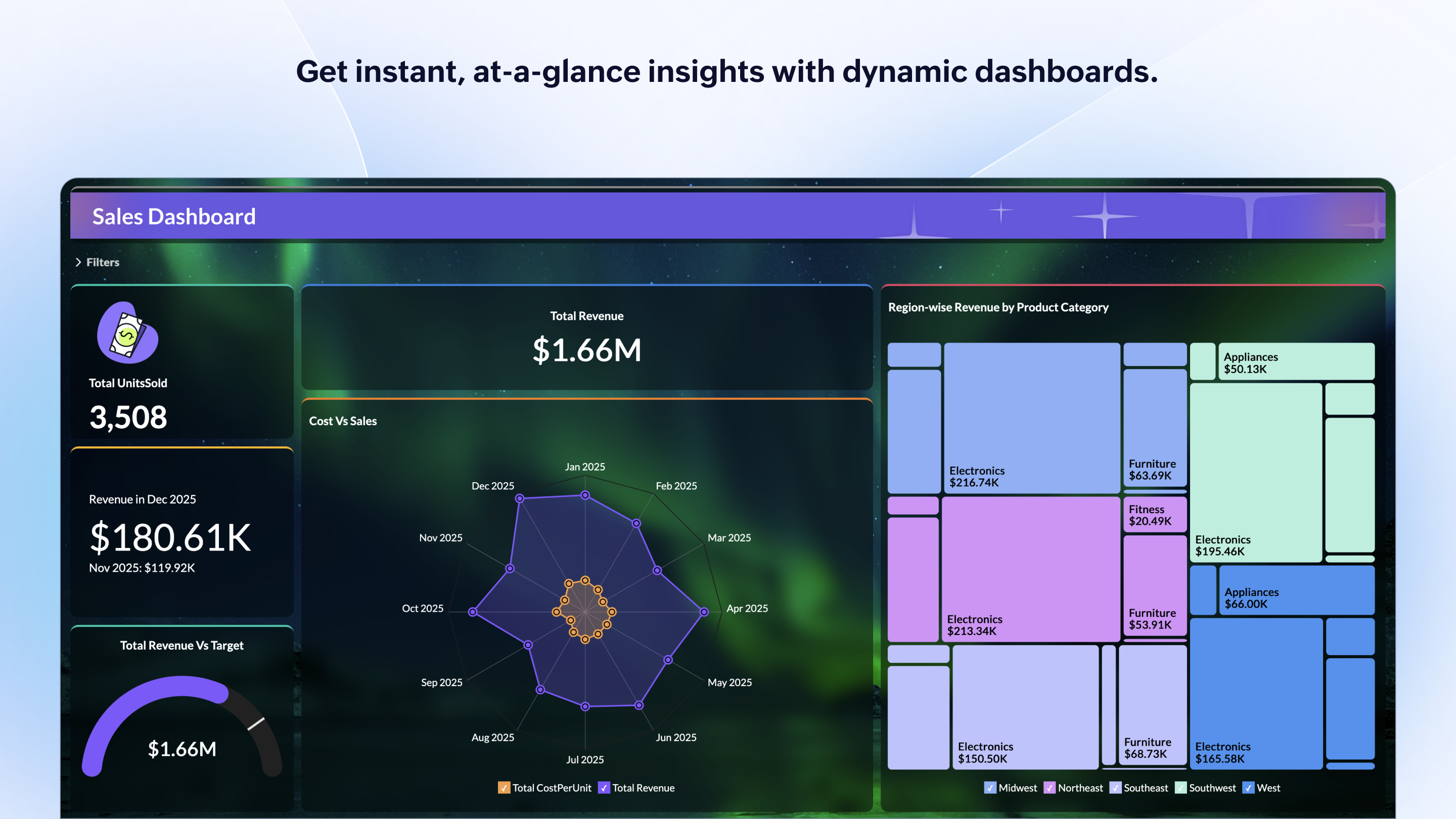
Zoho Analytics is the best way to consume data created by Zoho products . It's robust and quick build formula libraries and auto generated reports. A data source can be integrated and be ready for consumption within minutes. This gives a well developed baseline for organizing to develop advance analytics. It's mobile dashboards are very intuitive and useful for leaders who are on the move.
Provides exact, correct counts of items in its dimensions.
Allows for flexible, out-of-the-box boosting of content (based on combo of any/all of: user profile, date, dimension being browsed and search keyword).
It has a reasonably good admin interface for the administration of boosting/promotion rules for the business user.
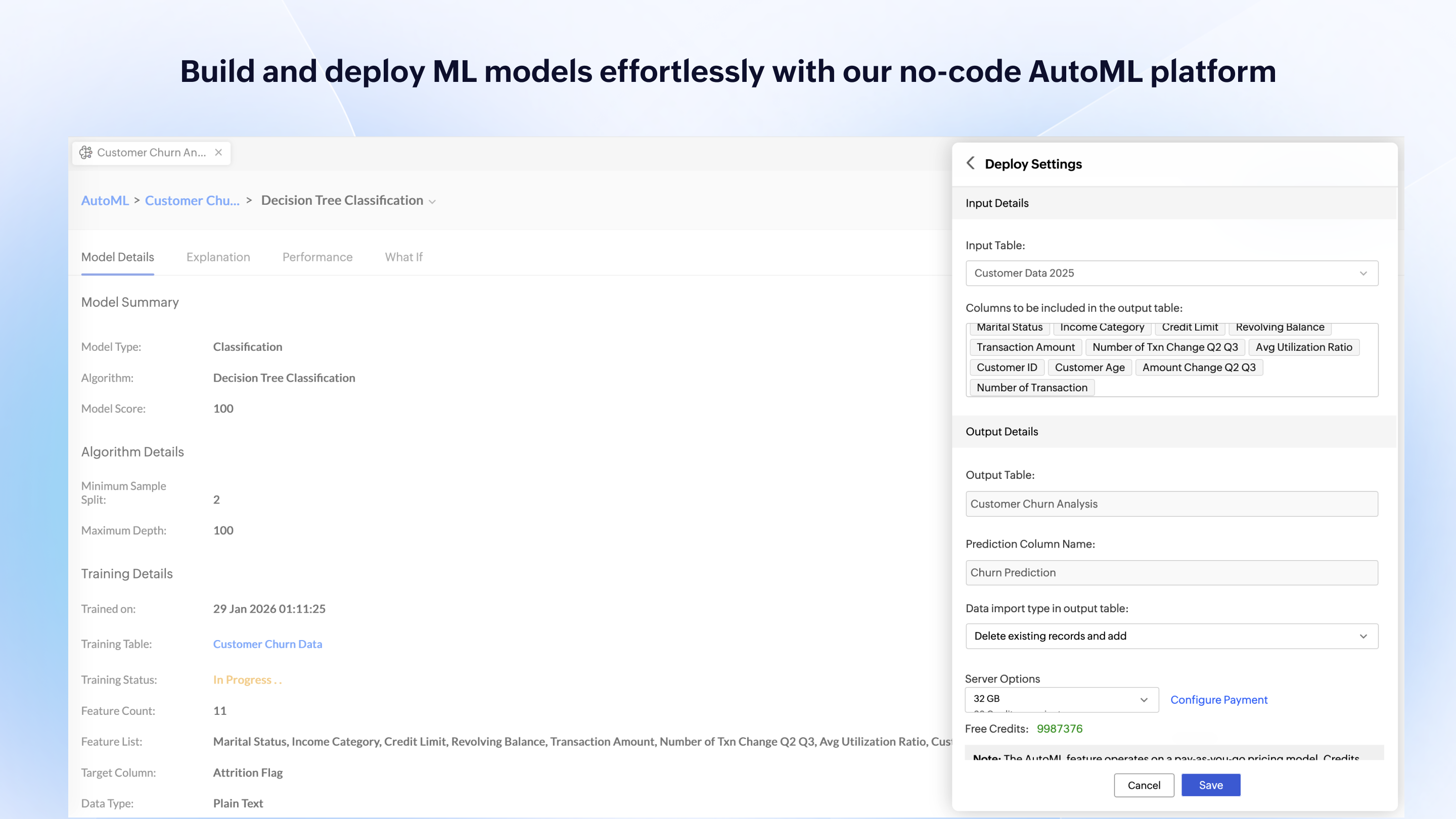
Zoho Analytics’ predictive analytics capabilities can help forecast future trends, allowing for proactive planning and risk management.
Performance Monitoring: We can track key performance indicators (KPIs) across departments, such as sales, marketing, finance, and HR. This aids in identifying bottlenecks and areas for improvement.
I'm guessing it's out there somewhere but I really could have used a 'quick start guide' or guided start.
Once I figured it out, it makes sense how to make sure the right data is provided in order to make dashboards quite flexible--- but without examples, I found it quite a challenge
The initial organization of Analytics is NOT intuitive. Once in context, the organizational features make sense, but (at least initially) it would have been most useful if the organization of Analytics reports in Zoho Analytics had saved me a lot of time.
If the solution is implemented well and the business understands the purpose of the Endeca stack, it offers a great way for a business to explore and benefit from its existing data. From my experience, the Endeca solution has exposed data patterns to a business that were not thought about or explored before because of the lack of available tools to properly expose these patterns
I'd give this an 11 if I could! As our business moves forward we hope to use Zoho Analytics more then we do now. Creating better reports and dashboards for our management team to evaluate the health of our business and to provide more insightful reports for our customers. The possibilities are endless with this tool
The system itself is very usable, and with proper training is very sensible in its organization and method of operation. There are some downsides in initial setup in the way things are imported (or not in some cases) in setting up properties and dimensions. Overall however it's amazingly flexible in terms of the content it can index and make available for search.
For an end user, Zoho Analytics is pretty easy to use and very easy to access the dashboard. Linking data from multiple sources is very convenient. Multiple people can work on preparing and publishing the dashboards simultaneously, which helps delegate tasks.
ZOHO is a very reliable company/product. We never had any issues with downtime or inaccessibility to our data. Any type of maintenance that they had to perform was clearly communicated and never an issue. We use a lot of external hooks and we've never had any issues with getting ZOHO to communicate with any of those hooks.
ZOHO has obviously invested a lot of time effort and money in to creating a reliable infrastructure with high availability. We've never had any issues with performance and all of our data crunching small to large has always been well within reason. We have come to appreciate the performance of ZOHO and will continue to use it for all of our data needs.
Support has been very good, and the trainers for the various Endeca courses have all been very willing to help long after the classes have been completed, so in the instances where we're waiting on support from Oracle, it's often that the members of their training arm can help us out as well.
The support team is honestly not that great. At times, it seems as if members of our own team know more about the product than the support team. They must not have a lot of training or the turnaround is quick
The training is actually really good, and absolutely necessary - although this is software that has great documentation, the documentation itself is so vast, that it would be difficult to learn haphazardly, not to mention being incredibly time consuming to do so. Online training probably would have been fine except for the fact that having someone look over your shoulder to see where you're going wrong is helpful. This also allowed our team to sit in a single room and converse about functionality, etc. that would have been difficult to facilitate via an online class.
We did some online Q&A with the Oracle team, but I would definitely recommend doing an in person class if you have a large team that will be attending - there's definitely no replacements for a large class of technically oriented staff members who can drive conversation about specific topics that might surface.
There were some features we were hoping to get implemented in this particular release of Endeca, but were unable to facilitate those requirements due mostly to timeline. Having seen several other implementations, we will definitely have future iterations to add functionality and improve upon our implementation of Endeca. For the time being, we are satisfied with our implementation as it turned out.
If your external data sources are previously organized and correlated (e.g.: in your datawarehouse or database) your implementation will be easier. Of cource some not previously predicted correlation would be necessary to be done during the implementation, but if your organization let it to be all done into Zoho Analytics, it will take more time from your team.
Oracle Endeca was the best option that we evaluated by far. It gave us the most flexibility and ability to meet our objectives and had features that were not offered by the competing products we evaluated, but which we very much wanted, and this was why we decided to go with Oracle Endeca versus another platform
Zoho Analytics has the best UI and user friendly to create reports and dashboard along with features like Zia Assistance that guide in creating reports and dashboard and also help in the forecasting of the data based on the past records.
As far as I know, Zoho Analytics has been able to fulfill every need we've had for it. Our reports have gotten better and more detailed with pretty much every new issue of our magazine. It just keeps getting better, and we keep feeding it more data to digest and present to us.
It is a searching tool, and hard to estimate its impact on conversion.
It does its job regarding better searching; In terms of efficiency, it's hard to say: it has big learning curve. It requires a dedicated Endeca developer to work on it.