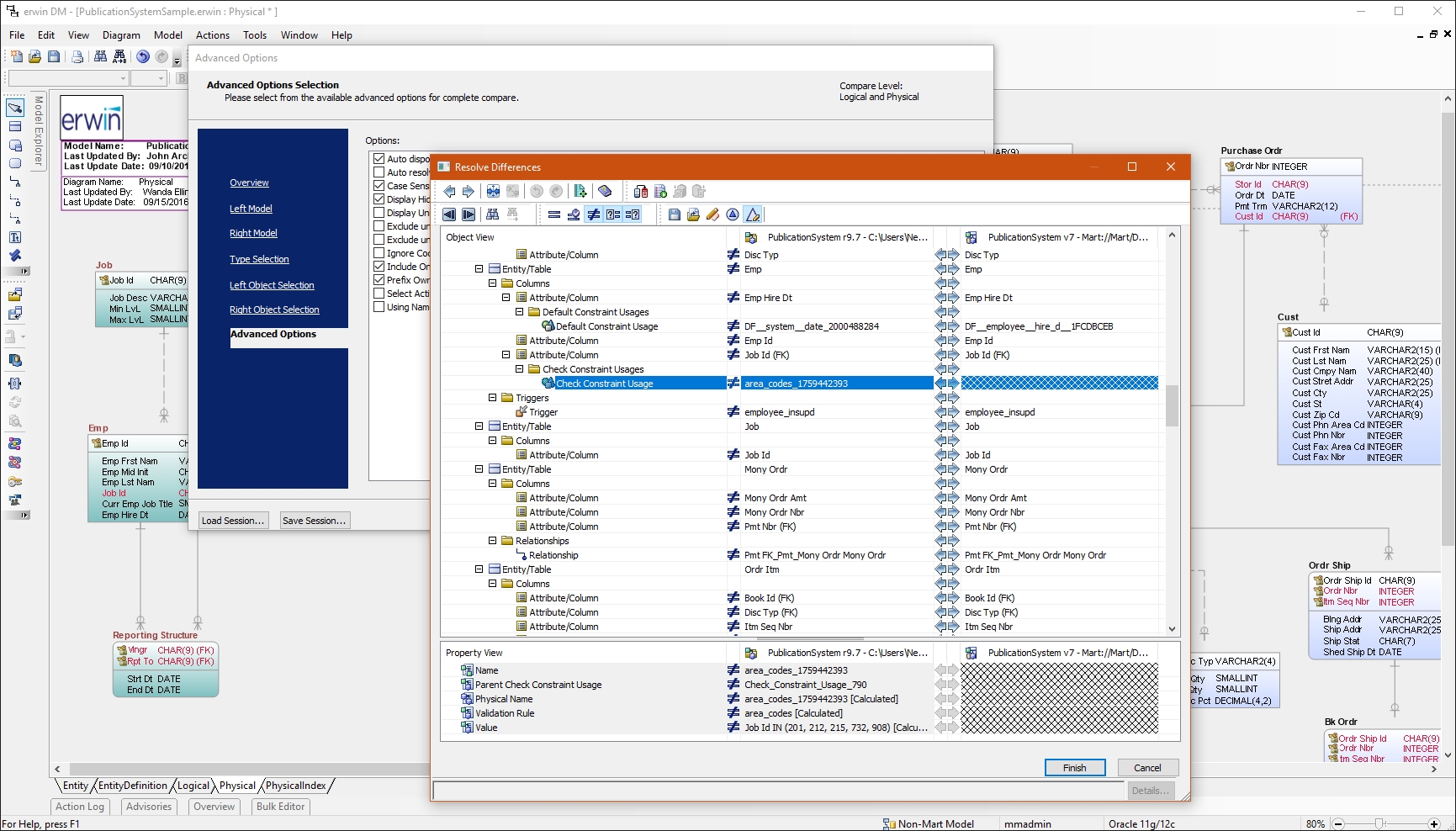
erwin Data Modeler by Quest is a data modeling tool used to find, visualize, design, deploy and standardize high-quality enterprise data assets. It can discover and document any data from anywhere for consistency, clarity and artifact reuse across large-scale data integration, master data management, metadata management, Big Data, business intelligence and analytics initiatives, accomplishing this whil esupporting data governance and intelligence efforts.
N/A
NetBeans
Score 7.0 out of 10
N/A
NetBeans is a free and open source platform and integrated development environment (IDE).
N/A
PyCharm
Score 9.2 out of 10
N/A
PyCharm is an extensive Integrated
Development Environment (IDE) for Python developers. Its
arsenal includes intelligent code completion, error detection, and rapid
problem-solving features, all of which aim to bolster efficiency. The product supports programmers in composing orderly and maintainable
code by offering PEP8 checks, testing assistance, intelligent refactorings, and
inspections. Moreover, it caters to web development frameworks like Django and
Flask by providing framework…
First of all, PyCharm is easy to install for beginners whose parent organization is JetBrains. It can be installed on any operating system with ease. It provides Python Django Framework for FrontEnd Developers which others do not provide. The UI is also simpler as compared to …
Simply one of the best IDE's of our time. It has a lot of features, a big user base, and a professional developer team behind it. It simply surpasses most of its competitors, as there are not too many Python-specialized IDEs anyway.
PyCharm has all the features that ACIM software has, such as version control, real-time coding correction, misuse, and documentation. Now what has determined is the integration of this IDE with features that we would normally have to perform in external applications like BD …
I have had a chance to use few other data modeling tools from Quest and Oracle, but I am most comfortable using erwin Data Modeler. They understand your data modeling needs and have designed the software to give you a feeling of completeness when you are designing a data model.
NetBeans is extremely user friendly and easy to start developing complex applications. Adding and configuring external libraries is much simpler than in Eclipse. It is highly cost effective and most of the latest framework based libraries required are automatically downloaded to the projects. The overall tool is also light weight and consumes less memory as compared to other competitor tools.
PyCharm is well suited to developing and deploying Python applications in the cloud using Kubernetes or serverless pipelines. The integration with GitLab is great; merges and rebates are easily done and help the developer move quickly. The search engine that allows you to search inside your code is also great. It is less appropriate for other languages.
Reverse Engineering: I love the way we can import an SQL file containing schema meta data and generate ER diagram out of it. This is specifically useful if you are implementing erwin Data Modeler for an existing database.
Forward Engineering: We use this feature very frequently. Where we do database changes in our physical and logical data models and then generate deployment scripts for the changes made.
Physical vs Logical Models: I like to have my database model split into physical and logical models and at the same time still linked to each other. Any changes you make to logical model or physical model shows up in the other.
Git integration is really essential as it allows anyone to visually see the local and remote changes, compare revisions without the need for complex commands.
Complex debugging tools are basked into the IDE. Controls like break on exception are sometimes very helpful to identify errors quickly.
Multiple runtimes - Python, Flask, Django, Docker are native the to IDE. This makes development and debugging and even more seamless.
Integrates with Jupyter and Markdown files as well. Side by side rendering and editing makes it simple to develop such files.
NetBeans [should] work smoothly with systems having less RAM. Systems with less RAM face trouble with NetBeans.
File open history also requires improvement. Once NetBeans is restarted, all files are closed automatically and there is no shortcut to open last opened files.
The biggest complaint I have about PyCharm is that it can use a lot of RAM which slows down the computer / IDE. I use the paid version, and have otherwise found nothing to complain about the interface, utility, and capabilities.
I had a lot of experience using erwin Data Modeler for designing data models. I think it's pretty intuitive and easy to use. It has enough features to represent your database requirements in form of a model.
Netbeans enhances my coding work, shows me where I have errors and helps find variable instances. I would be lost without find/replace in projects functionality as I use projects as templates for new projects. Occasionally the code hints aggravate me, but I understand that it is actually making me a better coder, working to get the 'green light' of a clean file with no errors or clumsy code.
It's pretty easy to use, but if it's your first time using it, you need time to adapt. Nevertheless, it has a lot of options, and everything is pretty easy to find. The console has a lot of advantages and lets you accelerate your development from the first day.
CA customer support and our account manager have been able to support us with any issues that we have had, from managing our serial keys to issues we logged tickets to resolve. There are aspects of key management that have made it difficult over the years but support usually has worked with us.
NetBeans has a very strong user community. We can find solutions here for almost all the problems we face. In addition, we can forward NetBeans Support teams the problems we cannot solve. We can get quick feedback from the support teams, but I generally try to solve my problems by following the forums.
I rate 10/10 because I have never needed a direct customer support from the JetBrains so far. Whenever and for whatever kind of problems I came across, I have been able to resolve it within the internet community, simply by Googling because turns out most of the time, it was me who lacked the proper information to use the IDE or simply make the proper configuration. I have never came across a bug in PyCharm either so it deserves 10/10 for overall support
Not listed, but I've only used alternatives built into something like the Squirrel SQL editor. That one is semi-functional but lacking many features and, in some instances, just plain wrong. The only pro there is that it's freely available and works over ODBC. I've tried some of the other free ones like Creately but didn't have much success.
It works very smoothly as compared to other tools . The problem of restarting and reimporting the projects is not in the netbeans IDE . The front end development features are good . Netbeans connector is one of the best thing which enables us to deeply integrate netbeans IDE with google chrome browser
When it comes to development and debugging PyCharm is better than Spyder as it provides good debugging support and top-quality code completion suggestions. Compared to Jupiter notebook it's easy to install required packages in PyCharm, also PyChram is a good option when we want to write production-grade code because it provides required suggestions.
By working on Netbeans I just learned one more tool and can teach others about it. One should learn every tool so that it might help someday if another editor is not available and you have to use different software for your work.
Compiling code became easy as it is not a feature of normal text editors. Only IDE can do this.