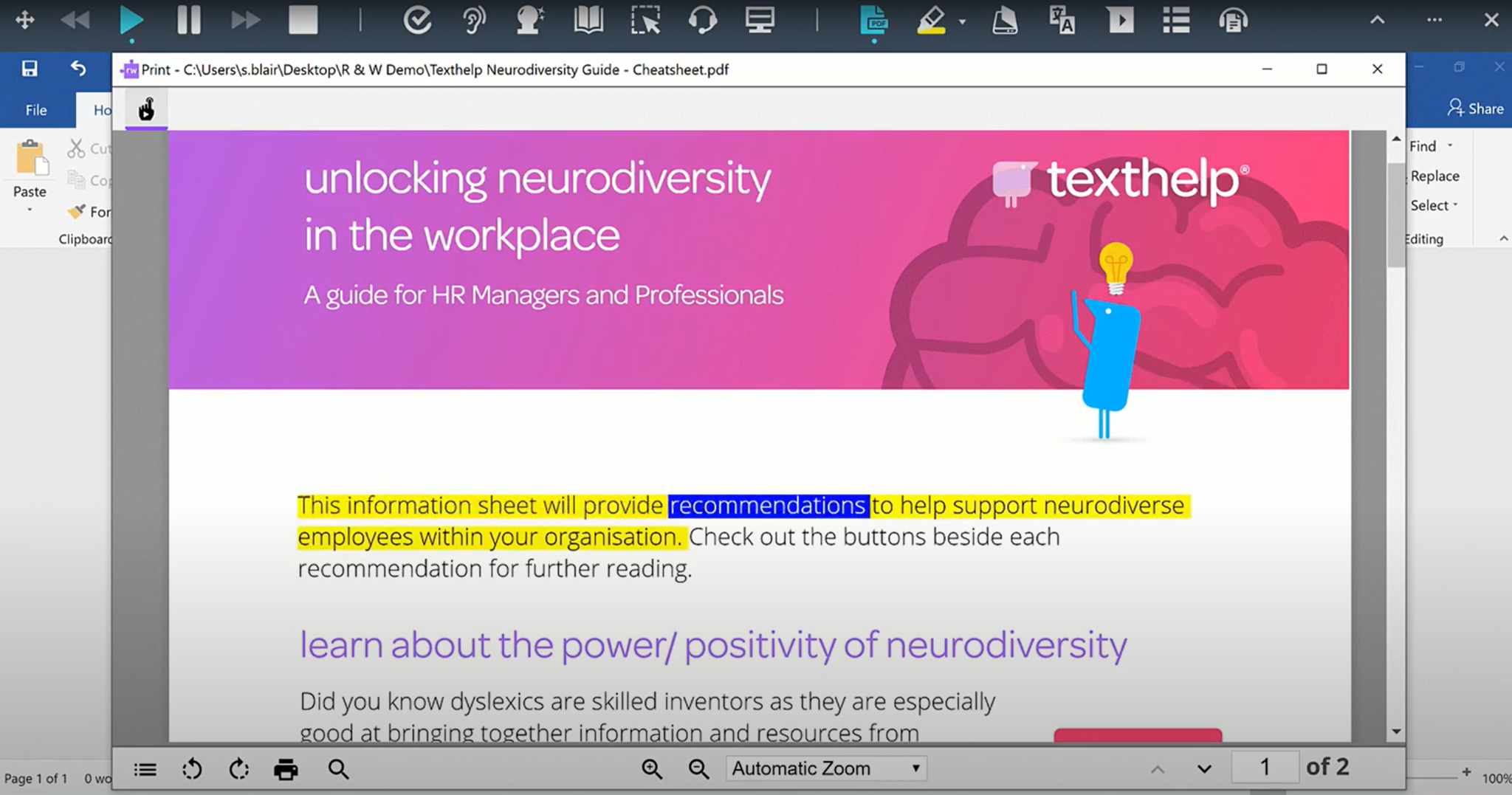
Read&Write is a literacy support tool that helps individuals of all abilities read, write, and express themselves with confidence. For education and the workplace, its assistive features include text-to-speech, word prediction, and research tools for users with diverse learning needs.
N/A
Notepad++
Score9.2 out of 10
N/A
Notepad++ is a popular free and open source text editor available under the GPL license, featuring syntax highlighting and folding, auto-complete, multi-document management, and ac customizable GUI.
Read&Write is especially well-suited to supporting students with reading accommodations during independent work, content-area instruction, and written-response tasks. In my 5th-grade classroom, one of the most effective scenarios is during science and social studies lessons, where students are expected to read complex informational texts independently. There can also be occasional challenges when websites, PDFs, or testing platforms are not fully compatible with all Read&Write features.
A de minimis incentive was given to thank the reviewer for their time. The incentive was not used to bias or drive a particular response, nor was the incentive contingent on a positive endorsement. More Info
well suited for 1) Coding and Development - Writing and editing code, Quick prototyping and testing of code snippets, Debugging and inspecting code using syntax highlighting and line numbering, 2) web development - Creating and editing HTML, CSS, JavaScript, and other web-related files .Managing and organizing web projects with multiple files and directories. Not suited for - 1) processing huge files 2) graphic designing 3) complex gui designs 3) Data Analysis and Manipulation - Editing and cleaning up text-based data files before importing them into analytical tools. Applying regular expressions to extract, transform, and manipulate data. 4) System Administration and IT - change system configuration file
A de minimis incentive was given to thank the reviewer for their time. The incentive was not used to bias or drive a particular response, nor was the incentive contingent on a positive endorsement. More Info
A de minimis incentive was given to thank the reviewer for their time. The incentive was not used to bias or drive a particular response, nor was the incentive contingent on a positive endorsement. More Info
Notepad++ allows us to keep open files in tabs. Like in a web browser, these tabs let us access these files quickly and easily. Furthermore, even if we forget to save the files when closing the program or shutting down the PC, Notepad++ retains them in the open tabs when we reopen it.
Notepad++ supports many different file types. We usually save our files created in Notepad as normal text files, but sometimes as JSON, PHP, and HTML files.
Notepad++ is lightweight and requires little resources. Using it is snappy and responsive.
The developer of Notepad++ frequently updates the software with bug fixes, performance improvements and new features.
A de minimis incentive was given to thank the reviewer for their time. The incentive was not used to bias or drive a particular response, nor was the incentive contingent on a positive endorsement. More Info
I would like to use the practice reading aloud tool more, but the kids that I work with have a hard time understanding the concept. I think that, while there are a lot of tools available, sometimes they are hard for younger students to understand.
The hover to read function is nice as well, but my students struggle with the fact that if you move the mouse once it starts reading it will start all over in a new area. It's not as smooth as I would like it to be.
A de minimis incentive was given to thank the reviewer for their time. The incentive was not used to bias or drive a particular response, nor was the incentive contingent on a positive endorsement. More Info
Sometimes the number of options are overwhelming and require a quick search to figure out where to locate a particular function.
Some way to do a diff between files would be great. Still need to resort to another paid app for that - unless it is a buried function I don't know about or there's a plugin for it.
A de minimis incentive was given to thank the reviewer for their time. The incentive was not used to bias or drive a particular response, nor was the incentive contingent on a positive endorsement. More Info
I'm just really impressed with the software and the access it gives to learners who are used to coming up against barriers in education. It's a quick-fix for a learner - something they can access usefully and productively with very little training. I also love that learners can access Read&Write on their devices at home - that really is a game changer.
A de minimis incentive was given to thank the reviewer for their time. The incentive was not used to bias or drive a particular response, nor was the incentive contingent on a positive endorsement. More Info
A de minimis incentive was given to thank the reviewer for their time. The incentive was not used to bias or drive a particular response, nor was the incentive contingent on a positive endorsement. More Info
I am giving this an 9. Not a perfect score because working on PDFs is better but not yet as easy as I need for it to be. Working with many students who have executive function challenges, I need a smooth simplistic access method. We are not quite there yet for writing on PDFs. Overall the toolbar on Read&Write is super easy to access and I love that the suite includes several tools on the toolbar providing a solution to many accessibility challenges.
A de minimis incentive was given to thank the reviewer for their time. The incentive was not used to bias or drive a particular response, nor was the incentive contingent on a positive endorsement. More Info
There are lot of features to talk about. Especially the usability is good. Everyone can easily to use and user-friendly. Can also update easily. Can also write and execute the programming languages like C, C++ etc. Encoding is also the major feature that helps me a lot and converter as well.
A de minimis incentive was given to thank the reviewer for their time. The incentive was not used to bias or drive a particular response, nor was the incentive contingent on a positive endorsement. More Info
A de minimis incentive was given to thank the reviewer for their time. The incentive was not used to bias or drive a particular response, nor was the incentive contingent on a positive endorsement. More Info
The support team at Texthelp is excellent. They're all super helpful and open to feedback and new ideas. Still, more importantly, they are ultimately fully committed to aligning with us and ensuring they help us provide the best education possible. Furthermore, they're open to new features and always communicate this incredibly well.
A de minimis incentive was given to thank the reviewer for their time. The incentive was not used to bias or drive a particular response, nor was the incentive contingent on a positive endorsement. More Info
I haven't needed to utilize any support related to Notepad++. I guess this is a good thing because I found it to be quite intuitive. There are almost infinite features you can tweak and plugins you can download but I haven't had to do that because Notepad++ is really good right out of the box.
A de minimis incentive was given to thank the reviewer for their time. The incentive was not used to bias or drive a particular response, nor was the incentive contingent on a positive endorsement. More Info
A de minimis incentive was given to thank the reviewer for their time. The incentive was not used to bias or drive a particular response, nor was the incentive contingent on a positive endorsement. More Info
It took a solid 2 weeks for R&W to work on our students chromebooks even after reaching out to tech support. The toolbar was greyed out and not accessible to students. Took a long time before tech support helped us solve this problem.
A de minimis incentive was given to thank the reviewer for their time. The incentive was not used to bias or drive a particular response, nor was the incentive contingent on a positive endorsement. More Info
We are still learning how to use Equatio. I am not a mathematician and therefore I am finding understanding it a bit more difficult. Once I understand how to use it I will be able to cascade it down. My hope is that it will be as useful as Read & Write
A de minimis incentive was given to thank the reviewer for their time. The incentive was not used to bias or drive a particular response, nor was the incentive contingent on a positive endorsement. More Info
Notepad for Windows, Microsoft Word...LibreOffice Writer....I have used all of these for code writing and editing. Once again I like the universal feel of Notepad++. Basic Notepad, is just that, basic...and kind of clunky for what it is. This is a cool that I have installed on all my computers and also keep it on a thumb drive if I need it elsewhere.
A de minimis incentive was given to thank the reviewer for their time. The incentive was not used to bias or drive a particular response, nor was the incentive contingent on a positive endorsement. More Info
A de minimis incentive was given to thank the reviewer for their time. The incentive was not used to bias or drive a particular response, nor was the incentive contingent on a positive endorsement. More Info
A de minimis incentive was given to thank the reviewer for their time. The incentive was not used to bias or drive a particular response, nor was the incentive contingent on a positive endorsement. More Info
A de minimis incentive was given to thank the reviewer for their time. The incentive was not used to bias or drive a particular response, nor was the incentive contingent on a positive endorsement. More Info
A de minimis incentive was given to thank the reviewer for their time. The incentive was not used to bias or drive a particular response, nor was the incentive contingent on a positive endorsement. More Info