Foxit PDF Editor is a solution for creating, editing, organizing, and securing PDF documents. Designed for professionals and businesses of all sizes, features include editing capabilities, OCR, collaboration tools, and security options like redaction and document encryption.
$10.99
per month per user
NetDocuments
Score2 out of 10
N/A
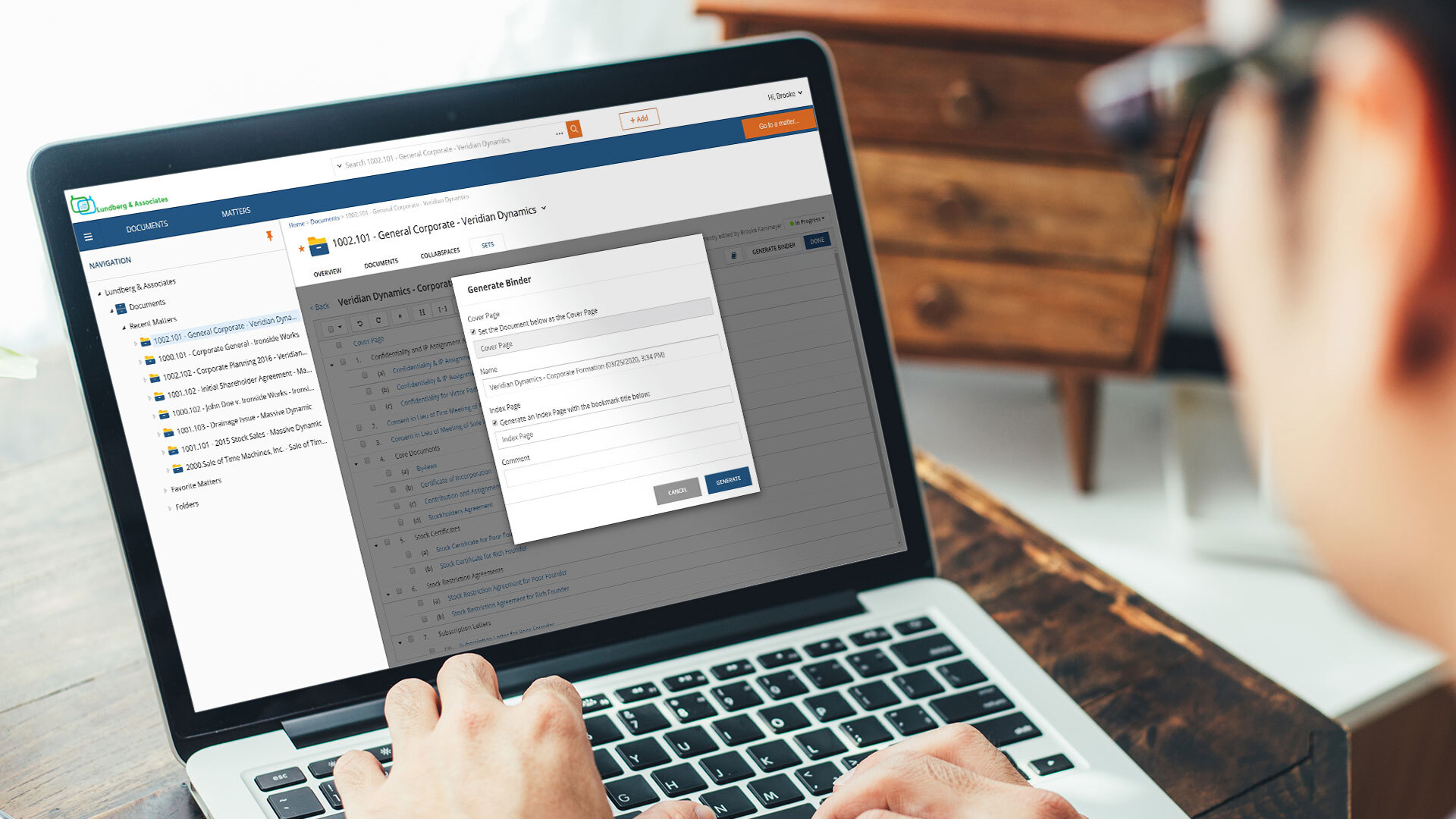
NetDocuments is a document management solution from the company of the same name in Lehi, Utah.
Great for marking up depositions or pleadings with highlights, comments, and notes during case review. Supports Bates stamping, password protection, and other features often required for electronic filing.
Built-in tools allow for quick and secure redaction of privileged or confidential information before sharing or filing. Less appropriate if you needed to work on real time collaboration or building complex form templates from scratch.
A de minimis incentive was given to thank the reviewer for their time. The incentive was not used to bias or drive a particular response, nor was the incentive contingent on a positive endorsement. More Info
It is ideal where security is your number one concern or where there is a need to share securely across different physical locations. Speed is less than ideal in certain usage scenarios. It is limited by the speed of the internet and it can be difficult to pull large quantities of documents when researching or answering discovery requests, although, that being said, it can be addressed by maintaining your own secure server to contain a mirror of your online documents. But then the security for a mirror falls back on the organization.
A de minimis incentive was given to thank the reviewer for their time. The incentive was not used to bias or drive a particular response, nor was the incentive contingent on a positive endorsement. More Info
FoxitPhantom carries superior editing tools over Adobe Acrobat and similar products. It allows you to modify text, images, & objects in a more robust fashion
Integrates well with Microsoft Office products such as Word, PPT, & Excel
Allows you to work in a nearly paperless environment
A de minimis incentive was given to thank the reviewer for their time. The incentive was not used to bias or drive a particular response, nor was the incentive contingent on a positive endorsement. More Info
A de minimis incentive was given to thank the reviewer for their time. The incentive was not used to bias or drive a particular response, nor was the incentive contingent on a positive endorsement. More Info
I have a dual monitor setup at work and there are times when I wish that I could view pdf documents on both monitors at the same time. I have not yet figured out how to do that with FoxitPhantom as it appears to limit the user to displaying multiple pdf documents as separate tabs on the same screen. If dual screen is an option in the software, it needs to be more apparent.
I can't think of any other desired improvements. This software really does everything that I need it to do.
A de minimis incentive was given to thank the reviewer for their time. The incentive was not used to bias or drive a particular response, nor was the incentive contingent on a positive endorsement. More Info
Delay. At times, there is a delay between saving a document into Netdocuments and actually seeing them in the appropriate workspace. Such a delay is caused by the system indexing the newly added file.
Netdocuments' servers slow down at times causing users to receive error messages. This can be quickly remedied, but can become a nuisance.
A de minimis incentive was given to thank the reviewer for their time. The incentive was not used to bias or drive a particular response, nor was the incentive contingent on a positive endorsement. More Info
Because very few editors are so easy to use and deploy backed by speed and performance. Foxit PDF is known for its speed and performance, allowing users to open and work with PDF files quickly and efficiently
Foxit's user-friendly interface is easy to navigate and use, making it a popular choice for users who are new to PDF software.
Foxit PDF Editor works the way my brain works, so everything is where I expect it intuitively and that makes me hugely efficient. I love how all of the various features are laid out logically in tabs such as Fill & Sign, Organize, Form, etc. with the tools I expect to find where I expect to find them.
A de minimis incentive was given to thank the reviewer for their time. The incentive was not used to bias or drive a particular response, nor was the incentive contingent on a positive endorsement. More Info
The product is simple to learn and adheres to well-known web user protocols. The NetDocuments team spends a lot of time talking to customers regarding how to improve their interface, and are pretty quick about implementing good ideas. The system is reliable and repeatable, and similar functions are laid out consistently and in formats that users are used to.
A de minimis incentive was given to thank the reviewer for their time. The incentive was not used to bias or drive a particular response, nor was the incentive contingent on a positive endorsement. More Info
FoxitPhantom PDF integrates very well with the Microsoft Office products, which is where I found I use this the most. It performs about as well as can be expected, without any out of place latency. Whether it be merging, deleting, editing or rearranging pages, its performance holds up even with larger documents.
A de minimis incentive was given to thank the reviewer for their time. The incentive was not used to bias or drive a particular response, nor was the incentive contingent on a positive endorsement. More Info
NetDocuments is a performant web app. It is reliable and provides all the functionality of a sophisticated document management system. It also can serve, through its APIs, as a base system for other applications, which enhances its value. Other vendors find the company easy to work with, and it consistently seems to be the first to offer new features and technologies to its customers.
A de minimis incentive was given to thank the reviewer for their time. The incentive was not used to bias or drive a particular response, nor was the incentive contingent on a positive endorsement. More Info
I haven't personally had interaction with the customer support from FoxitPhantom, however based on conversations I have had with members in the organization, I was given positive feedback. Their website has a lot of information and tutorials. If you need to contact them, they are quick to respond. User manuals are readily available.
A de minimis incentive was given to thank the reviewer for their time. The incentive was not used to bias or drive a particular response, nor was the incentive contingent on a positive endorsement. More Info
I've never had to contact support, but I won't give it a ten. We've had a few hiccups along the way, but nothing that couldn't be fixed within 24 hours.
A de minimis incentive was given to thank the reviewer for their time. The incentive was not used to bias or drive a particular response, nor was the incentive contingent on a positive endorsement. More Info
I would say that when you want to get a bigger share of the market and take business from long time consolidated applications like Acrobat, you really need to try harder and give something more to the user to be able to change their mind and switch to Foxit. In our case licensing was an important factor and at the beginning we had a small learning curve with users asking how to open PDF files and what was that orange icon. The truth is that we as users accepted the new software happily because simply said: it does the job. After using Foxit I would not go back to Acrobat, I like better the connectivity, the simplicity and the way it manages the tabs.
A de minimis incentive was given to thank the reviewer for their time. The incentive was not used to bias or drive a particular response, nor was the incentive contingent on a positive endorsement. More Info
A de minimis incentive was given to thank the reviewer for their time. The incentive was not used to bias or drive a particular response, nor was the incentive contingent on a positive endorsement. More Info
NetDocuments has really saved us from hiring more people. The document management system is a core technology to any law firm. Our last DMS was an in-house system. It easily required the attention of half a FTE and offered a fraction of the functionality.
NetDocuments has also been relatively easy for our employees to use. We have a high adoption rate and it allows for our employees (and third parties) to collaborate pretty well.
NetDocuments offers any number of certifications -- e.g. ISO 27001, business associate agreements for HIPAA -- certifications that are required by some clients, that we could not possibly attain with an in-house system.
A de minimis incentive was given to thank the reviewer for their time. The incentive was not used to bias or drive a particular response, nor was the incentive contingent on a positive endorsement. More Info