FunctionFox provides TimeFox which is a timesheet and project management solution for small creative companies. The vendor says TimeFox is currently used by over 100,000 creative professionals in Canada, the US, Europe, Asia, Australia and New Zealand.
$5
per user
Trello
Score 8.4 out of 10
N/A
Trello from Atlassian is a project management tool based on a Kanban framework. Trello is ideal for task-management in a to-do list format. It supports sharing boards and cards across users or teams. The product offers a free version, and paid versions add greater automation, collaboration, and administrative control.
$6
per month per user
Zenkit
Score 8.0 out of 10
N/A
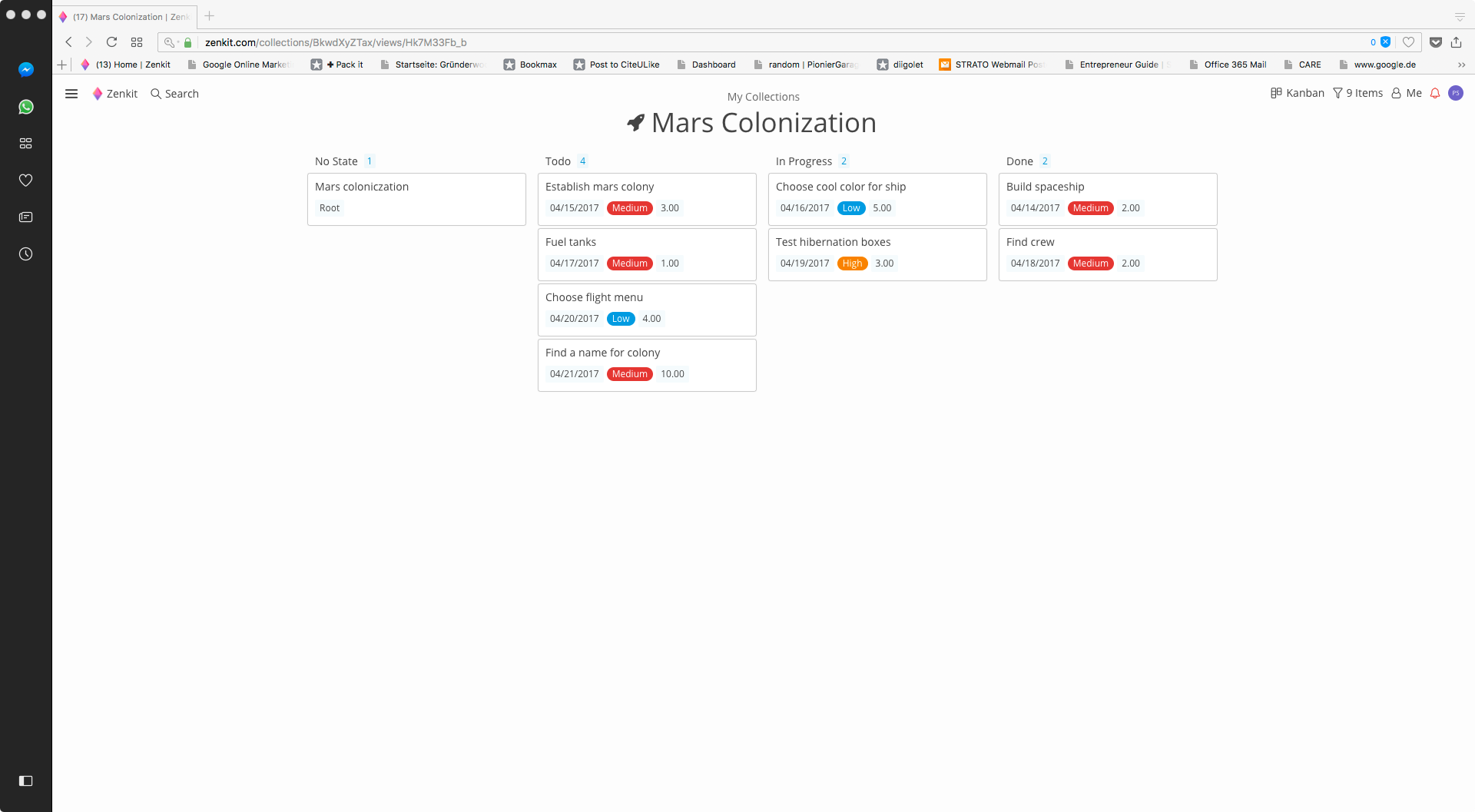
Zenkit is a collaborative SaaS platform for project management, database building and more. This solution enables users to follow their data through its entire lifecycle. Zenkit allows users to manage their data in any way they need to – build their own CRM, reporting system, or financial planner. Users can share their data and assign tasks to colleagues.
$9
per user
Pricing
FunctionFox
Trello
Zenkit
Editions & Modules
FunctionFox Classic
$5
per user
FunctionFox Premier
$10
per user
FunctionFox In-House
$20
per user
Standard
$6
per month per user
Premium
$12.50
per month per user
Enterprise
$17.50
per month per user
Free
Forever Free
Plus
$9.00
per user
Business
$29.00
per user
Offerings
Pricing Offerings
FunctionFox
Trello
Zenkit
Free Trial
Yes
No
No
Free/Freemium Version
Yes
Yes
Yes
Premium Consulting/Integration Services
No
No
No
Entry-level Setup Fee
No setup fee
No setup fee
$9 per user
Additional Details
No hidden fees. All customer support, and regular upgrades are included free of charge.
A discount is offered for annual billing and for larger numbers of users.
—
More Pricing Information
Community Pulse
FunctionFox
Trello
Zenkit
Considered Multiple Products
FunctionFox
Verified User
C-Level Executive
Chose FunctionFox
We evaluated FunctionPoint and Maven Link, but both were more than what we wanted to spend so FunctionFox won that contest. We'll be moving to T-Sheets even though it doesn't provide the best overall fit for our business, since it comes at about the same price as FunctionFox …
Zenkit is the new kid on the block. I have been using Trello for years and only started to try out Zenkit last year. Zenkit is coming into the market guns blazing to try to usurp the main contender. They are doing a good job too but the lack of a mobile app meant that I stayed …
In a previous review for Trello I said it was great, which it is. Zenkit, however, is Trello on steroids and previously only thing holding me back from moving totally to Zenkit was the fact they didn't have mobile apps. They now have a both Android & Iphone apps. So I will be …
I really like that it's simple, user-friendly, and flexible, because it helps me view my data. You can visualize and customize your tasks. It also has a mind-map view which can be very helpful for planning your project. With the integration with other services like Slack and Tre…
As described before, Zenkit adds a lot more flexibility to the things the other applications can do. But this also means that there is no predefined structure which might be helpful for some people. Zenkit is working on that and is releasing some apps building on the core, so …
Features
FunctionFox
Trello
Zenkit
Project Management
Comparison of Project Management features of Product A and Product B
FunctionFox
-
Ratings
Trello
8.5
222 Ratings
9% above category average
Zenkit
8.2
7 Ratings
6% above category average
Task Management
00 Ratings
9.5222 Ratings
9.87 Ratings
Resource Management
00 Ratings
9.3185 Ratings
00 Ratings
Gantt Charts
00 Ratings
7.173 Ratings
00 Ratings
Scheduling
00 Ratings
9.1168 Ratings
8.67 Ratings
Workflow Automation
00 Ratings
8.2142 Ratings
5.56 Ratings
Team Collaboration
00 Ratings
9.0218 Ratings
9.67 Ratings
Support for Agile Methodology
00 Ratings
8.9147 Ratings
9.06 Ratings
Support for Waterfall Methodology
00 Ratings
7.6115 Ratings
00 Ratings
Document Management
00 Ratings
8.2159 Ratings
6.26 Ratings
Email integration
00 Ratings
7.7146 Ratings
00 Ratings
Mobile Access
00 Ratings
9.1192 Ratings
8.37 Ratings
Timesheet Tracking
00 Ratings
9.388 Ratings
00 Ratings
Change request and Case Management
00 Ratings
8.7102 Ratings
00 Ratings
Budget and Expense Management
00 Ratings
7.773 Ratings
8.35 Ratings
Professional Services Automation
Comparison of Professional Services Automation features of Product A and Product B
If you are trying to track time across teams or functions, that is really what FunctionFox is designed for. I think this would work better for individual, smaller teams with similar tasks and activities, instead of for larger companies with more complex organizational operations. If you are just getting started with time tracking, this could be a good place to start.
For teams or individuals with lots of individual tasks/details to track, Trello is perfect! It basically removes the need for a paper checklist. For those that need an overall project management tool that requires less tasks and more overarching goals, collaboration amongst various teams, and gantt charts I would suggest monday.com
Zenkit is a good tool to manage your own projects and sharing progress with colleagues. If you are looking for a tool to accomplish this use case, Zenkit would be my first recommendation.
With only a couple clicks I can still easily pull reports by employee on a weekly basis which provide the information I need to run payroll.
I pull reports by client each month for our monthly client billings, which we have broken down by project so I can easily see how our time was spent on their account.
We set a budget for the approved number of hours we can apply to any one project for the month, and the system provides the project manager with a warning as the limit comes near. That function has been fantastic!
FunctionFox's Help Desk personnel are wonderful, providing an exceptionally personalized experience. They take their time, and will even schedule a call to go into greater depth, such as an entire account review just to ensure you're able to use all the product features to your company's best advantage. Our entire team jumped on a half hour call a couple months ago, and she answered ALL of our questions, including providing us with info on some features we hadn't realized even existed.
The function of the site is not as user-friendly as others, it's sometimes hard to find certain projects and organize data in order to track effectively. I would often need to download/export reports.
Sometimes a project would accidentally be created twice and hours billed to two separate projects for the same thing. Which made tracking and billing increasingly difficult.
Little to no organization of projects for billing and finance purposes, which makes it hard when we conduct billing as there is not a clear way to know if a project is complete, ongoing, rejected etc.
All of my employees are used to it and introducing a new software to them requires them to get trained again increasing the costs. TimeFox is an easy to use and understand software. Another advantage of TimeFox is that is an online software and I can access it whenever I want to.
I am very likely to renew Trello, because it doesn't cost anything to do so. I am also very likely to use Trello's upgraded features in the future because a lot of my team's data is stored on there and they have already gotten used to the platform. Trello is very easy for new team members to pick up, making the onboarding and usability very streamlined.
It's a good tool for tracking hours and overall budget. It does not give you insight into why there are those hours, or what part of the project has over burned. The tool is also tough to export reports and find the correct information throughout. Not only this, but I also have a hard time changing project details - there's no real easy way to and there's a larger room for error
Trello is incredibly intuitive, both on desktop and mobile right away. It is also full of helpful features that make it even easier to use, and is flexible enough to suit almost any organizational need. Onboarding for the software is thorough, but concise, and the service is frequently updated with even more QOL improvements.
I haven't used FunctionFox for a lot of support requests. On the times that i've been having issues I've had the issue resolved within a day, most questions I have had i've been able to source answers online or from a colleague. From what I have experienced the support team seems great.
I haven't reached out to their support very often and their support is very limited anyway for the free users. They do have tons of great articles and videos in their Help Center and constantly send emails with updates and add-ons to the product. The fact that I've barely ever had to contact their support team means that they've developed a great product.
The support is always friendly and offers fast solutions if possible. Bugs were removed in the next hours after contacting the support. They have also a lot of tutorials and great documentation.
Unsure on implementation of FunctionFox - was before my time at the company. Everyone at the company had a good understanding of the product and how to use it by the time I joined. My understanding is we implemented ourselves with a few training sessions for the creative team and adding hours as well as training for the account team to add projects
For our small business, getting a few of us started well on Trello was the key, I think. As long as a couple of us were really comfortable with the interface, we could lead others and help them with any questions. From now on, anyone who works with us just naturally uses Trello for information sharing - it's just part of what we do.
When we were looking for software we tested several, and FunctionFox was hands down the best value. While there are other options, and each company is different, nothing could come close to filling our needs the way FunctionFox has. The money we spend has been returned several times over.
Trello is more simple and not as "robust" as the other tools, but it's easier to use and manage and understand and ACTUALLY get stuff done with. It's simplicity is part of the beauty of using it. You don't need a million options that nobody uses, you just need to get stuff done.
As described before, Zenkit adds a lot more flexibility to the things the other applications can do. But this also means that there is no predefined structure which might be helpful for some people. Zenkit is working on that and is releasing some apps building on the core, so that could improve over time.
FunctionFox pays for itself just about every month in terms of how much more I am able to bill than before I started using the software, and how much less time I need to spend on non-billable admin tasks. I used to create invoices based mostly on what sounded fair, rather than on accurate time & cost records. I'm sure my clients loved it, but it wasn't healthy for my business. Now I base invoices on actual time and expense records, and end up with more money in my pocket.
It's not tangible, but FunctionFox has improved my ability to communicate with clients, and with freelance partners when I'm involved in a collaborative project. I can anticipate and discuss potential budget or delivery deadline overruns before they occur. The goodwill this builds has had a tremendously positive impact on client and partnership relations.
I fell into freelancing without a lot of experience running a business. FunctionFox has been a great teacher, helping me think through many issues that I wouldn't have even recognized as important. It is simple to use, with a UI that is neither intimidating nor overwhelming, and it has been super flexible in terms of molding it to suit the way I work.
Trello keeps me organized, focused, and on track. I could filter the Trello board to only see my issues and understand what I needed to work on and when.
Trello helped our team implement an agile structure. It's a very simple kanban method of viewing all of your team's tasks and statuses. You can completely customize the columns to your team's specific workflow and create tags relevant to your work.
Trello helps reduce unnecessary communications between teams. When I want to request translations, I simply create a card on the localization Trello board -- no need to directly message anyone on the team, and I can watch the status of the card change from "in progress" to "in review" to "translated," all without having to directly ask for updates.