
Gainsight PX vs. Stratifyd vs. Tableau Desktop
Gainsight PX vs. Stratifyd vs. Tableau Desktop
| Product | Rating | Most Used By | Product Summary | Starting Price |
|---|---|---|---|---|
 Gainsight PX | N/A | For SaaS products, Gainsight's product experience software enables companies to track every step of their user's journey and fully understand how they're interacting with a product over time. | $0 100 or less MAUs (Monthly Active Users) | |
 Stratifyd | N/A | Stratifyd enables companies to capture customer sentiment for every interaction and turn it into actionable business intelligence within an executive-level dashboard. The vendor says companies worldwide use Stratifyd to improve customer experiences, increase customer acquisition and retention, build better products, and drive revenue. Stratifyd is an AI platform that predicts human intent by analyzing structured and unstructured data from… | N/A | |
 Tableau Desktop | N/A | Tableau Desktop is a data visualization product from Tableau. It connects to a variety of data sources for combining disparate data sources without coding. It provides tools for discovering patterns and insights, data calculations, forecasts, and statistical summaries and visual storytelling. | $1,380 per year (purchased via a Creator license) |
| Gainsight PX | Stratifyd | Tableau Desktop | ||||||||||||||||||||||
|---|---|---|---|---|---|---|---|---|---|---|---|---|---|---|---|---|---|---|---|---|---|---|---|---|
| Editions & Modules |
| No answers on this topic |
| |||||||||||||||||||||
| Offerings |
| |||||||||||||||||||||||
| Entry-level Setup Fee | No setup fee | Optional | No setup fee | |||||||||||||||||||||
| Additional Details | — | — | All pricing plans are billed annually. A Creator license includes Tableau Desktop, Tableau Prep Builder, and Tableau Pulse. Discounts sometimes available for volume. | |||||||||||||||||||||
| More Pricing Information | ||||||||||||||||||||||||
| Gainsight PX | Stratifyd | Tableau Desktop |
|---|
| Gainsight PX | Stratifyd | Tableau Desktop | |||||||||||||||||||||||||||
|---|---|---|---|---|---|---|---|---|---|---|---|---|---|---|---|---|---|---|---|---|---|---|---|---|---|---|---|---|---|
| BI Standard Reporting |
| ||||||||||||||||||||||||||||
| Ad-hoc Reporting |
| ||||||||||||||||||||||||||||
| Report Output and Scheduling |
| ||||||||||||||||||||||||||||
| Data Discovery and Visualization |
| ||||||||||||||||||||||||||||
| Access Control and Security |
| ||||||||||||||||||||||||||||
| Mobile Capabilities |
| ||||||||||||||||||||||||||||
| Application Program Interfaces (APIs) / Embedding |
|
| Gainsight PX | Stratifyd | Tableau Desktop | |
|---|---|---|---|
| Small Businesses |  Fullstory Score 9.1 out of 10 |  Sogolytics Score 8.4 out of 10 |  Yellowfin Score 8.7 out of 10 |
| Medium-sized Companies |  Whatfix Score 9.9 out of 10 |  CustomerSuccessBox Score 9.5 out of 10 |  Reveal Score 10.0 out of 10 |
| Enterprises | Whatfix Score 9.9 out of 10 |  Verint Voice of the Customer Score 9.3 out of 10 |  Kyvos Semantic Layer Score 9.5 out of 10 |
| All Alternatives | View all alternatives | View all alternatives | View all alternatives |
| Gainsight PX | Stratifyd | Tableau Desktop | |
|---|---|---|---|
| Likelihood to Recommend | 8.0 (28 ratings) | 8.0 (1 ratings) | 8.8 (203 ratings) |
| Likelihood to Renew | 8.2 (1 ratings) | - (0 ratings) | 7.5 (41 ratings) |
| Usability | 7.6 (2 ratings) | - (0 ratings) | 8.3 (73 ratings) |
| Availability | - (0 ratings) | - (0 ratings) | 10.0 (11 ratings) |
| Performance | - (0 ratings) | - (0 ratings) | 8.0 (10 ratings) |
| Support Rating | 7.3 (23 ratings) | - (0 ratings) | 1.0 (57 ratings) |
| In-Person Training | - (0 ratings) | - (0 ratings) | 9.4 (4 ratings) |
| Online Training | - (0 ratings) | - (0 ratings) | 8.0 (5 ratings) |
| Implementation Rating | - (0 ratings) | - (0 ratings) | 8.0 (34 ratings) |
| Configurability | - (0 ratings) | - (0 ratings) | 7.0 (3 ratings) |
| Ease of integration | 7.7 (14 ratings) | - (0 ratings) | 10.0 (1 ratings) |
| Product Scalability | - (0 ratings) | - (0 ratings) | 9.0 (4 ratings) |
| Vendor post-sale | - (0 ratings) | - (0 ratings) | 10.0 (1 ratings) |
| Vendor pre-sale | - (0 ratings) | - (0 ratings) | 10.0 (1 ratings) |
| Gainsight PX | Stratifyd | Tableau Desktop | |
|---|---|---|---|
| Likelihood to Recommend | Gainsight
| Stratifyd, Inc.
|  Tableau
 Karol Kozłowski Project manager |
| Pros | Gainsight
| Stratifyd, Inc.
| Tableau
 Afia Tamanna Information Technology Business Consultant |
| Cons | Gainsight
| Stratifyd, Inc.
| Tableau
|
| Likelihood to Renew | Gainsight
 Helene Tapper Customer Success Manager | Stratifyd, Inc. No answers on this topic | Tableau
|
| Usability | Gainsight
| Stratifyd, Inc. No answers on this topic | Tableau
 Al Mubassir Muin Software Engineer |
| Reliability and Availability | Gainsight No answers on this topic | Stratifyd, Inc. No answers on this topic | Tableau
 Brad Llewellyn Associate Data Analytics Consultant |
| Performance | Gainsight No answers on this topic | Stratifyd, Inc. No answers on this topic | Tableau
|
| Support Rating | Gainsight
 Bob Osborn Director of Product Management | Stratifyd, Inc. No answers on this topic | Tableau
|
| In-Person Training | Gainsight No answers on this topic | Stratifyd, Inc. No answers on this topic | Tableau
 Jon Boeckenstedt Associate Vice President |
| Online Training | Gainsight No answers on this topic | Stratifyd, Inc. No answers on this topic | Tableau
|
| Implementation Rating | Gainsight No answers on this topic | Stratifyd, Inc. No answers on this topic | Tableau
 David Fickes Decision Sciences - Modeling, Simulation & Analysis |
| Alternatives Considered | Gainsight
| Stratifyd, Inc. No answers on this topic | Tableau
|
| Scalability | Gainsight No answers on this topic | Stratifyd, Inc. No answers on this topic | Tableau
|
| Return on Investment | Gainsight
| Stratifyd, Inc.
| Tableau
|
| ScreenShots | Gainsight PX Screenshots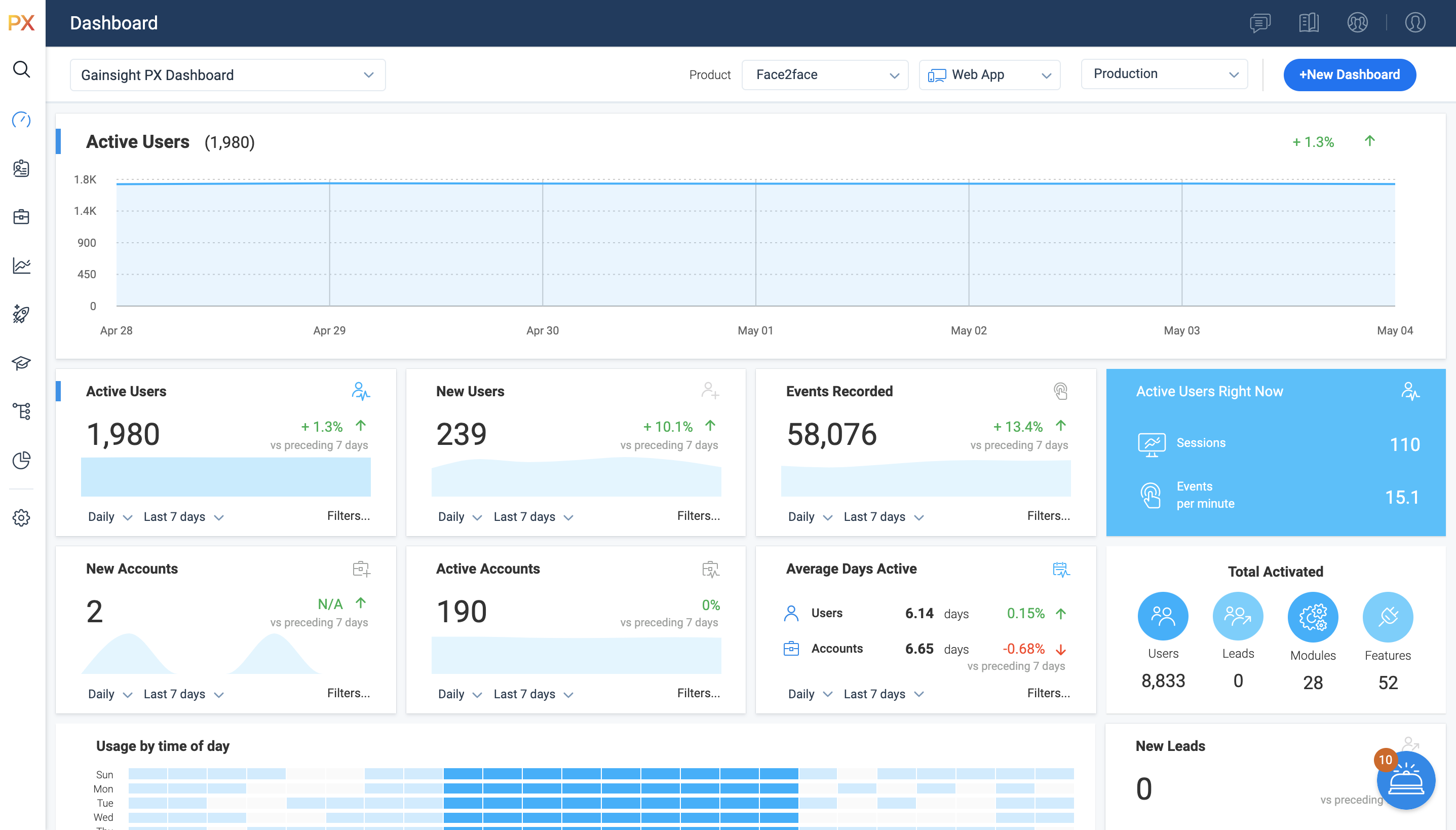      | Stratifyd Screenshots |