Google Keep vs. Workflowy

Overview
ProductRatingMost Used ByProduct SummaryStarting Price
Google Keep
Score 9.0 out of 10
N/A
Google Keep is a note-taking app launched by Google in 2013 and available free, providing a tool to capture text, images, video, etc.N/A
Workflowy
Score 9.6 out of 10
N/A
Workflowy is a note-taking and organizational tool designed to help users manage their tasks, notes, and projects. Its simplicity and features make it a choice for individuals and teams looking to streamline their workflow. Infinite Nesting Structure: Workflowy allows users to create lists within lists to an infinite degree, enabling a detailed and structured way to organize information Global Search: Its search function is used to search through all their…
$8.99
per month per user
Pricing
Google KeepWorkflowy
Editions & Modules
No answers on this topic
Workflowy basic
$0
per user
Workflowy pro - Monthly
$8.99
per month per user
Workflowy pro - Yearly
$83.88
per year per user
Offerings
Pricing Offerings
Google KeepWorkflowy
Free Trial
NoYes
Free/Freemium Version
NoYes
Premium Consulting/Integration Services
NoNo
Entry-level Setup FeeNo setup feeNo setup fee
Additional Details
More Pricing Information
Community Pulse
Google KeepWorkflowy
Features
Google KeepWorkflowy
Project Management
Comparison of Project Management features of Product A and Product B
Google Keep
8.2
13 Ratings
7% above category average
Workflowy
8.0
2 Ratings
4% above category average
Task Management9.59 Ratings8.82 Ratings
Scheduling5.15 Ratings00 Ratings
Workflow Automation6.01 Ratings00 Ratings
Mobile Access10.011 Ratings6.12 Ratings
Search9.511 Ratings9.02 Ratings
Visual planning tools9.08 Ratings00 Ratings
Communication
Comparison of Communication features of Product A and Product B
Google Keep
9.1
12 Ratings
13% above category average
Workflowy
-
Ratings
Notifications7.87 Ratings00 Ratings
Discussions8.63 Ratings00 Ratings
Internal knowledgebase10.06 Ratings00 Ratings
Integrates with Gmail and Google Hangouts9.97 Ratings00 Ratings
File Sharing & Management
Comparison of File Sharing & Management features of Product A and Product B
Google Keep
7.4
12 Ratings
7% below category average
Workflowy
6.4
2 Ratings
22% below category average
Versioning1.01 Ratings00 Ratings
Audio files8.42 Ratings5.01 Ratings
Document collaboration9.58 Ratings6.82 Ratings
Access control10.07 Ratings6.42 Ratings
Advanced security features2.73 Ratings00 Ratings
Integrates with Google Drive10.04 Ratings00 Ratings
Device sync10.09 Ratings8.12 Ratings
Video files00 Ratings5.72 Ratings
Best Alternatives
Google KeepWorkflowy
Small Businesses
Stackby
Stackby
Score 9.0 out of 10
Stackby
Stackby
Score 9.0 out of 10
Medium-sized Companies
Troop Messenger
Troop Messenger
Score 9.8 out of 10
Troop Messenger
Troop Messenger
Score 9.8 out of 10
Enterprises
HCL Connections
HCL Connections
Score 9.0 out of 10
HCL Connections
HCL Connections
Score 9.0 out of 10
All AlternativesView all alternativesView all alternatives
User Ratings
Google KeepWorkflowy
Likelihood to Recommend
9.5
(13 ratings)
9.5
(3 ratings)
Likelihood to Renew
10.0
(1 ratings)
-
(0 ratings)
Usability
9.5
(3 ratings)
8.9
(3 ratings)
Support Rating
7.9
(10 ratings)
-
(0 ratings)
User Testimonials
Google KeepWorkflowy
Likelihood to Recommend
Google
It is the perfect companion for storing all those little bits of information you need to do your job well, the best thing is getting it all out of your head and in to Google Keep. You can trust it to hold that information for you, and you know you can go back and use its excellent search functionality to find that information at a later date. It can also work really well for your personal life as well. I have two accounts, my work account and my personal account - I use them both in different contexts but I have always found Google Keep is great for both.
Read full review
Workflowy
For my money, it is best to use Workflowy for all areas of focus in my daily life. When I start to separate information, notes, convo's that's when I run into trouble. By using Workflowy for everything, I keep my sanity and my effectiveness. I cannot think of any environment where the Workflowy app would not work out extremely well!
Read full review
Pros
Google
  • It's incredibly quick to load, it doesn't take long to pull up any note you have no matter how much information is in the note.
  • The ability to collaborate on a Google Keep note is also great! It allows for two or more of you to work on a project in one space.
  • I also love that I can color coordinate. I can make all my meeting notes one color, my personal notes another color and so on.
  • Enjoying the pinning feature that allows me to keep my important notes right at the top so I don't have to go searching for them when needed.
Read full review
Workflowy
  • searching
  • storing information
  • organizing information
Read full review
Cons
Google
  • Keep only offers labels, but having folders or nested tags would help in managing notes better.
  • Finding notes can be difficult, especially when there are many. Filters by date, content type, or color would help.
  • Keep notes should easily convert into Google Docs or sync better with Google Calendar tasks.
Read full review
Workflowy
  • Insert a more affordable Tier between Pro and Free
  • Provide the capability to add separate files for different projects and areas of focus
Read full review
Likelihood to Renew
Google
It does everything I need it to do. It is easy to organize and categorize what I need and what I want to see.
Read full review
Workflowy
No answers on this topic
Usability
Google
They made it simple for anyone to use. There are no complicated steps involved to create a note, edit a note, or search for a specific item located in a note. They also made it simple to share it with others, making it easy to collaborate. Google kept it basic without a thousand "bells and whistles" to overcomplicate it.
Read full review
Workflowy
I now have 12+ years of notes stored in Workflowy - everything from song lyrics to book outlines to classroom notes. It makes it VERY easy to find, VERY easy to sort, and VERY easy to organize.
Read full review
Support Rating
Google
I gave this rating based on the ease of use, the simple functionality and how well it does at keeping my attention and helping me continue to use it and stay on track. The functionality mentioned before alongside the reminder functions and how it utilizes Google's powerful machine learning tech to better its software is remarkable.
Read full review
Workflowy
No answers on this topic
Alternatives Considered
Google
The main differential of Google Keep is its simplicity and efficiency for quick notes. I can draw on the card, put a photo, record audio if I can't write at the moment, in short, for everyday tasks, simple things, it is superior.
Read full review
Workflowy
Workflowy seems to have less constraints than those other products. It is easier to use and more versatile.
Read full review
Return on Investment
Google
  • Google Keep is free, and for what I need it for I don't need to purchase another tool.
  • It's handy when it comes to taking quick notes, but so is a piece of paper. This tool won't magically improve your life.
Read full review
Workflowy
  • I estimate that Workflowy easily saves me 1.5 - 2 hours each day in streamlined productivity. That calculates, for my organization approximaely $500.00 a month!
Read full review
ScreenShots

Workflowy Screenshots

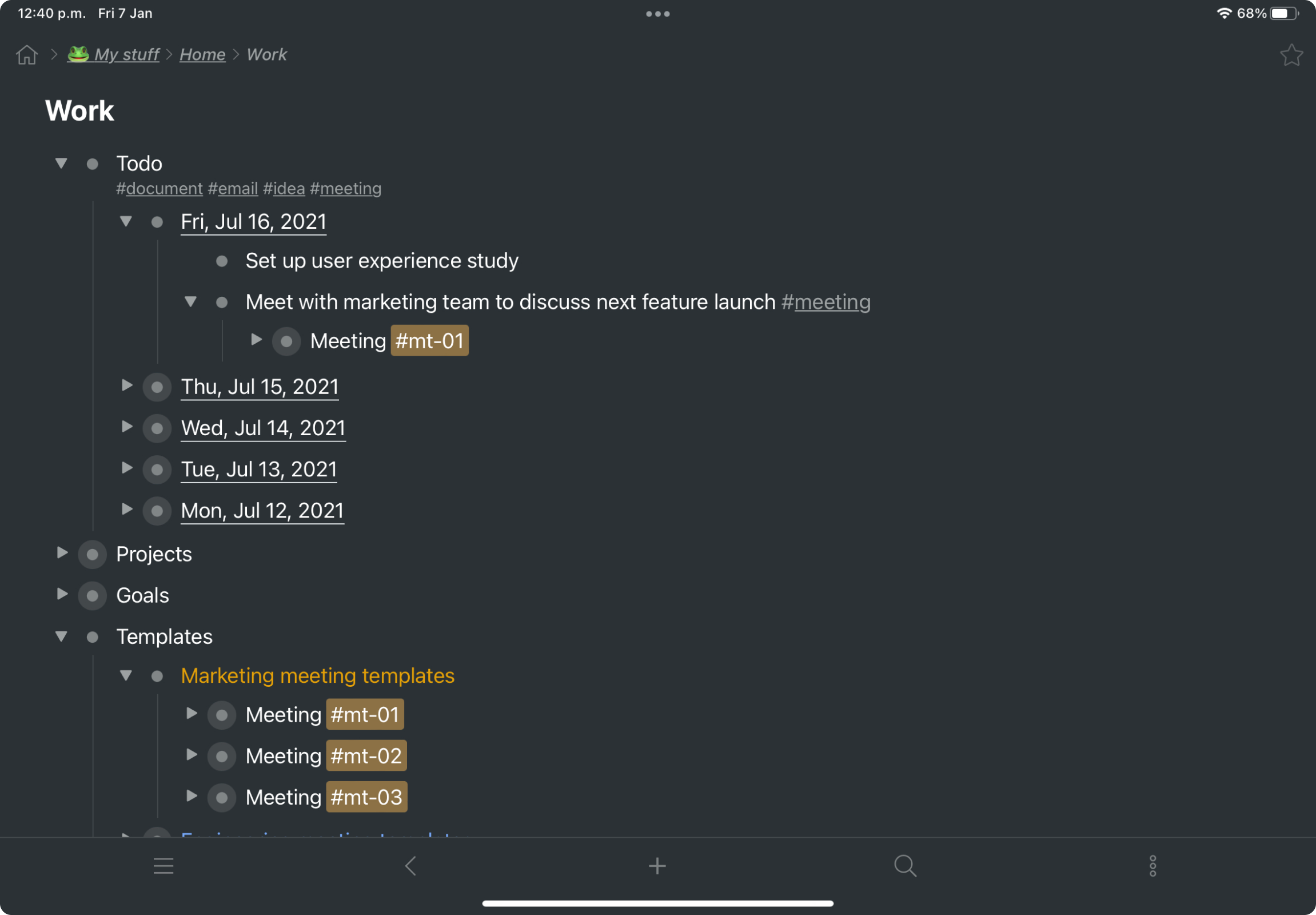
Screenshot of a kanban board in Workflowy, used to organize files and images.Screenshot of the interface to draft complex documents and artistic works while keeping everything organized.Screenshot of Workflowy's task management interface, where boards boards and lists can be managed and combined.Screenshot of item highlighting, with search by highlight color.Screenshot of tags, used to find anything in an account, no matter where it is.