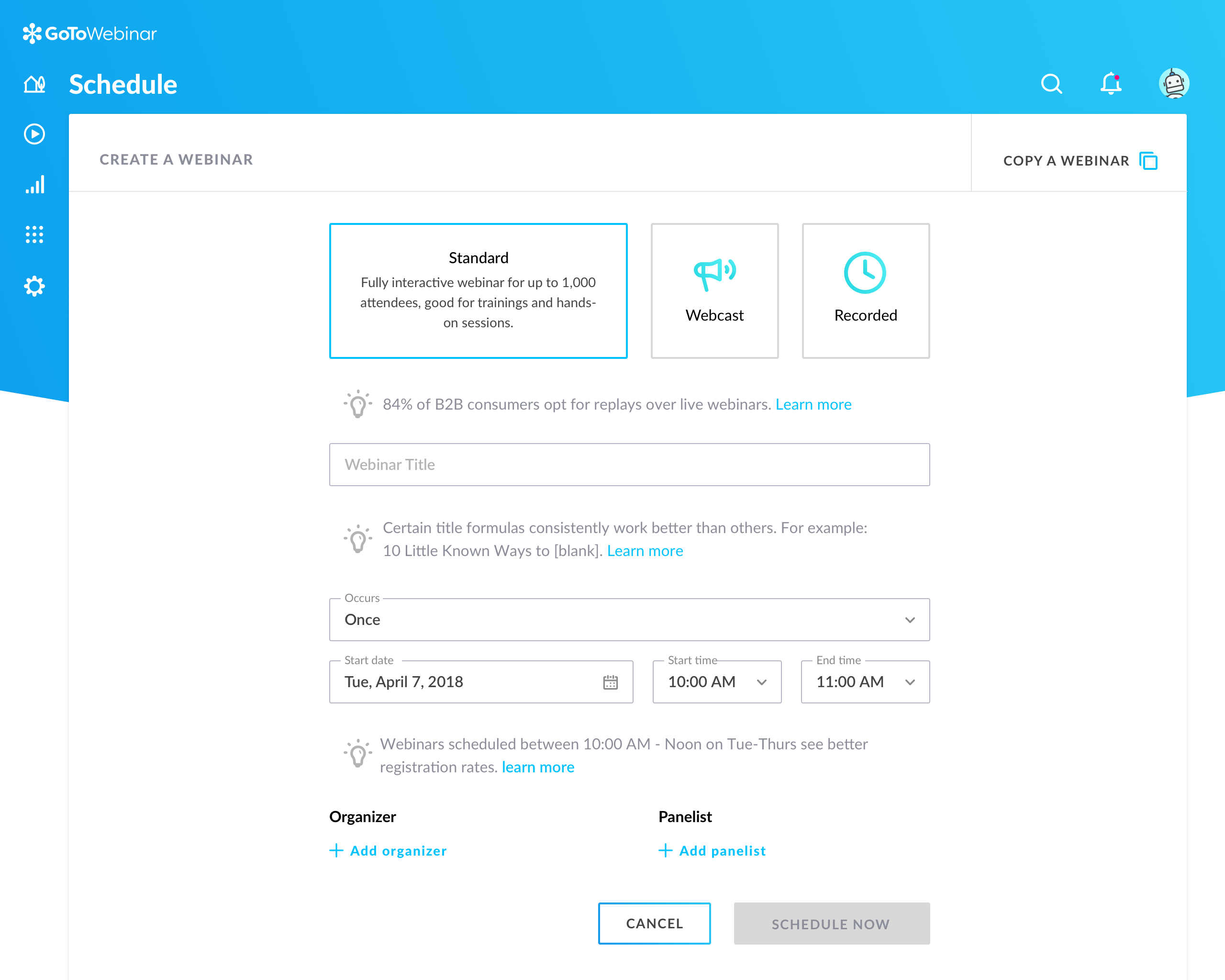
GoToWebinar is GoTo’s webinar and online conferencing solution, and offers features like audience polling and Q&A, flexible scheduling experiences, and webinar templates. It offers CRM integrations and reporting & analytics tools to help engage clients’ audiences.
$49
per month per organizer
Microsoft Visio
Score7.8 out of 10
N/A
Microsoft offers Visio, a diagramming tool for building flowcharts, diagrams (e.g. network diagrams), org charts and floor plans, available online as a subscription and also in enterprise level packages (e.g. Visio Professional).
$5
per month per user
Pricing
GoTo Webinar
Microsoft Visio
Editions & Modules
Lite
$49/month
per month per organizer
Standard
$99/month
per month per organizer
Pro
$199/month
per month per organizer
Enterprise
$399/month
per month per organizer
Visio Plan 1
$5.00
per month per user
Visio Plan 2
$15.00
per month per user
Visio Standard 2024
$309.99
one-time fee On-premises diagramming solution, licensed for one PC
Visio Professional 2024
$579.99
one-time fee On-premises diagramming solution, licensed for one PC
It is great for big events like training or product demos. It's good for marketing webinars with features like polls and Q&A. It's not ideal for small, casual meetings. It can be too expensive for some businesses. For smaller events, other tools might be better.
Visio is by far and away the best tool that I have used to do Value Stream Mapping sessions with the warehouse I support. It has all of the shapes needed built in to be able to represent all areas of the processes. I also like how you are able to make the drawing as big as needed and when printing it out of Visio you have the ability to use the necessary paper size. The biggest complaint that I have with the software if how it can be cumbersome for non-Visio users (that is, people without a license in the orgnaization) to interact with the Visio Map. We normally have to dedicate one Visio SME to be able to make the changes that Process SME's find since they do not have access to the software.
A de minimis incentive was given to thank the reviewer for their time. The incentive was not used to bias or drive a particular response, nor was the incentive contingent on a positive endorsement. More Info
A de minimis incentive was given to thank the reviewer for their time. The incentive was not used to bias or drive a particular response, nor was the incentive contingent on a positive endorsement. TR verified that a representative sample of customers was invited. More Info
Microsoft Visio is excellent for organizing thought processes related to our more complex research.
The diagrams created with Microsoft Visio are ideal for graphically displaying the internal organization of work and research groups through flow diagrams.
Microsoft Visio is a great tool for managing our students' activities by creating flowcharts that help us graphically visualize the steps of their group work.
Can't schedule recurring webinars twice per week or every other week--must manually add or delete instances.
Can't schedule recurring webinars more than 'x' number of instances (less than a year's worth).
If you want a recurring webinar to continue past the last instance (in order to keep the same link), your only option is to manually add future instances before the last one occurs. If the last instance occurs, the webinar (and corresponding link) are archived with no recourse and you must recreate it from scratch and update every bit of external collateral with a new link. So I have to have reminders on my calendar every 6 months to go in and add additional dates for all my recurring webinars in order to keep my links active.
Canceling/changing seats is a huge pain.
The default 'join' screen is app-based rather than web based, so registrants often have to download GTW. I have a lot of clients whose computers are locked down from unapproved apps and have missed the webinar because the ability to join on the web is very unintuitive.
A de minimis incentive was given to thank the reviewer for their time. The incentive was not used to bias or drive a particular response, nor was the incentive contingent on a positive endorsement. TR verified that a representative sample of customers was invited. More Info
When navigating through swim lanes, the user must be careful between switching from the point to the connection features as it can be difficult to remember which mode you’re in.
When drawing “decision points,” it can be difficult to type words like “yes” or “no” between the connection lines.
The exporting options aren’t ideal. They are hard to create in PDF format.
A de minimis incentive was given to thank the reviewer for their time. The incentive was not used to bias or drive a particular response, nor was the incentive contingent on a positive endorsement. More Info
Our largest issue with GoTo have been the limitations on recording and using recordings to host a webinar, and the biggest of those is the ability to record. We have had most of our webinars recorded successfully, but when it failed to save, it failed in a big way. Their customer service team was there to help, but they were unable to truly fix the problem. There are, of course, other providers, but as we are still seeing where hosted webinars fit in our marketing strategy, cost is an important factor. Since our company already uses GoToMeeting, it makes more sense for us to stay with the entire suite of products, especially while we are testing the strategy as a whole.
We use Microsoft Visio to keep our diagrams updated and to that end we will need the subscription to keep using the software. Otherwise we will be left with PDF versions of the diagrams.
A de minimis incentive was given to thank the reviewer for their time. The incentive was not used to bias or drive a particular response, nor was the incentive contingent on a positive endorsement. More Info
This is very easy to set up, configure, onboard, and use. The features can be explored without much ado. In-webinar and post-webinar features are also used seamlessly. Any new person can self-train in minutes and be hands-on. I love the overall usability of this tool.
A de minimis incentive was given to thank the reviewer for their time. The incentive was not used to bias or drive a particular response, nor was the incentive contingent on a positive endorsement. TR verified that a representative sample of customers was invited. More Info
I have always struggled with some basics, such as connection points, object alignment, font consistency, arranging layers and their order (bring forward, send backward), and managing overlap. I usually need to create an initial rough draft and then do a separate cleanup pass to bring the diagram up to my quality standards. If I skip that step, the result generally does not look very good. And once a diagram becomes busy or the file gets large, Visio has been unstable for me in the past, including occasional crashes that caused non-recoverable edits.
A de minimis incentive was given to thank the reviewer for their time. The incentive was not used to bias or drive a particular response, nor was the incentive contingent on a positive endorsement. More Info
I rated GoTo Webinar a 9 out of 10 for availability because it generally performs reliably, with minimal application errors or unplanned outages. The platform’s high uptime ensures that it’s usually accessible when needed, supporting a seamless experience for scheduling and conducting webinars. While occasional minor issues may arise, they are infrequent and typically well-managed, contributing to a strong overall rating for availability.
A de minimis incentive was given to thank the reviewer for their time. The incentive was not used to bias or drive a particular response, nor was the incentive contingent on a positive endorsement. More Info
I rated GoTo Webinar an 8 out of 10 for performance due to its generally robust capabilities. Pages load quickly, and reports are generated efficiently, even for complex data sets. The platform’s integration with other systems typically doesn’t introduce significant latency or performance issues. However, during peak usage times or when handling very large data volumes, there can be occasional slowdowns. Despite these instances, GoTo Webinar consistently provides strong performance and reliability in its core functions.
A de minimis incentive was given to thank the reviewer for their time. The incentive was not used to bias or drive a particular response, nor was the incentive contingent on a positive endorsement. More Info
I was always able to get someone on the phone when I needed to. They were very thorough and ensuring my questions were answered. And if I was asking for a solution or request that they didn't offer, they told me so I could at least stop trying to search for it.
A de minimis incentive was given to thank the reviewer for their time. The incentive was not used to bias or drive a particular response, nor was the incentive contingent on a positive endorsement. More Info
Overall, I feel that Microsoft's support is weak. They are now such a behemoth that their model of putting documentation online for their users to sift through is totally outgrown. Given the amount of money you pay for these licenses, Microsoft should provide easy one-on-one support for their products via email or chat. The idea of paying their rates for support incidents is ridiculous. If you have an enormous amount of time on your hands, use their support websites and you will eventually find a solution most of the time.
A de minimis incentive was given to thank the reviewer for their time. The incentive was not used to bias or drive a particular response, nor was the incentive contingent on a positive endorsement. More Info
I didn't participate in the implementation nor did my company. As far as I know we have an IT office running alla these projects and we just use the final products for our educational purposes. I also didn't notice implementation at any level while using the desktop interface, but would immediately recognize it, if so.
A de minimis incentive was given to thank the reviewer for their time. The incentive was not used to bias or drive a particular response, nor was the incentive contingent on a positive endorsement. More Info
GoToWebinar has a user-friendly interface and intuitive controls. When comparing it with other platforms, assess how easily you can navigate through features, set up events, and engage with participants. Connection stability, audio and video quality seem pretty much ok. Interactive polls, Q&A sessions, recording options are also working fine and provide to the user experience
A de minimis incentive was given to thank the reviewer for their time. The incentive was not used to bias or drive a particular response, nor was the incentive contingent on a positive endorsement. TR verified that a representative sample of customers was invited. More Info
Even though it’s a more expensive solution, Vizio is built for the enterprise. Therefore, it integrates perfectly with our existing Microsoft stack, and quite frankly, because it’s such a more mature product, it provides exactly the functionality we need and expect.
A de minimis incentive was given to thank the reviewer for their time. The incentive was not used to bias or drive a particular response, nor was the incentive contingent on a positive endorsement. More Info
I rated GoTo Webinar an 8 out of 10 for scalability because it effectively supports deployment across multiple departments and sites with its flexible features. It allows for easy management of large-scale webinars and integration with various systems, accommodating a growing number of users and sessions. However, some users might find limitations in advanced customization or specific integration needs as their requirements become more complex. Overall, its robust capabilities and adaptability make it a strong choice for scalable webinar solutions.
A de minimis incentive was given to thank the reviewer for their time. The incentive was not used to bias or drive a particular response, nor was the incentive contingent on a positive endorsement. More Info
Reduces the amount of time I need to create process flow diagrams. In the past I would use Powerpoint or Word which required a lot more effort and time and never looked as good. Visio just takes that headache away.
Only negative is that I personally believe it should always have been part and parcel of the Office suite, thus giving more users the opportunity to use it rather than specifically having to justify its separate purchase within our organisation. Different now with Office 365 of course!
A de minimis incentive was given to thank the reviewer for their time. The incentive was not used to bias or drive a particular response, nor was the incentive contingent on a positive endorsement. More Info