
Hitask vs. monday.com vs. TaskQue
Hitask vs. monday.com vs. TaskQue
| Product | Rating | Most Used By | Product Summary | Starting Price |
|---|---|---|---|---|
 Hitask | N/A | Hitask is an online task and project management service for teams from the company of the same name in Houston. The vendor states that with Hitask as a task manager, users can handle to-do lists, manage team task lists, and share an online calendar. | N/A | |
 monday.com | Mid-Size Companies (51-1,000 employees) | monday.com Work OS is an open platform designed so that anyone can create the tools they need to run all aspects of their work. It includes ready-made templates or the ability to customize any work solution ranging from sales pipelines to marketing campaigns, CRMs, and project tracking. | $36 per month (3 seats) | |
 TaskQue | N/A | TaskQue is a productivity management tool. It offers auto task assignment features, different workflow templates for various industries and functional departments, and a list of collaboration tools designed to facilitate remote workers. | $0 up to 10 users |
| Hitask | monday.com | TaskQue | ||||||||||||||||||||||
|---|---|---|---|---|---|---|---|---|---|---|---|---|---|---|---|---|---|---|---|---|---|---|---|---|
| Editions & Modules | No answers on this topic |
|
| |||||||||||||||||||||
| Offerings |
| |||||||||||||||||||||||
| Entry-level Setup Fee | No setup fee | No setup fee | $5 per user | |||||||||||||||||||||
| Additional Details | — | Yearly plan: Save 18% Monthly plan also available | For 10 users, its free. After that, we charge $5.00 per user. | |||||||||||||||||||||
| More Pricing Information | ||||||||||||||||||||||||
| Hitask | monday.com | TaskQue |
|---|
| Hitask | monday.com | TaskQue | |||||||||||||||||||||||||||||||||||||||||||||||||||||||||||
|---|---|---|---|---|---|---|---|---|---|---|---|---|---|---|---|---|---|---|---|---|---|---|---|---|---|---|---|---|---|---|---|---|---|---|---|---|---|---|---|---|---|---|---|---|---|---|---|---|---|---|---|---|---|---|---|---|---|---|---|---|---|
| Project Management |
| ||||||||||||||||||||||||||||||||||||||||||||||||||||||||||||
| Professional Services Automation |
|
| Hitask | monday.com | TaskQue | |
|---|---|---|---|
| Small Businesses |  7shifts Score 9.9 out of 10 |  Stackby Score 8.9 out of 10 | Stackby Score 8.9 out of 10 |
| Medium-sized Companies |  Todoist Score 9.2 out of 10 |  InEight Score 8.4 out of 10 | InEight Score 8.4 out of 10 |
| Enterprises |  Notion Score 8.7 out of 10 | InEight Score 8.4 out of 10 | InEight Score 8.4 out of 10 |
| All Alternatives | View all alternatives | View all alternatives | View all alternatives |
| Hitask | monday.com | TaskQue | |
|---|---|---|---|
| Likelihood to Recommend | 9.0 (1 ratings) | 8.6 (2256 ratings) | 9.0 (1 ratings) |
| Likelihood to Renew | - (0 ratings) | 9.1 (32 ratings) | - (0 ratings) |
| Usability | - (0 ratings) | 8.4 (2185 ratings) | - (0 ratings) |
| Availability | - (0 ratings) | 8.2 (8 ratings) | - (0 ratings) |
| Performance | - (0 ratings) | 8.6 (8 ratings) | - (0 ratings) |
| Support Rating | - (0 ratings) | 8.1 (1903 ratings) | 9.0 (1 ratings) |
| In-Person Training | - (0 ratings) | 9.1 (1 ratings) | - (0 ratings) |
| Online Training | - (0 ratings) | 9.1 (4 ratings) | - (0 ratings) |
| Implementation Rating | - (0 ratings) | 9.1 (7 ratings) | - (0 ratings) |
| Configurability | - (0 ratings) | 8.2 (6 ratings) | - (0 ratings) |
| Ease of integration | - (0 ratings) | 9.0 (6 ratings) | - (0 ratings) |
| Product Scalability | - (0 ratings) | 6.9 (8 ratings) | - (0 ratings) |
| Vendor post-sale | - (0 ratings) | 9.0 (6 ratings) | - (0 ratings) |
| Vendor pre-sale | - (0 ratings) | 9.0 (6 ratings) | - (0 ratings) |
| Hitask | monday.com | TaskQue | |
|---|---|---|---|
| Likelihood to Recommend |  Hitask
 Jamie Maxwell Marketing Media Planning Specialist |  monday.com
| TaskQue
|
| Pros | Hitask
Jamie Maxwell Marketing Media Planning Specialist | monday.com
| TaskQue
|
| Cons | Hitask
Jamie Maxwell Marketing Media Planning Specialist | monday.com
 Joshua Rodriguez Digital Strategy Manager | TaskQue
|
| Likelihood to Renew | Hitask No answers on this topic | monday.com
| TaskQue No answers on this topic |
| Usability | Hitask No answers on this topic | monday.com
 Brandon Stokes Customer Operations Enablement Manager | TaskQue No answers on this topic |
| Reliability and Availability | Hitask No answers on this topic | monday.com
| TaskQue No answers on this topic |
| Performance | Hitask No answers on this topic | monday.com
| TaskQue No answers on this topic |
| Support Rating | Hitask No answers on this topic | monday.com
| TaskQue
|
| Online Training | Hitask No answers on this topic | monday.com
| TaskQue No answers on this topic |
| Implementation Rating | Hitask No answers on this topic | monday.com
 Joseph Madere Learning Management System Analyst -- CornerstoneOnDemand | TaskQue No answers on this topic |
| Alternatives Considered | Hitask
Jamie Maxwell Marketing Media Planning Specialist | monday.com
| TaskQue
|
| Scalability | Hitask No answers on this topic | monday.com
| TaskQue No answers on this topic |
| Return on Investment | Hitask
Jamie Maxwell Marketing Media Planning Specialist | monday.com
| TaskQue
|
| ScreenShots | monday.com Screenshots      | TaskQue Screenshots   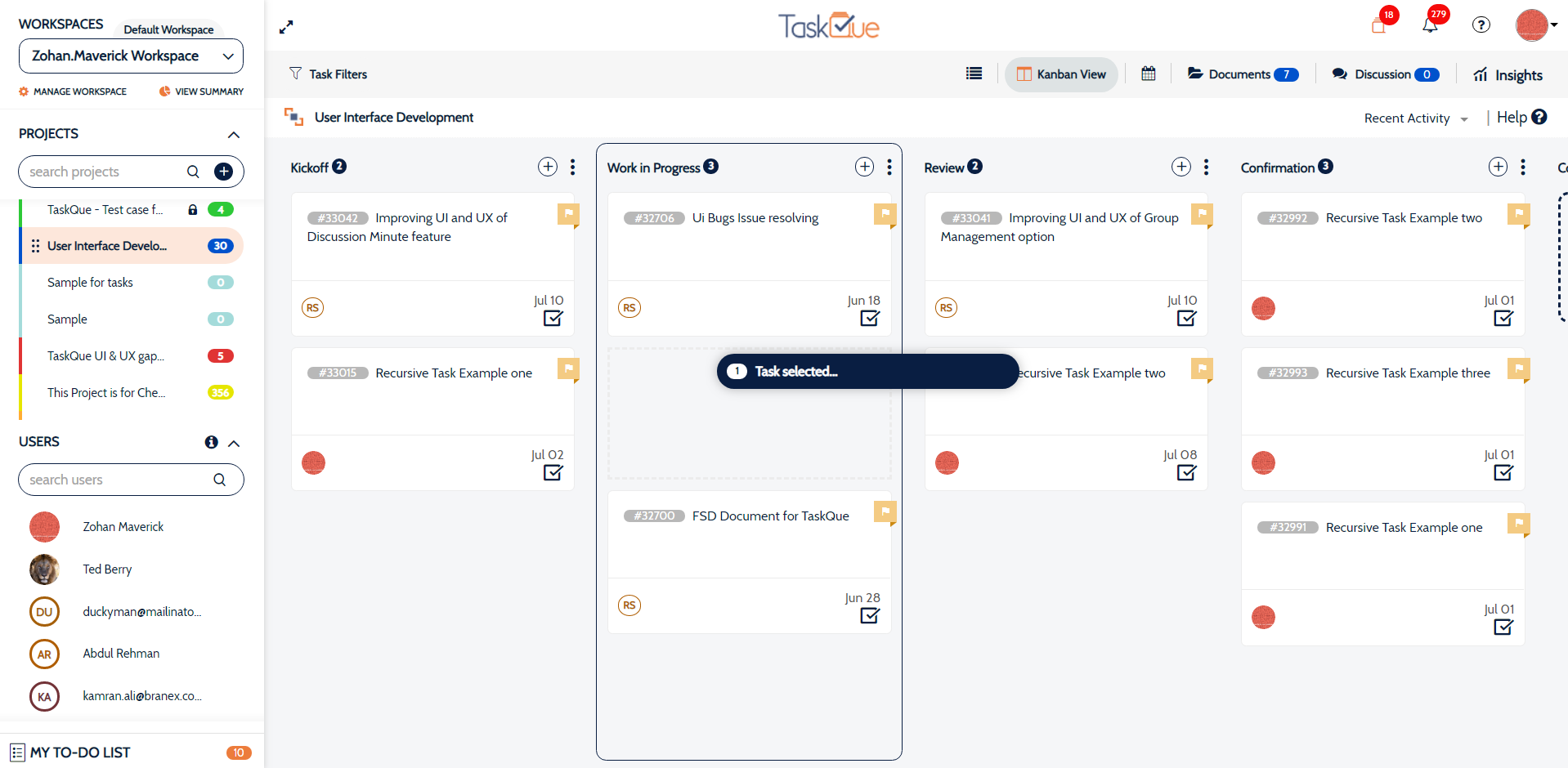 |