Hubdoc, a Xero company since the 2018 acquisition, is a bill management software solution, allowing users to capture and sync bills, receipts, bank statements and related documents to the user's preferred accounting software (e.g. Quickbooks, Xero, etc.).
$12
per month
Square 9 Softworks
Score9.3 out of 10
N/A
For document-intensive companies looking to improve business efficiency, Square 9 Softworks develops solutions for process automation that aim to drive increased productivity across all business applications.
$250
per month 5 users
Pricing
Hubdoc
Square 9 Softworks
Editions & Modules
Starting Price
$12.00
per month
Square 9 Process Automation Essentials
$50
per month per user (5 User Minimum)
Square 9 Digital Transformation Essentials
$68
per month per user (5 User Minimum)
Square 9 Enterprise Essentials
$75
per month per user (10 User Minimum)
Offerings
Pricing Offerings
Hubdoc
Square 9 Softworks
Free Trial
No
No
Free/Freemium Version
No
No
Premium Consulting/Integration Services
No
Yes
Entry-level Setup Fee
No setup fee
Required
Additional Details
—
Offered via a three-tier pricing model that allows customers to scale their solution up or down based on the changing needs of their organization.
Pricing excludes professional services and implementation fees
When I am out purchasing items for my business I can quickly take photos of receipts and upload via the app and not have to worry if I lose or damage a receipt. This is very handy for me. Hubdoc also allows me to get all my invoices, payments and statements to my bookkeeper very easily which saves me money and time. I only use Hubdoc for business purposes which is where I feel it is most suitable. I probably wouldn't use it for personal stuff as I don't track personal that strictly.
A de minimis incentive was given to thank the reviewer for their time. The incentive was not used to bias or drive a particular response, nor was the incentive contingent on a positive endorsement. More Info
Square 9 Softworks is really good for internal and external filing services. Square 9 Softworks is also an application that can be utilized for databases to store and extract data. If the volume of your filing isn’t heavy or on a day-to-day basis then I wouldn’t recommend Square 9 Softworks.
A de minimis incentive was given to thank the reviewer for their time. The incentive was not used to bias or drive a particular response, nor was the incentive contingent on a positive endorsement. More Info
A de minimis incentive was given to thank the reviewer for their time. The incentive was not used to bias or drive a particular response, nor was the incentive contingent on a positive endorsement. More Info
The software is very flexible, and the technicians were great at implementing our customizations for the PO project.
While indexing fields in Global Search, the Key Free tool works great.
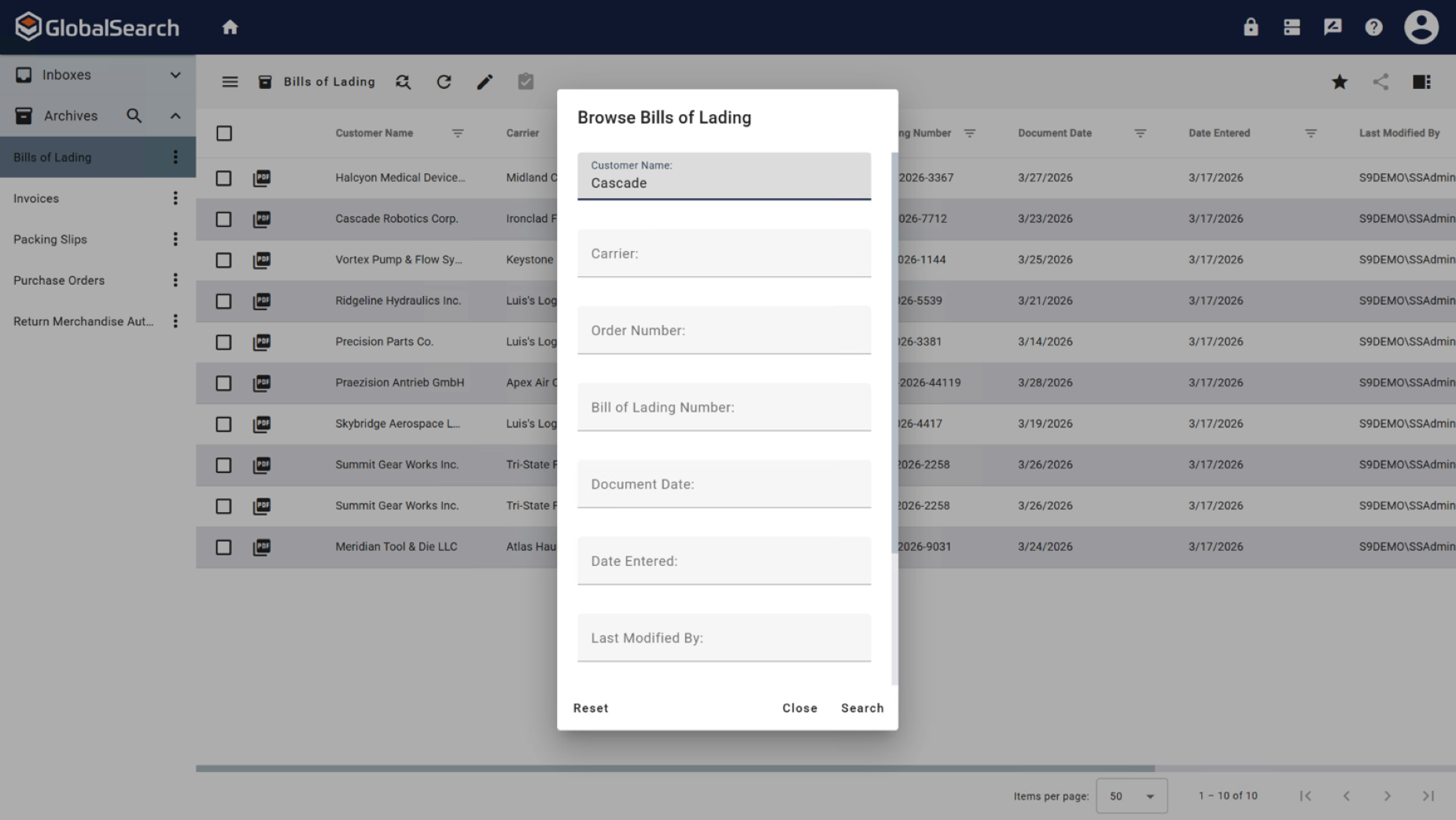
Global Search is well-organized. It's easy to navigate and find your documents.
The process for completing your project was well done. Communicating with individuals at Square 9 who were responsible for different aspects of the project was easy.
A de minimis incentive was given to thank the reviewer for their time. The incentive was not used to bias or drive a particular response, nor was the incentive contingent on a positive endorsement. More Info
A de minimis incentive was given to thank the reviewer for their time. The incentive was not used to bias or drive a particular response, nor was the incentive contingent on a positive endorsement. More Info
GlobalSearch could use some enhancements in layout - THIS IS FIXED WITH THE NEWEST VERSION OF GLOBALSEARCH 6.3 and their Sleek GUI GlobalSearch GO! - WELL DONE!
GlobalSearch could use external sharing of documents THIS IS FIXED WITH THE NEWEST VERSION OF GLOBALSEARCH 6.3 and their Sleek GUI GlobalSearch GO! - WELL DONE!
GlobalForms could have better formatting tools to enhance the fields and text formatting
A de minimis incentive was given to thank the reviewer for their time. The incentive was not used to bias or drive a particular response, nor was the incentive contingent on a positive endorsement. TR verified that a representative sample of customers was invited. More Info
We absolutely can't imagine not continuing software maintenance as there are always new additions that improve the system not to mention the excellent tech support when issues are encountered. Response times for troubleshooting are very quick and usually, my issue is resolved in less than an hour after connecting with support.
A de minimis incentive was given to thank the reviewer for their time. The incentive was not used to bias or drive a particular response, nor was the incentive contingent on a positive endorsement. More Info
I think this is one of the easiest apps to use on both mobile and desktop. Once it was all set up by my bookkeeper all I needed to do was upload things. I recall the set up being quite simple and we've only made a few small changes over the years.
A de minimis incentive was given to thank the reviewer for their time. The incentive was not used to bias or drive a particular response, nor was the incentive contingent on a positive endorsement. More Info
The items I am searching for are easily found. They are found in at least 95% of the searches. The failure rate generally is related to another employees user error or a template error set up by our Square 9 team in house.
A de minimis incentive was given to thank the reviewer for their time. The incentive was not used to bias or drive a particular response, nor was the incentive contingent on a positive endorsement. More Info
With the PDF projected viewer, the document retrieval-to-display can drag for a second more than some systems, and the capture workflow if you overload a server array can also drag, but those are the only two issues we've ever seen with this product, and they are not serious issues at all.
At the time we implemented Hubdoc (more than 2 years ago) it was quite cutting edge and did have strong advances from the competition plus its pricing was definitely more competitive (flat rate vs price per data extraction model). However, currently the competition has caught up and now many of Hubdoc's core features are being built into online accounting software natively.
A de minimis incentive was given to thank the reviewer for their time. The incentive was not used to bias or drive a particular response, nor was the incentive contingent on a positive endorsement. More Info
We had one "production down" incident that took about a day to get help on. I think that's a bit too long. The support people seem confident but not that friendly. I feel like I'm bothering them when I get help, but they get the job done.
A de minimis incentive was given to thank the reviewer for their time. The incentive was not used to bias or drive a particular response, nor was the incentive contingent on a positive endorsement. More Info
It would have been higher, but the training is a bit muted for the lesser qualified office equipment vendors who signed up as partners to sell and support it. The more experienced ECM vendors and customer end-users will find the training very good, but a bit slow.
I think the implementation could have gone a little smoother than it did. Now that I know how to use the software, I could do it myself. I feel that as an organization, we could have been a little better prepared. If the consultant was more aware of what we were looking for, they could have assisted in setting up some workflows for us as per the contract. But because we were not prepared, the initial implementation process was a little painful. That said, adding a document management system to ANY business kinda means everyone has to re-think the way they do their work which can be difficult for some staff.
A de minimis incentive was given to thank the reviewer for their time. The incentive was not used to bias or drive a particular response, nor was the incentive contingent on a positive endorsement. More Info
We did not get far into evaluating other solutions we were looking at because Hubdoc came highly recommended from peers, coupled with Xero and Gusto. The cost for Thompson-Reuters is high. We quickly honed in on Hubdoc due to cost and recommendation and are very glad that we did.
A de minimis incentive was given to thank the reviewer for their time. The incentive was not used to bias or drive a particular response, nor was the incentive contingent on a positive endorsement. More Info
We tried Etrieve before Square 9 and it never got off the ground. Our requirements were too complex and the platform could not accommodate them. Square 9 offered the flexibility and customization we needed from the start. Support worked with us to build workflows that actually fit our processes instead of forcing us into a rigid structure.
A de minimis incentive was given to thank the reviewer for their time. The incentive was not used to bias or drive a particular response, nor was the incentive contingent on a positive endorsement. TR verified that a representative sample of customers was invited. More Info
The scale-ability is quite good actually, but you need competent sales/support folks providing it to you, so the scale is set right for the demands of your system use. Some resellers are not good at doing this, some are fantastic. If you are scaled correctly at first implementation, you'll be very happy with this system.
A de minimis incentive was given to thank the reviewer for their time. The incentive was not used to bias or drive a particular response, nor was the incentive contingent on a positive endorsement. More Info
Reduction in human error through manual data entry process now being automated
Reduction in cost due to automation allowing the function to not require a full time employee
Reduction in time spent performing the previous manual tasks. Example: on our consolidated shipment days, it could take doc clerk 2-3 hours to prepare master document package. This has been reduced to 30 minutes or less (depending on size of shipment and time needed for OCR to complete)
A de minimis incentive was given to thank the reviewer for their time. The incentive was not used to bias or drive a particular response, nor was the incentive contingent on a positive endorsement. More Info