
HubSpot Academy vs. iSpring Suite
| Product | Rating | Most Used By | Product Summary | Starting Price |
|---|---|---|---|---|
 HubSpot Academy | Score8.8 out of 10 | N/A | HubSpot Academy is a free online training for inbound marketing, sales, and customer service professionals. This eLearning platform, that is available in four languages, specializes in comprehensive certifications, singular topic courses, and bite-sized lessons for professionals looking to grow their career and business. | N/A |
 iSpring Suite | Score7.6 out of 10 | N/A | iSpring Suite is an authoring tool with AI-assisted features for creating slide-based online courses, quizzes, and video lessons in Microsoft PowerPoint. Instructional designers, corporate L&D and HR teams, educators, and independent course developers can build training content without relying on multiple specialized tools. iSpring Suite enables users to: Generate a course from a topic. Users can describe what to teach or upload subject… | $970 per year per user |
| HubSpot Academy | iSpring Suite | |||||||||||||||
|---|---|---|---|---|---|---|---|---|---|---|---|---|---|---|---|---|
| Editions & Modules | No answers on this topic | No answers on this topic | ||||||||||||||
| Offerings |
| |||||||||||||||
| Entry-level Setup Fee | No setup fee | No setup fee | ||||||||||||||
| Additional Details | — | Academic, non-profit, government and volume discounts are available. | ||||||||||||||
| More Pricing Information | ||||||||||||||||
| HubSpot Academy | iSpring Suite | |
|---|---|---|
| Considered Both Products | No answer on this topic | No answer on this topic |
| Key User Insights | ||
| Would buy again | ||
100% Would buy again 8 Answers | 99% Would buy again 119 Answers | |
| Delivers good value for the price | ||
100% Delivers good value for the price 7 Answers | 98% Delivers good value for the price 110 Answers | |
| Happy with the feature set | ||
100% Happy with the feature set 8 Answers | 96% Happy with the feature set 115 Answers | |
| Lived up to sales and marketing promises | ||
100% Lived up to sales and marketing promises 6 Answers | 97% Lived up to sales and marketing promises 104 Answers | |
| Implementation went as expected | ||
100% Implementation went as expected 7 Answers | 99% Implementation went as expected 109 Answers | |
| HubSpot Academy | iSpring Suite | |||||||||||||||||||||||||
|---|---|---|---|---|---|---|---|---|---|---|---|---|---|---|---|---|---|---|---|---|---|---|---|---|---|---|
| Learning Management |
| |||||||||||||||||||||||||
| eLearning Content |
| |||||||||||||||||||||||||
| HubSpot Academy | iSpring Suite | |
|---|---|---|
| Small Businesses |  Pluralsight Skills Score9.2 out of 10 |  Thinkific Score8.8 out of 10 |
| Medium-sized Companies |  365 Data Science Score9.4 out of 10 |  Articulate 360 Score9.2 out of 10 |
| Enterprises |  A Cloud Guru (discontinued) Score8 out of 10 | Articulate 360 Score9.2 out of 10 |
| All Alternatives | View all alternatives | View all alternatives |
| HubSpot Academy | iSpring Suite | |
|---|---|---|
| Likelihood to Recommend | 8.9 | 9.0 |
| Likelihood to Renew | 9.0 | 9.1 |
| Usability | 8.5 | 8.3 |
| Support Rating | - | 10.0 |
| Implementation Rating | - | 9.1 |
| HubSpot Academy | iSpring Suite | |
|---|---|---|
| Likelihood to Recommend |
|
|
| Pros |
|
|
| Cons |
|
|
| Likelihood to Renew |
|
|
| Usability |
|
|
| Support Rating | No answers on this topic |
|
| Alternatives Considered |
|
|
| Return on Investment |
|
|
| ScreenShots | iSpring Suite Screenshots 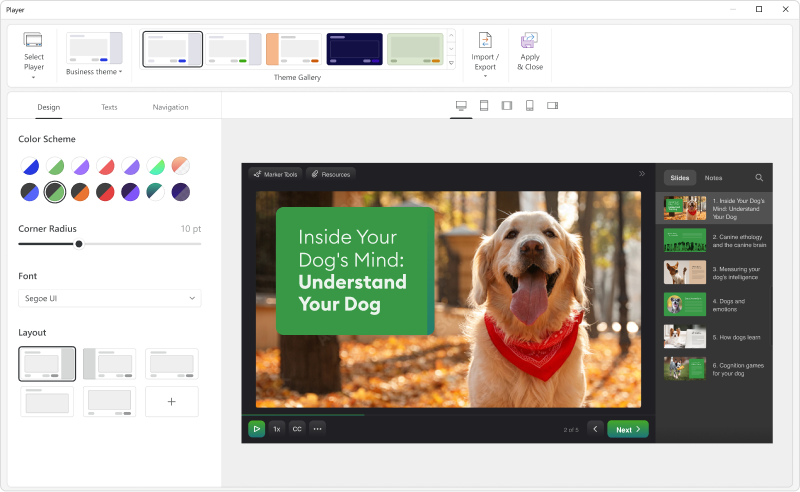   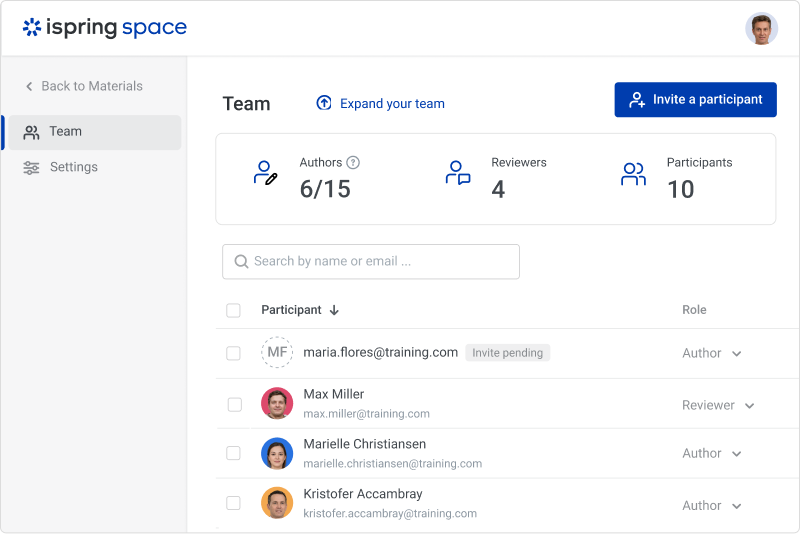  |



