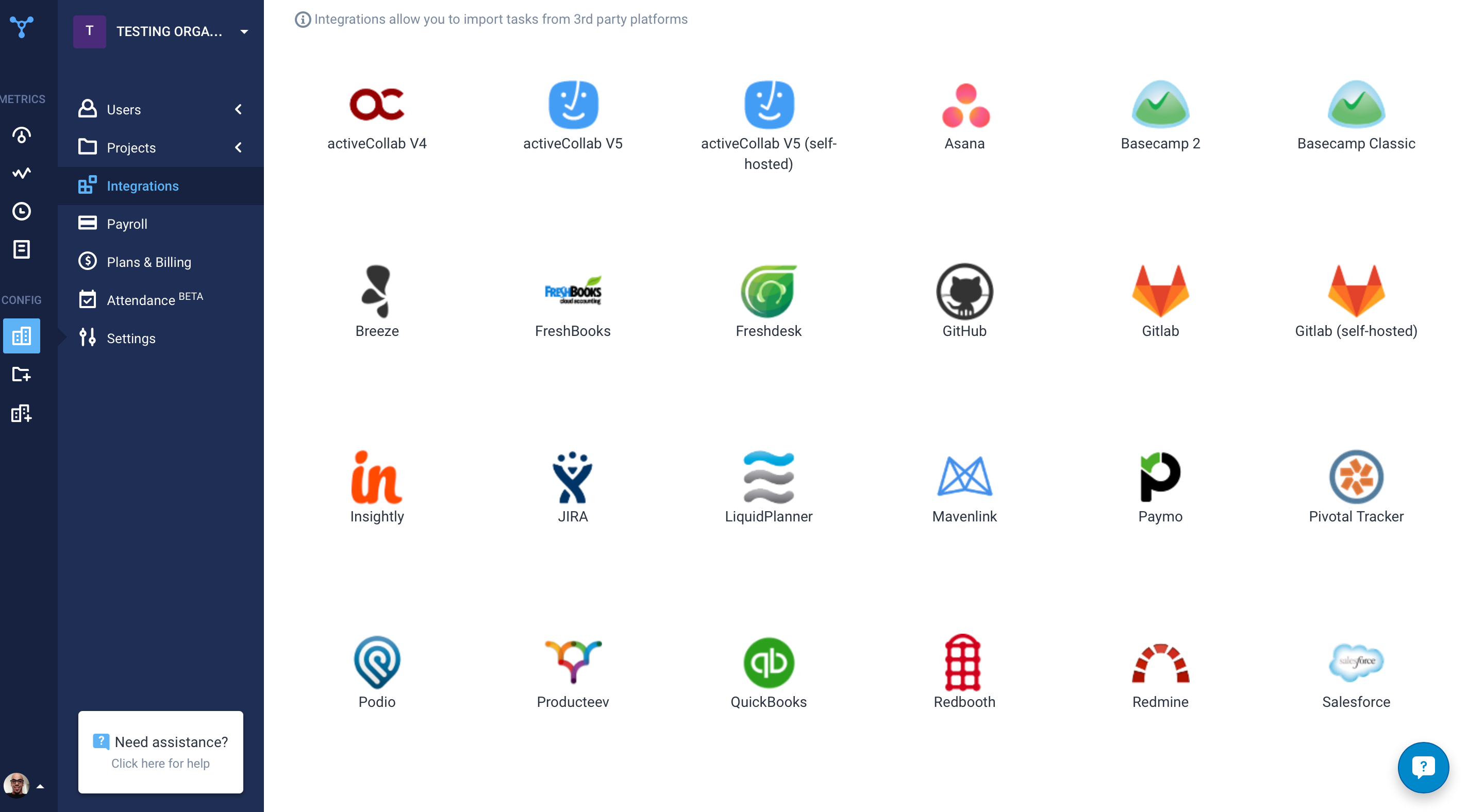
Hubstaff is a workforce analytics software tailored to boost productivity in remote, hybrid, and in-house teams while fostering a positive employee experience. Integrating with over 30 apps, Hubstaff's key features include time tracking, screenshots, activity tracking, URL and app monitoring, workforce analytics, automatic payroll and invoicing, scheduling, GPS and location monitoring, and timesheets. Hubstaff is compatible with Mac, Windows, Linux, Chrome, iOS, and…
$14
per month 2 seats (minimum)
QuickBooks Desktop for Mac
Score8.4 out of 10
N/A
Quickbooks Desktop for Mac is an accounting software designed for Mac users. It is designed to integrate with Apple iCloud. It provides core accounting features in line with the rest of the Quickbooks Desktop product line.
It enables you to monitor workers' time on every project. It monitors productivity even if an internet connection is not available. It provides a customizable interface. Every task is customizable to suit project requirements. It allows you to track time from anywhere in the world. In this way, it provides powerful insights to determine how many hours are required to do a project.
A de minimis incentive was given to thank the reviewer for their time. The incentive was not used to bias or drive a particular response, nor was the incentive contingent on a positive endorsement. More Info
If you're a freelancer or running a very small business where you do your own bookkeeping I think this is a great option, especially if you're familiar with accounting and bookkeeping in general. If you're not so familiar with bookkeeping, I would say that the learning curve is too steep and you might want to look elsewhere for a more intuitive solution
A de minimis incentive was given to thank the reviewer for their time. The incentive was not used to bias or drive a particular response, nor was the incentive contingent on a positive endorsement. More Info
Its interface is also quite easy to handle and is designed in a user friendly way.
Overall, I feel that Hubstaff is a very useful invention that has the ability to attract and fascinate users.
Hubstaff offers a customizable and easily tailored according to your requirements user interface where with the help of just one click you can start or even stop tracking your daily project activities.
A de minimis incentive was given to thank the reviewer for their time. The incentive was not used to bias or drive a particular response, nor was the incentive contingent on a positive endorsement. More Info
A de minimis incentive was given to thank the reviewer for their time. The incentive was not used to bias or drive a particular response, nor was the incentive contingent on a positive endorsement. More Info
I am having a problem with its customer support. [I feel it is] one of the worst customer service I have gone through for the longest time. They did not even know about their own platform, response time is late and there is no such name of help from their side what so ever which makes it a very difficult platform to use.
[I believe it] needs a lot of upgrades in customer support system.
A de minimis incentive was given to thank the reviewer for their time. The incentive was not used to bias or drive a particular response, nor was the incentive contingent on a positive endorsement. More Info
The #1 complaint is that setting it up right is a challenge. People waste time trying to figure it out only to realize that they don't know accounting so of course they don't know how an accounting program should be set up. Like any time you are in over your head, reach out to your network and find someone who can log onto your computer and walk you through it.
If you need to track the cost of wages to jobs you can't do it with the online payroll, but check for yourself because it's a function that landscaping companies and construction businesses usually need, so maybe they have added it by now. That would really help!
It's premise-based software and that means you take on the role of hardware admin, and it's a lot of work for what is increasingly becoming a smaller gap in the functionality between QuickBooks for Mac and QuickBooks Online.
QuickBooks for Mac 2015 has been updated consistently over the last 3 years and continues to provide for the bookkeeping needs of small companies using Macs in their offices. However, it has limited job costing functionality. It is similar in functionality to the 2010 version of QuickBooksPro which runs on Windows.
A de minimis incentive was given to thank the reviewer for their time. The incentive was not used to bias or drive a particular response, nor was the incentive contingent on a positive endorsement. More Info
Intuit Accounting Professionals Trainer/Writer specializing in QuickBooks for Mac, Meetup Groups Organizer/Founder, Adjunct Instructor at Bellevue College
A de minimis incentive was given to thank the reviewer for their time. The incentive was not used to bias or drive a particular response, nor was the incentive contingent on a positive endorsement. More Info
I haven't spent that much time with the newer versions of QuickBooks for Mac, but I think I'm seeing it make the much-needed improvements. For example, something as simple as undoing the previous reconciliation was a terrible chore, and I'm glad that feature has been included in the newer versions of QuickBooks for Mac
A de minimis incentive was given to thank the reviewer for their time. The incentive was not used to bias or drive a particular response, nor was the incentive contingent on a positive endorsement. More Info
I give it 9 because it is really good for time tracking and managing remote teams. It helps me to manage my team very efficiently. Still, prices are high, so don't give 10. I need more discounts to add more team. Also need more accuracy as users are now fooling the tools with various cheats. Overall it is good and helfull
A de minimis incentive was given to thank the reviewer for their time. The incentive was not used to bias or drive a particular response, nor was the incentive contingent on a positive endorsement. More Info
The Mac version is OK overall. I find the Windows versions to be much more robust but Mac is quite good for Mac users. Though I think die hard Mac users should consider QuickBooks Online instead as there is a new QB for Mac app that makes using QBO much better!
A de minimis incentive was given to thank the reviewer for their time. The incentive was not used to bias or drive a particular response, nor was the incentive contingent on a positive endorsement. More Info
I've never had any issues and always received proper support. They let you know in advance when they'll be in maintenance and it's always in odd hours, so it's good. You still can use it when they are maintaining it.
A de minimis incentive was given to thank the reviewer for their time. The incentive was not used to bias or drive a particular response, nor was the incentive contingent on a positive endorsement. More Info
I've been using the QuickBooks online version for a little over 6 months now (upgraded from Mac desktop) and I haven't had any access issues. There have been times when it was down for service/upgrade however there is always plenty of notification time given by the Quick Books Online Support team. These upgrade maintenance time frames are always over night hours and on the weekends so everything can be worked around very easily.
A de minimis incentive was given to thank the reviewer for their time. The incentive was not used to bias or drive a particular response, nor was the incentive contingent on a positive endorsement. More Info
Hubstaff has always responded to support requests in a timely manner and has kept me in the loop of changes. When contacting them about future changes/features they've always been upfront on whether that is a change they are looking to make and when that change may occur. Finally, if the person I have communicated with was unable to resolve, they always escalated to the next best person who can answer/resolve.
A de minimis incentive was given to thank the reviewer for their time. The incentive was not used to bias or drive a particular response, nor was the incentive contingent on a positive endorsement. More Info
A de minimis incentive was given to thank the reviewer for their time. The incentive was not used to bias or drive a particular response, nor was the incentive contingent on a positive endorsement. More Info
A de minimis incentive was given to thank the reviewer for their time. The incentive was not used to bias or drive a particular response, nor was the incentive contingent on a positive endorsement. More Info
Hubstaff keeps interesting and smart features and functions. The most interesting feature is the reporting feature that has brought much convenience to me. It is no doubt a great tool for planning budgets, managing workflows, tracking time, and best supervision capabilities.
A de minimis incentive was given to thank the reviewer for their time. The incentive was not used to bias or drive a particular response, nor was the incentive contingent on a positive endorsement. More Info
I love using Quickbooks compared to other software we've tried. QuickBooks Online and TSheets interface. Customer service and problem resolution are generally excellent, with well-trained and proficient agents taking calls or on chat. Ease of use and accessibility via the mobile app. Great courses were available to help with learning the basics and some advanced accounting background. I love learning! Online accessibility - it can work anywhere with an internet connection. Linking to bank and credit card accounts is handy.
A de minimis incentive was given to thank the reviewer for their time. The incentive was not used to bias or drive a particular response, nor was the incentive contingent on a positive endorsement. More Info
A de minimis incentive was given to thank the reviewer for their time. The incentive was not used to bias or drive a particular response, nor was the incentive contingent on a positive endorsement. More Info
Hubstaff has enabled us to identify the most productive workers which enables us to maximize profitability.
Hubstaff has enabled us to quickly identify drops in engagement or output, or just poor performance due to not caring so we can move on instead of trying to fit a square peg into a round hole.
HubStaff lets us actively measure retainers vs delivered hours and adjust contracts to what we really need based on our time expenditures.
A de minimis incentive was given to thank the reviewer for their time. The incentive was not used to bias or drive a particular response, nor was the incentive contingent on a positive endorsement. More Info
A de minimis incentive was given to thank the reviewer for their time. The incentive was not used to bias or drive a particular response, nor was the incentive contingent on a positive endorsement. More Info