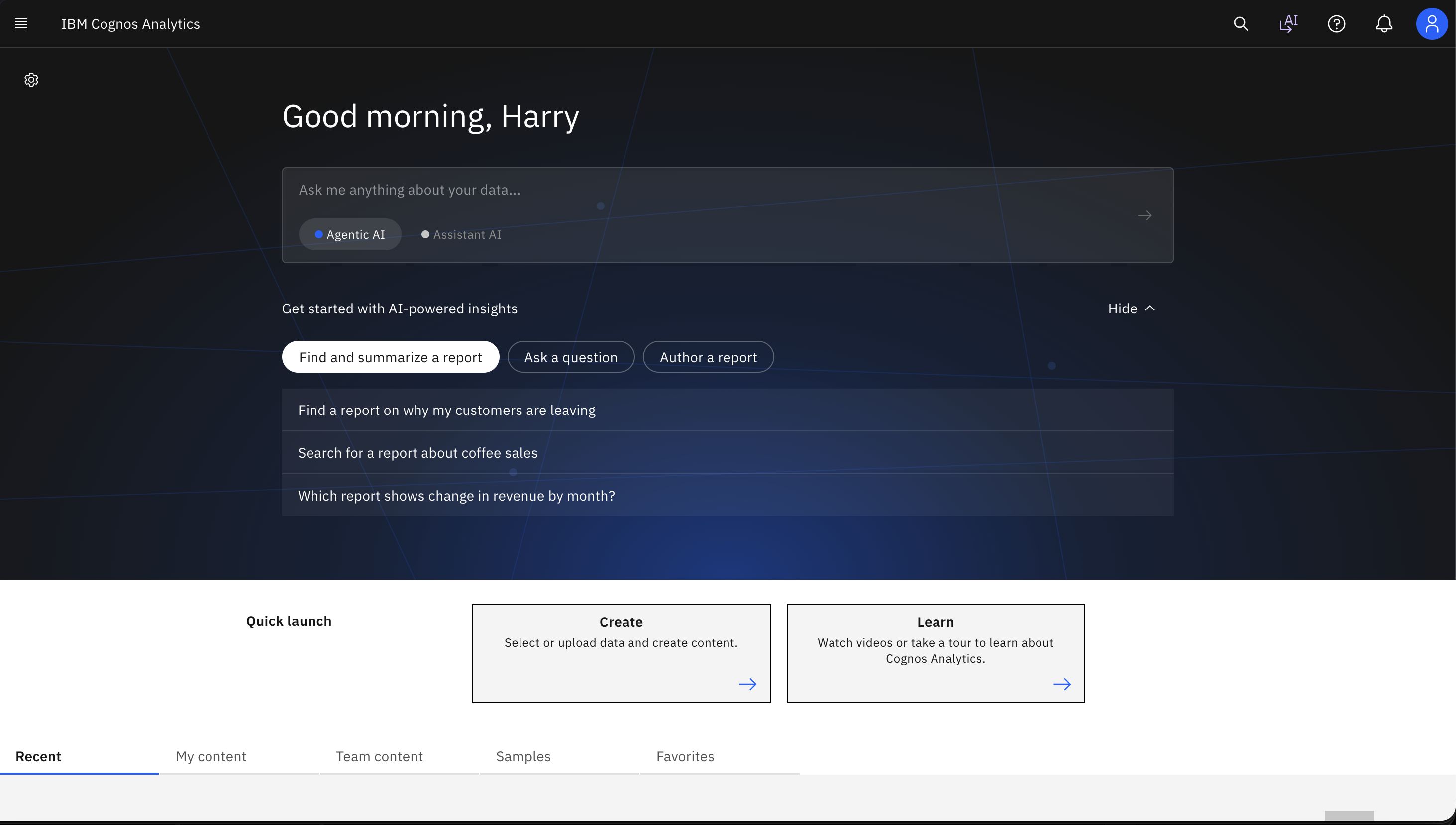
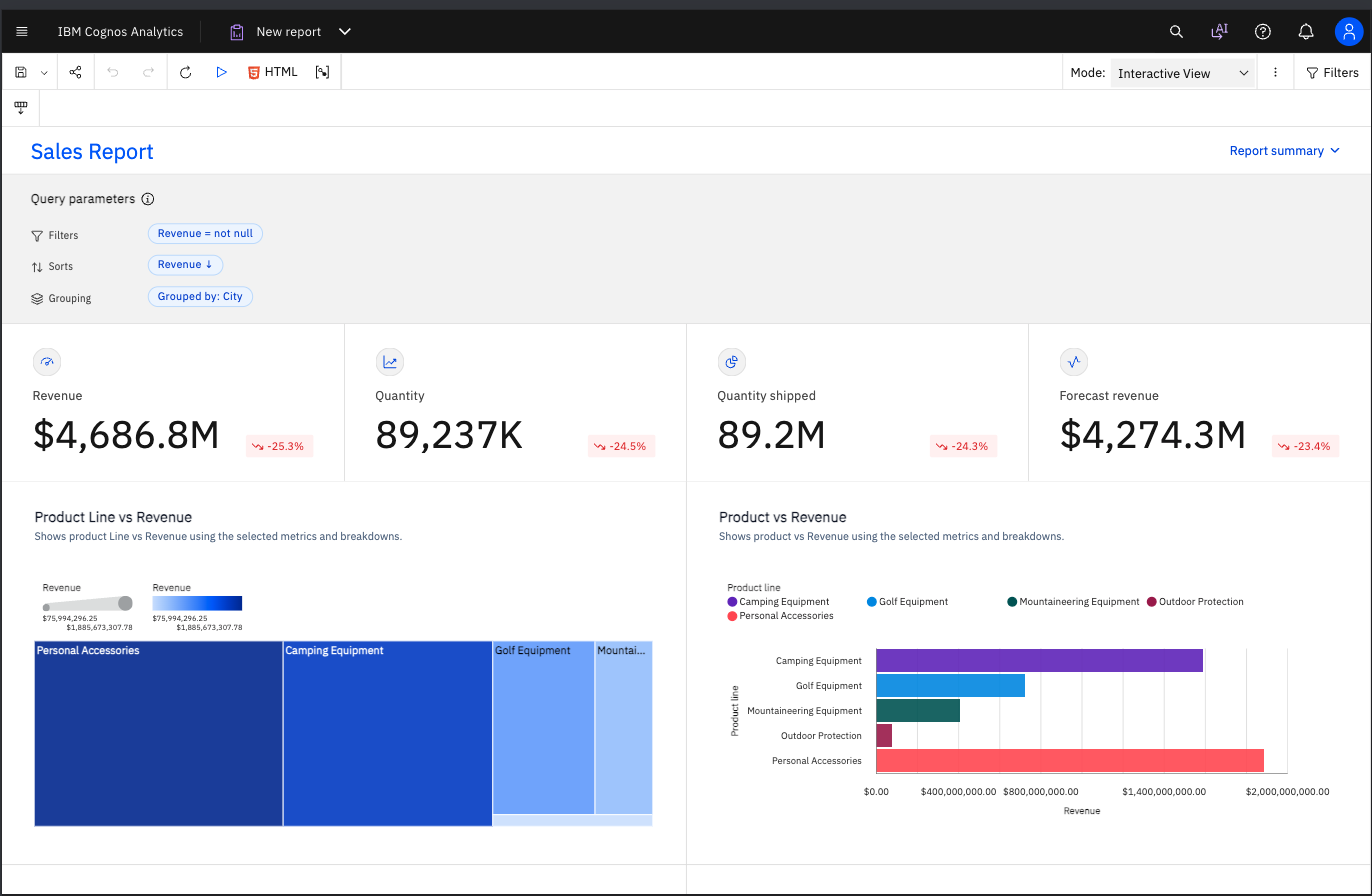
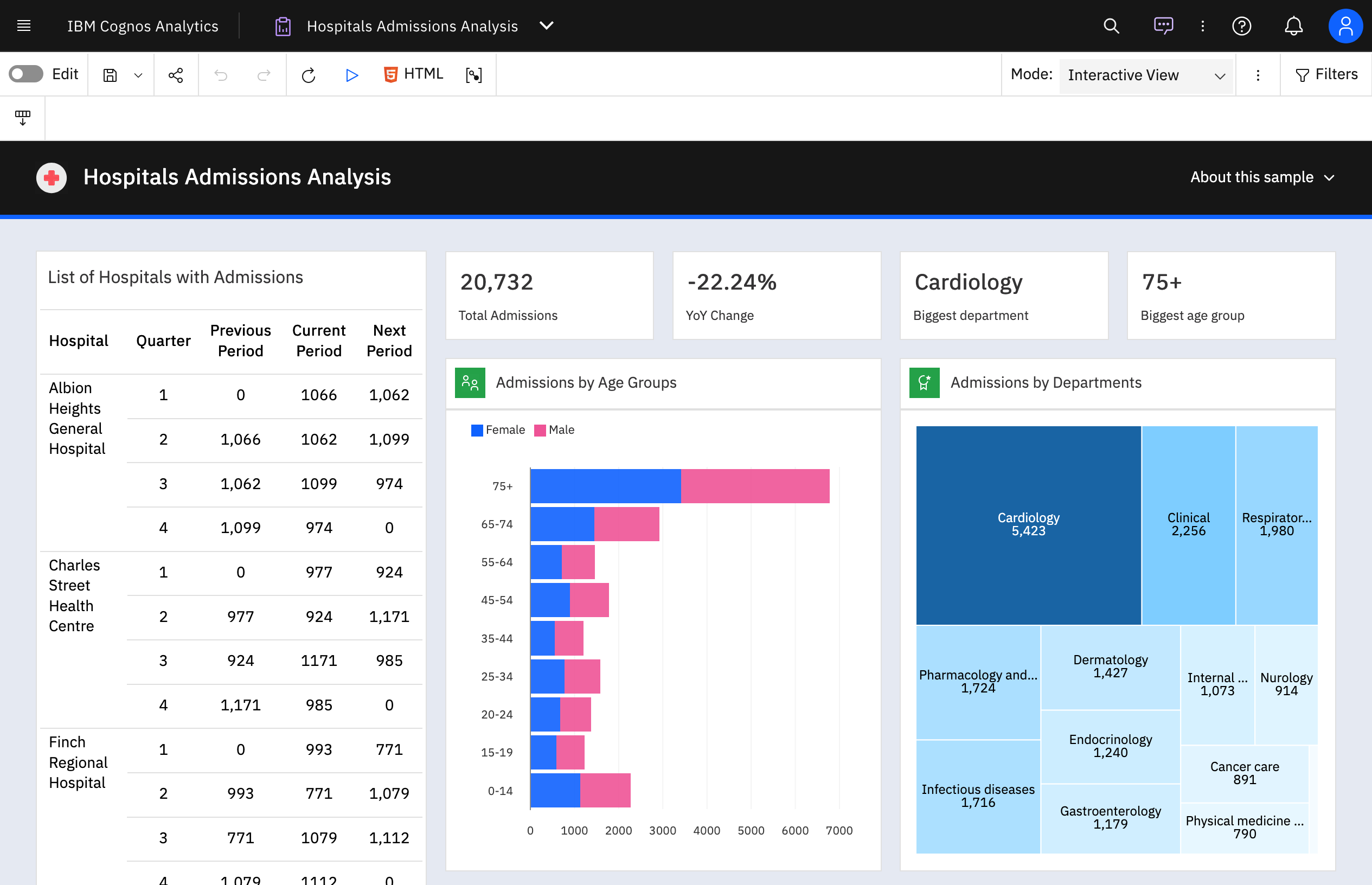
IBM Cognos is a full-featured business intelligence suite by IBM, designed for larger deployments. It comprises Query Studio, Reporting Studio, Analysis Studio and Event Studio, and Cognos Administration along with tools for Microsoft Office integration, full-text search, and dashboards.
$11.25
per month per user
Salesforce CRM Analytics
Score8.5 out of 10
N/A
Salesforce CRM Analytics (formerly Tableau CRM) is a cloud-based business intelligence solutions and analytics software. It provides users with automated data discovery, CRM-connected analytics, top-down views of data, augmented analytics, predictive insights, and customizable data visualization tools.
Since we have previously used Salesforce, Tableau and Qlik Sense. I find each platform has it own strengths and weaknesses. Tableau is very intuitive and flexible, Qlik is very strong with ease of development. But IBM Cognos Analytics stands out in structured org level …
A de minimis incentive was given to thank the reviewer for their time. The incentive was not used to bias or drive a particular response, nor was the incentive contingent on a positive endorsement. More Info
Verified User
Chose IBM Cognos Analytics
Cognos provides very advanced analytics functionalities, maybe even more advanced than the competition, and works great when used in collaboration with Watson. However, Tableau and other newer products are much better regarding overall usability.
A de minimis incentive was given to thank the reviewer for their time. The incentive was not used to bias or drive a particular response, nor was the incentive contingent on a positive endorsement. More Info
Verified User
Chose IBM Cognos Analytics
IBM Cognos Analytics is a relatively late entrant in the BI space - dominated by Tableau and Qlik. it works well for 80% of our use cases and is easy for a non technical user to start using. Also due to enterprise licensing, its easier to distribute internally.
A de minimis incentive was given to thank the reviewer for their time. The incentive was not used to bias or drive a particular response, nor was the incentive contingent on a positive endorsement. More Info
Software Engineer in Information Technology at AI Singapore (Computer Software, 51-200 employees)
Chose IBM Cognos Analytics
They are powerful tools, they are used to handle a large amount of data, create different and complex visualizations. They make it easy for users to run queries using natural language and get automatic feedback on the information. They are powerful, intuitive and allow users of …
A de minimis incentive was given to thank the reviewer for their time. The incentive was not used to bias or drive a particular response, nor was the incentive contingent on a positive endorsement. TR verified that a representative sample of customers was invited. More Info
For Transaction monitoring, we build reports for executive management, providing insights into the number of alerts, the types or categories of detection scenarios, the risk profile, and a snapshot of high- or urgent-priority cases to be reported to AUSTRAC. Congos helps to build the report by ingesting alert data exported from SAS datasets. It joins with other data from Teradata and Customer Hub (Oracle).
A de minimis incentive was given to thank the reviewer for their time. The incentive was not used to bias or drive a particular response, nor was the incentive contingent on a positive endorsement. More Info
For us it really comes down to that book management and next best contact for our advisors. When we're thinking about a book of business that may range, depending on the advisor, from 400 clients to a thousand clients, how do they really optimize their time? Who do they call next? Who do they work with to make sure not only they're keeping those clients engaged, they're not leaving the firm going to other advisors who they haven't talked to in a while who might need their attention. That's really where that CRM analytics is really proven pretty powerful for us.
A de minimis incentive was given to thank the reviewer for their time. The incentive was not used to bias or drive a particular response, nor was the incentive contingent on a positive endorsement. More Info
Enterprise reporting - Create, customise, and run reports on sales trends, consumer sentiment, etc.
Dashboard creation and data exploration & analysis - Using drag and drop feature to create ad-hoc visualisation. Additionally, using AI powered natural language query feature for data analysis and dashboard input (formation of pie, bar, line charts). It's useful for no-technical person to put queries around the spreadsheet data to get quick answers.
Building insights for accurate decision making - Package reports with data backed insights for stakeholders in pdf, and Excel format to support business ad-hoc cases, forecasting and strategic recommendations on relevant asks.
A de minimis incentive was given to thank the reviewer for their time. The incentive was not used to bias or drive a particular response, nor was the incentive contingent on a positive endorsement. More Info
A de minimis incentive was given to thank the reviewer for their time. The incentive was not used to bias or drive a particular response, nor was the incentive contingent on a positive endorsement. More Info
IBM Cognos Analytics enables customer data segmentation, which is essential for marketing, improving and streamlining purchasing behavior and preferences. This helps companies create more targeted and effective marketing campaigns.
Our clients Through data analysis, we can identify and observe trends in the behavior of other clients, allowing us to anticipate needs and adjust strategies to avoid consequences.
A de minimis incentive was given to thank the reviewer for their time. The incentive was not used to bias or drive a particular response, nor was the incentive contingent on a positive endorsement. TR verified that a representative sample of customers was invited. More Info
Implementation takes time and resources. It is a heavy lift to implement and at first, it can take a little bit of time to understand what you are looking at. But once it's implemented it's easy to get started.
Without any BI expertise or resources available to your organization, the implementation of this is difficult. If you aren't used to BI tools and don't have an expert in house, the terminology can be difficult to understand at first.
Their support is not on hand to help you if you encounter any issues, at least not on all the plans or the basic plans. Real-time support service is an add-on, so you'll need to be patient if you require help or pay extra money.
More functionality for the tool is needed to compete with other heavyweights in the arena like Tableau, Qlik, and Microstrategy. Still lacks the robustness, functionality, and flexibility other competing products possess.
A de minimis incentive was given to thank the reviewer for their time. The incentive was not used to bias or drive a particular response, nor was the incentive contingent on a positive endorsement. More Info
For an existing solution, renewing licenses does provide a good return on investment. Additionally, while rolling out scorecards and dashboards with little adhoc capabilities, to end users, cognos is very easily scalable. It also allows to create a solution that has a mix of OLAP and relational data-sources, which is a limitation with other tools. Synchronizing with existing security setup is easy too.
We have a strong user base (3500 users) that are highly utilizing this tool. Basic users are able to consume content within the applied security model. We have a set of advanced users that really push the limits of Cognos with Report and Query Studio. These users have created a lot of personal content and stored it in 'My Reports'. Users enjoy this flexibility.
For someone who don't have coding background, this could be a useful tool and fairly easy to learn and use given the good support. However, if you know other open source tools, it would be much easier to use the other tools and the knowledge is more transferable in the future.
A de minimis incentive was given to thank the reviewer for their time. The incentive was not used to bias or drive a particular response, nor was the incentive contingent on a positive endorsement. More Info
Reports can typically be viewed through any browser that can access the server, so the availability is ultimately up to what the company utilizing it is comfortable with allowing, though report development tends to be more picky about browsers and settings as mentioned above. It also has an optional iPad app and general mobile browsing support, but dashboards lack the mobile compatibility. What keeps it from getting a higher score is the desktop tools that are vital to the development process. The compatibility with only Windows when the server has a wide range of compatibility can be a real sore point for a company that outfits its employees exclusively with Mac or Linux machines. Of course, if they are planning on outsourcing the development anyways, it's a rather moot point
Overall no major complaints but it doesn't handle DMR (Dimensionally Modeled for Relational) very well. DMR modelling is a capability that IBM Cognos Framework Manager provides allowing you to specify dimensional information for relational metadata and allows for OLAP-style queries. However, the capability is not very efficient and, for example, if I'm using only 2 columns on a 20-column model, the software is not smart enough to exclude 18 columns and the query side gets progressively larger and larger until it's effectively unusable.
Why is their web application not working as fast as you think it should? They never know, and it is always a a bunch of shots in the dark to find out. Trying to download software from them is like trying to find a book at the library before computers were invented.
A de minimis incentive was given to thank the reviewer for their time. The incentive was not used to bias or drive a particular response, nor was the incentive contingent on a positive endorsement. More Info
I was not able to be in interaction much with Salesforce support team since every feature works the way it should be working. So far I have not experienced any bug or major glitches that would delay the result of my work and performance. There is also a hotline in our company for Salesforce issue but so far I have not used it.
A de minimis incentive was given to thank the reviewer for their time. The incentive was not used to bias or drive a particular response, nor was the incentive contingent on a positive endorsement. More Info
Onsite training provided by IBM Cognos was effective and as expected. They did not perform training with our data which was a bit difficult for our end-users.
The online courses they offer are thorough and presented in such a way that someone who isn't already familiar with the general design methodologies used in this field will be capable of making a good design. The training environments are provided as a fully self contained virtual machine with everything needed already to create the environments. We've had some persisting issues with the environments becoming unavailable, but support has been responsive when these issues arise and straightening them out for us
Make sure that any custom tables that you have, are built into your metadata packages. You can still access them via SQL queries in Cognos, but it is much easier to have them as a part of the available metadata packages.
An implementation partner would certainly result in greater output in a more efficient amount of time. However, I have found implementation partners to be extremely expensive for the output received (at least working for a non-profit company they are frequently unaffordable). Internal implementation does help with usable output though since internal knowledge would better know the data architecture and business processes
A de minimis incentive was given to thank the reviewer for their time. The incentive was not used to bias or drive a particular response, nor was the incentive contingent on a positive endorsement. More Info
Power BI is stronger for quick ad-hoc analysis and dashboards, but IBM Cognos Analytics is better when consistency, precision, and mass distribution matter. Tableau is best for interactive analysis, while IBM Cognos Analytics is better for standardized, repeatable enterprise reporting. Sigma shines for customizable dashboards and drill-down analysis while IBM Cognos Analytics holds an edge in data discovery and visualization.
A de minimis incentive was given to thank the reviewer for their time. The incentive was not used to bias or drive a particular response, nor was the incentive contingent on a positive endorsement. TR verified that a representative sample of customers was invited. More Info
Tableau is the absolute top of the class when it comes to business intelligence, but it doesn't make sense for every business case. In our case, we needed a simple data visualization platform for our CRM platform and sales pipeline. Salesforce Analytics, while nowhere near as robust, did the job we needed it to do perfectly in a significantly more cost-effective manner.
A de minimis incentive was given to thank the reviewer for their time. The incentive was not used to bias or drive a particular response, nor was the incentive contingent on a positive endorsement. More Info
We rate IBM Cognos Analytics a 9 out of 10 for overall scalability. The platform handles large numbers of users, reports, and analytical workloads very reliably. We have experienced strong performance even in demanding enterprise environments with substantial data volumes. Its architecture provides sufficient flexibility to scale resources according to demand, making it well suited for large, business-critical deployments.
A de minimis incentive was given to thank the reviewer for their time. The incentive was not used to bias or drive a particular response, nor was the incentive contingent on a positive endorsement. More Info
A de minimis incentive was given to thank the reviewer for their time. The incentive was not used to bias or drive a particular response, nor was the incentive contingent on a positive endorsement. TR verified that a representative sample of customers was invited. More Info
I would say it's been positive just because as a company, anyone that has access to it can go in there and pull any company information and we're very up to date then on all of our client base. So I would say it's been a very positive impact.
A de minimis incentive was given to thank the reviewer for their time. The incentive was not used to bias or drive a particular response, nor was the incentive contingent on a positive endorsement. More Info